
Official statement
Other statements from this video 5 ▾
- □ Peut-on publier le même contenu en HTML et PDF sans risque de duplicate content ?
- □ Google indexe-t-il vraiment le HTML et le PDF de manière indépendante ?
- □ Google privilégie-t-il vraiment le HTML face au PDF en cas de contenu dupliqué ?
- □ Faut-il vraiment inclure un lien vers son site dans chaque PDF publié ?
- □ Faut-il vraiment choisir entre HTML et PDF selon le support de consultation ?
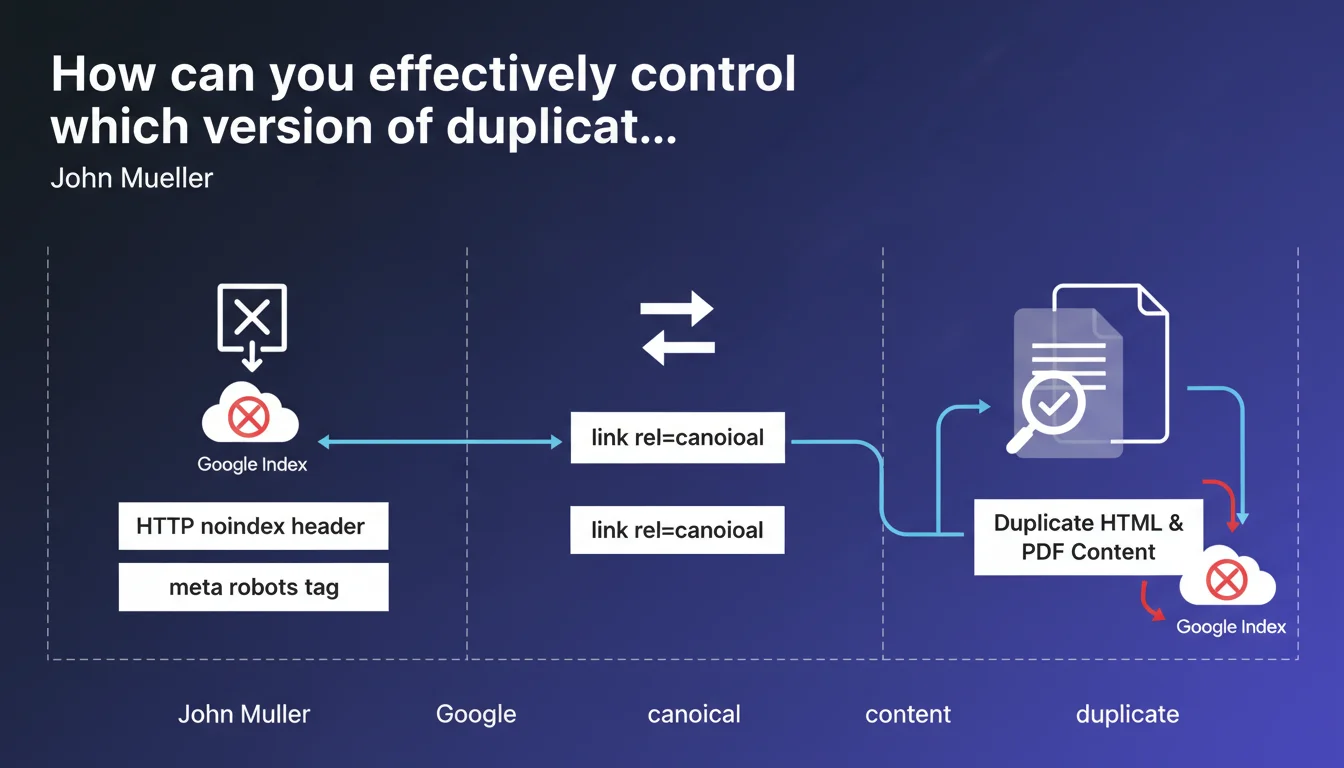
Google confirms three technical levers to control the indexing of duplicate HTML/PDF content: the HTTP noindex header, the meta robots tag, or the rel=canonical element. These tools allow you to indicate which version to prioritize and avoid diluting authority between identical formats.
What you need to understand
Why does Google specifically mention the HTML/PDF pair?
PDF files are indexable just like HTML pages. When a site offers the same content in both formats — typical for studies, reports, or technical documentation — Google must choose which version to display in search results.
Without an explicit directive, the engine applies its own heuristics. The result: the PDF version can cannibalize traffic from the optimized HTML page, or vice versa. The main risk is authority dilution between two competing URLs for identical content.
What are the three controls mentioned by Mueller?
First option: the HTTP noindex header. It blocks indexing on the server side, before the crawl even processes the document. Effective for dynamically generated PDFs or printable versions.
Second lever: the meta robots tag in the HTML <head> or embedded in the PDF. More accessible for standard CMSs, but requires Googlebot to parse the document.
Third method: rel=canonical. It doesn't prevent indexing but signals to Google which URL to treat as the canonical reference. Useful when you want to keep the PDF accessible while consolidating authority on the HTML page.
Which method should you prioritize depending on context?
- If the PDF adds no SEO value: noindex via HTTP header or meta robots
- If both versions should remain discoverable but one must take priority: rel=canonical pointing to the strategic version
- If content changes frequently: prioritize HTML with canonical, since PDF often becomes outdated faster
- For technical documentation where the PDF is the reference: point the HTML's canonical to the PDF
SEO Expert opinion
Does this recommendation match practices observed in the field?
Yes, but with important nuances. The three methods work, but their effectiveness varies depending on site architecture and content nature. PDFs hosted on third-party domains (like Slideshare, Issuu) often escape canonical control — there, only noindex is viable if you can intervene server-side.
One point Mueller doesn't address: managing multi-page PDFs. When a 50-page document generates as many distinct URLs in HTML, rel=canonical quickly becomes unmanageable. In that case, it's better to completely block PDF indexing and structure the HTML in chapters with coherent internal linking.
What are the unmentioned limitations of these controls?
Rel=canonical is a directive, not an instruction. Google can ignore it if it determines that the non-canonical version is more relevant for a given query. I've seen cases where the PDF ranked despite a canonical pointing to the HTML, particularly when the PDF contained annotations or formatting judged superior. [To verify]: the exact weight given to canonical in HTML/PDF arbitration remains unclear — Google publishes no metrics.
Another blind spot: performance. A heavy PDF slows down crawling and wastes bot budget unnecessarily even with noindex. If the file weighs 10 MB and Googlebot systematically downloads it to check the noindex header, that's wasted resources. There, a Disallow in robots.txt is more radical but also prevents following internal links within the PDF.
Should you always choose between HTML and PDF?
No, not always. Some content benefits from being indexed in both formats: HTML captures long-tail informational queries, the PDF positions itself on searches like "complete guide [topic] filetype:pdf". In this scenario, you must differentiate optimizations: title, meta description, enriched editorial content on HTML side; documentary density and index structure on PDF side.
Practical impact and recommendations
What should you audit first on an existing site?
First step: identify all duplicate HTML/PDF indexed. Query site:example.com filetype:pdf in Google, then cross-reference with a Screaming Frog crawl to spot duplicate content. List pairs where the same text exists in HTML and PDF.
Second check: contradictory signals. A PDF with a canonical pointing to an HTML page that itself returns noindex will create confusion. Verify that directives point in a consistent direction.
How do you technically implement these controls?
For static PDFs hosted on Apache/Nginx, add a noindex header via .htaccess or server configuration. Example: Header set X-Robots-Tag "noindex" for all *.pdf files.
On WordPress or similar CMSs, use an SEO plugin (Yoast, RankMath) to add the meta robots tag on HTML download pages. If the PDF is generated dynamically, inject the HTTP header when generating.
For rel=canonical: insert <link rel="canonical" href="MAIN_VERSION_URL" /> in the <head> of the secondary version. On the PDF side, it's more technical — some generators allow adding XMP metadata, but Google doesn't guarantee reading it. Better to not index the PDF if the canonical cannot be properly injected.
What mistakes should you absolutely avoid?
- Never use
Disallowin robots.txt if you want Google to respect the canonical — the bot must access the file - Avoid putting noindex AND canonical on the same resource: noindex will prevent Google from transferring authority
- Don't forget to check mobile versions: some CMSs serve different PDFs depending on device
- Monitor content updates: an obsolete PDF left indexed degrades user experience and can harm reputation
- Be careful with PDFs generated from third-party tools (Canva, Google Docs exports): they sometimes embed parasitic metadata
Managing duplicate HTML/PDF content requires a clear strategy by document type: block indexing of redundant formats without added value, canonicalize those that must coexist, and regularly audit the consistency of signals sent to Google.
These technical trade-offs — choosing between noindex and canonical, server configuration, duplicate analysis — require specialized expertise and time. If your site generates hundreds of PDFs or the architecture is complex, relying on a specialized SEO agency helps avoid costly mistakes and implement solid documentary governance in the long term.
❓ Frequently Asked Questions
Un PDF peut-il pointer vers une page HTML via rel=canonical ?
Que se passe-t-il si j'oublie de canonicaliser et que les deux versions sont indexées ?
Le noindex via meta robots fonctionne-t-il dans un PDF ?
Dois-je désindexer tous mes PDF pour éviter le duplicate content ?
Comment vérifier que Google a bien pris en compte mon noindex sur un PDF ?
🎥 From the same video 5
Other SEO insights extracted from this same Google Search Central video · published on 12/12/2023
🎥 Watch the full video on YouTube →
💬 Comments (0)
Be the first to comment.