
Official statement
Other statements from this video 4 ▾
- □ Is your content being invisibly filtered by SafeSearch without you knowing it?
- □ Does Google really filter content automatically without your consent, and how much are you actually missing?
- □ Is Google really filtering explicit results based on your search intent?
- □ Is Google's Default Blur Mode Going to Hurt Your Image Search Rankings?
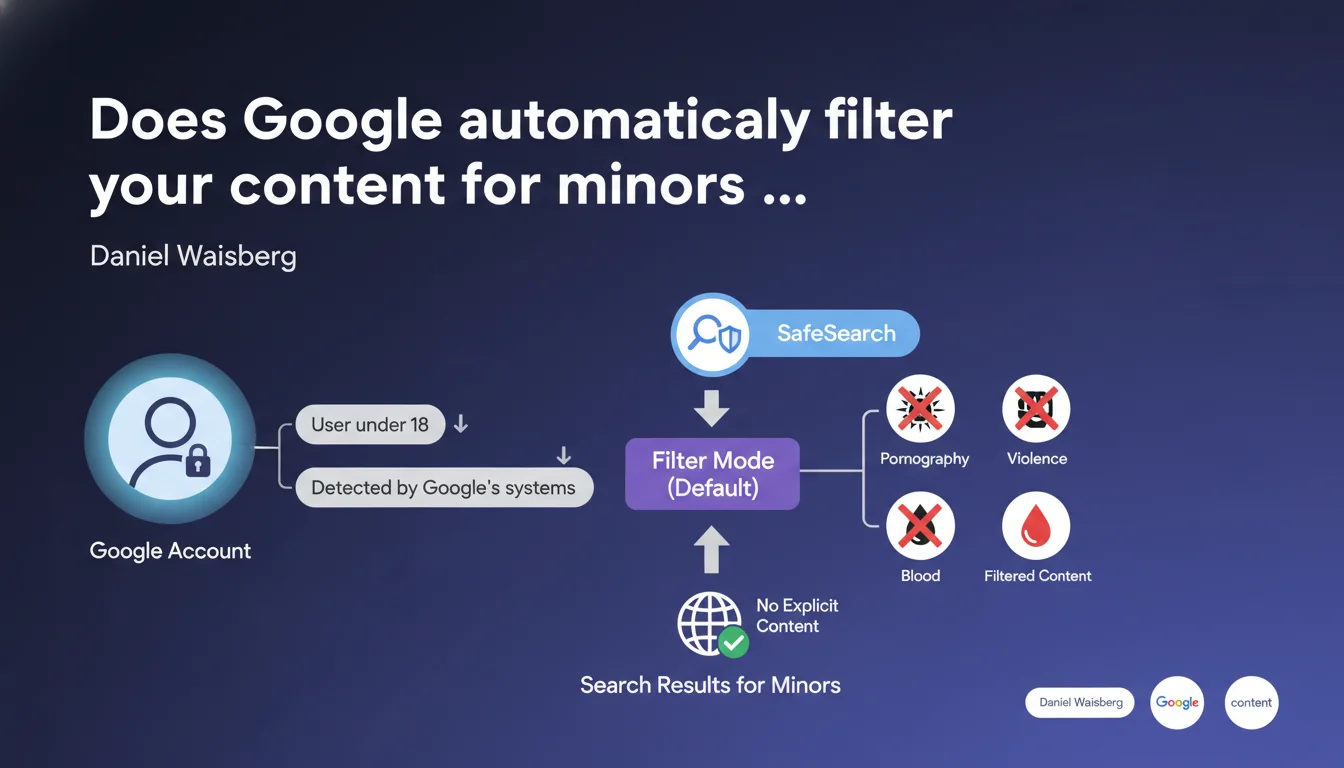
Google automatically activates SafeSearch in Filter mode for all accounts detected as belonging to users under 18 years old. This filter blocks the visibility of explicit content (pornography, violence, blood) in search results for this audience. If your site targets a young audience or hosts sensitive content, this policy directly impacts your organic traffic.
What you need to understand
What exactly is SafeSearch in Filter mode?
SafeSearch is an automatic filtering system developed by Google to hide explicit content from search results. In Filter mode, it actively blocks pornography, violent images, and graphic blood content.
What's different here is that Google imposes this filter by default as soon as it detects a user account belonging to someone under 18. The user can theoretically disable it, but this requires voluntary action — and Google doesn't make this easy for minors.
How does Google detect a user's age?
The statement remains vague on this point. We know that Google collects the date of birth when creating the account, but it can also infer age through other signals: browsing history, behavioral patterns, parental declarations on Family Link accounts.
The problem? No public data on error rates or false positives. An account incorrectly detected as belonging to a minor would be subject to this filter without necessarily knowing it. [To verify]
What content is actually blocked?
Google explicitly mentions pornography, violence, and blood. But the boundary remains subjective: could a medical information site showing a surgical wound be filtered? An art gallery displaying artistic nudity?
The classification relies on computer vision algorithms and Google's machine learning systems — not a public and verifiable criteria grid. The opacity is complete.
- Automatic activation for all detected minor accounts
- Default filtering: pornography, graphic violence, blood
- Detection method based on declared age and undocumented behavioral signals
- No transparency on exact criteria or false positives
- Deactivation is possible but not encouraged by Google
SEO Expert opinion
Is this statement consistent with observed field practices?
On paper, yes. Google has been communicating about SafeSearch for years, and this measure fits into a logic of protecting minors in the face of growing regulatory pressure (COPPA, GDPR, DSA).
The catch — and this is where it gets sticky — is that Google publishes no data on the filter's actual effectiveness. How many legitimate sites are falsely blocked? How much explicit content still gets through? No official answers. [To verify]
What nuances should be added to this announcement?
First nuance: this policy only applies to logged-in Google accounts. A user in private browsing or without a Google account is not subject to this filter by default — unless they activate it voluntarily.
Second nuance: filtering occurs at the level of search results displayed, not indexing. Your page can be perfectly indexed normally but invisible to certain users. It's a form of selective censorship that doesn't affect your presence in Google's index.
Third nuance, rarely mentioned: SafeSearch doesn't apply uniformly across content categories. A news article about a violent crime with shocking photos may be blocked, but a hyper-graphic video game available on the Play Store would pass without issue. Consistency is lacking.
In what cases does this rule not apply?
If the user is not logged in or their account is not detected as belonging to a minor, SafeSearch remains in Standard mode (light filter) or disabled.
Organic search results for professionals logged in via business accounts are normally not affected, except for specific parental configuration on managed accounts. But again, Google doesn't document these exceptions exhaustively.
Practical impact and recommendations
What should you concretely do if you target a young audience?
If your site legitimately addresses minors or young adults (education, all-ages entertainment, amateur sports), first verify that your content meets SafeSearch criteria. Avoid any image or text that could trigger the filter: graphic violence, nudity even if artistic, explicit language.
Test your site in SafeSearch mode: log in with a Google account configured as a minor (or manually activate the filter in settings) and run targeted searches. If your pages don't appear, they're being blocked.
What mistakes should you avoid to prevent unjustified filtering?
Don't multiply ambiguous images: even an artistic or educational visual can be interpreted as explicit by Google's algorithms. Favor neutral visuals, blur sensitive areas if necessary.
Avoid risky keywords in your title tags, meta descriptions, and editorial content: "sex," "violence," "blood," "crime," even in an informational context, can trigger the filter. Rephrase intelligently without watering down the information.
Watch out for user-generated content (comments, forums, UGC): if your site hosts unmoderated discussions, a single explicit message can be enough to blacklist an entire URL. Implement strict, responsive moderation.
How can you verify that your site complies with SafeSearch criteria?
Google doesn't offer an official SafeSearch verification tool in Search Console — unfortunate but logical given the system's opacity. You must proceed manually: activate SafeSearch on your own account, run searches on your strategic keywords, verify the presence of your pages.
Also compare your organic traffic by age group if you have access to this data through Google Analytics (crossed with demographic signals). An unexplained drop in the 13-17 age group may indicate SafeSearch blocking.
- Audit your visual and textual content to eliminate any potentially explicit elements
- Test your site in SafeSearch mode with several strategic queries
- Implement strict moderation of user-generated content
- Rephrase sensitive keywords without distorting the information
- Monitor organic traffic variations by age group in your analytics
- Document any blockages and contest through Google channels if unjustified
❓ Frequently Asked Questions
SafeSearch bloque-t-il l'indexation de mes pages par Google ?
Un utilisateur mineur peut-il désactiver SafeSearch sur son compte ?
Comment savoir si mon site est bloqué par SafeSearch ?
Quels types de contenus déclenchent le plus souvent le filtre SafeSearch ?
Le filtrage SafeSearch impacte-t-il aussi YouTube et Google Images ?
🎥 From the same video 4
Other SEO insights extracted from this same Google Search Central video · published on 24/10/2023
🎥 Watch the full video on YouTube →
💬 Comments (0)
Be the first to comment.