
Official statement
Other statements from this video 4 ▾
- □ Does Google really filter content automatically without your consent, and how much are you actually missing?
- □ Is Google really filtering explicit results based on your search intent?
- □ Is Google's Default Blur Mode Going to Hurt Your Image Search Rankings?
- □ Does Google automatically filter your content for minors with SafeSearch?
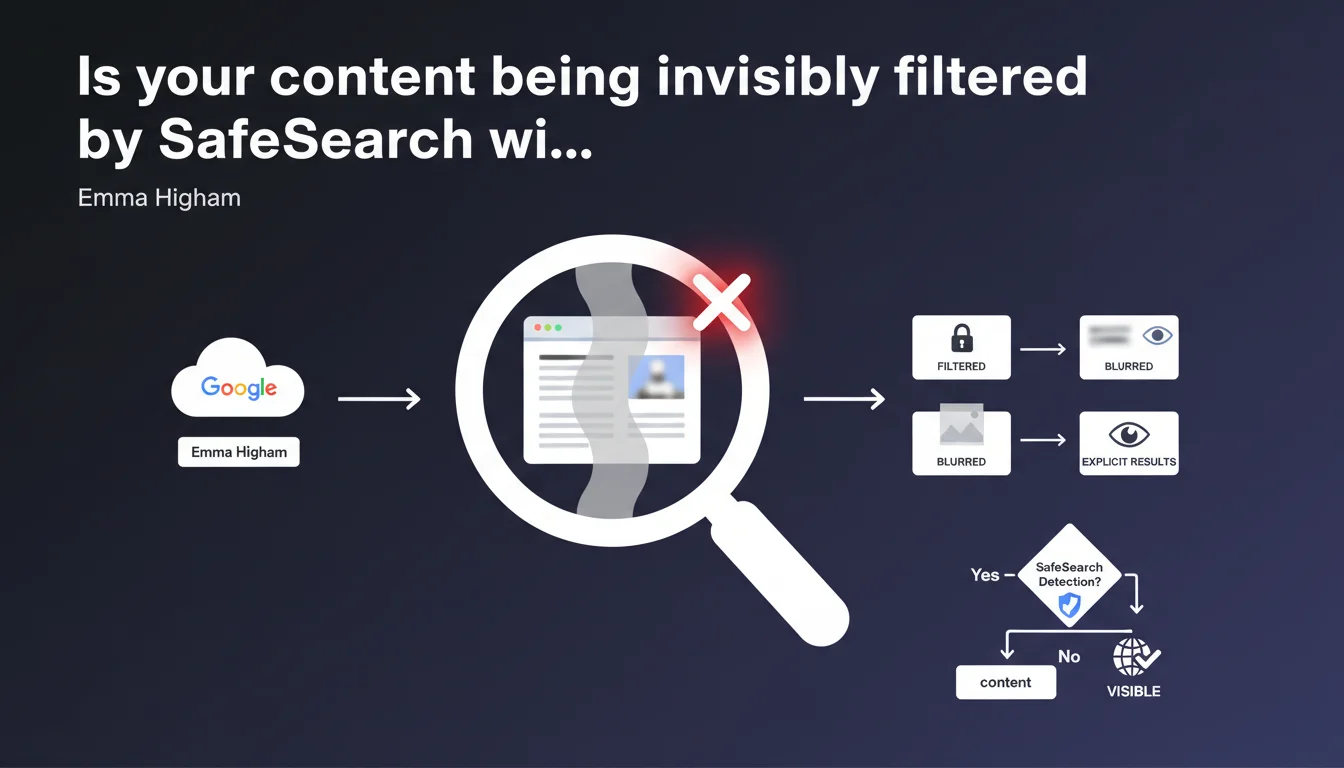
SafeSearch detects and filters explicit content (pornography, violence) from Google Search results with three control levels: strict filtering, blurring, or unrestricted display. This system directly impacts the visibility of certain content based on user settings, even for legitimate sites that cover sensitive topics without being explicit.
What you need to understand
What is SafeSearch and how does this filter work?
SafeSearch is a filtering system built into Google that analyzes page content to detect explicit elements. It's not simply a keyword filter, but semantic and visual analysis that evaluates images, videos, and text.
The filter offers three levels: strict filtering (explicit content completely hidden), moderate blurring (blurred thumbnails that are clickable), and disabled (unrestricted display). The default setting varies by region and account type.
What types of content are considered explicit?
Google primarily targets pornography and graphic violence. But the boundary remains unclear for borderline content: sex education, nudity in art, news with shocking images.
The system uses machine learning to classify content, which means it evolves and can produce false positives. A health site with anatomical diagrams or a news outlet with war photos can end up filtered.
Why is this Google statement important for SEO?
Because SafeSearch directly modifies visibility of certain pages in search results. If your content is marked as explicit, a significant portion of users will never see it — particularly in professional environments, schools, or accounts with parental controls.
- Impact on traffic: Filtered pages lose a significant share of potential audience
- No notification: Google doesn't warn webmasters that content is classified as explicit
- Automatic detection: The system operates without human intervention, with risk of errors
- Ranking vs. filtering difference: A page can rank well but be invisible to certain users
SEO Expert opinion
Does this statement align with real-world observations?
Yes and no. The general principle works as described, but the filter's precision leaves much to be desired. We regularly observe false positives — educational, artistic, or medical sites blocked incorrectly.
The problem: Google provides no tool to verify if your pages are marked explicit or to contest this classification. You must manually test with different SafeSearch settings, which isn't practical at scale. [To verify] as Google remains vague about precise classification criteria.
What gray areas does Google not address?
The statement passes over several critical points. First, interaction with other filters: SafeSearch adds to algorithmic penalties, third-party parental controls, and geographic restrictions.
Second, the question of editorial context. The same visual can be legitimate in a news article but explicit elsewhere. Google claims to analyze context, but frequent errors suggest it's far from perfect.
Does SafeSearch affect search result ranking or only their display?
Officially, SafeSearch doesn't change ranking — it only filters display. A page at position 1 stays at position 1, it's just hidden for certain users.
But in practice, the distinction is theoretical. If 30-40% of your potential audience never sees your results, your organic traffic collapses mechanically. And fewer clicks means degraded user signals, which can eventually impact real ranking. It's an indirect effect but very real.
Practical impact and recommendations
How do you know if your content is being filtered by SafeSearch?
Manually test your critical URLs with SafeSearch enabled. Add &safe=active to your Google query or enable the filter in search settings. Compare results with SafeSearch disabled.
Analyze your Search Console data: unexplained traffic drops on certain pages can signal filtering. Cross-reference with performance reports by query to identify patterns.
What should you do if your legitimate content is blocked by mistake?
Unfortunately, there is no dedicated official recourse. You can:
- Reduce the density of potentially ambiguous images
- Add more explicit textual context around sensitive elements
- Use highly descriptive
altandtitletags to clarify editorial intent - Structure content with appropriate structured data (Article, HealthTopicsContent, etc.)
- Consider blurring images yourself with user-side un-blurring option
If the problem persists, try Google Search's generic feedback form, though responses are rare.
What precautions should you take to avoid unwanted filtering?
Anticipate this from editorial design. If you cover sensitive topics, frame visually: prefer diagrams, infographics, and illustrations to raw photos. The system is less likely to misinterpret.
Strengthen semantic context: clear introductions, explicit headlines, professional vocabulary. The more obvious the legitimate editorial context is, the lower the risk of misclassification.
❓ Frequently Asked Questions
SafeSearch impacte-t-il le positionnement dans les résultats ou seulement la visibilité ?
Comment puis-je vérifier si mes pages sont filtrées par SafeSearch ?
Existe-t-il un moyen de signaler à Google qu'un contenu légitime est bloqué à tort ?
Les sites éducatifs ou médicaux sont-ils exemptés du filtrage SafeSearch ?
SafeSearch analyse-t-il uniquement les images ou aussi le texte ?
🎥 From the same video 4
Other SEO insights extracted from this same Google Search Central video · published on 24/10/2023
🎥 Watch the full video on YouTube →
💬 Comments (0)
Be the first to comment.