
Official statement
Other statements from this video 12 ▾
- □ Why is Google now rejecting certain directives in your robots.txt file?
- □ Can Google really index your URLs blocked by robots.txt without you being able to do anything about it?
- □ Does Google really process HTTP status codes during the crawl phase, not after?
- □ Does Google extract meta robots and canonical tags during indexing rather than at crawl time—and why does this distinction matter for your site?
- □ Can a single noindex tag on an hreflang page contaminate your entire international cluster?
- □ Should you really rely on JavaScript to handle noindex directives?
- □ Should you use X-Robots-Tag to keep PDFs and binary files out of Google's index?
- □ Does the unavailable_after directive really slow down Google's crawling?
- □ Should you disable Google cache to take control of how your snippets appear in search results?
- □ Can you really force Google to refresh a snippet without owning the website?
- □ Does Google's removal tool actually delete your URLs from the index?
- □ Why does it really take Google months to permanently remove a page from its index?
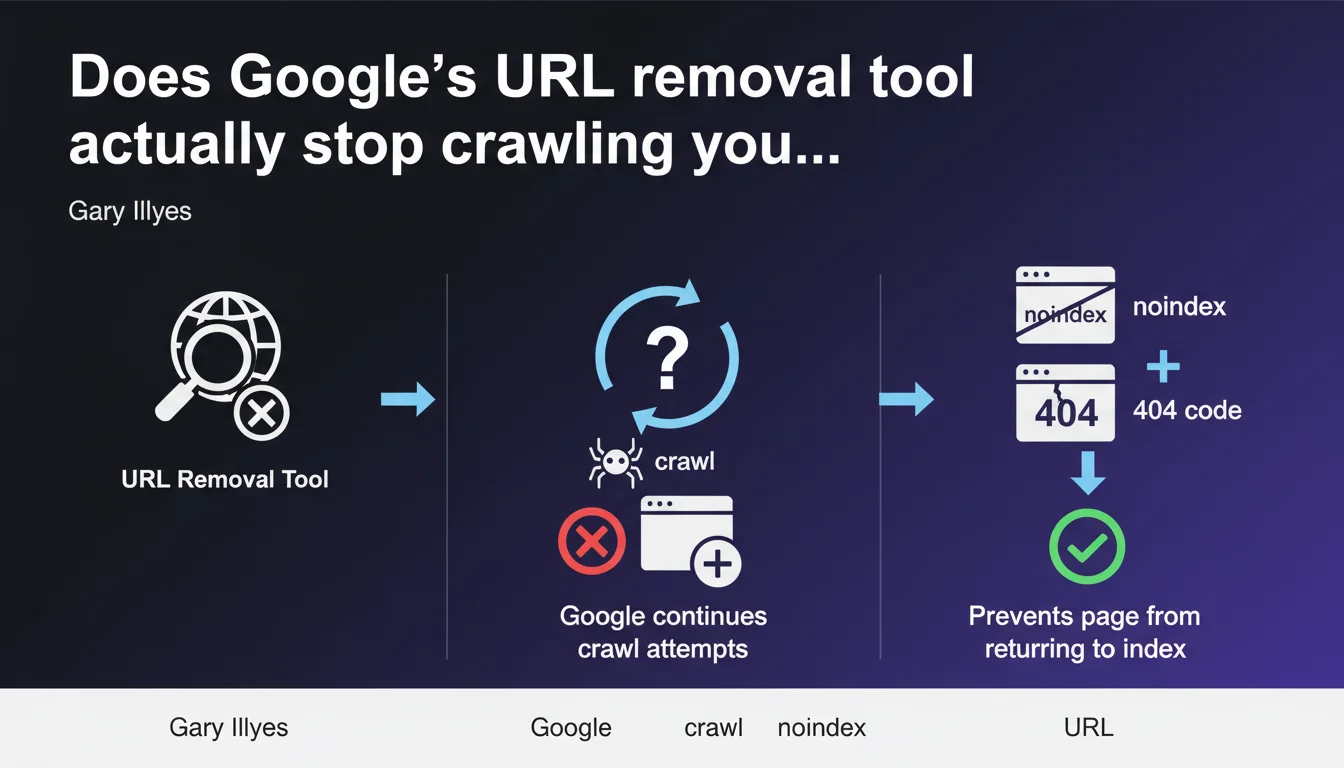
Google's URL removal tool doesn't stop crawling. Googlebot continues trying to explore removed pages. To permanently block indexation, you need to add a noindex directive or return a 404/410 code — the tool alone isn't enough.
What you need to understand
What does the URL removal tool actually do?
The URL removal tool in Search Console temporarily removes a page from search results. It's a cosmetic action on the display side, not an instruction to stop crawling.
Googlebot doesn't interpret this removal as a permanent exclusion signal. The bot continues exploration attempts according to its normal crawl schedule. The page disappears from the index for approximately 6 months, but nothing prevents Google from crawling it again in the meantime.
Why does Google continue crawling a removed URL?
Crawling and indexation are two separate processes. The removal tool acts only on display in search results, not on Googlebot's behavior.
If the page remains accessible and crawlable — without noindex, without 404 — Google crawls it normally. This makes sense: the bot can't guess that you want to exclude it permanently if the server responds with 200 OK and the content remains indexable.
What's the right method to permanently block a page?
To prevent the page from returning to the index after removal, you must combine the tool with a technical directive. Two main options:
- Noindex directive in HTML or via X-Robots-Tag HTTP header
- HTTP 404 code (page not found) or 410 (resource permanently removed)
- Optionally blocking via robots.txt, but this method prevents crawling so Google never sees the noindex — use with caution
- The removal tool then serves to speed up temporary removal while the technical directive takes effect
SEO Expert opinion
Is this crawl/indexation distinction new?
No. It's a basic reminder that too many practitioners still forget. The confusion stems from the tool being poorly named — it doesn't technically remove anything, it temporarily hides.
In the field, we regularly see clients surprised to find "removed" pages back in the index after a few weeks. They used the tool, but never added noindex or changed the HTTP code. Result: Googlebot recrawls, finds a 200 OK, reindexes.
In which cases does this rule cause problems?
The real issue is emergency management. Imagine sensitive content accidentally indexed — customer data, test pages in production, massive duplicates after a failed migration.
The removal tool allows quick removal (within hours), but if you rely on it alone, the page will return. You must intervene in parallel on the server: add noindex or switch to 404. [To verify]: the exact timeframe for reindexation after removal varies depending on your site's crawl budget — Google provides no precise figures.
Should you prioritize 404 or noindex to block permanently?
It depends on your intention. A 404/410 signals permanent removal — Google eventually removes the URL from its index and stops crawling it. It's clean, definitive.
Noindex allows you to keep the page accessible to visitors while excluding it from the index. Useful for low-value SEO pages but necessary ones (order confirmations, member areas). Caution: with noindex, Googlebot keeps crawling to verify the directive — unnecessary crawl budget consumption if the page has no utility.
Practical impact and recommendations
What do you need to do concretely to deindex a page?
Two-step procedure for clean and permanent removal:
Step 1: Immediate removal via the removal tool — only if you need the page to disappear from results quickly (within hours). It's a temporary patch, not a lasting solution.
Step 2: Implementation of a technical directive — either add a <meta name="robots" content="noindex"> tag in the HTML, or configure your server to return a 404 or 410. Without this step, the page comes back to the index after a few weeks or months.
What mistakes should you avoid when removing a URL?
- Never rely solely on the removal tool for permanent removal
- Don't block via robots.txt a page you want to deindex — Googlebot must be able to crawl to read the noindex
- Don't forget to check URL variants (HTTP/HTTPS, www/non-www, trailing slash) — each can be indexed separately
- Don't leave noindex on a page you want to index later — switch to temporary 404 then reactivate properly
- Don't ignore internal links pointing to a removed page — clean up the linking structure to avoid UX 404s
How do you verify that the removal is effective?
Use the site:yoururl.com command in Google to check presence in the index. Inspect the URL via Search Console to see indexation status and last crawl attempt.
On the server side, check logs to confirm Googlebot receives the expected HTTP code (404, 410) or detects noindex. If the bot keeps crawling a page with 200 OK and no noindex, it will eventually return.
❓ Frequently Asked Questions
Combien de temps dure l'effet de l'outil de suppression ?
Peut-on bloquer définitivement via robots.txt ?
Quelle différence entre 404 et 410 pour désindexer ?
Le noindex consomme-t-il du crawl budget ?
Faut-il utiliser l'outil de suppression après avoir mis un noindex ?
🎥 From the same video 12
Other SEO insights extracted from this same Google Search Central video · published on 04/08/2022
🎥 Watch the full video on YouTube →
💬 Comments (0)
Be the first to comment.