
Official statement
Other statements from this video 10 ▾
- □ Is CLS really a full-fledged Google ranking factor you can't ignore?
- □ Are your images sabotaging your CLS without you even knowing it?
- □ Does specifying image dimensions really fix Cumulative Layout Shift?
- □ Are lab data really enough to optimize your Core Web Vitals, or do you need real user metrics?
- □ How is the Chrome User Experience Report revolutionizing the way you measure your website's actual performance?
- □ Does LCP really measure how fast your main content appears on screen?
- □ Should you really prioritize loading your hero images to improve LCP?
- □ Is lazy loading really hurting your above-the-fold images and LCP?
- □ Can HTTP/2 really boost your site's performance without major technical overhaul?
- □ Should you really convert all your images to WebP for SEO?
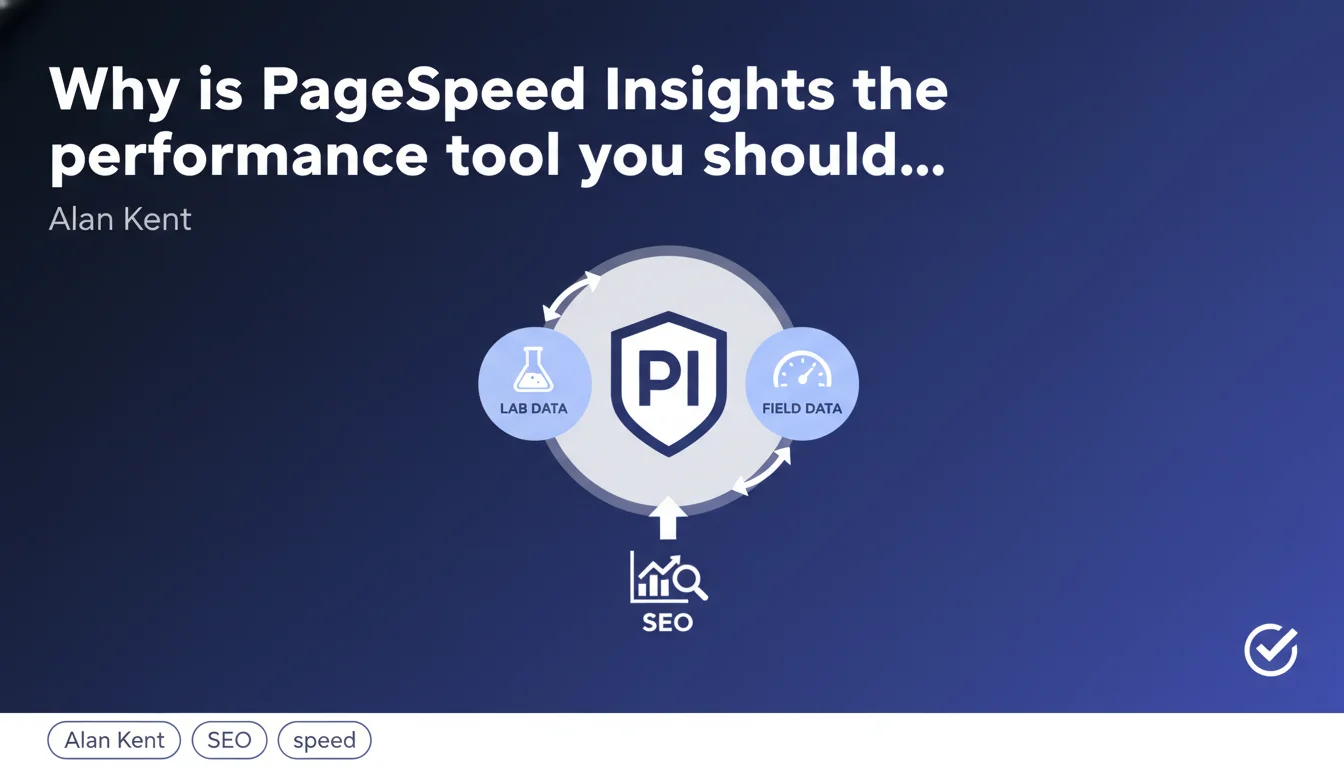
PageSpeed Insights combines lab data (controlled tests) and field data (real users via CrUX) in a single report. This dual approach allows you to identify both measurable technical issues and the real experience lived by your visitors. For a complete performance audit, it's the reference tool according to Google.
What you need to understand
What's the difference between lab data and field data?
Lab data are measurements taken in a controlled environment, with standardized network and hardware conditions. They allow you to detect technical issues in a reproducible way — ideal for debugging.
Field data come from the Chrome User Experience Report (CrUX): these are metrics collected from real Chrome users on your site. They reflect the real experience, with all its variability: slow connections, older smartphones, diverse geographies.
Why combine both in PageSpeed Insights?
Because they complement each other. Lab data tell you what's technically wrong. CrUX data tell you whether your real visitors are actually suffering from these issues.
A site can score 95/100 in the lab but have catastrophic Core Web Vitals in CrUX if 80% of visitors are on mobile 3G. Conversely, a mediocre lab score can mask a decent field experience if your audience is on fiber and high-end desktop.
What exactly does each type of data measure?
Lab data in PSI uses Lighthouse: First Contentful Paint, Speed Index, Largest Contentful Paint, Time to Interactive, Total Blocking Time, Cumulative Layout Shift. Measurements at a single point in time, on a standard Lighthouse configuration (emulated mobile, 4G throttling).
Field data report the three official Core Web Vitals: LCP, INP (formerly FID), CLS. Aggregated over 28 rolling days, 75th percentile. If your site doesn't have enough Chrome traffic, this section will be empty.
- PageSpeed Insights merges lab metrics (Lighthouse) and field metrics (CrUX)
- Lab data are reproducible and useful for identifying technical optimizations
- CrUX data reflect the real experience of your Chrome visitors over 28 days
- A good lab score doesn't guarantee good Core Web Vitals in the field, and vice versa
- Without sufficient Chrome traffic, you won't have field data in PSI
SEO Expert opinion
Is this dual approach really useful in practice?
Yes, but only if you understand the hierarchy. Google uses CrUX data for ranking (via the Page Experience signal). The Lighthouse data in PSI only serve for diagnosis.
Concretely: if your CrUX Core Web Vitals are green, you're safe on the ranking side, even if Lighthouse gives you 40/100. Conversely, a 95 Lighthouse score with red CrUX won't save you. Always prioritize improving field metrics.
What limitations should you keep in mind?
First limitation: CrUX only aggregates Chrome users who are connected, have accepted syncing and usage statistics. It's not 100% of your traffic, far from it. Safari, Firefox, users outside sync: invisible in CrUX.
Second limitation: PSI lab data test the homepage by default, or the URL you specify. If your critical pages (product sheets, landing pages) have specific issues, PSI won't see them automatically. You need to test URL by URL or use the full CrUX report in Search Console.
Third point — and this is often where it gets tricky: PSI lab data uses a simulated mobile 4G config. If your audience is mostly desktop fiber, or conversely real mobile 3G, the gap between lab and field will be massive. [To verify] on your own Analytics to identify the dominant device and connection.
Should you ignore Lighthouse recommendations if CrUX is good?
Let's be honest: no. Lighthouse recommendations remain best practices — compression, lazy loading, elimination of unnecessary JS, image optimization. Even if your CrUX are correct today, these optimizations give you room for maneuver for site evolution.
And CrUX can turn red overnight after an unlucky deployment. Having a clean technical foundation (reflected by a good lab score) limits the risk of sudden regression. But don't waste 3 weeks gaining 5 Lighthouse points if your Core Web Vitals are already green — focus elsewhere.
Practical impact and recommendations
How to use PageSpeed Insights effectively in an SEO audit?
Start by checking the "Discover how your site performs" section at the top of the PSI report. If it displays CrUX data (LCP, INP, CLS with green/orange/red indicators), that's your absolute priority. Ignore the Lighthouse score on first read.
If at least one CrUX metric is orange or red, scroll down to the Lighthouse recommendations to identify quick wins. Focus on suggestions marked with high "Estimated savings" and applicable without a complete redesign.
If the CrUX section is empty ("No data available"), two scenarios: either your page lacks Chrome traffic, or it's a non-indexed test/dev URL. In this case, use lab data as an indicator, but absolutely verify Search Console > Experience > Core Web Vitals to see if other site pages have field data.
What common mistakes should you avoid with PSI?
Classic mistake: only optimizing the homepage because it's the default URL in PSI. Your conversion pages (product sheets, categories, landing pages) are often more critical. Test them explicitly.
Another trap: focusing on the Lighthouse score and neglecting real Core Web Vitals. The score is a weighted synthesis of lab metrics — it has no direct impact on ranking. What matters is CrUX. If you have to choose between increasing from 60 to 80 in the lab or moving a CWV from orange to green, choose the CWV.
Last frequent mistake: testing while logged into your CMS/backend, or on a page with personalized content/A/B test. Lighthouse lab data won't see the same version as Googlebot or your real visitors. Test in private browsing, logged out, ideally with the exact public URL.
What optimization strategy should you adopt concretely?
Prioritize in this order: 1) Fix red CWV in CrUX (direct ranking impact). 2) Move orange CWV to green (safety margin). 3) Improve Lighthouse score if you have time and resources, but only after stabilizing field CWV.
For each Lighthouse recommendation, ask yourself: does this impact LCP, INP or CLS? If yes, it's a priority. If it's just "nice to have" (e.g., next-gen image formats that save 50 KB on a 2 MB page), it's secondary.
- Check for the presence of CrUX data in PSI for the URL tested
- Consult Search Console > Core Web Vitals for a site-wide overview
- Test strategic pages (conversions, traffic) individually in PSI
- Compare lab and field data to identify device/connection gaps
- Prioritize optimizations directly impacting LCP, INP and CLS
- Re-test after each deployment to avoid regressions
- Monitor CrUX over 28 rolling days to validate improvements
❓ Frequently Asked Questions
Pourquoi PageSpeed Insights affiche-t-il des scores différents à chaque test ?
Mon score Lighthouse est excellent mais mes Core Web Vitals CrUX sont rouges, pourquoi ?
Faut-il viser 100/100 dans PageSpeed Insights pour bien ranker ?
Que faire si PageSpeed Insights n'affiche aucune donnée CrUX pour mon site ?
Les recommandations Lighthouse sont-elles toutes à implémenter prioritairement ?
🎥 From the same video 10
Other SEO insights extracted from this same Google Search Central video · published on 06/05/2022
🎥 Watch the full video on YouTube →
💬 Comments (0)
Be the first to comment.