
Official statement
Other statements from this video 5 ▾
- □ L'API de vérification Search Console change-t-elle vraiment la gestion de propriété à grande échelle ?
- □ Comment déboguer efficacement les Core Web Vitals avec les DevTools du navigateur ?
- □ Comment positionner votre contenu sur les nouvelles surfaces de recherche de Google ?
- □ Search Labs : l'IA générative de Google va-t-elle redéfinir les stratégies SEO ?
- □ Google fait-il vraiment évoluer ses standards de recherche ou est-ce du vent ?
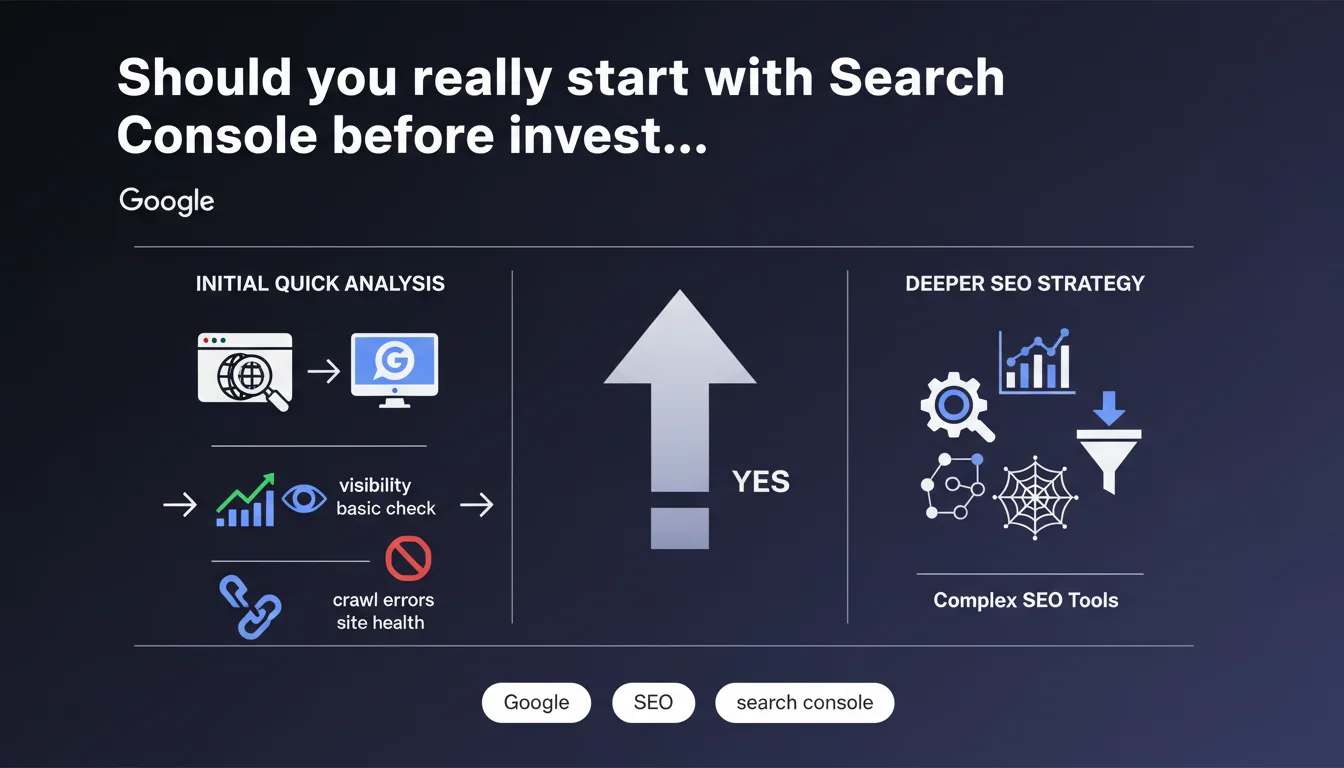
Google recommends using the browser and Search Console as your first analysis tools before turning to more sophisticated third-party solutions. This approach gives you an "official" and unfiltered view of crawl and indexing data straight from the source. Let's be honest: it's also a way to refocus attention on Google's proprietary tools.
What you need to understand
Google suggests a methodical approach: diagnose first with native tools before deploying heavy artillery. This recommendation follows a pragmatic logic — Search Console provides direct access to crawl, indexation, and performance data that Googlebot itself uses.
The underlying message? Third-party tools, however powerful, can only simulate or extrapolate what Google actually sees. Starting from the source avoids interpretation bias.
Why prioritize Search Console as your first choice?
Search Console delivers unmediated data: crawl error reports, index coverage, page experience issues. No external tool can definitively tell you what Googlebot crawled or why a URL isn't indexed — only GSC can.
The browser, meanwhile, lets you quickly verify client-side rendering, perceived speed, and blocked resources. Combined with the Network tab in DevTools, it's a remarkably effective duo for identifying obvious bottlenecks before even opening Screaming Frog.
What are the risks of relying solely on third-party tools for analysis?
Traditional crawl tools (Screaming Frog, Oncrawl, Botify) simulate a robot but don't exactly reproduce Googlebot's behavior. They can miss JavaScript-rendered content, misinterpret conditional redirects, or overlook specific directives.
Result: diagnostics that sometimes diverge from reality. If you optimize based on a crawl that doesn't reflect what Google actually indexes, you risk fixing nonexistent problems and missing real blockers.
Does this mean you should skip third-party tools altogether?
No. Google isn't saying third-party tools are useless — it's suggesting a hierarchy. Starting with GSC allows you to diagnose based on the technical reality of Google, then deepen your analysis with specialized tools for competitive analysis, rank tracking, log auditing, or continuous monitoring.
External tools offer features GSC doesn't: server log analysis, internal duplicate detection, bulk structured data extraction, granular historical tracking. But they don't replace the authority of the source.
- Search Console = Google's official view of your site (crawl, indexation, errors)
- Browser + DevTools = quick validation of rendering and perceived performance
- Third-party tools = deeper analysis and automation for investigations GSC doesn't cover
- Never assume an external tool sees exactly what Googlebot indexes
SEO Expert opinion
Is this recommendation truly new or just a reminder?
It's primarily a pedagogical reminder. Experienced practitioners have known for years that GSC is the reference for any indexation diagnosis. But many junior SEOs or teams accustomed to third-party dashboards skip this initial step and jump straight into paid tools.
Google is refocusing the debate: before subscribing to yet another SaaS SEO platform, ask yourself — what is Google itself telling me about my site? If you ignore GSC alerts, no third-party tool will resolve them for you.
What nuances should be added to this statement?
GSC has well-documented limitations. Query data is sampled, crawl metrics are aggregated, and history is limited to 16 months. For a site with millions of pages, server log auditing is essential — GSC will never tell you precisely which sections are under-crawled or ignored.
Similarly, the browser alone isn't enough for large-scale rendering testing. [To be verified]: Google doesn't specify how to audit complex dynamic sites where content varies by geolocation, user session, or A/B tests. In these cases, a hybrid approach (GSC + logs + automated testing) remains necessary.
In what scenarios doesn't this rule apply?
On high-volume sites (multi-country e-commerce, media with millions of articles), GSC reaches its limits. Log analysis then becomes the only way to map actual crawl patterns and identify areas neglected by Googlebot.
For competitor monitoring or SERP tracking, GSC is worthless: it won't tell you where competitors rank or which keywords they're capturing. Here, third-party tools (SEMrush, Ahrefs, Sistrix) are irreplaceable.
Practical impact and recommendations
What concrete steps should you take to follow this recommendation?
Make GSC your systematic first step in every SEO audit. Before opening Screaming Frog or launching massive crawls, review coverage reports, crawl errors, Core Web Vitals, and any manual actions.
Use the live URL inspection tool to check exactly how Googlebot renders a problematic page. Compare it with what your browser displays. If a gap exists, you've found a blocker to fix — no need to dig further until you've closed that delta.
What mistakes should you avoid during this analysis phase?
Don't settle for a quick glance at the general dashboard. Dig into granular reports: excluded pages, redirect chains, soft 404s, server errors. Many audits miss weak signals because they don't drill down into GSC subcategories.
Another trap: ignoring user experience data (Core Web Vitals). Google now explicitly links them to rankings. If your CLS spikes or your LCP exceeds 4 seconds, no traditional on-page optimization will compensate.
How can you verify this approach is sufficient before going deeper?
After reviewing GSC and DevTools, if you identify major blockers (misconfigured robots.txt, accidental noindex, failing JavaScript rendering, recurring 5xx errors), fix them first. Wait for Google to recrawl and reindex.
Only if everything looks clean on GSC but SEO performance remains poor should you deploy advanced tools: log auditing, semantic analysis, deep crawling, competitor research. Don't skip steps — you risk drowning real problems in an ocean of secondary data.
- Systematically consult Search Console before any third-party SEO audit
- Use live URL inspection to compare Googlebot rendering vs. browser rendering
- Check Core Web Vitals and fix critical metrics before any advanced optimization
- Don't ignore index coverage alerts (excluded pages, server errors)
- Cross-reference GSC data with external crawls only if initial diagnostics are insufficient
- For high-volume sites, supplement GSC with server log analysis
❓ Frequently Asked Questions
La Search Console suffit-elle pour un audit SEO complet ?
Pourquoi Google insiste-t-il sur le navigateur comme outil d'analyse ?
Les outils tiers comme Screaming Frog sont-ils devenus obsolètes ?
Faut-il attendre les mises à jour de la GSC avant d'agir ?
Que faire si la GSC et un outil tiers donnent des résultats contradictoires ?
🎥 From the same video 5
Other SEO insights extracted from this same Google Search Central video · published on 29/12/2023
🎥 Watch the full video on YouTube →
💬 Comments (0)
Be the first to comment.