
Official statement
Other statements from this video 12 ▾
- □ Why is Google now rejecting certain directives in your robots.txt file?
- □ Can Google really index your URLs blocked by robots.txt without you being able to do anything about it?
- □ Does Google really process HTTP status codes during the crawl phase, not after?
- □ Does Google extract meta robots and canonical tags during indexing rather than at crawl time—and why does this distinction matter for your site?
- □ Can a single noindex tag on an hreflang page contaminate your entire international cluster?
- □ Should you use X-Robots-Tag to keep PDFs and binary files out of Google's index?
- □ Does the unavailable_after directive really slow down Google's crawling?
- □ Should you disable Google cache to take control of how your snippets appear in search results?
- □ Can you really force Google to refresh a snippet without owning the website?
- □ Does Google's removal tool actually delete your URLs from the index?
- □ Why does it really take Google months to permanently remove a page from its index?
- □ Does Google's URL removal tool actually stop crawling your pages?
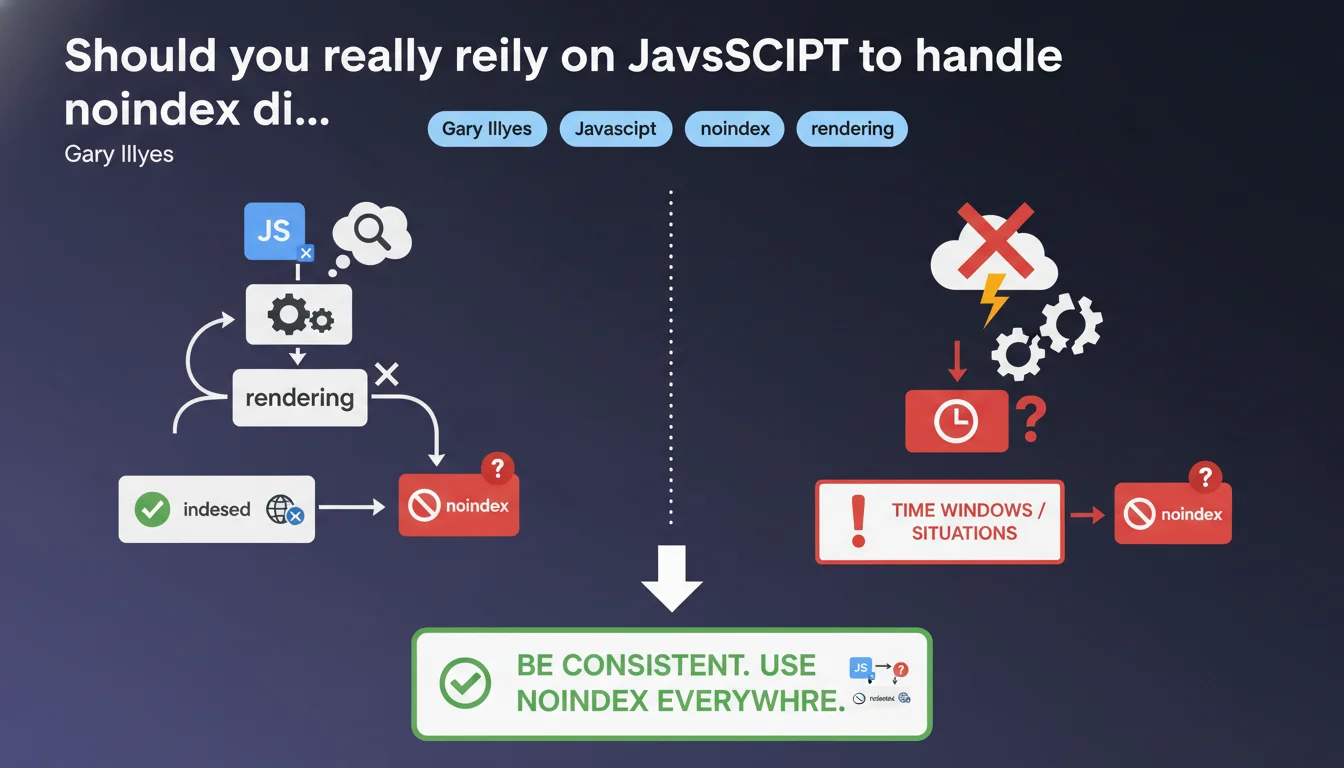
Google confirms that meta noindex added via JavaScript works after rendering in most cases, but without absolute guarantee. There are time windows where Googlebot could index before rendering or ignore the directive if rendering fails. The recommendation: stay consistent and prioritize server-side noindex when it's critical.
What you need to understand
What exactly happens when you add noindex in JavaScript?
When you inject a meta noindex via JavaScript, Googlebot must first execute the code to discover this directive. This means the bot crawls the page, downloads JS resources, launches rendering, then detects the noindex. This sequence takes time — sometimes a few seconds, sometimes several minutes depending on Google's load.
The problem? Between the moment Googlebot fetches the raw HTML and when it finishes rendering, it can decide to temporarily index the content. If rendering fails or is delayed, the noindex directive will never be seen. Google states it clearly: "should work" is not "always works".
In what cases can rendering fail or be ignored?
There are several scenarios where things get stuck. JavaScript blocked by robots.txt (classic error), rendering timeout on Google's side, a JS error preventing code execution, or simply a crawl budget prioritization where Googlebot decides not to render immediately.
Google doesn't render all pages in real-time — some go in the queue. If your page contains sensitive or duplicate content that absolutely must be excluded from the index, relying only on JS becomes risky.
Why does Google insist on consistency?
The phrase "it's better to be consistent" is typical Gary Illyes understatement. Concretely, it means: if a page must stay out of index, don't rely solely on JavaScript. Align your signals — noindex in server-side HTML, X-Robots-Tag in HTTP header if necessary.
Google works better with clear directives from the first pass. If raw HTML says "index OK" and JS says "noindex" three seconds later, you create an ambiguity that Googlebot can resolve its own way — not necessarily yours.
- JavaScript noindex works after rendering in the majority of cases, but without absolute guarantee
- There is a time window between HTML crawl and rendering where the directive is not visible
- If rendering fails, JS noindex is never detected
- Google recommends consistency: prioritize server-side noindex for critical pages
- Never block JS resources necessary for rendering in robots.txt
SEO Expert opinion
Does this statement contradict what we observe in the field?
No, it confirms what many of us have empirically observed. Pages with noindex in JS sometimes end up indexed temporarily, especially on sites with tight crawl budgets or intermittent JS errors. What's new is Google's explicit admission that there's no guarantee.
Until now, official documentation remained vague on this point. Gary Illyes puts his foot down: yes it often works, but no it's not 100% reliable. For an SEO expert, this is a welcome confirmation — we can finally argue factually with dev teams who insist on managing everything in JS.
What nuances should be added to this recommendation?
The major nuance: it all depends on the criticality level. If you have a staging or internal test page that nobody should see, server-side noindex is non-negotiable. If it's a paginated internal search results page that changes dynamically, JS noindex might be enough — the stakes are lower.
Another point: the notion of "time window" remains fuzzy. [To verify] We don't know how long this window lasts — a few seconds? Several hours? Google doesn't give a figure. On sites with high crawl velocity, the risk is probably higher than on a small site crawled once a week.
In what cases doesn't this rule really apply?
Let's be honest — if you have a static site generated server-side (Next.js in SSR mode, for example), the question doesn't arise: noindex is already in the initial HTML. This is mainly an issue for Single Page Applications (SPAs) where everything is injected client-side.
And even then, frameworks like Nuxt or Angular Universal can generate meta noindex at server render time. The real risk concerns legacy sites or teams adding noindex via GTM scripts or third-party tools — there, it's a gamble. If you don't control execution timing, you don't control indexation.
Practical impact and recommendations
What should you concretely do to secure noindex?
First rule: always prioritize server-side noindex when technically possible. This means a meta noindex in the initial HTML returned by the server, or better yet, an X-Robots-Tag HTTP header: noindex. Both methods are read instantly by Googlebot, before even rendering.
If you absolutely must go through JavaScript (technical constraints, CMS, etc.), make sure the code executes as early as possible — ideally in the , before any other script. And most importantly, never block your JS files in robots.txt if you're counting on them to manage indexation.
How do you verify that noindex is properly detected by Google?
Use the URL Inspection tool in Google Search Console. It shows you exactly what Googlebot sees after rendering. If your JS noindex doesn't appear in the rendered version, there's a problem — JS error, timeout, or blocked resource.
Also test with third-party tools like Screaming Frog in JavaScript-enabled mode, or Chrome DevTools with slow network throttling. If noindex takes more than 2-3 seconds to appear, there's a risk that Google ignores it in certain cases.
What mistakes should you absolutely avoid?
Don't mix signals. If HTML says "index" and JS says "noindex", you create ambiguity. Even worse: don't constantly change methods. I've seen sites switch from server noindex to JS noindex for "simplification" reasons — result, hundreds of pages reindexed temporarily.
Another classic trap: adding noindex via Google Tag Manager. GTM often executes after complete DOM, sometimes several seconds after initial load. Googlebot may have already made its indexation decision by then.
- Systematically prioritize server-side noindex (meta in initial HTML or X-Robots-Tag)
- If JS mandatory, place code in and execute as early as possible
- Verify detection with Search Console's URL Inspection tool
- Never block JS resources necessary for rendering in robots.txt
- Avoid adding noindex via GTM or late third-party scripts
- Monitor your index for several weeks after any modification
- Test with Screaming Frog in JS mode to validate behavior
- Maintain signal consistency across HTML, JS, and HTTP headers
❓ Frequently Asked Questions
Le noindex en JavaScript est-il détecté aussi rapidement que le noindex côté serveur ?
Puis-je utiliser robots.txt pour bloquer l'indexation au lieu de noindex ?
Que se passe-t-il si mon JavaScript plante après le chargement de la page ?
Le X-Robots-Tag en header HTTP est-il plus fiable que le meta noindex ?
Combien de temps faut-il à Google pour désindexer une page avec noindex JS ?
🎥 From the same video 12
Other SEO insights extracted from this same Google Search Central video · published on 04/08/2022
🎥 Watch the full video on YouTube →
💬 Comments (0)
Be the first to comment.