
Official statement
Other statements from this video 5 ▾
- □ Do you really need to master web development to succeed in SEO?
- □ Do you really need to master web development to excel at technical SEO?
- □ Does Google really prioritize user experience over everything else in its ranking algorithm?
- □ Is cutting back on JavaScript really the secret to better SEO performance?
- □ Why is applying the same SEO recommendations to every website a strategic mistake?
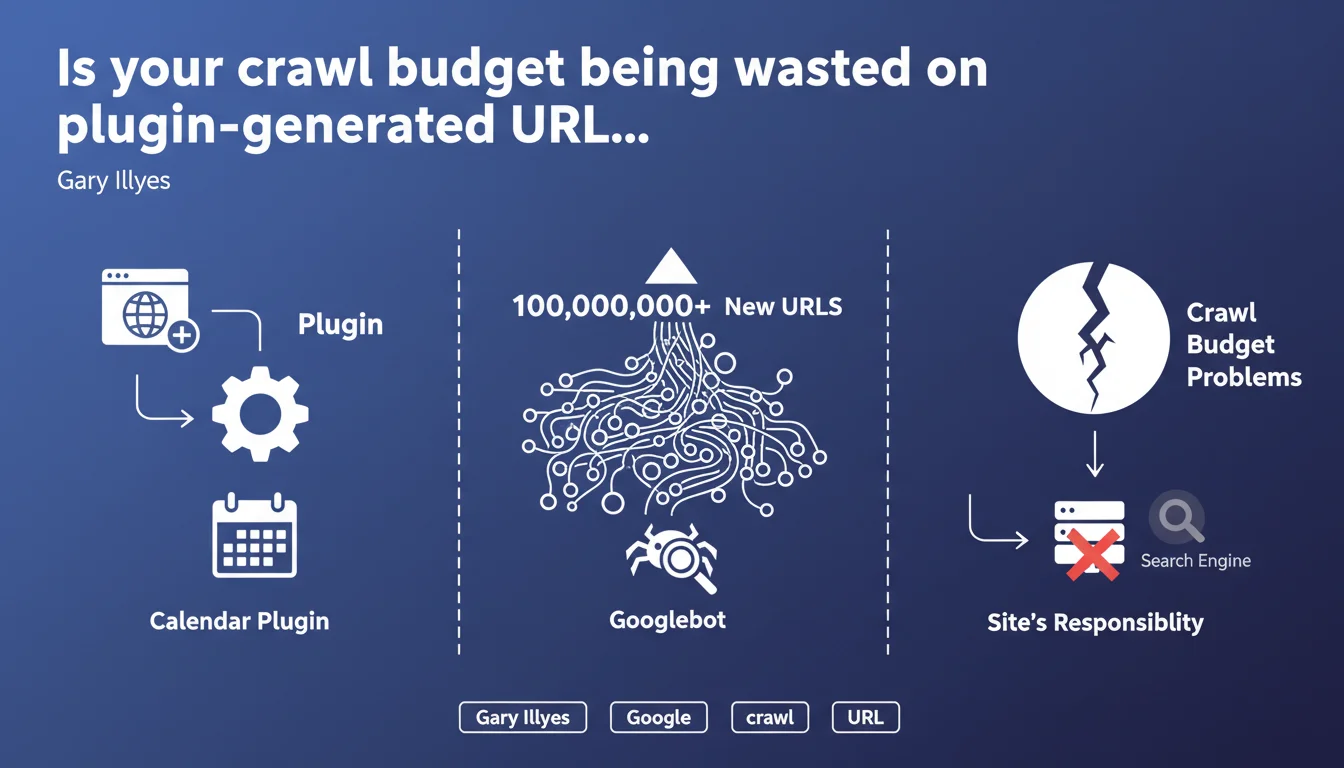
Installing plugins that automatically generate millions of URLs (calendars, filters, archives) can exhaust your crawl budget. Googlebot will attempt to crawl these new URLs at the expense of your strategic pages. Google makes it clear: the responsibility falls on you to control what gets published on your site.
What you need to understand
Which types of plugins trigger this explosion of URLs?
Gary Illyes explicitly mentions calendars, but the issue affects any plugin generating infinitely parameterized URLs. Product filtering systems (size, color, price, brand combinations), date-based archives (day/month/year), or poorly configured pagination systems fall into this category.
An e-commerce site can jump from 10,000 indexable URLs to several million with just a few clicks — as soon as a developer enables a module without proper controls. Googlebot discovers these URLs through exploratory crawling or XML sitemaps, and begins traversing them methodically.
What actually happens when your crawl budget becomes saturated?
Googlebot has limited time to crawl your site during each visit. If that time is monopolized by useless URLs (empty filters, calendar pages with no content), your strategic pages — product sheets, recent articles, commercial pages — get crawled less frequently.
The result: your new pages take longer to be indexed, your updates aren't detected quickly, and your SEO responsiveness collapses. On large sites, this lag can reach several weeks.
Does Google bear any responsibility for this?
No, and that's the key message from this statement. Google puts the ball back in webmasters' hands: if your site generates 100 million URLs, that's your problem, not Googlebot's. The crawler is doing its job — it's up to you to control what you expose.
This position is consistent with Google's philosophy on crawling: the engine shouldn't have to guess what's important. It's the site's responsibility to properly structure its architecture and directives.
- Plugins generating millions of URLs (calendars, filters) saturate crawl budget
- Googlebot crawls these new URLs at the expense of strategic pages
- Google refuses responsibility — it's the webmaster's job to control the architecture
- The issue particularly affects e-commerce and media sites with complex pagination
SEO Expert opinion
Is this position consistent with real-world observations?
Absolutely. We regularly observe in server logs that Googlebot spends a disproportionate amount of time on low-value URLs — empty product filters, archive pages without content, unnecessary sort variations. On a recently audited client site, 73% of crawl was dedicated to URLs generated by a poorly configured filtering plugin.
The problem is that Google doesn't provide a specific threshold. At what point do we consider the number of URLs problematic? 100,000? 1 million? 10 million? This statement remains vague about the critical threshold [To be verified].
Couldn't Googlebot better distinguish useful URLs?
In theory, yes — and Google is working on it. Intelligent crawling algorithms are supposed to identify patterns of useless URLs and adjust the budget accordingly. But in practice, this mechanism is slow to react and often insufficient on sites with complex architecture.
Let's be honest: waiting for Google to figure out your architecture on its own is a losing strategy. If your site generates millions of parasitic URLs, you must intervene actively — noindex, robots.txt, canonical, feature deactivation. Don't count on algorithmic mercy.
Are there exceptions where this rule doesn't strictly apply?
Yes. Very large sites (like marketplaces, aggregators) with strong authority enjoy a much more generous crawl budget. Google accepts crawling several million URLs if the site demonstrates strong user demand and diverse content.
But beware: even on these giants, uncontrolled URL explosion remains problematic. The difference is they have the technical resources to monitor and adjust continuously. For a standard site, the room for maneuver is much narrower.
Practical impact and recommendations
How do you identify if your site is affected by this problem?
First step: analyze your server logs over at least 30 days. Identify the most-crawled URL patterns. If Googlebot spends 60% of its time on filtering, pagination, or archive URLs, you have a structural problem.
Second check: compare the number of URLs submitted in your sitemap with the number of truly strategic URLs. If you're submitting 500,000 URLs when only 20,000 have real SEO value, you're polluting your own crawl budget.
What corrective actions should you apply immediately?
Disable or strictly configure any plugin generating parameterized URLs. For product filters, use client-side JavaScript or canonical tags pointing to the parent page. For calendars, block dynamic URLs via robots.txt if they provide no value.
Next, clean up your XML sitemap. Submit only high-value SEO URLs — active product sheets, recent articles, commercial pages. Remove all variants, filters, sorts, and automatic archives.
What mistakes should you absolutely avoid?
Don't rely on noindex alone to fix the problem. A noindex tag doesn't prevent crawling — Googlebot still visits the URL to read the directive. If you have 10 million noindexed URLs, you're still wasting crawl budget.
Another common mistake: enabling plugins without checking their impact on your site structure. A calendar module can generate thousands of URLs within hours. Always test in staging before deploying to production.
- Audit your server logs to identify over-crawled URLs
- Compare volume of submitted URLs vs. strategic URLs
- Disable or reconfigure plugins generating infinite URLs
- Use canonical, robots.txt, or JavaScript to control variants
- Clean your XML sitemap — only pages with SEO value
- Block crawl of useless URLs via robots.txt, not just noindex
- Test any new plugin in a staging environment
Managing crawl budget requires constant vigilance and fine technical control of your architecture. Between analyzing logs, cleaning sitemaps, advanced plugin configuration, and managing robot directives, these optimizations can quickly become complex to orchestrate alone. If your site has an elaborate technical architecture or a significant URL volume, it may be wise to rely on a specialized SEO agency for an in-depth audit and personalized action plan that will preserve your crawl budget without compromising your business objectives.
❓ Frequently Asked Questions
Le noindex suffit-il à économiser du budget de crawl ?
Combien d'URLs peut générer un plugin de filtrage produit ?
Les canonical résolvent-ils le problème de crawl des variantes ?
Comment savoir si mon budget de crawl est saturé ?
Un gros site a-t-il un budget de crawl illimité ?
🎥 From the same video 5
Other SEO insights extracted from this same Google Search Central video · published on 12/06/2025
🎥 Watch the full video on YouTube →
💬 Comments (0)
Be the first to comment.