
Official statement
Other statements from this video 4 ▾
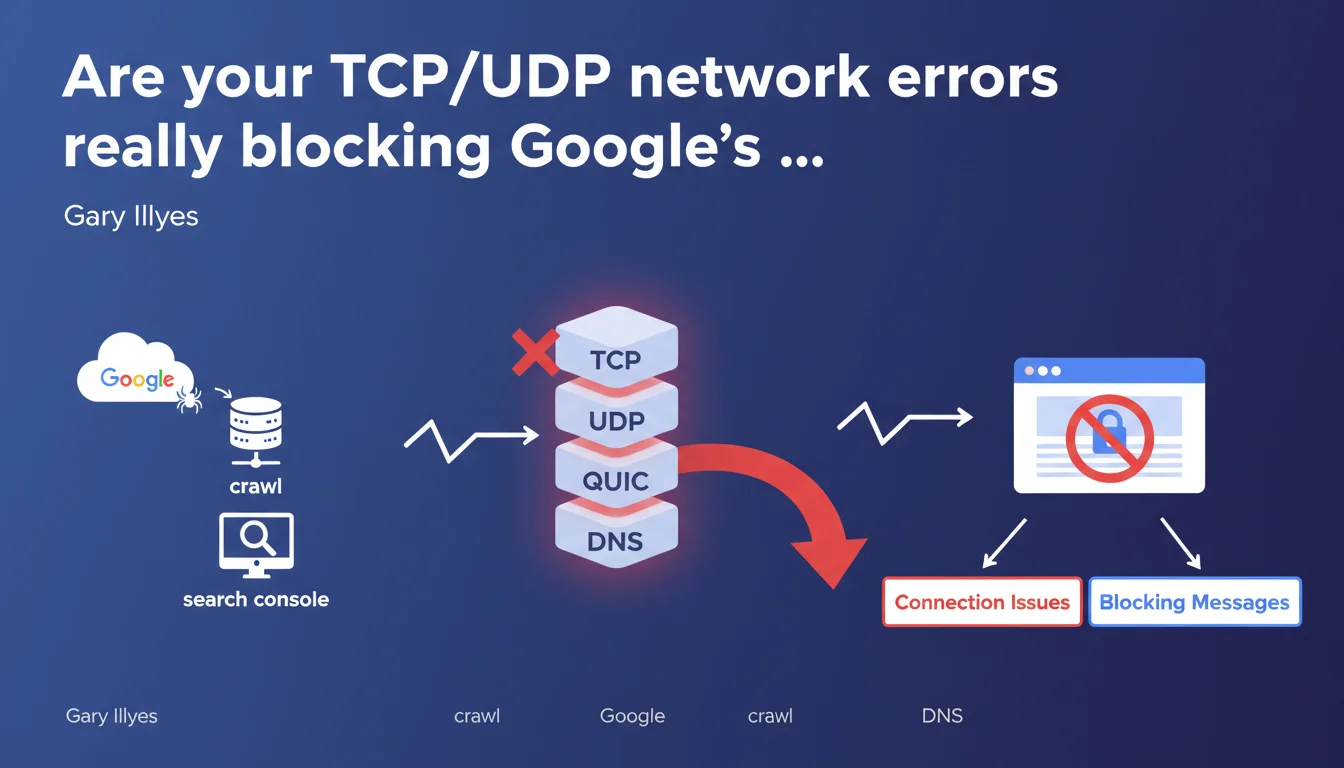
Google now reports network connection errors in Search Console at the TCP, UDP, QUIC, and DNS layer levels. These technical issues prevent Googlebot from accessing your pages entirely. In practical terms: no stable network connection = no crawl = no indexation.
What you need to understand
What do these network errors have to do with SEO?
Google crawls your pages using standard network protocols: TCP for classic HTTP/HTTPS, UDP and QUIC for HTTP/3, DNS for domain name resolution. When one of these low-level layers fails, Googlebot can't even establish a connection — forget about JavaScript rendering or Core Web Vitals, we're talking about a blockage before the first HTTP request even happens.
Search Console now displays these errors explicitly: network blocking messages, connection problems, DNS timeouts. This isn't new in practice — these bugs already existed — but Google is finally making visible what was happening in a black box.
Why is Google surfacing these errors now?
The massive adoption of HTTP/3 and the QUIC protocol (based on UDP) is multiplying scenarios where a site can be partially accessible. Your server responds in TCP/HTTP2 but fails in UDP/QUIC? Google tests both, and if QUIC fails, it generates a visible error.
Furthermore, cloud and CDN infrastructures — Cloudflare, Fastly, AWS CloudFront — introduce intermediate layers that can fail at the network level without the origin server breaking a sweat. Google wants you to see where the problem is: with you, with your host, or between the two.
What specific network errors are being reported?
- TCP connection timeout: the server doesn't respond within the allotted time (often 10-15 seconds).
- DNS resolution failure: unable to resolve the domain name to an IP address — nameserver problem, DNS propagation, or broken DNS zone.
- QUIC handshake error: failure to negotiate HTTP/3 — misconfigured firewall, firewall blocking UDP, or server that doesn't support QUIC even though it advertises it.
- UDP packet loss: packets lost in transit — unstable network, overloaded router, or aggressive filtering.
- Network unreachable: broken network routes, blacklisted IP, or cloud infrastructure down.
SEO Expert opinion
Is this statement consistent with on-the-ground observations?
Absolutely. We've been observing for months sites with degraded crawl budget with no apparent reason — no robots.txt blocking, no server overload, empty logs. The problem? Intermittent network errors that Search Console wasn't clearly reporting. Now, it jumps out at you.
However — and this is where things get tricky — Google doesn't say how long these errors need to persist before actually impacting indexation. A stray TCP error at 3 AM? Probably benign. Repeated DNS timeouts for 48 hours? There, you have a real problem. [To verify]: Google provides no documented tolerance threshold.
What nuances need to be added?
Not all protocols are equal. A QUIC/HTTP3 failure doesn't prevent Google from crawling over TCP/HTTP2 — it's an automatic fallback. So a QUIC error alone doesn't block indexation, it just slows down crawling (increased latency, reduced bandwidth).
On the other hand, a pure DNS or TCP problem? Game over. No connection possible, period. The nuance is crucial: not all network errors kill your SEO the same way.
In which cases are these errors false positives?
Google crawls from multiple datacenters, sometimes with strangely geolocalized IPs. If your firewall blocks certain Google IP ranges (intentionally or by mistake), Search Console reports network errors when 95% of crawling goes smoothly.
Another classic case: sites behind Cloudflare with "Under Attack Mode" enabled. Cloudflare serves a JavaScript challenge… that Googlebot can sometimes bypass, but not always on the first try. This generates intermittent TCP timeouts. [To verify]: does Google distinguish between intentional blocking and a real network failure? The documentation doesn't say.
Practical impact and recommendations
What should you do right now?
Open Search Console, go to Pages → Connection issues. If you see network errors on strategic URLs, act fast. First check your server logs: is Googlebot actually attempting to connect and failing, or isn't it even trying?
Test DNS resolution from multiple points around the globe: dig +trace yourdomain.com or tools like DNSChecker. A slow nameserver or poor DNS propagation can generate intermittent errors invisible from your office.
If you're using HTTP/3, verify that UDP port 443 is properly open on your firewall and load balancer. Many sysadmins forget this — they only authorize TCP 443. Google tests QUIC, it times out, error reported.
What errors should you absolutely avoid?
- Don't block Googlebot IPs in iptables, fail2ban, or an overly aggressive WAF — check the official list regularly.
- Don't advertise HTTP/3 support (Alt-Svc header) if your infrastructure doesn't actually handle QUIC — it's better to disable it properly.
- Don't ignore "rare" DNS timeouts — a single nameserver failure can tank your crawl for hours.
- Don't confuse network errors with server errors (5xx) — they're not the same debugging level, not the same tools.
How do you monitor these issues continuously?
Search Console is good, but reactive — you discover the problem after Google has already failed. Set up active network monitoring: Pingdom, UptimeRobot, or custom DNS/TCP/UDP probes via Datadog or Grafana.
Configure alerts if TCP latency exceeds 2 seconds, or if DNS resolution takes longer than 500ms. Google doesn't wait forever — a timeout is often 10-15 seconds max, and after that, it moves on.
❓ Frequently Asked Questions
Une erreur TCP ponctuelle peut-elle dégrader mon indexation ?
Dois-je désactiver HTTP/3 si Search Console remonte des erreurs QUIC ?
Comment savoir si l'erreur vient de mon serveur ou de mon CDN ?
Les erreurs DNS sont-elles aussi graves que les erreurs TCP ?
Search Console affiche-t-il le détail technique de chaque erreur réseau ?
🎥 From the same video 4
Other SEO insights extracted from this same Google Search Central video · published on 15/05/2025
🎥 Watch the full video on YouTube →
💬 Comments (0)
Be the first to comment.