
Official statement
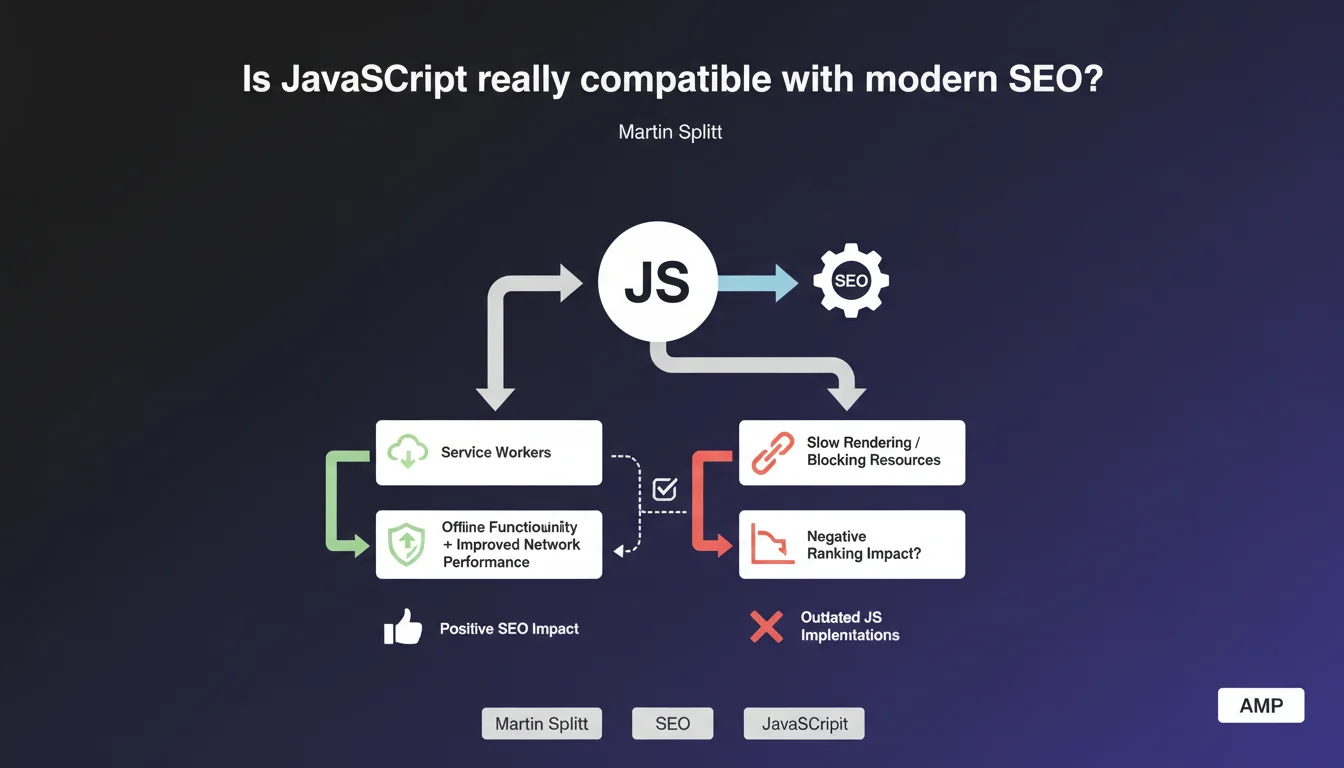
Google asserts that well-implemented JavaScript has no negative impact on search engine optimization. Service Workers are cited as an example: they improve network performance and enable offline functionality without harming SEO. The real issue therefore lies in the quality of implementation, not in the technology itself.
What you need to understand
Why does Google keep coming back to the JavaScript question?
For years, JavaScript and SEO have formed a complicated relationship. The first full-JS websites created real indexation problems — Googlebot had to execute code, which slowed down crawling and created silent errors.
Google therefore regularly repeats the same message: JavaScript itself isn't the problem, it's how it's implemented. The distinction is important. A poorly configured React site can block indexation, while a well-optimized Vue.js site can rank perfectly.
What are Service Workers and why this specific example?
Service Workers are JavaScript scripts that run in the background, independently of the web page. They intercept network requests, manage caching, and enable offline functionality.
Martin Splitt probably cites them for a strategic reason: to show that JavaScript can enhance user experience without sacrificing SEO. It's a counter-argument to alarmist discourse. But be careful — not all uses of JavaScript are equal.
What does a "well-implemented" JavaScript implementation look like according to Google?
Google deliberately remains vague on this definition. We can deduce a few criteria: fast rendering time, content accessible in initial HTML or quickly generated, no crawl blocking, correct metadata handling.
In practice, this means avoiding pure client-side rendering, favoring Server-Side Rendering (SSR) or progressive hydration, and rigorously testing with Search Console.
- JavaScript is not an enemy of SEO if the implementation respects crawling and rendering constraints
- Service Workers demonstrate that you can improve performance without harming search rankings
- The key lies in content accessibility for Googlebot from the first render
- Google doesn't provide a precise definition of "well implemented" — you must test and measure
SEO Expert opinion
Is this statement consistent with real-world observations?
Yes and no. On well-configured sites (Next.js in SSR, Nuxt with pre-rendering), we observe no indexation problems. Pages rank normally, crawl budget is respected.
But on poorly optimized SPAs — React without SSR, client-side routing without fallback — problems persist. Orphaned pages, unindexed content, missing metadata. So yes, JavaScript can avoid harming SEO, but in practice, many implementations fail.
What nuances should be added to this statement?
First point: the Service Workers example is strategically chosen but not representative of common JavaScript use in SEO. Most JS sites don't use them to manage indexable content.
Second nuance: "well implemented" is a subjective criterion. [To verify]: Google doesn't provide an official benchmark for what it considers an acceptable rendering time. We're navigating in the dark with testing tools (Mobile-Friendly Test, URL Inspection).
Third point — and this is crucial: even with perfect implementation, JavaScript adds a layer of complexity. More potential failure points, heavier maintenance, dependence on external CDNs.
In which cases does this rule not apply?
On sites with high page volume (e-commerce, classifieds, directories), crawl budget becomes critical. Every millisecond counts. Even "well-implemented" JavaScript slows down rendering and reduces the number of pages crawled per session.
Another problematic case: news or fresh content sites. Google favors pages that load quickly and whose content is immediately accessible. Even minimal rendering delay from JS can cause ranking loss on competitive queries.
Practical impact and recommendations
What should you do concretely to ensure JavaScript doesn't harm SEO?
First step: audit the rendering. Use the URL Inspection tool in Search Console and compare raw HTML (view-source) with the rendered DOM. If critical elements (titles, text, links) only appear in the DOM, that's problematic.
Next, prioritize hybrid solutions: SSR (Server-Side Rendering) or SSG (Static Site Generation) for indexable content, CSR (Client-Side Rendering) only for non-SEO interactions. Next.js, Nuxt, SvelteKit offer these options natively.
Measure Core Web Vitals specifically: LCP (Largest Contentful Paint) and CLS (Cumulative Layout Shift) are often degraded by JavaScript. If your scores drop, the problem likely comes from JS, not content.
What mistakes should you absolutely avoid?
Never block JavaScript and CSS files in robots.txt — this is a common mistake inherited from old practices. Google must be able to download these resources to perform rendering.
Avoid JavaScript frameworks for sites that don't need them. A standard WordPress blog has no reason to migrate to React. Technical complexity adds zero SEO value and multiplies risks.
Don't rely on obsolete "Fetch as Google" tests. Use only the current URL Inspection tool in Search Console, which reflects actual Googlebot behavior.
How can you verify that your JavaScript implementation is SEO-friendly?
- Test each page template with URL Inspection in Search Console
- Verify that main content appears in the initial HTML (view-source), not only after JS execution
- Check that meta tags, titles, structured data are present before client rendering
- Measure Core Web Vitals in real conditions (PageSpeed Insights, CrUX)
- Audit server logs to verify Googlebot doesn't encounter 5xx errors on JS resources
- Simulate a crawl without JavaScript (Screaming Frog in text mode) to identify critical dependencies
- Ensure that Service Workers, if used, don't block access to indexable content
❓ Frequently Asked Questions
Les Service Workers peuvent-ils bloquer l'indexation de mon contenu ?
Faut-il privilégier le SSR ou le CSR pour un site e-commerce ?
Google pénalise-t-il les sites full JavaScript comme React ou Vue ?
Comment tester si mon JavaScript bloque le référencement ?
Les Progressive Web Apps (PWA) sont-elles compatibles avec le SEO ?
🎥 From the same video 3
Other SEO insights extracted from this same Google Search Central video · published on 23/03/2023
🎥 Watch the full video on YouTube →
💬 Comments (0)
Be the first to comment.