
Official statement
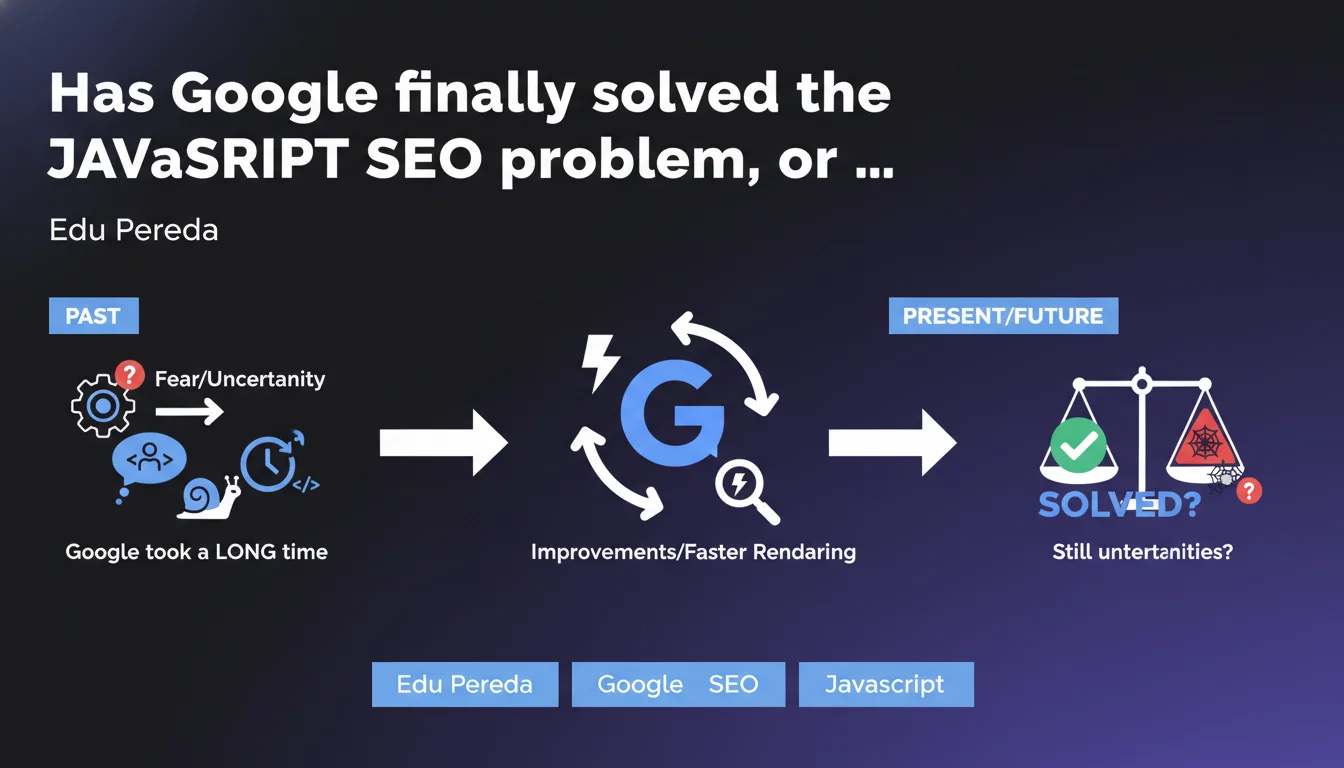
Google admits that SEO professionals' historical distrust of JavaScript stemmed from its own technical limitations: the search engine took too long to render dynamic pages. Those days are behind us — JavaScript rendering is now handled efficiently, though precautions remain necessary to avoid classic pitfalls.
What you need to understand
Edu Pereda, Google's representative, admits here a truth that many practitioners already knew: the fear of JavaScript in SEO was not a myth invented by paranoid developers, but a legitimate reaction to real technical limitations of Googlebot.
For years, the search engine struggled to execute JavaScript code properly, creating absurd rendering delays and risks of partial indexation. Sites built on JavaScript frameworks (React, Vue, Angular) often found themselves with empty pages on the server side, forcing Google to do double work: crawl, then wait for rendering.
What changed in Google's approach to JavaScript handling?
Google gradually improved its Chromium-based rendering engine. Processing time decreased, compatibility with modern frameworks strengthened. Concretely, Googlebot can now execute complex JavaScript without blocking indexation for days.
But here's the catch — this improvement doesn't mean everything is perfect. Problems persist: crawl budget consumed by rendering, indexation delays for new pages, risks if JavaScript fails silently.
Does this statement invalidate SSR/SSG best practices?
No. Google is simply saying that its technical capabilities have improved, not that Server-Side Rendering or static generation have become unnecessary. For high-volume sites or critical pages (landing pages, e-commerce product sheets), SSR remains a lifeline.
Server-side rendering offers superior performance, near-instantaneous indexation, and zero dependency on Google's rendering quirks. Why take the risk when the alternative exists?
- Historically recognized limitation: Google admits that its own technical weaknesses created the fear of JavaScript.
- Real technical improvement: JavaScript rendering works better than before, but not flawlessly.
- SSR/SSG still relevant: these solutions remain recommended for critical content and large volumes.
- Context matters: a personal blog in React doesn't face the same challenges as an e-commerce site with 100k product references.
SEO Expert opinion
Is this statement consistent with real-world observations?
Yes, broadly speaking. Testing shows that Googlebot indeed handles JavaScript better than it did five years ago. Single Page Applications index correctly, modern frameworks are supported.
But — and this is a significant but — "better" doesn't mean "frictionless". On sites with thousands of dynamic pages, we still observe significant indexation delays, inconsistencies between desktop/mobile versions, cases where rendering fails without clear notification. Google has progressed, that's factual. But claiming the fear was only tied to the past? That's understating current risks.
What nuances should we add to this claim?
First nuance: Google is talking about its technical capabilities, not its priorities. The engine can render JavaScript, sure. But when it has to choose between crawling 1,000 static HTML pages or 100 JavaScript pages requiring rendering, the crawl budget systematically favors static content. That's pure logic: fewer server resources consumed.
Second nuance: not all JavaScript is created equal. A lightweight script that injects content into the DOM after loading? No problem. A complex framework with lazy-loading, multiple API calls, and state management? Mine field. Google never specifies where the acceptable limit lies — and that's where the real issue sits.
Third nuance: this statement remains declarative. Edu Pereda provides no metrics, no benchmarks, no specific use cases. [To be verified] therefore in real conditions, site by site.
In what cases does this rule not apply?
If your site generates critical content via JavaScript after user interaction (click, scroll, hover), Google won't see anything. The crawler doesn't simulate these actions. This is a known, documented limitation that hasn't disappeared with rendering improvements.
Another case: sites with authentication or personalized content. Google crawls as a non-logged-in user — if your JavaScript loads different content based on user profile, the engine will only index the public version. Obvious, but often forgotten.
Practical impact and recommendations
What should I do concretely if my site uses JavaScript?
First step: verify that Googlebot actually sees your content. Use the URL Inspection tool in Search Console, compare raw HTML and rendered output. If text blocks, internal links, or images only appear in the rendered version, you're entirely dependent on Google's rendering goodwill.
Second step: audit your JavaScript load times. If your framework takes more than 3-4 seconds to display main content, Google might timeout or crawl the page before content becomes visible. Core Web Vitals (LCP especially) are a good proxy here.
Third step: prioritize critical content in static HTML. Titles, main paragraphs, internal linking, metadata — all of that must be present in the initial DOM, before JavaScript execution. The rest can be enriched dynamically.
What errors should you avoid with JavaScript and SEO?
Classic mistake: blocking JavaScript resources in robots.txt. Some developers block .js files to "protect" code or reduce crawling. Result: Googlebot can't render the page correctly. That's SEO suicide.
Another trap: aggressive lazy-loading on textual content. Loading images lazily is fine. Loading text paragraphs only on scroll? Google doesn't scroll — your content becomes invisible.
Final error: blindly trusting Google's statements. Test, measure, verify. Just because Google says "we handle JavaScript" doesn't mean your specific implementation will be crawled and indexed flawlessly.
- Systematically compare raw HTML vs rendered output in Search Console
- Measure JavaScript execution time (ideally < 3 seconds)
- Place SEO-critical content in initial HTML, not in JavaScript
- Never block JavaScript resources in robots.txt
- Avoid lazy-loading on primary textual content
- Implement SSR or SSG for high-stakes pages
- Test indexation in real conditions, not just in theory
Google has indeed progressed in JavaScript handling — that's undeniable. But this improvement doesn't eliminate the need for solid technical architecture and continuous indexation monitoring.
Complex sites with high SEO stakes will always benefit from prioritizing server-side rendering or static generation. For others, heightened technical vigilance suffices — but it demands specialized skills and regular follow-up. If these optimizations seem complex or time-consuming, partnering with a specialized SEO agency may be wise: a thorough technical audit and personalized support will help you avoid classic pitfalls and secure your long-term indexation.
❓ Frequently Asked Questions
Google indexe-t-il vraiment tout le contenu chargé en JavaScript ?
Le SSR est-il encore nécessaire pour un site React ou Vue ?
Comment vérifier que Googlebot voit bien mon contenu JavaScript ?
Le lazy-loading JavaScript pose-t-il problème pour le SEO ?
Peut-on bloquer les fichiers JavaScript dans robots.txt sans impact SEO ?
🎥 From the same video 3
Other SEO insights extracted from this same Google Search Central video · published on 23/03/2023
🎥 Watch the full video on YouTube →
💬 Comments (0)
Be the first to comment.