
Official statement
Other statements from this video 8 ▾
- □ L'expérience utilisateur améliore-t-elle vraiment le référencement naturel ?
- □ Les accordéons et contenus masquables pénalisent-ils encore le référencement mobile ?
- □ Faut-il vraiment ignorer les blogs SEO et ne lire que la documentation Google ?
- □ Les Core Web Vitals influencent-ils réellement le classement dans Google ?
- □ Le lazy loading est-il vraiment une optimisation SEO facile à implémenter ?
- □ Faut-il vraiment utiliser Lighthouse avec des feature flags pour mesurer l'impact SEO de vos modifications ?
- □ Le HTML sémantique est-il vraiment un critère de référencement déterminant ?
- □ Faut-il vraiment impliquer le SEO dès la phase de conception technique ?
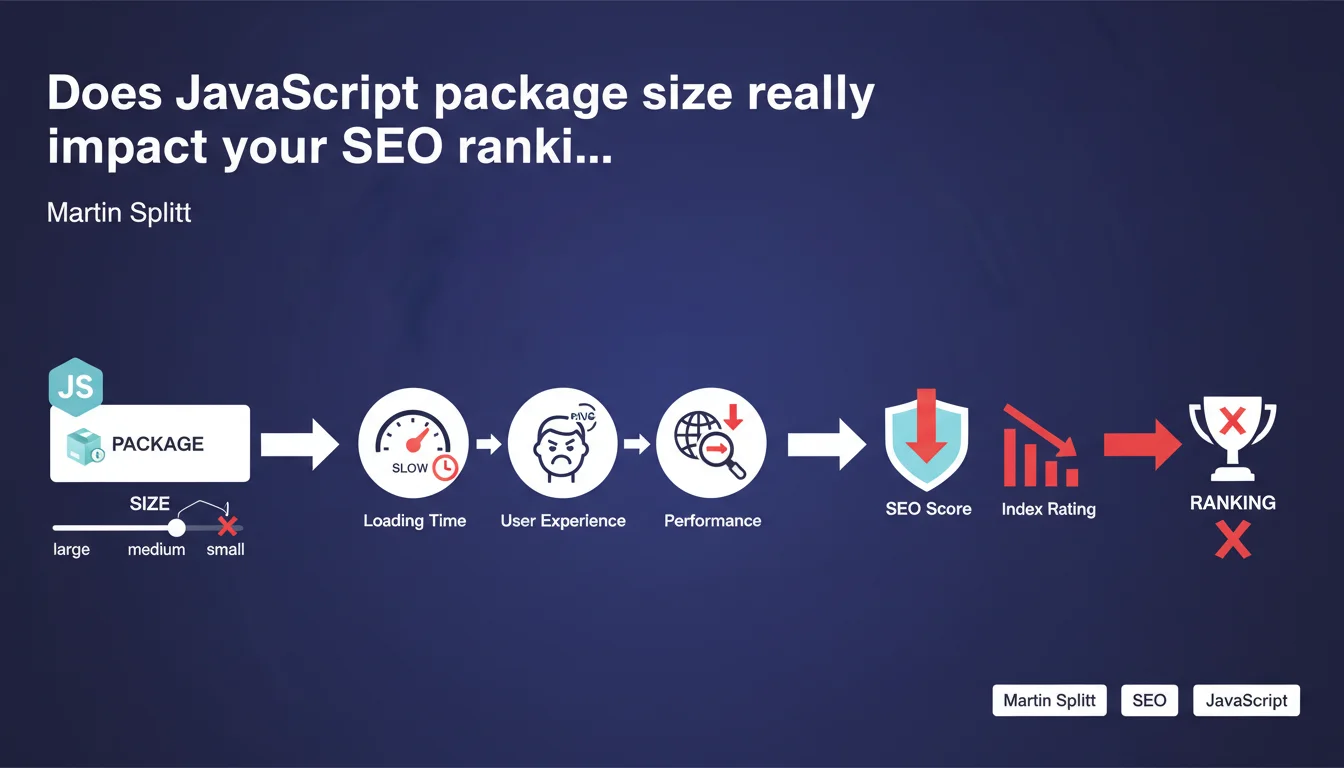
Large JavaScript packages degrade performance, slow down loading times, and deteriorate user experience. Google confirms that this impact directly affects your SEO score and index rating. Optimizing your script size is no longer optional.
What you need to understand
Why does Google care about the size of your JavaScript files?
Search engines no longer just analyze your text content. They now evaluate the complete user experience, and overly heavy scripts sabotage that experience before it even starts.
A JavaScript package weighing several hundred kilobytes delays display, blocks rendering, and causes performance metrics to skyrocket. Users wait, bounce, and Google records all of it.
What is a "JavaScript package" in this context?
We're talking about all the .js files loaded by a page: frameworks (React, Vue), third-party libraries (analytics, chat, advertising), and your own application code. Every dependency adds up.
The problem doesn't come from the number of files, but from their cumulative weight and their impact on parsing and execution time. A minified bundle of 500 KB is still 500 KB that the browser must download, decompress, parse, and execute.
How does this impact translate concretely into an "SEO score"?
Google remains vague about the term "index rating", but we know that Core Web Vitals directly influence rankings since their integration as a ranking signal. Heavy JavaScript degrades LCP, FID, and CLS.
Pages that fail on these metrics face a relative penalty: they don't disappear, but lose ground against faster competitors on competitive queries.
- Performance: Loading time increases proportionally to script size
- Core Web Vitals: LCP and FID are the first victims of oversized bundles
- User Experience: A slow site generates more bounces, which sends a negative signal to Google
- Index Rating: A vague term from Google, probably linked to overall page quality in the index
- Cumulative SEO Impact: Technical degradation translates into progressive loss of visibility
SEO Expert opinion
Is this statement consistent with real-world observations?
Yes, and it's even an understatement. SEO audits systematically reveal that the slowest sites are also those that carry the most unoptimized JavaScript. The correlation between bloated bundles and organic traffic drops is documented.
However, Google remains vague about the "index rating". This term doesn't appear anywhere else in official documentation. [To verify] whether this is an internal score or a simplification by Splitt to describe the overall quality of a URL in the index.
What nuances should be added to this claim?
Not all JavaScript kilobytes are equal. A script loaded with defer or async that executes after initial rendering has less impact on Core Web Vitals than a blocking bundle in the <head>.
Similarly, a site with 300 KB of JS but aggressive browser caching and performant Brotli compression will outperform a competitor at 150 KB with poor configuration. Raw weight is just one indicator among many.
In what cases does this rule apply differently?
Single-page applications (SPAs) naturally carry more JavaScript than a static site. Does Google systematically penalize them? No, but they must compensate with Server-Side Rendering or pre-rendering to maintain acceptable performance.
High-engagement sites (SaaS tools, interactive platforms) can afford heavier JS if the experience justifies the initial load time. As long as users don't bounce before parsing finishes.
Practical impact and recommendations
What should you concretely do to reduce your JavaScript packages?
Start with a weight audit using Lighthouse or WebPageTest. Identify which scripts weigh the most and their real usefulness. Many sites load entire libraries just to use a single function.
Next, move to code splitting: load only the JS necessary for the current page, not your entire application. Modern frameworks (Next.js, Nuxt) handle this natively if you configure them correctly.
Finally, enable Brotli compression on the server side and verify that your bundles are properly minified and tree-shaked. A 40-50% gain in final weight is common with these optimizations.
What mistakes should you avoid when optimizing JavaScript?
Don't blindly delete scripts without testing the functional impact. An analytics tag misconfigured after optimization is worse than slightly heavy but functional JS.
Also avoid loading polyfills for browsers your users no longer use. In 2025, targeting IE11 no longer makes sense for 99% of sites, but many keep these dependencies out of habit.
- Audit the total weight of scripts with Lighthouse, WebPageTest, or Coverage DevTools
- Identify and remove unused or redundant dependencies
- Implement code splitting to load JS by route or by functionality
- Minify and compress (Gzip or Brotli) all JavaScript files
- Set non-critical scripts to defer or async
- Use a CDN with aggressive caching for third-party libraries
- Monitor Core Web Vitals in production to validate the impact of optimizations
- Establish a performance budget to prevent regression
How can you verify that your optimizations are working?
Monitor your Core Web Vitals in Google Search Console. If your URLs move from "Poor" to "Good", the optimization is working. Also compare your organic positions before/after on competitive queries.
Be aware of the delay: Google sometimes takes several weeks to re-evaluate your performance after optimization. Don't panic if you see nothing move immediately.
❓ Frequently Asked Questions
Quelle taille de JavaScript est considérée comme « trop volumineuse » par Google ?
Les scripts chargés en async ou defer sont-ils moins pénalisants ?
Un site SPA (React, Vue) est-il automatiquement pénalisé par Google ?
Faut-il supprimer tous les scripts tiers pour améliorer son SEO ?
Les outils de build modernes suffisent-ils à optimiser automatiquement le JavaScript ?
🎥 From the same video 8
Other SEO insights extracted from this same Google Search Central video · published on 09/03/2022
🎥 Watch the full video on YouTube →
💬 Comments (0)
Be the first to comment.