
Official statement
Other statements from this video 8 ▾
- □ How does Google actually discover your pages through crawling and links?
- □ Does Google really build its index the way you think it does, and why does this change everything for your SEO strategy?
- □ How does Google really rank results for any given search query?
- □ Does Google really personalize all search results based on each user?
- □ Does Google's organic search really rank results based purely on content relevance?
- □ Can you really pay Google to boost your organic search position?
- □ Does Google really make it easy to tell the difference between ads and organic search results?
- □ Are Google's official resources really enough to optimize your SEO visibility?
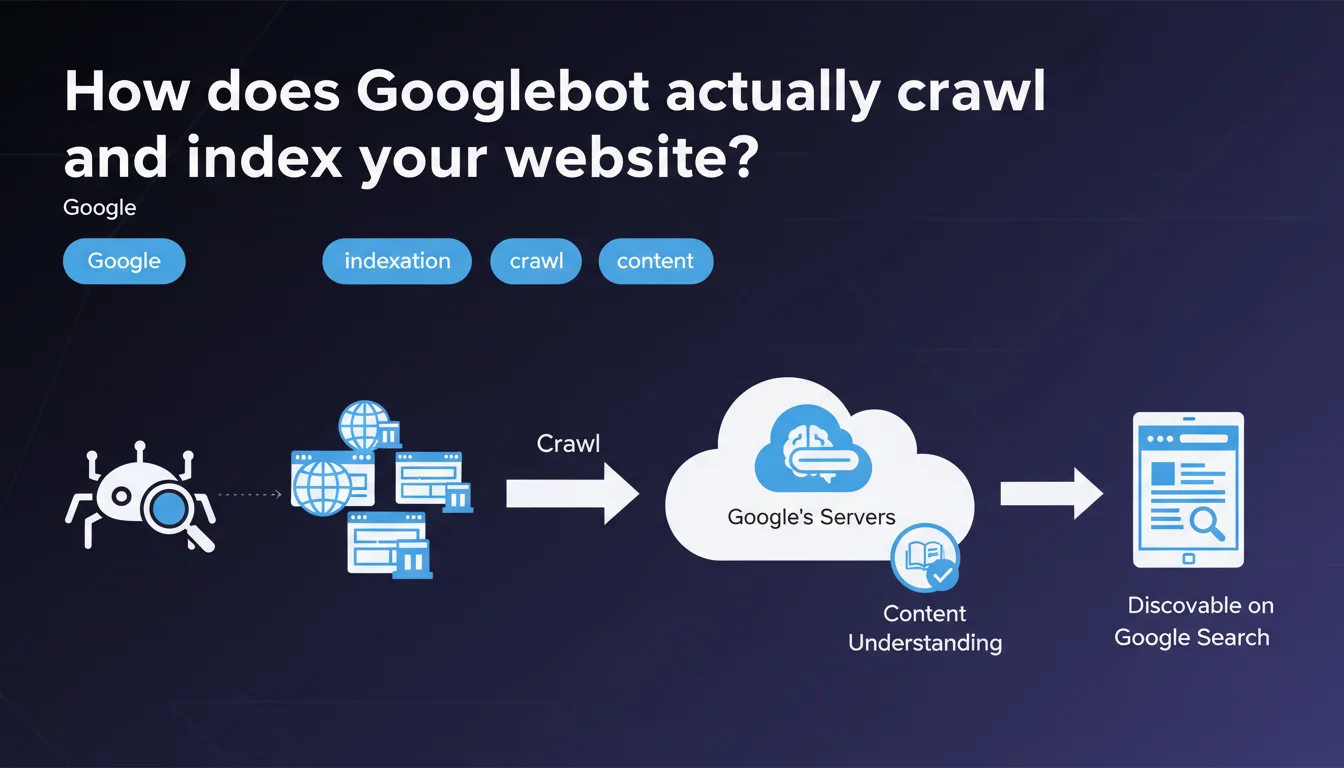
Googlebot explores websites through a crawling process, then analyzes their content during the indexation phase to store it in Google's index. This distinction between crawling and indexation is fundamental: a site can be crawled without being indexed, which explains why some pages never appear in search results despite regular bot visits.
What you need to understand
What's the difference between crawling and indexation?
A crawl is when Googlebot visits your pages and retrieves their raw content — HTML, CSS, JavaScript, resources. It's the first step, purely technical.
Indexation, on the other hand, comes after: Google analyzes this content, understands it, evaluates it, then decides whether it deserves a place in its index. A crawled page isn't necessarily indexed — and that's where many sites lose traffic without understanding why.
Why does Google separate these two processes?
Because crawling costs resources, but indexing affects search results quality. Google can visit millions of pages per day, but it only stores those that provide unique, relevant, and technically exploitable value.
If your content is duplicated, too thin, or technically inaccessible (poorly rendered JavaScript, noindex meta tags, misconfigured canonicals), crawling will happen — but indexation will be denied.
What signals trigger crawling?
Googlebot discovers new pages through several channels: internal and external links, XML sitemaps, RSS feeds, Search Console submissions. The more quality links a page receives, the more frequently it will be crawled.
But be careful: intensive crawling guarantees nothing. What matters is relevant crawl frequency — not the raw volume of bot visits.
- Crawling is the technical visit by Googlebot to your pages
- Indexation is Google's decision to store (or not) this content in its index
- A site can be crawled without being indexed — and this is often the case for low-quality content
- Crawl signals include links, sitemaps, site freshness history
- Crawl budget is not infinite: Google prioritizes pages it deems important
SEO Expert opinion
Is this statement really complete?
Let's be honest: Google oversimplifies things. The phrase "Googlebot explores and indexes" makes it sound like a linear, automatic process. In reality, there's a massive gray zone between the two steps.
JavaScript rendering, crawl budget management, quality signals evaluated before indexation (E-E-A-T, content usefulness, duplication) — all of this is glossed over. Google also doesn't mention that some pages can remain in crawl limbo for weeks, visited but never indexed. [Worth verifying] on your own sites via Search Console.
What nuances should be applied in practice?
First point: Googlebot doesn't always "understand" your content on the first try. If you use client-side JavaScript without pre-rendering or SSR, the bot must first execute the JS — which lengthens the delay and consumes crawl budget. And if rendering fails? No indexation.
Second point: Google doesn't crawl all your pages with the same intensity. It prioritizes based on popularity (backlinks), freshness, internal link depth. An orphaned page or one that's 5 clicks from the homepage will be marginalized, regardless of its intrinsic quality.
In what cases does this process fail?
I've seen perfectly crawled sites — server logs prove it — but with disastrous indexation rates. The causes? Internal duplicate content, conflicting canonical tags, pages too thin (less than 150 words), or poorly managed JavaScript.
Another trap: soft 404s. Google crawls, finds nothing exploitable, and classifies the page as "Excluded" without telling you why. Result: you think everything is fine because the bot visits, but your pages will never rank.
Practical impact and recommendations
What should you do concretely to optimize crawl and indexation?
Start by auditing your server logs — it's the only way to see what Googlebot actually crawls, how often, and what resources it loads. Then compare with the Search Console coverage report to identify crawled but non-indexed pages.
Clean up your internal linking: make sure your strategic pages are accessible in 2-3 clicks maximum from the homepage. Remove links to unnecessary pages (legal notices, terms of service) from your main navigation — they consume crawl budget without SEO value.
What mistakes should you avoid at all costs?
Never block CSS or JavaScript in robots.txt — it's a classic mistake that prevents proper rendering of your pages. Google needs these resources to understand your content.
Also avoid redirect chains (301 → 302 → 200) and JavaScript redirects: they slow down crawling and dilute internal PageRank. A redirect is one extra crawl step — and every step costs.
How do you verify that your site is properly indexed?
Use the site:yourdomain.com command in Google to see how many pages are indexed. Compare this number with the number of pages you want indexed. If the gap is significant, dig into Search Console.
Test your strategic pages with the "URL Inspection" tool: it simulates crawling and rendering, and tells you exactly what Google sees. If the rendered HTML differs from your source, you have a JavaScript problem to fix.
- Audit your server logs to identify crawled but non-indexed pages
- Optimize your internal linking: 2-3 clicks max from homepage to your key pages
- Never block CSS/JS in robots.txt — Google needs them for rendering
- Eliminate redirect chains and prioritize direct 301 redirects
- Check Search Console coverage report every week
- Test page rendering with the "URL Inspection" tool
- Remove or de-index low-value pages (archives, tags, e-commerce filters)
- Submit a clean XML sitemap — only URLs you want indexed
❓ Frequently Asked Questions
Quelle est la différence entre être crawlé et être indexé ?
Pourquoi certaines de mes pages sont crawlées mais pas indexées ?
Comment savoir si le Googlebot visite mon site ?
Le crawl budget est-il un problème pour les petits sites ?
Comment forcer Google à indexer une page rapidement ?
🎥 From the same video 8
Other SEO insights extracted from this same Google Search Central video · published on 24/02/2022
🎥 Watch the full video on YouTube →
💬 Comments (0)
Be the first to comment.