
Official statement
Other statements from this video 2 ▾
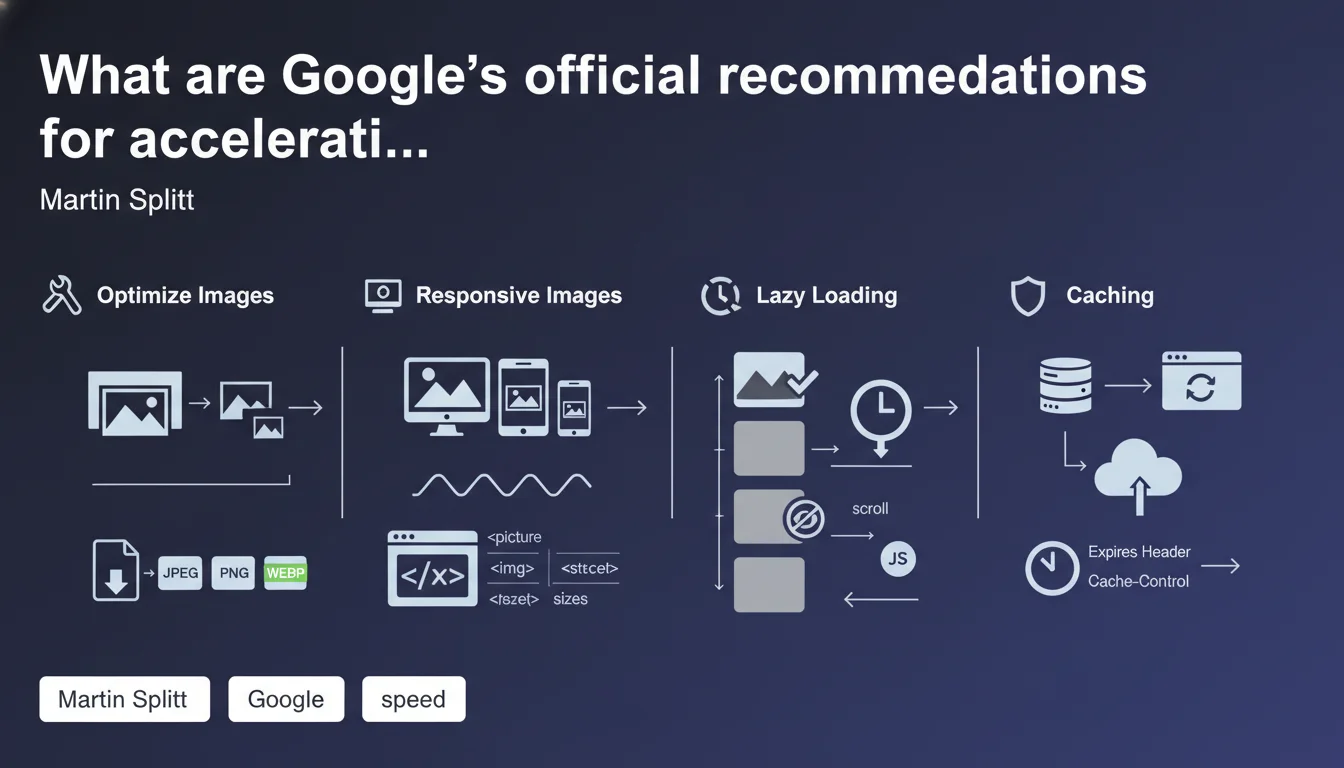
Martin Splitt details optimization techniques to reduce image loading time, a direct factor in improving Core Web Vitals and user experience. The advice covers compression, modern formats, lazy loading, and appropriate dimensions — technical levers often underutilized despite their measurable impact on LCP and CLS.
What you need to understand
Why does Google keep emphasizing image optimization?
Images account for an average of 50 to 60% of a page's total weight. Their impact on Largest Contentful Paint (LCP) and Cumulative Layout Shift (CLS) remains decisive for Core Web Vitals.
Despite years of awareness, most websites still serve uncompressed PNG files or oversized JPEGs. Google reiterates its recommendations because the problem persists — and automation tools aren't always properly configured.
What are the technical levers mentioned by Martin Splitt?
Splitt mentions several approaches: modern image formats (WebP, AVIF), appropriate compression, native lazy loading via the loading="lazy" attribute, and specifying width/height dimensions to prevent layout shifts.
These recommendations aren't new, but their strategic combination makes the difference. A site that applies all these levers can reduce image loading time by 40 to 70%, according to field tests.
What's the difference between compression and modern format?
Compression reduces a file's size within a given format (JPEG, PNG). Switching to a modern format like WebP allows for an additional 25 to 35% reduction without noticeable quality loss.
Combined, these two levers work on two distinct fronts. A well-compressed JPEG still weighs more than an equivalent WebP — hence the value of switching to recent formats, now supported by 95% of browsers.
- Images are heavy: 50-60% of page weight on average
- Direct impact on LCP and CLS: two critical Core Web Vitals metrics
- Recommended modern formats: WebP and AVIF for superior compression
- Native lazy loading: simple HTML attribute, immediate implementation
- Explicit dimensions: prevent visual shifts during loading
SEO Expert opinion
Are these recommendations actually applied in practice?
No. Audits we conduct reveal that 70% of audited websites still serve unoptimized images. Heavy PNGs, maximum-quality JPEGs, absence of lazy loading — basic errors persist.
Why? Because image optimization requires an automated processing pipeline. Popular CMSs offer extensions, but their configuration demands technical choices. Many websites settle for default settings, which are insufficient.
Is lazy loading systematically beneficial?
Caution: native lazy loading should never apply to the LCP image. If your hero image carries the loading="lazy" attribute, you artificially degrade your LCP by several hundred milliseconds.
Google rarely specifies this in its generic communications, but it's a frequent pain point. We've seen websites lose 0.5 to 1 second of LCP after applying blind lazy loading via a plugin. [To verify]: Google doesn't always provide concrete examples of cases where lazy loading harms — you need to cross-reference with field observations.
WebP and AVIF: should you switch immediately?
WebP, yes — browser support at 95%, measurable gains, mature implementation. AVIF is more nuanced: superior compression, but slower encoding and support still at 85%. For a high-traffic site, the CPU cost of on-the-fly AVIF encoding can become prohibitive.
Pragmatic strategy: serve WebP with JPEG fallback via the <picture> tag. AVIF for strategic visuals (hero images, premium product cards), not for bulk. Nuance matters — it's not all or nothing.
Practical impact and recommendations
What should you do concretely to optimize your images?
First step: audit your current state. PageSpeed Insights, WebPageTest, or Screaming Frog with media weight analysis. Identify heavy images (> 200 KB), uncompressed, or served in obsolete formats.
Next, establish an automated processing pipeline. If you're on WordPress, plugins like ShortPixel or Imagify handle compression + WebP. On custom builds, a CDN solution with on-the-fly image transformation (Cloudinary, Cloudflare Images) avoids multiplying source files.
What errors should you absolutely avoid?
Don't lazy-load the LCP image — we can't repeat this enough. Don't serve responsive images without a srcset attribute: you're sending a 2000x2000 px image on mobile when a 600x600 px image would suffice.
Another trap: excessive compression. Going from quality 90 to quality 30 on a JPEG reduces file size, but degrades UX. Find the compromise — typically between quality 75 and 85 depending on visual content.
How do you verify that your site respects these recommendations?
Use Lighthouse in navigation mode to measure LCP and CLS. Check the Network tab in Chrome DevTools for formats served: if you still see PNG for photos or JPEG for logos, that needs fixing.
Test on mobile with 4G throttling. Optimization gains are mainly measured on slow connections — a site going from 4s to 2s LCP on 4G crosses a critical user abandonment threshold.
- Audit the weight and format of existing images with PageSpeed Insights or Screaming Frog
- Implement automated compression via CMS plugin or CDN
- Switch to WebP with JPEG fallback via <picture> tag
- Implement lazy loading on all images EXCEPT the LCP image
- Specify explicit width and height to prevent CLS
- Use srcset to serve images adapted to different screen sizes
- Test performance on mobile with 4G throttling
- Regularly monitor LCP and CLS via Search Console or Lighthouse
❓ Frequently Asked Questions
Faut-il vraiment abandonner les PNG pour les photos ?
Le lazy loading natif suffit-il ou faut-il une bibliothèque JavaScript ?
Quelle qualité de compression JPEG choisir ?
Les CDN d'images sont-ils indispensables ?
Comment gérer le fallback pour les navigateurs qui ne supportent pas WebP ?
🎥 From the same video 2
Other SEO insights extracted from this same Google Search Central video · published on 25/06/2024
🎥 Watch the full video on YouTube →
💬 Comments (0)
Be the first to comment.