
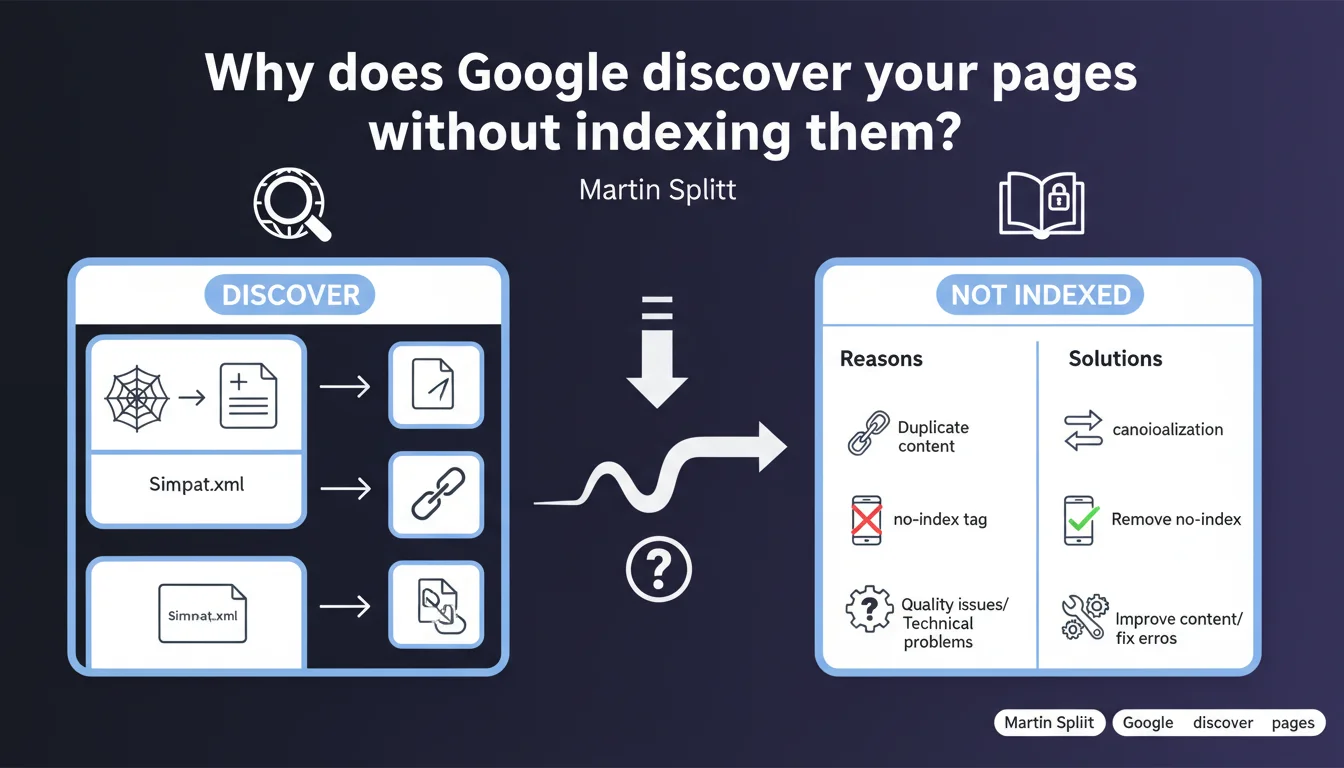
Official statement
Google can crawl your pages without adding them to its index. Martin Splitt reminds us that discovery and indexation are two distinct processes — a page can be technically accessible without necessarily deserving a place in search results. Understanding this nuance helps you identify real indexation blockers.
What you need to understand
What's the difference between discovery and indexation?
When Googlebot discovers a page, it becomes aware of it through a link, a sitemap, or manual submission. This discovery guarantees nothing: the bot then analyzes whether the page deserves to be indexed, meaning stored in the index to appear in search results.
The distinction is crucial. A page discovered but not indexed doesn't necessarily have a technical issue — it may simply not meet Google's quality standards. Splitt's message aims to prevent SEOs from confusing an indexation refusal with a crawl bug.
Why does Google refuse to index certain discovered pages?
The reasons are multiple: duplicate content, insufficient quality, internal cannibalization, pages considered irrelevant to users. Google may also decide that a page adds nothing to its index compared to other resources already available.
In practice? An empty product sheet, a tag page with three articles, or an automatically generated landing page with no added value — all cases where crawling succeeds but indexation doesn't. This isn't a malfunction, it's an algorithmic choice.
How do you identify these pages in Search Console?
Search Console now displays a status of "Discovered – currently not indexed" for these URLs. This report allows you to list all pages Google knows about but refuses to index.
The challenge is to sort: some pages deserve optimization to force indexation, others should be deleted or blocked in robots.txt to avoid wasting crawl budget. No need to panic systematically — not all pages on a site are meant to be indexed.
- Discovery ≠ indexation: Google can crawl without indexing if the page doesn't meet its quality criteria
- Search Console explicitly exposes this status in the coverage report
- Root causes: weak content, duplication, cannibalization, pages irrelevant to users
- Not all discovered pages need to be indexed — sometimes it's a justified strategic choice
SEO Expert opinion
Is this statement consistent with real-world observations?
Yes, and it's even a welcome reminder. Too many SEOs panic when a page appears as "Discovered – not indexed", when in most cases Google is doing its job: it removes insufficiently differentiating content. On e-commerce sites with thousands of similar product sheets, this status is the norm, not the exception.
Where it gets sticky is when strategic pages — those that generate revenue or qualified traffic — remain blocked. In these cases, the problem isn't technical but editorial: Google doesn't see the point in indexing them. This is a signal to take seriously.
What nuances should be added to this discourse?
Splitt deliberately remains vague about the quality thresholds that trigger indexation. We know Google evaluates relevance, uniqueness, freshness — but the precise criteria vary by sector, competition, and domain authority. [To verify]: no official data quantifies these thresholds.
Another gray area: the delay between discovery and indexation decision. Some pages stay in "Discovered – not indexed" for weeks before eventually being indexed without any modification. The time factor plays a role, but Google doesn't document this mechanism.
In what cases doesn't this rule apply?
When a page is technically blocked (robots.txt, noindex, server error), it doesn't even go through the "Discovery" stage. It's either ignored or marked as "Excluded by robots.txt" or "Excluded by noindex tag".
The "Discovered – not indexed" status therefore concerns only pages that are accessible but deemed insufficient. If you have a real technical blocker, you won't see this status — which can actually mask more serious problems.
Practical impact and recommendations
What should you do concretely when facing this status?
First, audit the affected pages. Download the list from Search Console and cross-reference it with your Analytics data: do these pages generate organic traffic elsewhere? Do they have backlinks? Are they relevant to your business?
If the answer is no, leave them alone or delete them. If yes, identify the issue: content too short, internal duplication, lack of internal linking, orphaned page. The solution is almost always editorial, rarely technical.
What mistakes should you avoid?
Don't force indexation of weak pages by repeatedly submitting them via the URL inspection tool. Google won't change its mind because you're persistent. Worse: you risk wasting crawl budget on content the algorithm deems irrelevant.
Also avoid creating massive artificial links to these pages to "push" their indexation. If the content is insufficient, these backlinks won't help. Focus on the intrinsic quality of the page.
- Download the list of "Discovered – not indexed" pages from Search Console
- Cross-reference with Analytics to identify those with real business impact
- Analyze the content: length, uniqueness, added value, semantic structure
- Check internal linking: is the page orphaned or poorly linked?
- Enrich strategic pages: add sections, visuals, exclusive data
- Delete or block pages without value to free up crawl budget
- Track status evolution in Search Console over several weeks
❓ Frequently Asked Questions
Une page en « Découverte – non indexée » peut-elle finalement être indexée sans modification ?
Faut-il systématiquement enrichir les pages découvertes mais non indexées ?
Le statut « Découverte – non indexée » impacte-t-il le classement des autres pages du site ?
Peut-on forcer l'indexation via l'outil d'inspection d'URL ?
Comment savoir si le refus d'indexation est définitif ?
🎥 From the same video 2
Other SEO insights extracted from this same Google Search Central video · published on 25/06/2024
🎥 Watch the full video on YouTube →
💬 Comments (0)
Be the first to comment.