
Official statement
Other statements from this video 5 ▾
- □ Does Google really use authority scores and spam ratings from third-party SEO tools in its algorithm?
- □ Do third-party SEO tool scores really help you improve your search rankings?
- □ Should you really trust the SEO scores your audit tools are giving you?
- □ Do SEO tool scores really have operational value for your rankings?
- □ Are transparent scores really the key to uncovering your hidden UX problems?
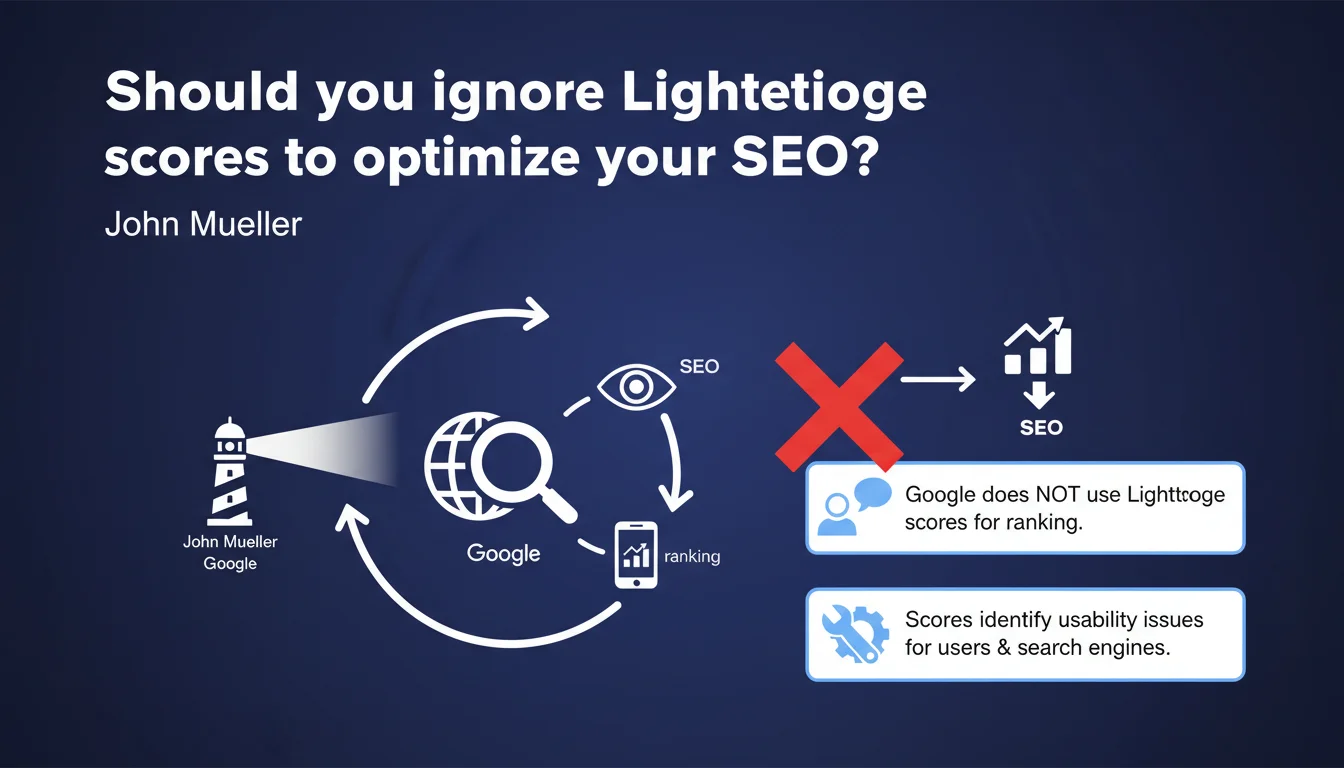
Google does not take Lighthouse scores into account in its ranking algorithm. These metrics remain useful, however, for diagnosing technical issues that could affect user experience and, indirectly, SEO.
What you need to understand
Why does Google clarify that Lighthouse doesn't influence rankings?
This clarification comes to dispel a frequent confusion among SEO practitioners. Lighthouse generates synthetic scores — performance, accessibility, SEO, best practices — that don't correspond to the actual signals Google uses for ranking.
The search engine relies on precise field metrics collected via the Chrome User Experience Report (CrUX), notably Core Web Vitals. Lighthouse, on the other hand, operates in a laboratory setting with simulated conditions that don't necessarily reflect the real experience of users.
What's the difference between Lighthouse data and Google's ranking signals?
Lighthouse tests your site in a controlled environment — an emulated smartphone, a standard 4G connection, an empty cache. Results vary depending on when the test is run, the configuration used, and instantaneous server load.
Google, for ranking purposes, uses data aggregated over 28 days from real Chrome users. It's the 75th percentile of these measurements that counts for Core Web Vitals. A Lighthouse score of 95 guarantees nothing if your actual users experience catastrophic loading times.
Are these scores still useful for SEO?
Yes. Lighthouse detects structural problems that Google might also identify: unoptimized images, render-blocking JavaScript, missing meta tags, broken links. These flaws impact user experience and potentially behavioral signals.
A site with a Lighthouse score of 30 probably presents real technical weaknesses that will harm SEO, even if it's not the score itself that penalizes. It's a thermometer, not a diagnosis.
- Google doesn't use Lighthouse scores as a direct ranking factor
- Core Web Vitals come from CrUX data, not synthetic tests
- Lighthouse remains relevant for identifying technical issues before they affect users
- A good Lighthouse score doesn't guarantee good field metrics if infrastructure or content is problematic
SEO Expert opinion
Is this statement consistent with what we observe in the field?
Completely. Sites with excellent Lighthouse scores but poor CrUX data have never benefited from a magical boost. Conversely, some sites poorly rated by Lighthouse — notably complex e-commerce platforms — rank perfectly if their actual user metrics are correct.
The classic trap: optimize your site to push Lighthouse from 60 to 95, see zero impact on organic traffic, then accuse Google of inconsistency. Except Google never promised that Lighthouse was a ranking factor.
What nuances should be added to Google's position?
Mueller says these scores "can help identify problems." That's careful understatement. In reality, many issues detected by Lighthouse directly impact SEO: catastrophic loading times, content invisible to crawlers, poor HTML hierarchy.
The distinction is technical but crucial: it's not the score that matters, it's the underlying problems it reveals. A score of 40 caused by heavy web fonts? Probably negligible. A score of 40 caused by an LCP of 8 seconds and a CLS of 0.5? There, you have a real problem.
[To verify] Google remains vague about the relative importance of different UX signals. We know Core Web Vitals are ranking factors, but their exact weight in the algorithm isn't documented. Field observations suggest moderate impact, except in extreme cases.
When should you still monitor Lighthouse closely?
For JavaScript-heavy sites (React, Vue, Angular), Lighthouse often flags client-side rendering issues that Googlebot might encounter. The engine indexes rendered content, certainly, but if rendering takes 10 seconds or fails, you have a problem.
On mobile, Lighthouse's "SEO" tab detects basic but critical errors: misconfigured viewport, text too small, clickable elements too close together. These flaws harm mobile experience and can exclude you from Mobile-First Indexing in the worst cases.
Practical impact and recommendations
What should you concretely do with Lighthouse results?
Use Lighthouse as a diagnostic tool, not as an SEO dashboard. Run regular audits to spot regressions — an update that explodes LCP, a plugin that injects render-blocking JavaScript.
Then compare with your actual CrUX data via PageSpeed Insights or Search Console ("Web Vitals" report). If Lighthouse shows an LCP of 2s but CrUX indicates 5s, it's the CrUX figure that counts for Google. Find out why the gap exists.
What mistakes should you avoid when optimizing?
Don't sacrifice functionality for a score. Some people optimize excessively — removing features, degrading desktop UX, aggressive lazy loading that hides content from crawlers — just to gain a few Lighthouse points.
Another trap: testing only the homepage. Lighthouse on the home shows 95, but your product pages cap out at 30 because of unoptimized image carousels. Audit templates critical for SEO, not just the storefront.
How do you verify that optimizations actually benefit your SEO?
Monitor CrUX metrics in Search Console. If after optimization you move from "slow URLs" to "fast URLs" on your strategic pages, you've won. The Lighthouse score is just a secondary indicator.
Also analyze behavioral signals: bounce rate, time on page, pages per session. An improvement in technical performance should improve engagement, which sends positive signals to Google.
- Regularly audit your strategic page templates with Lighthouse
- Prioritize fixes that impact Core Web Vitals (LCP, CLS, FID/INP)
- Verify that optimizations are reflected in CrUX data (Search Console, PSI)
- Don't obsess over a perfect score — focus on real problems
- Test under varied conditions: mobile/desktop, slow connections, different browsers
- Monitor organic traffic evolution on optimized pages
❓ Frequently Asked Questions
Google utilise-t-il les Core Web Vitals de Lighthouse pour le classement ?
Un score Lighthouse élevé améliore-t-il mon référencement ?
Dois-je viser un score Lighthouse de 100 pour mon site ?
Quelle différence entre Lighthouse et PageSpeed Insights pour le SEO ?
Les scores Lighthouse varient beaucoup d'un test à l'autre, pourquoi ?
🎥 From the same video 5
Other SEO insights extracted from this same Google Search Central video · published on 15/08/2023
🎥 Watch the full video on YouTube →
💬 Comments (0)
Be the first to comment.