
Official statement
Other statements from this video 5 ▾
- □ Google utilise-t-il les scores d'autorité et de spam des outils SEO dans son algorithme ?
- □ Les scores d'outils SEO tiers ont-ils vraiment une utilité pour optimiser votre positionnement ?
- □ Pourquoi devriez-vous vous méfier des scores SEO proposés par les outils d'audit ?
- □ Faut-il ignorer les scores Lighthouse pour optimiser son référencement ?
- □ Les scores d'outils SEO ont-ils vraiment une valeur opérationnelle ?
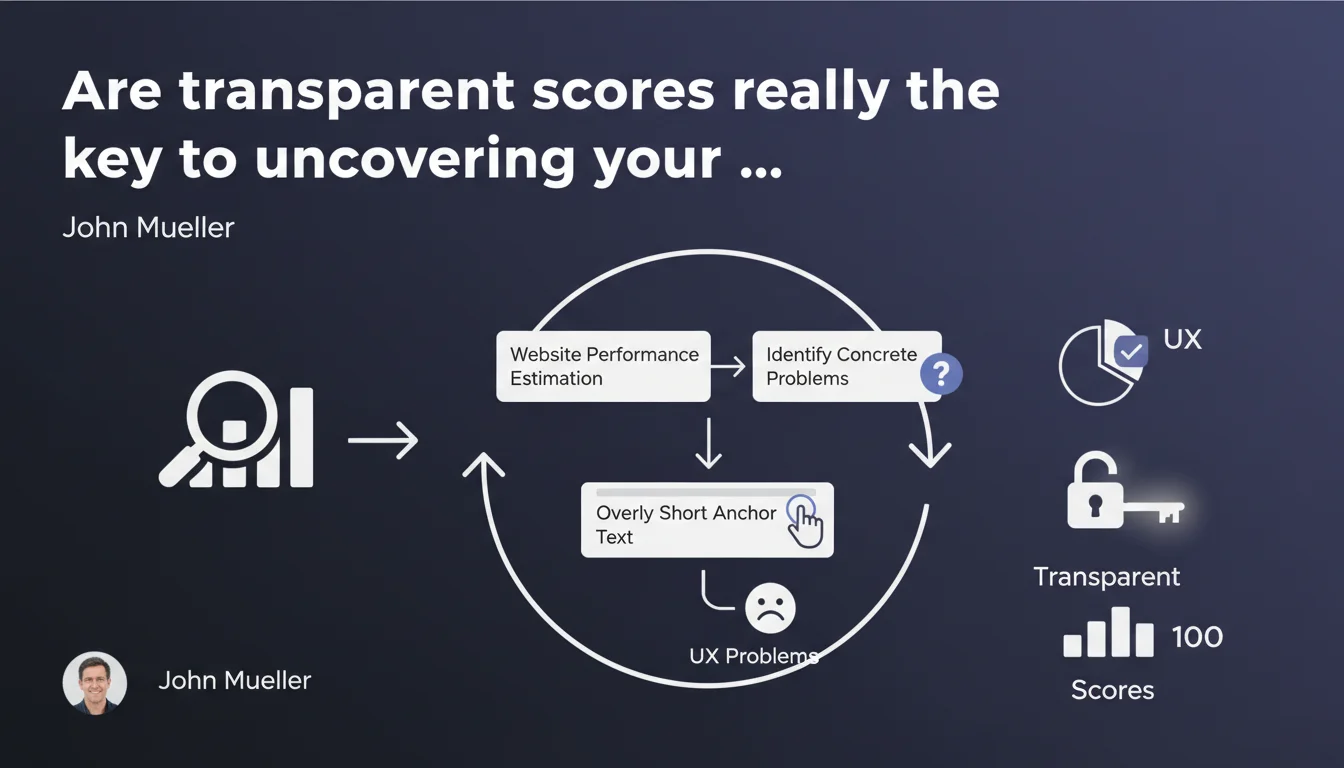
Google, through John Mueller, emphasizes that transparently calculated scores enable the identification of concrete usability problems that impact user experience. The example given: anchor text that is too short. In practice, these quantified metrics become diagnostic tools for spotting what truly hinders your performance.
What you need to understand
What does Google mean by a "transparent score"?
A transparent score refers to a metric whose calculation method is public, understandable, and verifiable. Think of Core Web Vitals: the thresholds, formulas, and measurement tools are all documented. The opposite? An opaque algorithm where nobody knows how the score is built.
The idea is straightforward: if you understand how a score is calculated, you can precisely identify what degrades it. No black box. No guesswork.
Why does Mueller emphasize usability over pure SEO?
Because Google keeps bridging the gap between technical performance and user experience. Short anchor text, for example, isn't just an on-page SEO problem—it's first and foremost a barrier to understanding for the visitor who doesn't know where the link will take them.
Mueller reminds us that these scores aren't marketing gimmicks. They point to concrete problems: load times, readability, accessibility. All signals that influence rankings, certainly, but more importantly, real engagement.
Which Google scores does Google consider transparent?
Core Web Vitals are the prime example: LCP, FID, CLS. The thresholds are public, the measurement tools (PageSpeed Insights, Lighthouse, Search Console) are accessible to everyone. Anyone can reproduce the calculations.
Other metrics fall into this category: accessibility as measured by Lighthouse, the mobile-friendliness test, certain structure indicators (semantic HTML tags). Anything that is measurable, documented, reproducible.
- Transparency = publicly available calculation method, no secrecy or arbitrariness
- Opaque scores don't allow you to identify real usability problems
- Google pushes sites to optimize real experience, not just vanity metrics
- Concrete examples: Core Web Vitals, Lighthouse accessibility, mobile-friendliness
- Short anchor text affects UX and can be detected by a transparent score
SEO Expert opinion
Is this statement consistent with observed practices?
Yes, but with a major caveat: Google promotes transparency on certain metrics while keeping the essence of its ranking algorithm under wraps. Core Web Vitals are transparent, but their exact weight in rankings? Mystery.
In the field, we observe that sites fixing issues highlighted by transparent scores (degraded LCP, unstable CLS) indeed see improvements—in user engagement first, in rankings later. But isolating causality remains difficult. [To verify]: is it the score itself that boosts ranking, or the resulting UX improvement?
Is the short anchor text example really relevant?
It's a valid textbook case, but somewhat outdated. Anchor text like "here" or "click here" creates problems for accessibility (screen readers), for UX (lack of context), and for SEO (non-descriptive anchor). But it's not a criterion Google measures through an official "transparent score"—unlike CWV.
Mueller uses this example to illustrate a principle: a good transparent score identifies concrete dysfunctions. But let's be honest, Google has never published an official "anchor score." It's a qualitative metric, not publicly quantified.
What are the limitations of this score-based approach?
First limitation: excessive focus on numbers can mask more serious qualitative problems. A site can have excellent LCP and catastrophic UX (confusing navigation, poor content). Transparent scores capture only part of the equation.
Second limitation: these scores are often averaged. A site with 80% fast pages and 20% performance nightmares might display an acceptable overall score, while certain strategic pages tank conversions. You need to dig page by page, not settle for the big picture.
Practical impact and recommendations
What should you do concretely to leverage these scores?
Start by auditing your Core Web Vitals via Search Console and PageSpeed Insights. Identify pages exceeding recommended thresholds (LCP > 2.5s, CLS > 0.1, etc.). Prioritize those generating traffic or conversions.
Next, dive into Lighthouse recommendations: accessibility, on-page SEO, best practices. These metrics are transparent, documented, and often point to quick wins—vague anchor text, missing alt text, insufficient contrast.
What mistakes should you avoid when interpreting these scores?
Don't obsess over achieving a perfect 100 score on Lighthouse or PageSpeed. It's often counterproductive: certain aggressive optimizations (total third-party JS elimination, aggressive lazy loading) can degrade real UX.
Another trap: ignoring field data. Core Web Vitals measured in the lab (Lighthouse) sometimes differ from field CWV (CrUX, reported in Search Console). Always prioritize actual user data.
How do you verify your site is properly leveraging these indicators?
Set up continuous monitoring: Search Console for CWV, a RUM tool (Real User Monitoring) if your budget allows. Track monthly evolution, especially after each technical change.
Compare your scores against direct competitors. Use tools like Treo or Web Vitals Report to benchmark. If you're consistently lagging on CWV, it's a real competitive disadvantage.
- Audit Core Web Vitals via Search Console and PageSpeed Insights
- Identify strategic pages exceeding recommended thresholds
- Fix accessibility and anchor text issues flagged by Lighthouse
- Prioritize field data (CrUX) over lab scores
- Implement continuous monitoring of real performance
- Benchmark your scores against direct competitors
- Avoid optimizing for the score at the expense of real UX
- Dig page by page, don't settle for global averages
❓ Frequently Asked Questions
Qu'est-ce qu'un score transparent selon Google ?
Un texte d'ancre trop court impacte-t-il vraiment le SEO ?
Faut-il viser un score Lighthouse de 100 ?
Quelle différence entre Core Web Vitals en labo et sur le terrain ?
Comment surveiller efficacement mes scores transparents ?
🎥 From the same video 5
Other SEO insights extracted from this same Google Search Central video · published on 15/08/2023
🎥 Watch the full video on YouTube →
💬 Comments (0)
Be the first to comment.