
Official statement
Other statements from this video 13 ▾
- □ Can you manage multiple websites without triggering SEO penalties?
- □ Does noindex follow really guarantee that Google will explore your internal links?
- □ Does Google Really Ignore URL Fragments with # for SEO Rankings?
- □ Do short 503 errors really impact your site's crawl rate?
- □ Why is noindex more effective than robots.txt for hiding a site from Google?
- □ Does switching web hosting really hurt your search engine rankings?
- □ Is the Indexing API really restricted to job postings and events only?
- □ Should you really ban text embedded directly in images?
- □ Does having duplicate burger menus in your DOM hurt your SEO rankings?
- □ Can you really target multiple countries with a single page using hreflang?
- □ Do external 404 errors really hurt your Google rankings?
- □ Do you really need a sitemap.xml to rank well on Google?
- □ Should you really abandon separate mobile URLs (m-dot) for better SEO results?
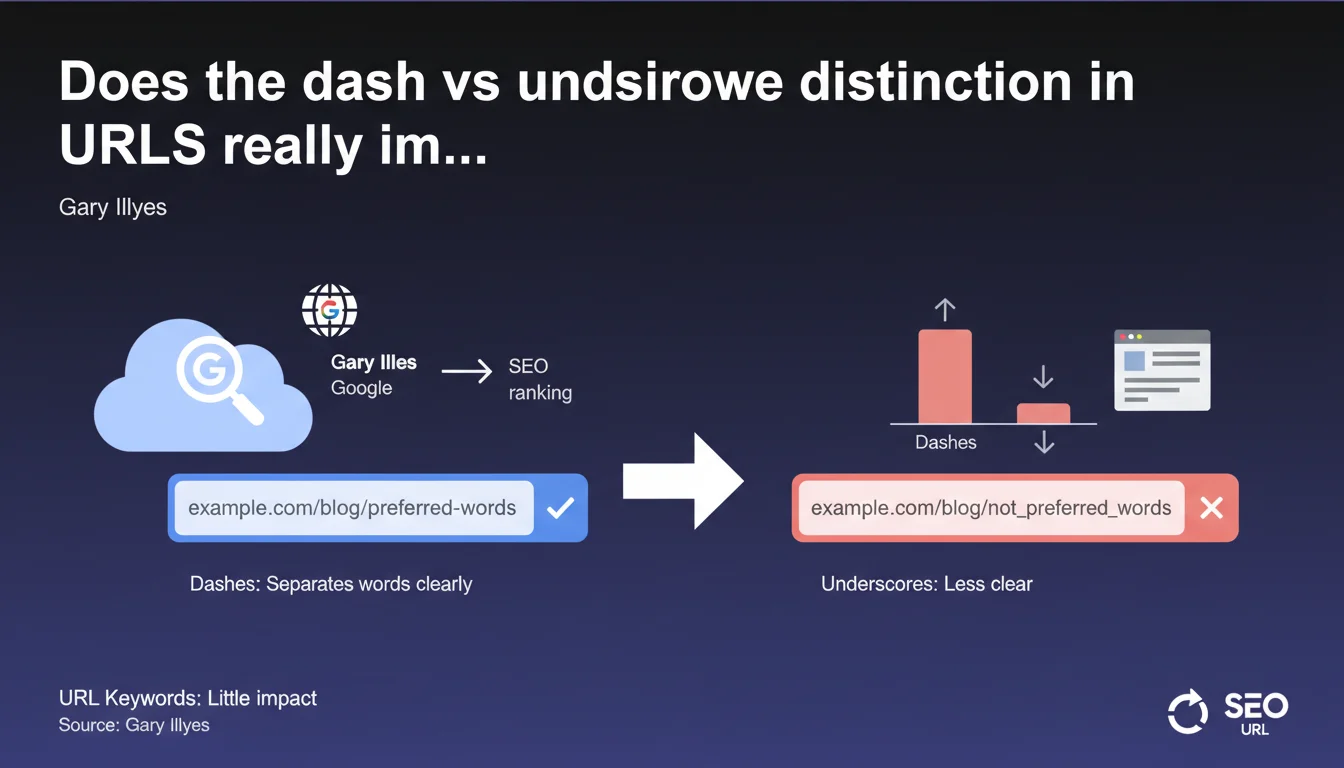
Google confirms that keywords in URLs carry very little weight in search rankings. If you use them, prefer dashes to underscores: they separate words more effectively for the algorithm. This technical distinction has only marginal impact on your positions.
What you need to understand
Why does Google distinguish between dashes and underscores?
The difference stems from how Googlebot interprets characters in a URL. A dash (-) is treated as a word separator, while an underscore (_) is considered a connector that ties terms together.
Concretely: running-shoes.html will be read as "running" + "shoes", whereas running_shoes.html will be interpreted as a single word "runningshoes". This distinction affects the way Google indexes and understands the content of your pages.
Do keywords in URLs still matter for SEO?
Gary Illyes is clear: their contribution to rankings is very weak. We're talking about a signal so marginal it doesn't deserve disproportionate effort during a redesign.
The URL remains relevant for two reasons: it helps Google quickly contextualize a page's topic during crawling, and it improves user experience by giving a clear indication of content before the click. But in terms of ranking power, it's negligible.
Does this recommendation apply to all types of websites?
The preference for dashes applies to all types of websites: e-commerce, blogs, institutional sites, web applications. Whenever a URL contains multiple words, the dash is the recommended standard.
Notable exception: sites in development that use strict technical naming conventions (frameworks, legacy CMS) where underscores are mandated by the architecture. In this case, the SEO impact remains minimal if the rest of the site is well optimized.
- Dashes separate words, underscores connect them — Google prefers clear separation
- The impact on rankings is very weak according to Google itself
- The URL remains useful for context and user experience, not for artificially boosting rankings
- This rule applies to all types of websites, except for technical constraints imposed by your platform
SEO Expert opinion
Does this statement really reflect what we see in practice?
Yes, and A/B testing has confirmed it for years: changing an underscore to a dash in a URL has never caused a dramatic surge in SERPs. Cases where it had a measurable effect are extremely rare, usually limited to niche queries with very low search volume.
What actually matters? Page content, backlinks, search intent, speed, user experience. The URL is a micro-signal that, in isolation, moves nothing. But within a rigorous overall strategy, every micro-optimization counts — especially in ultra-competitive sectors.
Should you massively correct existing URLs using underscores?
No, and this is where many go wrong. Migrating URLs for this reason alone is a waste of time and carries risks: broken redirects, temporary ranking losses, wasted crawl budget.
If you're launching a new site or a complete redesign, adopt dashes from the start. But if your site has been running with underscores for years and performing well, leave it alone. Focus your energy on optimizations with measurable ROI: content, link building, Core Web Vitals.
[To verify]: Gary Illyes provides no exact figures on the weight of this signal. We only know it's "very little". Is it 0.01% of the overall score? 0.1%? Impossible to say, and Google won't reveal it. Be cautious of gurus who oversell the impact of this optimization.
Are there situations where underscores actually cause real problems?
Yes, on sites with complex information architecture where URLs serve as strong semantic landmarks. If your CMS automatically generates URLs from article titles with underscores, Google may struggle to segment terms properly and have difficulty understanding the topical relevance.
Another critical situation: multilingual sites or e-commerce filters where URL parameters chain together. A mix of dashes and underscores can create crawling confusion and degrade contextual understanding. In this case, consistency becomes an indexation challenge.
Practical impact and recommendations
What should you do when creating a new site?
Adopt dashes systematically in your URLs. Configure your CMS (WordPress, Shopify, Drupal, etc.) to automatically generate slugs with dashes. Most do this by default, but some custom plugins or themes may force underscores.
Also verify consistency: if you manually code certain URLs or use a sitemap generator, ensure dashes are the standard everywhere. Avoid random mixes that complicate indexation.
What mistakes should you absolutely avoid?
Never launch a URL migration just to replace underscores with dashes. The effort isn't worth it: risk of 404s, link juice dilution, wasted crawl budget. Unless you're doing a complete redesign for other reasons, leave your URLs alone.
Another pitfall: over-optimizing URLs with keyword stuffing. Yes, dashes separate words, but stuffing a URL with 10 keywords won't help at all. Google says so itself: the weight is very weak. Prioritize clarity, conciseness, and readability for users.
How can you verify your site follows this best practice?
Crawl your site with Screaming Frog or Sitebulk and filter URLs containing underscores. Analyze their strategic importance: if they're secondary pages with low traffic, ignore them. If they're key landing pages, note them for a future redesign.
Also monitor server logs: if Googlebot spends excessive time on URLs with poorly indexed underscores, that's a signal the structure is problematic. But again, this is rarely isolated — investigate other factors (duplicate content, canonicals, robots.txt).
- Configure your CMS to automatically generate URLs with dashes
- Avoid keyword stuffing in URLs — stay concise and clear
- Don't migrate your existing URLs just for this reason, unless doing a complete redesign
- Crawl your site to identify URLs with underscores on strategic pages
- Verify consistency: no random mix of dashes and underscores
- Always prioritize user experience: a readable URL is better than one stuffed with keywords
❓ Frequently Asked Questions
Les underscores dans les URLs empêchent-ils l'indexation de mes pages ?
Dois-je créer des redirections 301 pour remplacer mes underscores par des tirets ?
Les tirets dans les URLs améliorent-ils mon taux de clic dans les SERPs ?
Cette règle s'applique-t-elle aussi aux URLs dynamiques avec paramètres ?
Quel impact si mon CMS impose les underscores par défaut ?
🎥 From the same video 13
Other SEO insights extracted from this same Google Search Central video · published on 18/04/2024
🎥 Watch the full video on YouTube →
💬 Comments (0)
Be the first to comment.