
Official statement
Other statements from this video 8 ▾
- □ Can SafeSearch really blacklist an entire mixed website that's poorly configured?
- □ Is the meta rating tag really useful for flagging explicit content?
- □ Should you really isolate adult content in a subdomain or separate folder to protect your main domain?
- □ Should you allow Googlebot to fetch your video files to improve their search visibility?
- □ Should you really disable age verification for Googlebot?
- □ How does SafeSearch actually filter explicit content from your search results?
- □ Why does Google really enforce a 2-3 month waiting period before reconsidering a SafeSearch classification?
- □ Are Google's content policies really a game-changer for organic visibility?
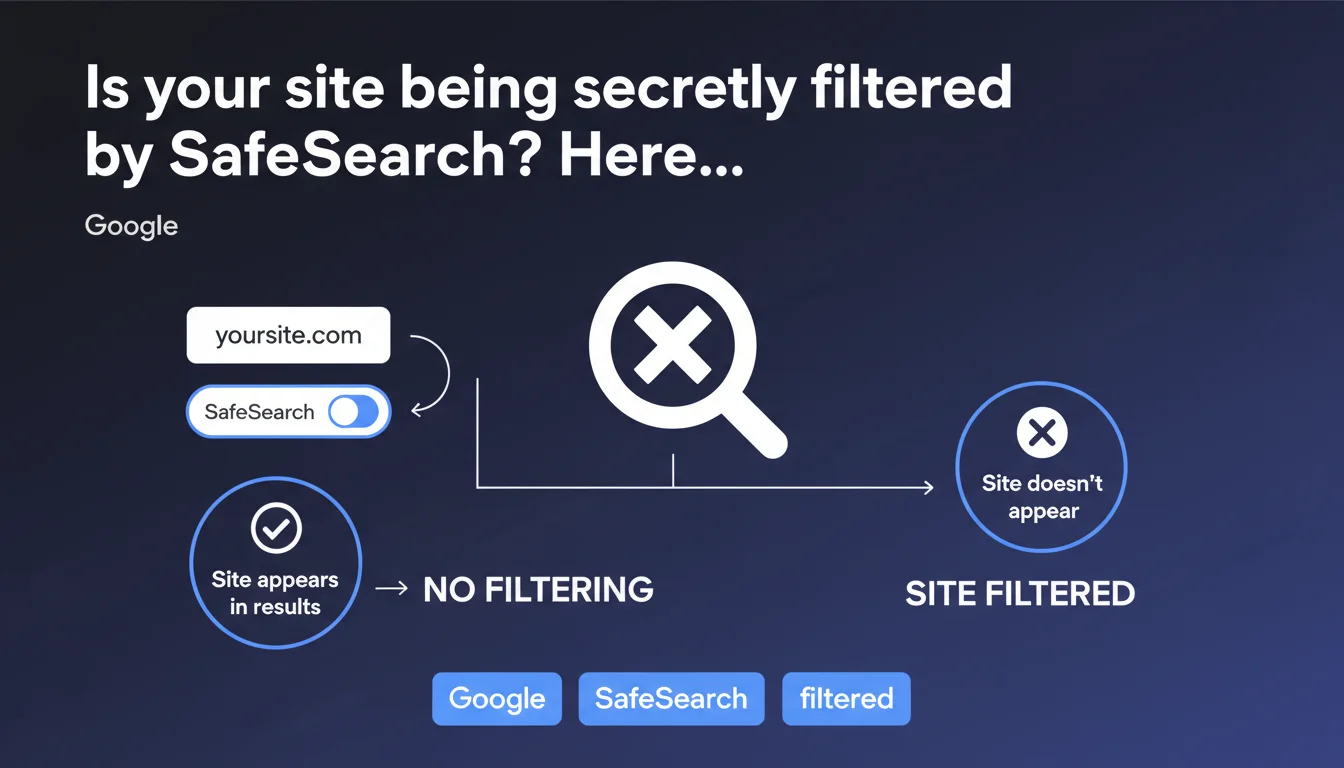
Google provides an official method to check if your site is classified as explicit content: use the 'site:yoursite.com' operator with SafeSearch enabled. If your site doesn't appear in the results, it means Google is systematically filtering it for users who have SafeSearch activated. This classification can have major consequences on your organic traffic.
What you need to understand
Does SafeSearch really filter entire sites or only individual pages?
Google can classify an entire site as explicit content, not just isolated pages. This is a crucial distinction: the statement specifically mentions an entire site, which means a domain can be marked globally.
In practice, if your domain is identified as explicit, all your pages disappear from results for users who have SafeSearch enabled — even pages that contain no problematic content whatsoever. It's a binary filter applied at the domain level.
How does this verification process work technically?
The method recommended by Google is straightforward: enable SafeSearch in your search settings, then run a query site:yourdomain.com. The complete absence of results indicates that your site is filtered.
This technique doesn't test page by page — it reveals whether Google has applied a global classification to the domain. It's different from classic deindexing: the site remains in the index, but becomes invisible to a portion of users.
What are the implications for SEO?
A site filtered by SafeSearch automatically loses a significant portion of its potential audience. In professional, educational environments or on devices configured for family use, SafeSearch is often enabled by default.
Organic traffic can drop by 30 to 50% depending on your audience. E-commerce sites, media outlets, or B2B services can be affected by mistake if Google detects ambiguous content — images of swimwear, articles about intimate health, artworks featuring nudity.
- A filtered site remains technically indexed but becomes invisible to SafeSearch users
- The filter applies to the entire domain, not page by page
- Verification is done via the site: operator with SafeSearch enabled
- The impact can be massive on certain audiences (schools, businesses, families)
- Legitimate sites can be classified by mistake
SEO Expert opinion
Is this verification method truly reliable?
The site: operator has never been a 100% accurate diagnostic tool. Google has repeated this several times: site: results are indicative but not exhaustive. Yet, here, Google officially recommends this operator to check SafeSearch filtering.
In real-world practice, this method does effectively detect global domain filtering. But it tells you nothing about why the site is filtered or which pages are problematic. [To verify]: Google provides no details on the precise criteria triggering this domain-level filtering.
What types of sites are really affected by this filtering?
Theoretically, only sites with explicit content (pornography, graphic violence) should be filtered. In reality, Google's algorithms can over-filter: sexual health websites, artistic platforms, open discussion forums, lingerie boutiques.
I've seen fashion e-commerce sites filtered because they sold swimwear photographed in a legitimate manner. The problem: Google doesn't notify webmasters when their site is classified as explicit. You discover it by noticing an unexplained traffic drop or by performing this manual test.
Can you contest an incorrect classification?
Google offers no official dispute process for SafeSearch. Unlike manual penalties that appear in Search Console, SafeSearch filtering is algorithmic and opaque. You can request a review through the generic contact form, but responses are rare.
If your site is filtered by mistake, the only viable option is to identify the problematic content and modify or remove it. Then wait for Google to recrawl and reevaluate the domain — which can take weeks. No direct leverage exists to accelerate this process.
Practical impact and recommendations
How can I detect if my site is currently filtered by SafeSearch?
First step: enable SafeSearch in Google's search settings (settings > search filters). Then run the query site:yourdomain.com and observe the results.
If no pages appear while your site is properly indexed (verifiable by disabling SafeSearch), your domain is filtered. Also test with brand queries to confirm: if your brand name doesn't show your site with SafeSearch active, that's a clear signal.
What corrective actions can resolve unjustified filtering?
First identify potentially problematic content: ambiguous images, product descriptions with sensitive vocabulary, unmoderated user-generated content. Particularly audit large-format images and above-the-fold visible areas.
Modify or remove questionable content, add appropriate metadata, strengthen moderation if you have UGC. Then request a review through Google's contact form, even if a response isn't guaranteed. Be patient: recrawling can take several weeks.
How can you prevent SafeSearch filtering on a legitimate site?
Anticipate how algorithms will interpret your content. If you sell sensitive products (lingerie, intimate health, art), provide visual context with professional staging. Avoid aggressive close-ups or overly crude vocabulary in titles and descriptions.
Implement strict moderation of user-generated content: comments, forums, product reviews. A single unmoderated thread with explicit content can trigger global domain classification.
- Check monthly with the site: operator + SafeSearch enabled
- Audit high-resolution images and prominent visual content
- Contextualize sensitive products or topics with neutral editorial content
- Systematically moderate user-generated content
- Monitor unexplained traffic variations (can signal recent filtering)
- Document the legitimate nature of your content to facilitate any future appeals
❓ Frequently Asked Questions
Un site filtré par SafeSearch reste-t-il indexé dans Google ?
Google notifie-t-il les webmasters quand leur site est classifié comme explicite ?
Combien de temps faut-il pour qu'un site soit déclassifié après correction du contenu ?
Le filtrage SafeSearch peut-il toucher uniquement certaines pages d'un site ?
Quelle proportion d'utilisateurs a SafeSearch activé ?
🎥 From the same video 8
Other SEO insights extracted from this same Google Search Central video · published on 01/11/2023
🎥 Watch the full video on YouTube →
💬 Comments (0)
Be the first to comment.