
Official statement
Other statements from this video 8 ▾
- □ Can SafeSearch really blacklist an entire mixed website that's poorly configured?
- □ Is the meta rating tag really useful for flagging explicit content?
- □ Should you really isolate adult content in a subdomain or separate folder to protect your main domain?
- □ Should you really disable age verification for Googlebot?
- □ How does SafeSearch actually filter explicit content from your search results?
- □ Is your site being secretly filtered by SafeSearch? Here's how to find out
- □ Why does Google really enforce a 2-3 month waiting period before reconsidering a SafeSearch classification?
- □ Are Google's content policies really a game-changer for organic visibility?
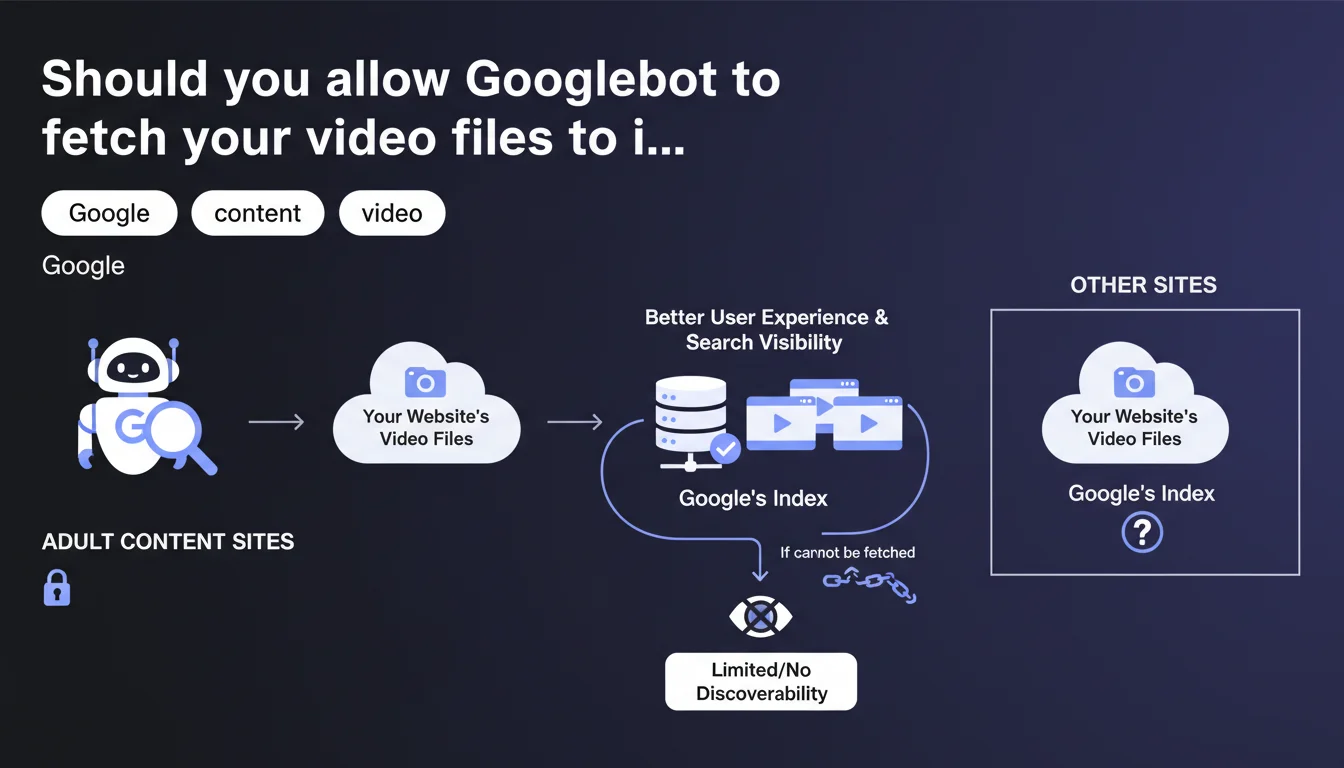
Google recommends allowing Googlebot to directly fetch video files, particularly for adult content websites. Without this access, video discoverability can be limited or blocked. This guidance confirms that video indexing depends on more than just structured metadata alone.
What you need to understand
What does "fetching video files" concretely mean?
Google is not talking about Schema.org VideoObject tags or video sitemaps here. This is about direct access to the source media file — the .mp4, .webm, or other format that Googlebot will download and analyze.
This fetching allows Google to extract visual and audio signals that are impossible to obtain from simple text metadata alone. We're talking about content analysis through artificial vision: objects, faces, context, actual duration, technical quality.
Why does Google specifically emphasize adult content sites?
Adult content sites present a particular classification challenge. Text metadata is often misleading, incomplete, or deliberately manipulated to bypass filters.
By fetching the video file, Google can apply its own detection models and ensure the content matches the declared categories. This also allows it to reliably enable or disable SafeSearch accordingly.
What are the risks of blocking access to video files?
Google clearly states that discoverability will be limited or blocked. In Google's terminology, "limiting discoverability" typically means downranking, or even outright exclusion from rich video results.
Without access to the source file, Google cannot verify content relevance. It therefore adopts a conservative stance: when in doubt, reduce visibility.
- Allowing access to video files improves Google's content understanding
- Blocking access can result in a visibility penalty, not just a lack of enrichment
- This recommendation applies especially to content where classification is critical (adult, medical, sensitive news)
- Structured metadata alone is no longer sufficient for optimal video indexing
SEO Expert opinion
Is this statement consistent with field observations?
Yes and no. We've observed in recent months that Google prioritizes videos whose content it can directly analyze, particularly on YouTube where it controls everything. But on third-party sites, the situation is murkier.
Some sites intentionally blocking Googlebot from their video files continue to appear in results — evidence that other signals (traffic, engagement, domain authority) partially compensate. [To verify]: Google doesn't specify the actual weight of this criterion in the video ranking algorithm.
What technical risks does this recommendation impose?
Allowing Googlebot to download your video files means accepting additional server load and bandwidth consumption. For a site hosting thousands of videos, this can represent significant costs.
Worse: if your videos are hosted on a CDN with traffic-based pricing, each Googlebot pass costs you money. Google offers no technical solution to limit fetch frequency or prioritize certain videos — you must allow everything or block everything.
Does Google actually apply this rule uniformly?
No. High-authority sites (news outlets, major platforms) seem less penalized if they block file access. Google likely has differentiated rules depending on site type.
For niche or less established sites, the penalty is immediate. Let's be honest: Google adjusts its requirements based on what it can obtain. If it needs your content, it will be more tolerant. If you're replaceable, it applies the rule strictly.
Practical impact and recommendations
What should you concretely do to allow access?
First step: check your robots.txt file. Many sites unintentionally block access to /videos/ or /media/ directories through overly broad rules. Googlebot must be able to access video file URLs.
Next, control your HTTP headers. If you use token-based authentication or referrer checks, create an exception for the Googlebot user-agent (verify its legitimacy via reverse DNS).
How do you verify that Googlebot is fetching your videos?
Consult your server logs and look for Googlebot requests directly targeting your .mp4 or .webm files. If you only see HTML page crawls but never media files, that's a bad sign.
In Google Search Console, the "Enhancements" > "Videos" tab may report access issues, but this report is often incomplete. Logs remain your source of truth.
What mistakes should you absolutely avoid?
Don't block video files via robots.txt while expecting Schema.org metadata to suffice. Google has been clear: without file access, visibility is compromised.
Also avoid configurations where Googlebot receives a degraded video version (low resolution, aggressive watermark). Google can detect these practices and interpret them as cloaking.
- Audit robots.txt to remove any blocking on directories containing video files
- Create a Googlebot exception in your authentication systems or access tokens
- Check server logs to confirm Googlebot is downloading files properly
- Test bandwidth impact and anticipate costs if you're on a traffic-based CDN
- Implement monitoring to detect abnormal video crawl spikes
- Document the configuration to prevent future server changes from breaking access
❓ Frequently Asked Questions
Dois-je autoriser Googlebot à télécharger toutes mes vidéos, même celles en accès premium ?
Quel est l'impact sur mes coûts d'hébergement si Googlebot télécharge tous mes fichiers vidéo ?
Puis-je limiter la fréquence à laquelle Googlebot télécharge mes vidéos ?
Cette recommandation s'applique-t-elle uniquement aux sites adultes ?
Que se passe-t-il si mes vidéos sont hébergées sur YouTube ou Vimeo ?
🎥 From the same video 8
Other SEO insights extracted from this same Google Search Central video · published on 01/11/2023
🎥 Watch the full video on YouTube →
💬 Comments (0)
Be the first to comment.