
Official statement
Other statements from this video 5 ▾
- □ Why does Google actually recommend against using cache and site: for debugging indexation issues?
- □ Is the URL Inspection Tool really the ultimate weapon for debugging your indexing problems?
- □ Should you really request manual crawling via the URL inspection tool in Search Console?
- □ Is Google indexing a different URL than the one you actually set as canonical?
- □ Could invisible errors in your rendered HTML be silently destroying your Google rankings?
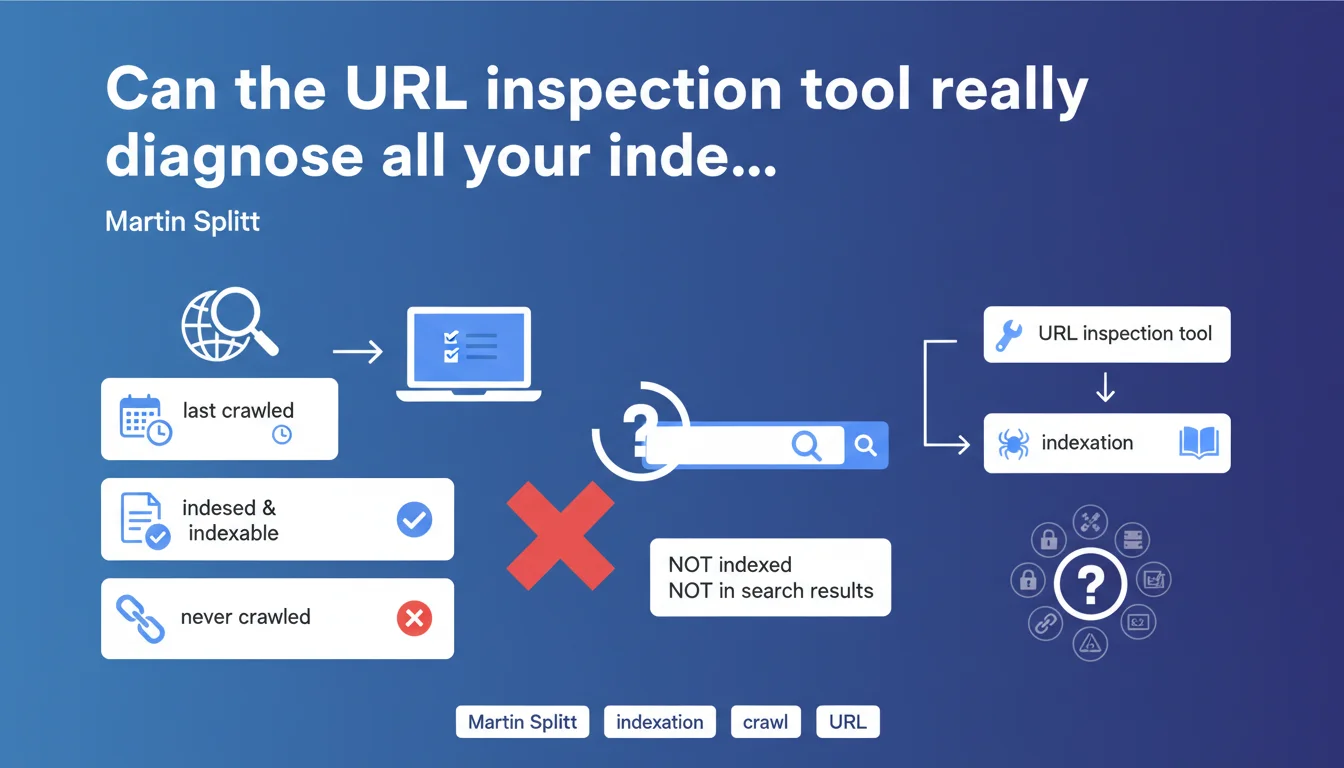
Martin Splitt confirms that the URL inspection tool displays a page's crawl and indexation status, as well as the date of the last crawl. If a page has never been crawled, it will never be indexed — and therefore invisible in the SERPs. It's the first-level diagnosis for identifying orphaned or blocked URLs.
What you need to understand
The Google Search Console URL inspection tool is the first reflex when a page doesn't appear in search results. It provides information about crawl and indexation status, the date of Googlebot's last visit, and any potential technical obstacles.
But Martin Splitt's statement raises an essential question: does this tool always reflect what's actually happening on the ground? And most importantly, what are its limitations?
What does the URL inspection tool really show?
The tool displays three key pieces of information: whether the page has been crawled, whether it's indexed, and when the last crawl occurred. If the status shows "URL not crawled", then no indexation is possible — the page simply doesn't exist for Google.
The problem is that the tool doesn't tell you why the page wasn't crawled. Robots.txt blocking it? Insufficient crawl budget? Orphaned page with no internal links? You have to dig elsewhere.
Why might a page remain uncrawled?
Several scenarios explain why a page is never visited by Googlebot. The most obvious: it's not linked anywhere — neither in your internal linking structure nor in your XML sitemap. No link = no crawl.
Another common case: the robots.txt file blocks access. Or perhaps the page is being crawled, but a noindex tag prevents its indexation — and the inspection tool signals this clearly. But be careful, the tool doesn't always detect crawl budget issues on large sites.
Should you blindly trust this tool?
No. The URL inspection tool is valuable, but it has its limitations. It doesn't replace log analysis to understand Googlebot's actual behavior. Sometimes the tool shows "URL not indexed" when the page appears in the SERPs via a site: search.
This is often related to a time lag between the live index and the data displayed in Search Console. Or to conflicting signals — the page is indexed but deemed not relevant for the tested query.
- The tool shows whether a page has been crawled and indexed, but not why it hasn't been
- A page never crawled will never be indexed — relentless logic
- Robots.txt blocks and noindex tags are detected, but not crawl budget issues
- The tool may display information out of sync with the live index
SEO Expert opinion
Is this statement really useful for an SEO practitioner?
Let's be honest: what Martin Splitt is saying is obvious. If a page is never crawled, it will never be indexed. No surprise. What's missing here is an explanation of the reasons why a page remains uncrawled.
In practice, the URL inspection tool is a starting point — not a complete solution. It alerts you, but it doesn't diagnose. To go further, you need to cross-reference with server logs, check your internal linking, analyze your XML sitemap and robots.txt file. [Needs verification]: the tool doesn't always detect crawled pages that are excluded due to duplicate content or insufficient quality.
What nuances should be added?
First point: a page can be crawled without being indexed. It's actually common on e-commerce sites with thousands of similar product pages. Google explores, evaluates, and decides not to index — without the inspection tool really explaining why.
Second nuance: the tool sometimes shows "URL not indexed" when a site:example.com/page search returns the page just fine. This lag can last several days. Don't panic immediately — first verify the live index with a manual query.
In which cases is this tool insufficient?
On a large site with tens of thousands of pages, the URL inspection tool becomes inadequate. You can't manually test every URL. This is where log analysis becomes essential: it shows you which pages are actually crawled, how often, and with what budget.
Another limitation: the tool doesn't detect crawl budget problems. If Googlebot only visits every three weeks on an entire section of your site, the tool won't tell you. You'll need to analyze logs to understand that the problem isn't a technical block, but a lack of priority assigned by Google.
Practical impact and recommendations
What should you concretely do to diagnose a non-indexed page?
First step: check with the URL inspection tool whether the page has been crawled. If the status is "URL not crawled", find out why. Check your robots.txt file — a simple misplaced Disallow: blocks everything.
Next, check your internal linking. An orphaned page with no incoming links from your site will never be discovered by Googlebot. Add contextual links from already-crawled pages, or include the URL in your XML sitemap.
If the page is being crawled but not indexed, look for a noindex tag in the HTML code or HTTP headers. The inspection tool signals this explicitly. Another lead: duplicate content. Google may have crawled the page but decided not to index it because it's too similar to another one.
What mistakes should you avoid with the URL inspection tool?
Classic mistake: requesting indexation through the tool without fixing the underlying issue. If the page is blocked by robots.txt or marked noindex, requesting re-indexation is pointless. Fix first, index second.
Another trap: relying solely on this tool to assess indexation status across a large site. With 50,000 URLs, you can't manually test everything. Use the Google Search Console API to extract data in bulk, or cross-reference with server logs.
How can I verify that my site is properly crawled and indexed?
Beyond the inspection tool, regularly analyze the coverage reports in Search Console. They show you how many pages are indexed, excluded, or in error — with the exact reasons. Cross this data with your server logs to identify URLs crawled but not indexed.
Implement automated monitoring: alerts for sudden drops in indexed pages, crawl budget tracking, monthly XML sitemap verification. These routines allow you to detect problems before they impact organic traffic.
- Verify crawl status using the URL inspection tool
- Check your robots.txt file and noindex tags
- Ensure the page receives internal links or is present in the sitemap
- Analyze coverage reports to detect large-scale errors
- Cross-reference with server logs to understand Googlebot's actual behavior
- Automate indexation and crawl budget monitoring
❓ Frequently Asked Questions
Pourquoi l'outil d'inspection d'URL affiche-t-il parfois des informations différentes de l'index live ?
Une page peut-elle être crawlée sans être indexée ?
Faut-il utiliser l'outil d'inspection pour forcer l'indexation d'une nouvelle page ?
L'outil d'inspection détecte-t-il les problèmes de crawl budget ?
Que faire si l'outil indique "URL non explorée" alors que la page est accessible ?
🎥 From the same video 5
Other SEO insights extracted from this same Google Search Central video · published on 07/12/2023
🎥 Watch the full video on YouTube →
💬 Comments (0)
Be the first to comment.