
Official statement
Other statements from this video 5 ▾
- □ Why does Google actually recommend against using cache and site: for debugging indexation issues?
- □ Is the URL Inspection Tool really the ultimate weapon for debugging your indexing problems?
- □ Can the URL inspection tool really diagnose all your indexation problems?
- □ Should you really request manual crawling via the URL inspection tool in Search Console?
- □ Is Google indexing a different URL than the one you actually set as canonical?
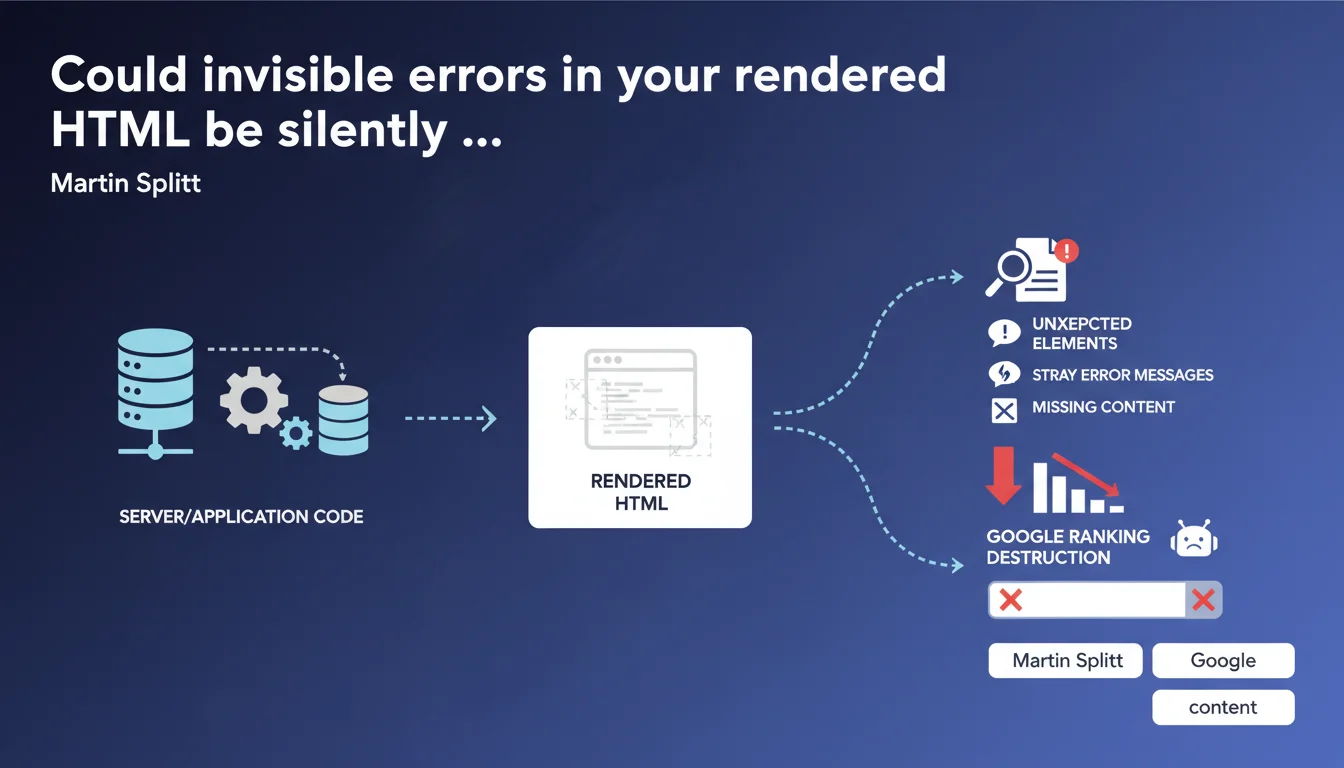
Google recommends systematically checking rendered HTML (browser-side) and server HTTP responses to detect anomalies invisible in raw source code: stray error messages, missing content, JavaScript or server issues. These technical failures block indexing without always triggering Search Console alerts.
What you need to understand
What's the real difference between source HTML and rendered HTML?
The source HTML is the raw code returned by the server on the initial request. It's what you see when you "View Page Source" in your browser. The rendered HTML, on the other hand, is the final result after JavaScript execution, external resource loading, and DOM manipulation.
Googlebot analyzes the rendered HTML to index your site. If your main content depends on JavaScript and that script crashes, the rendered HTML will be empty — but the source code will appear intact. That's where the trap closes.
Why does the HTTP response deserve special attention?
HTTP status codes (200, 301, 404, 500, etc.) determine how Googlebot processes your page. A page returning 200 with error content ("Page not found" generated by JavaScript) deceives the crawler.
Some servers or frameworks return stray error messages in the HTML body with a 200 code. Googlebot then indexes unexpected or even incoherent content. Checking the complete HTTP response (headers + body) lets you track down these inconsistencies.
What types of missing or stray content should you watch for?
- Silent JavaScript errors: an external dependency that fails to load, a blocking script that crashes without visible logging
- Server error messages injected: PHP warnings, database errors displayed in production
- Conditional content not rendering: blocks accidentally hidden from Googlebot by faulty JavaScript logic or misconfigured A/B testing
- Timeouts or missing resources: a third-party API that's down, breaking the rendering of an essential component
- Inconsistent HTTP headers: X-Robots-Tag noindex while meta robots allows indexing
SEO Expert opinion
Is this recommendation actionable enough?
Google stays intentionally vague on diagnostic methods. It doesn't specify which tools to use or how often to check these elements. For a seasoned SEO professional, it's common sense — but for a rushed dev team, it's insufficient.
Concretely? Use Google Search Console (URL inspection tool) to see the HTML rendered by Googlebot, compare it with your browser. Supplement with Screaming Frog in rendered JavaScript mode, or an automated Lighthouse audit. [To verify]: Google says nothing about crawl frequency after corrections — a site that suffered from these bugs can take weeks to recover its indexing.
What nuances should you consider?
Not all sites are equal when it comes to rendered HTML. A full JavaScript site (React/Vue/Angular SPA) depends entirely on client-side rendering or SSR/SSG. An error in the build pipeline can make entire pages vanish without anyone noticing.
A standard WordPress site with minimal JavaScript faces less risk — but watch out for plugins that inject blocking JS or manipulate the DOM without fallbacks. Intermittent 500 errors, on the other hand, affect everyone: a traffic spike, saturated database, and boom — Googlebot hits an error while your monitoring saw nothing.
In which cases is this verification not enough?
Checking rendered HTML doesn't fix upstream server problems: catastrophic TTFB delays, recurring timeouts, overly aggressive robots.txt restrictions. If Googlebot can't even load your page, rendered HTML doesn't exist.
Similarly, this approach doesn't detect duplicate content via misconfigured canonicals, nor invisible structured data errors in rendered HTML that block rich snippets. A complete audit remains essential.
Practical impact and recommendations
What should you do concretely to audit rendered HTML?
Run the Search Console URL inspection tool on your key pages. Compare the HTML rendered by Googlebot with what your browser displays. Look for content divergences, missing blocks, unexpected error messages.
Supplement with a Screaming Frog crawl in JavaScript-enabled mode. Configure both mobile and desktop rendering. Export status codes, titles, h1s — spot inconsistencies (pages returning 200 with title "Error 404", for example).
How can you automate anomaly detection?
Use Lighthouse CI in continuous integration to catch rendering regressions before production deployment. Set up alerts on 5xx HTTP codes in your server logs (Cloudflare Analytics, Nginx logs, etc.).
Implement synthetic monitoring (Pingdom, UptimeRobot) that regularly tests the rendering of your key pages. A script can compare the hash of rendered HTML against a reference version — any divergence triggers an alert.
What mistakes should you avoid during these checks?
- Don't rely solely on raw source code — Googlebot doesn't see it that way
- Test as Googlebot user-agent (mobile and desktop) — some servers return different content
- Check complete HTTP headers, not just the status code visible in your browser
- Monitor external dependencies (CDNs, third-party APIs) — their unavailability breaks rendering
- Automate these checks — a monthly manual audit won't catch intermittent bugs
- Document fixes in a changelog — if a problem returns, you'll save time
❓ Frequently Asked Questions
Comment voir le HTML rendu par Googlebot sans outils payants ?
Un code 200 avec contenu d'erreur peut-il vraiment tromper Google ?
À quelle fréquence faut-il vérifier le HTML rendu ?
Les erreurs JavaScript bloquent-elles toujours l'indexation ?
Les headers X-Robots-Tag peuvent-ils contredire les meta robots ?
🎥 From the same video 5
Other SEO insights extracted from this same Google Search Central video · published on 07/12/2023
🎥 Watch the full video on YouTube →
💬 Comments (0)
Be the first to comment.