
Official statement
Other statements from this video 8 ▾
- □ Does Google really index rendered HTML instead of the raw source code?
- □ Does the URL inspection tool really show you how Google discovers your pages?
- □ Does Google really respect your canonical tag, or does it decide on its own?
- □ How can you effectively verify X-Robots directives hidden in your HTTP headers?
- □ Are JavaScript resources blocked by robots.txt really killing your indexation?
- □ Are JavaScript console messages becoming a critical SEO signal you need to monitor?
- □ Why does Google Search Console's live URL test deliver different results every time you run it?
- □ Should you really trust Google's testing tools screenshots for SEO diagnosis?
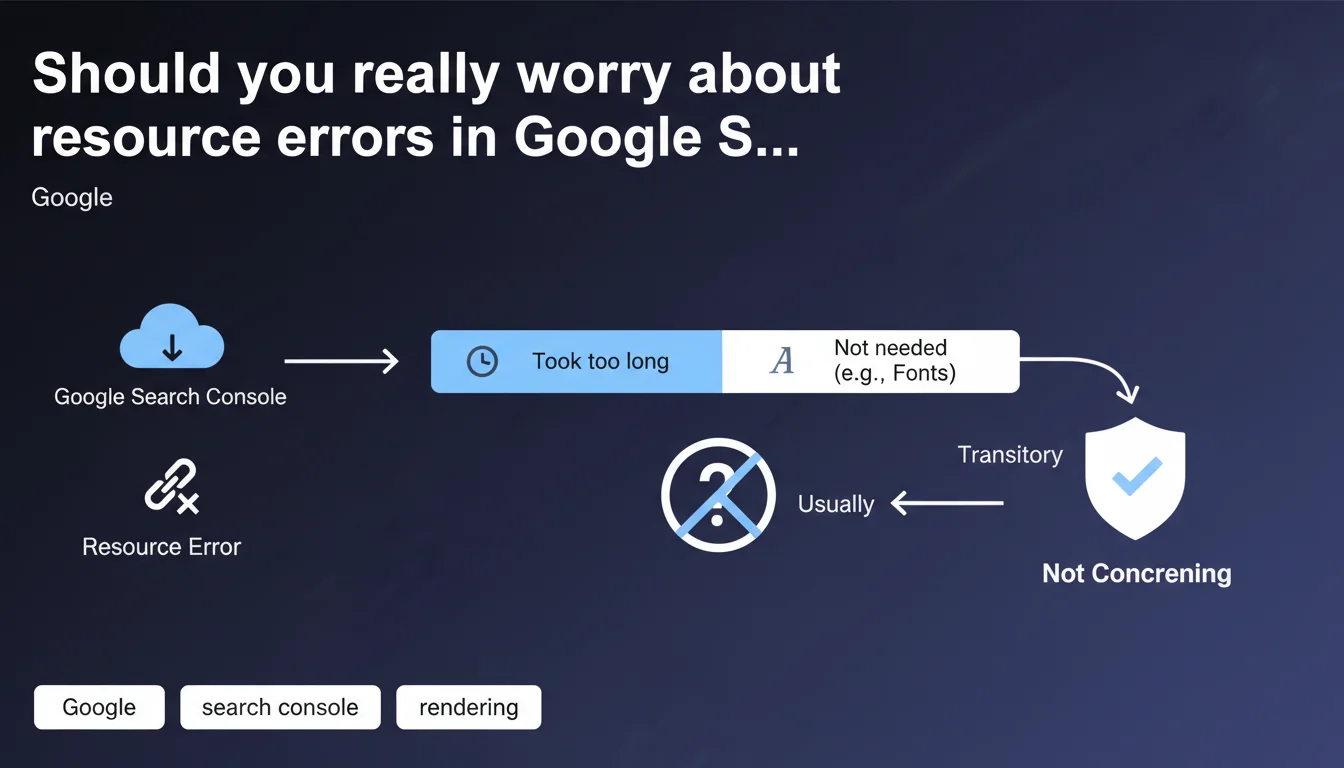
Google claims that blocked resource errors are generally transitory and have no real impact on indexing. When a resource (font, script, CSS) fails to be fetched, it's often because Googlebot didn't actually need it for rendering, or the response time was too long. So don't panic, unless the error persists and involves resources critical to your main content.
What you need to understand
Why does Google generate resource errors if it doesn't use them?
Googlebot attempts to fetch all resources referenced on a page to perform complete rendering. But not all files are created equal. A web font that beautifies a heading, an analytics script, or a decorative CSS element are not necessary to understand the textual content of the page.
When one of these resources fails to load — timeout, 404, robots.txt blocking — Google records it as an error in Search Console. But if the main content is accessible and understandable without it, indexation is not compromised.
What exactly is a transitory error?
A transitory error is a temporary failure to fetch that disappears on the next crawl. Server momentarily overloaded, CDN latency, temporary network issue. Google recrawls the page a few days later, the resource loads correctly, the error disappears.
This type of error has no consequence on ranking or indexation. It simply indicates a passing technical incident, not a structural flaw in your site.
Which resources does Google consider non-critical?
Google explicitly cites web fonts as a typical example. But the list also includes: decorative images, certain non-essential JavaScript scripts, secondary stylesheets, third-party resources (social widgets, ads).
The algorithm determines if a resource is critical based on its impact on visible content. If text, links, and HTML structure remain accessible without it, it's not critical.
- Resource errors are normal and frequent in any Google crawl
- A blocked resource only impacts indexation if it's critical to main content
- Fonts, analytics scripts, and decorative elements are typically non-critical
- Transitory errors naturally disappear on the next crawl
- Search Console reports these errors for transparency, not urgency
SEO Expert opinion
Is this statement consistent with real-world observations?
Yes, generally. We do observe that sites displaying hundreds of resource errors in Search Console continue to rank normally. As long as HTML content is accessible and main rendering works, the impact is zero.
But — and here's where it gets tricky — Google remains deliberately vague about the boundary between critical and non-critical resources. A CSS file that hides content? A font that makes text unreadable? The statement provides no precise threshold. [To verify]: how exactly does Google determine that a resource was "not really necessary"?
When doesn't this rule apply?
If the error involves a resource critical to rendering, it's no longer transitory or unimportant. Typical example: a blocked main CSS file that prevents above-the-fold content from displaying, or a React/Vue script that generates all HTML client-side.
In these cases, the error persists and Google cannot properly index the page. Google's statement only applies to secondary or optional resources. The problem is that Google doesn't publish an exhaustive list of what's critical or not for its crawler.
What nuance should we add to this reassuring message?
Google has every incentive to minimize webmaster anxiety about Search Console errors. But this statement should not serve as an excuse for negligence. A resource error that persists for weeks is not transitory, it's a structural problem to fix.
Moreover, even if Google can index without certain resources, user experience suffers. A font that doesn't load is ugly. An interaction script that fails is frustrating. SEO isn't just about pleasing Googlebot, you also need human visitors to have an optimal experience.
Practical impact and recommendations
What should you concretely do about these errors?
First, identify the nature of the blocked resource. Open Search Console, go to "Coverage" or "Page Indexation" section, and examine the URLs of resources in error. Font? Third-party script? Image? CSS?
Next, check if the error is one-time or recurring. An error that appears once then disappears on the next crawl? Ignore it. An error that persists over several weeks? Investigate.
How do you verify the real impact on rendering?
Use the URL inspection tool in Search Console and click "Test live URL", then "View tested page". Compare Googlebot rendering with actual browser rendering. If main content is identical, the resource error is harmless.
If critical elements are missing — hidden text, missing images from main content, broken navigation menu — then the error is problematic and must be fixed immediately.
Which errors warrant immediate action?
Any error that blocks main content rendering or navigation elements. A CSS file that hides all text, a JavaScript that generates HTML, a hero image carrying the page's key message.
Also, any error that repeats across hundreds of pages. Even if Google claims it's not serious, a structural problem (poor CDN configuration, overly strict robots.txt rule) deserves fixing to prevent gradual degradation.
- Regularly check the "Coverage" section of Search Console to monitor resource errors
- Identify the nature of each blocked resource (font, script, CSS, image)
- Test Googlebot rendering with the URL inspection tool to verify real impact
- Ignore one-time errors that disappear on the next crawl
- Immediately fix persistent errors on critical resources (main CSS, rendering JavaScript)
- Verify your robots.txt isn't too restrictive and doesn't block necessary resources
- Optimize resource response times to avoid timeouts on Googlebot's end
- Monitor recurring errors across hundreds of pages, a sign of structural problems
❓ Frequently Asked Questions
Une erreur de police web dans la Search Console va-t-elle pénaliser mon référencement ?
Combien de temps faut-il pour qu'une erreur transitoire disparaisse de la Search Console ?
Faut-il bloquer les ressources tierces dans le robots.txt pour éviter les erreurs ?
Comment savoir si une ressource est critique pour Google ?
Les erreurs de ressources peuvent-elles affecter les Core Web Vitals ?
🎥 From the same video 8
Other SEO insights extracted from this same Google Search Central video · published on 02/08/2023
🎥 Watch the full video on YouTube →
💬 Comments (0)
Be the first to comment.