
Official statement
Other statements from this video 7 ▾
- □ Do Core Web Vitals Really Impact Your Rankings in Google's Helpful Content System?
- □ Is Google really phasing out mobile-friendliness as a separate ranking signal?
- □ Should you worry about Google removing the mobile usability report from Search Console?
- □ Why is Google shutting down its mobile-friendly testing tool?
- □ Is Google Really Replacing FID with INP in Core Web Vitals—And What Does It Mean for Your Rankings?
- □ Can you finally edit code directly in Google's rich results test tool?
- □ Does Google's Search Labs let you test new AI features before everyone else gets them?
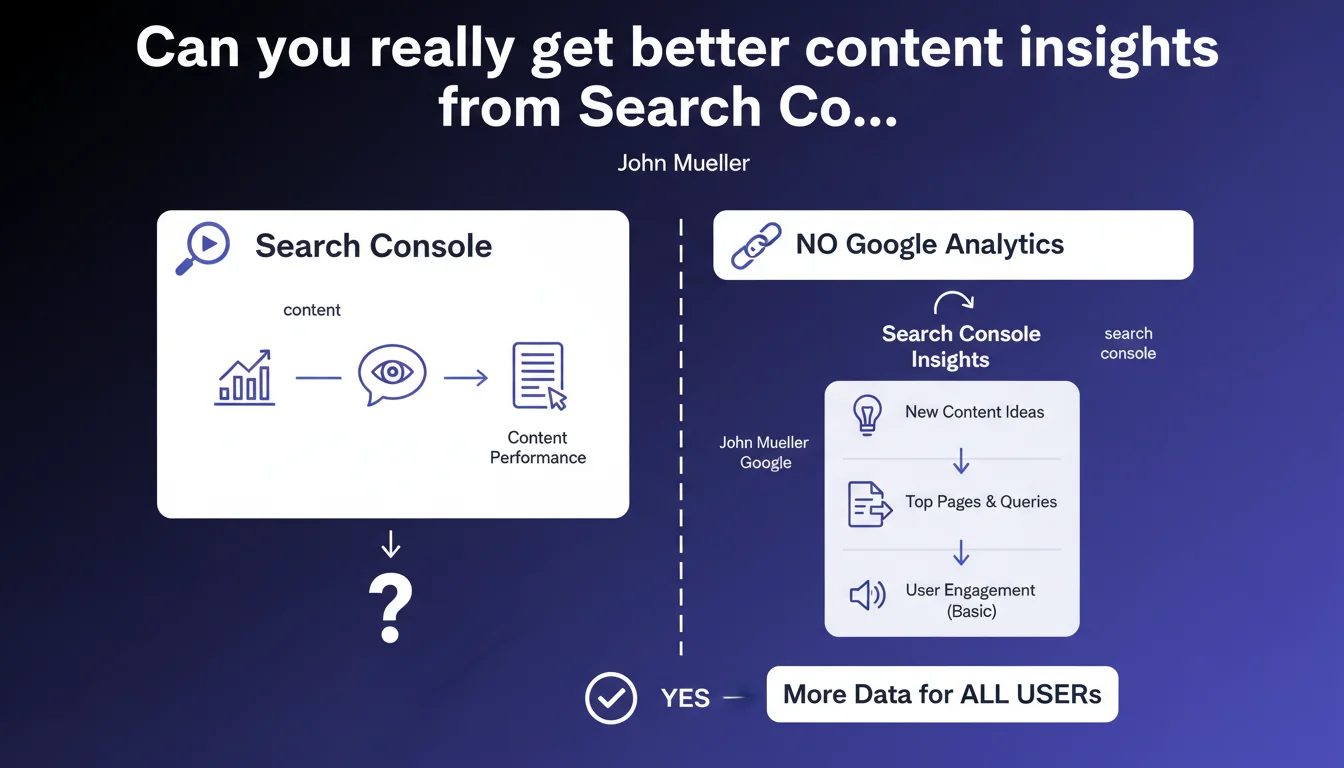
Google is rolling out Search Console Insights to all users, even without an Analytics connection. This update streamlines access to content performance data directly from Search Console, removing the dependency on third-party tools. In practical terms, you'll get insights into your top-performing pages and their evolution without needing any additional setup.
What you need to understand
What exactly is Search Console Insights?
Search Console Insights is a reporting interface that combines Search Console data to analyze content performance. Unlike the standard performance report, this tool focuses on how your content is evolving and how users are discovering it.
Until now, the tool required a Google Analytics connection to enrich the data. This requirement created a barrier for sites that don't use Analytics — either by strategic choice or due to GDPR compliance concerns.
Why does this evolution change everything?
The standalone version eliminates the Analytics dependency. You now access essential metrics: high-performing new content, pages gaining traction, organic traffic sources. All without complex setup or juggling multiple tools.
For sites that ditched Analytics in favor of alternatives like Matomo or Plausible, this is a major simplification. No more switching between different interfaces to understand what's working in your content strategy.
What data can you actually access?
The tool displays your most-visited content over the last 28 days, click and impression trends, and queries driving traffic. It highlights new content gaining attention and pages that are climbing in visibility.
The limitation? You won't get Analytics' behavioral metrics (bounce rate, session duration, user journeys). But honestly, for a quick audit of your SEO performance, it's more than enough.
- Works without Analytics: no technical barrier for sites using other analytics solutions
- Content-focused: quickly identify pages gaining or losing visibility
- Native Search Console data: clicks, impressions, average position directly usable
- Simple access: one tool to monitor your organic trends
SEO Expert opinion
Is this Analytics separation a strategic move by Google?
Let's be honest — this shift comes at a time when Google Analytics is losing ground. Between GDPR constraints forcing European sites to abandon GA4 and the rise of privacy-first alternatives, Google is working to maintain webmaster engagement through Search Console.
By making Insights standalone, Google ensures that even sites leaving its Analytics ecosystem stay connected to Search Console. It's smart defensive positioning: keeping a window into your organic traffic data, even if you stop using their behavioral analytics tools.
Are the provided data points really actionable?
The standalone version covers essentials for SEO content monitoring. You identify what's performing, what's declining, and keyword opportunities. For 80% of a typical SEO practitioner's daily needs, it's sufficient.
The catch? You lose correlation with user behavior. You know a page is attracting traffic, but not whether that traffic converts or bounces immediately. [Worth verifying]: it's hard to assess real traffic quality without engagement data.
For strategic decisions — adjusting your editorial strategy, prioritizing optimizations — you'll need to supplement with your analytics tool (whatever it is). Insights becomes a monitoring dashboard, not a complete decision-making tool.
Should you really disconnect Analytics?
No. If you're already using GA4 and maintaining legal compliance, keeping the connection enriches your insights. You get a fuller picture by combining search data with post-click behavior.
The real value of this update is flexibility. You're no longer forced to maintain Analytics just to access Insights. For projects prioritizing technical simplicity or strict compliance, this is liberating.
Practical impact and recommendations
What should you do right now with this update?
If you're not using Analytics, enable Search Console Insights immediately. The interface is accessible from the Search Console sidebar menu. No special configuration needed — data appears automatically if you have organic traffic.
Work Insights into your SEO monitoring routine. Check it weekly to spot content gaining or losing traction. It's particularly effective for detecting content refresh opportunities or spotting pages suddenly losing visibility.
How do you leverage this data without Analytics?
Focus on click and impression trends. A page gaining impressions but few clicks signals a title or meta description problem. A page losing both impressions and clicks might indicate a ranking drop or content becoming outdated.
Cross-reference Insights data with your alternative analytics tool. If you use Matomo, Plausible, or similar, export top-performing URLs from Insights and analyze their user behavior in your tool. You rebuild a complete picture without GA4 dependency.
What mistakes should you avoid with this new tool?
Don't overvalue content based solely on organic clicks. An article might drive plenty of traffic but generate zero conversions or engagement. Without behavioral data, you risk over-investing in low-ROI content.
Avoid disconnecting Analytics if it's already working well for you. This update provides an option, not an obligation. If your current setup functions properly and meets your legal requirements, don't change anything.
- Enable Search Console Insights from the GSC sidebar menu
- Set a regular review frequency (weekly recommended)
- Identify trending content to capitalize on momentum
- Spot declining pages to prioritize updates
- Cross-reference Insights data with your analytics tool for a complete picture
- Don't base strategic decisions solely on click metrics
- Keep Analytics connected if your current setup is already optimal
Search Console Insights becomes an accessible daily SEO monitoring tool for everyone, regardless of your analytics stack. Use it for quick monitoring and opportunity detection, but always complement it with user engagement data for strategic decisions.
These Search Console monitoring and data optimization tasks can quickly become time-consuming, especially when managing multiple properties or running a complex content strategy. Interpreting trends and prioritizing actions requires hands-on expertise that only experience builds. If you lack time or internal resources to fully leverage these tools, working with a specialized SEO agency can help you structure your approach and automate reporting without missing the subtle signals that make the real difference.
❓ Frequently Asked Questions
Search Console Insights remplace-t-il complètement Google Analytics ?
Dois-je déconnecter Analytics pour bénéficier de cette mise à jour ?
Quelles données historiques sont disponibles dans Insights sans Analytics ?
Search Console Insights est-il compatible avec les propriétés de domaine ?
Puis-je exporter les données de Search Console Insights ?
🎥 From the same video 7
Other SEO insights extracted from this same Google Search Central video · published on 18/07/2023
🎥 Watch the full video on YouTube →
💬 Comments (0)
Be the first to comment.