
Official statement
Other statements from this video 11 ▾
- □ Is your SEO testing tool really considered a crawler by Google?
- □ Does Googlebot really follow links or does it work differently?
- □ Is it true that Google's open source robots.txt parser is really used in production?
- □ Why is Google dropping indexing directives in robots.txt?
- □ Does publishing a website legally mean you allow Google to crawl it?
- □ How does Googlebot adjust its crawl frequency to prevent server crashes?
- □ Can you index a page without crawling it?
- □ Is it true that Google rejects overly granular robots.txt directives?
- □ Is robots.txt really enough to control your site's crawl?
- □ Who really created Google's robots.txt parser?
- □ Is it true that Google completely refuses to modernize the robots.txt format?
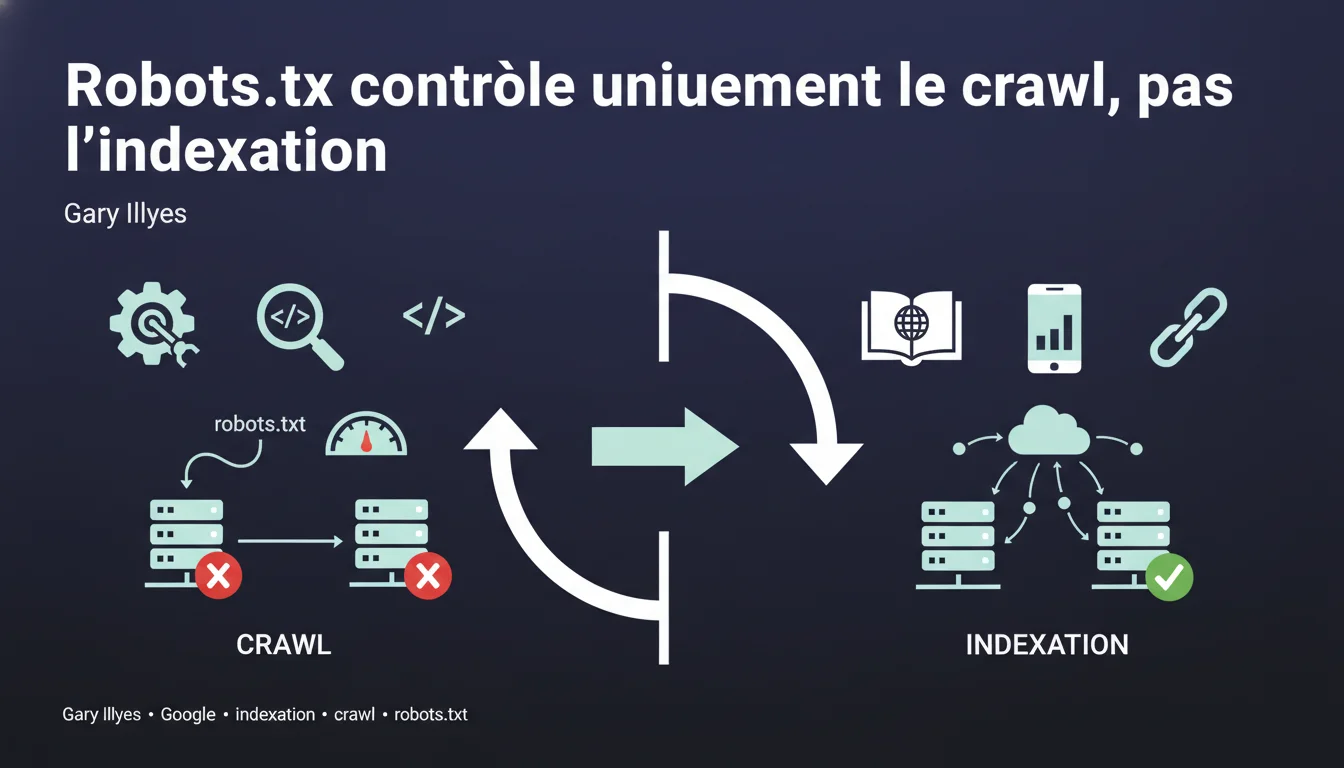
Google can index URLs blocked by robots.txt without crawling their content, relying solely on external links pointing to those pages. The robots.txt file controls crawling, not indexing — a fundamental distinction that many SEO professionals still confuse.
What you need to understand
What is the difference between crawling and indexing?
Crawling involves Googlebot downloading a page's content to analyze it. Indexing is the decision to store that URL in Google's index and make it eligible for display in search results. These two processes are distinct. Google can decide to index a URL without ever having crawled its content — it then relies on external signals such as the link anchors pointing to that page. When a URL is blocked by robots.txt, Googlebot respects this directive and does not access the content. But if there are backlinks pointing to that URL, Google knows of its existence. It can then index it based solely on the available information: the URL itself , the link anchors from referring pages, and the context in which those links appear. The result: an indexed URL with a generic description like "No information available". Historically, blocking a page in robots.txt was often enough to prevent its indexing — but that was a side effect , not a guarantee. Google's documentation has long been vague on this point. Today, the official stance is clear: robots.txt = crawling control. To prevent indexing, one must use a noindex tag or an HTTP 401/410 response .How does Google index a page without crawling it?
Why does this confusion persist among SEOs?
SEO Expert opinion
Is this statement consistent with field observations?
Yes, entirely. Blocked URLs in robots.txt are regularly observed showing up in Google's index with the remark "A description of this result is not available due to this site's robots.txt file".
This is particularly common on sensitive sections (admin, staging, back office) that some webmasters mistakenly believe are protected by robots.txt. They often discover with astonishment that these URLs are indexable. Gary Illyes' statement is factual but incomplete on one point: it does not specify the necessary threshold of popularity. Not all URLs blocked in robots.txt are automatically indexed — a minimal volume of backlinks is required. [To be verified] Google never communicates a specific threshold. Based on observations, a URL with 3-5 backlinks from indexed sites already has a significant probability of being indexed. But this is an empirical estimate, not an official rule. Another nuance: the delay . Indexing a URL blocked in robots.txt can take several weeks, or even months, depending on how frequently Googlebot discovers the backlinks. If a URL has no backlinks and does not appear anywhere else on the web, it will likely never be indexed even if it is blocked in robots.txt. Google simply does not know about it.What nuances should be added to this rule?
In what cases does this rule not apply?
Practical impact and recommendations
What concrete steps should be taken to prevent indexing?
If you want to block indexing of a page, three methods actually work: the meta noindex tag , an HTTP 401 (authentication required) response, or 410 (gone) . The noindex tag requires that Google can crawl the page — so it must be accessible in robots.txt. It's the paradox: to tell Google not to index, you must first allow it to read your directive. For sensitive content (admin, staging), prefer HTTP authentication or an IP block at the server level. No robots.txt, no noindex — just impossible access. Mistake #1: blocking in robots.txt pages you want to deindex . Result: Google can no longer crawl the noindex tag, so the page remains in the index indefinitely. Mistake #2: believing that robots.txt protects confidential content. Anyone can read your robots.txt file — it’s a roadmap for competitors and scrapers. Mistake #3: blocking critical CSS/JS resources. Google has explicitly stated it can ignore these robots.txt directives to assess the rendering of the page . Do a site:votredomaine.com search in Google and look for URLs with the mention "robots.txt". These are pages blocked from crawling but indexed — likely not the desired effect. In Search Console, check excluded pages . URLs marked "Blocked by robots.txt" should not appear in the index — but this happens. Cross-check with your robots.txt file.What mistakes should be absolutely avoided?
How to audit your current setup?
❓ Frequently Asked Questions
Peut-on utiliser robots.txt ET noindex sur la même page ?
Combien de temps faut-il pour désindexer une page bloquée en robots.txt ?
Google indexe-t-il les URLs bloquées en robots.txt même sans backlinks ?
Les autres moteurs de recherche respectent-ils robots.txt de la même manière ?
Bloquer le crawl de Googlebot réduit-il le crawl budget gaspillé ?
🎥 From the same video 11
Other SEO insights extracted from this same Google Search Central video · published on 21/12/2021
🎥 Watch the full video on YouTube →
💬 Comments (0)
Be the first to comment.