
Official statement
Other statements from this video 5 ▾
- □ Should you really monitor Search Console access for your SEO vendors?
- □ Why does Google insist on verifying your website ownership?
- □ Why should you remove all verification tokens from former users in Search Console?
- □ Should you really restrict SEO tools to read-only access in Google Search Console?
- □ Why is delegated access safer than sharing passwords with your SEO contractors?
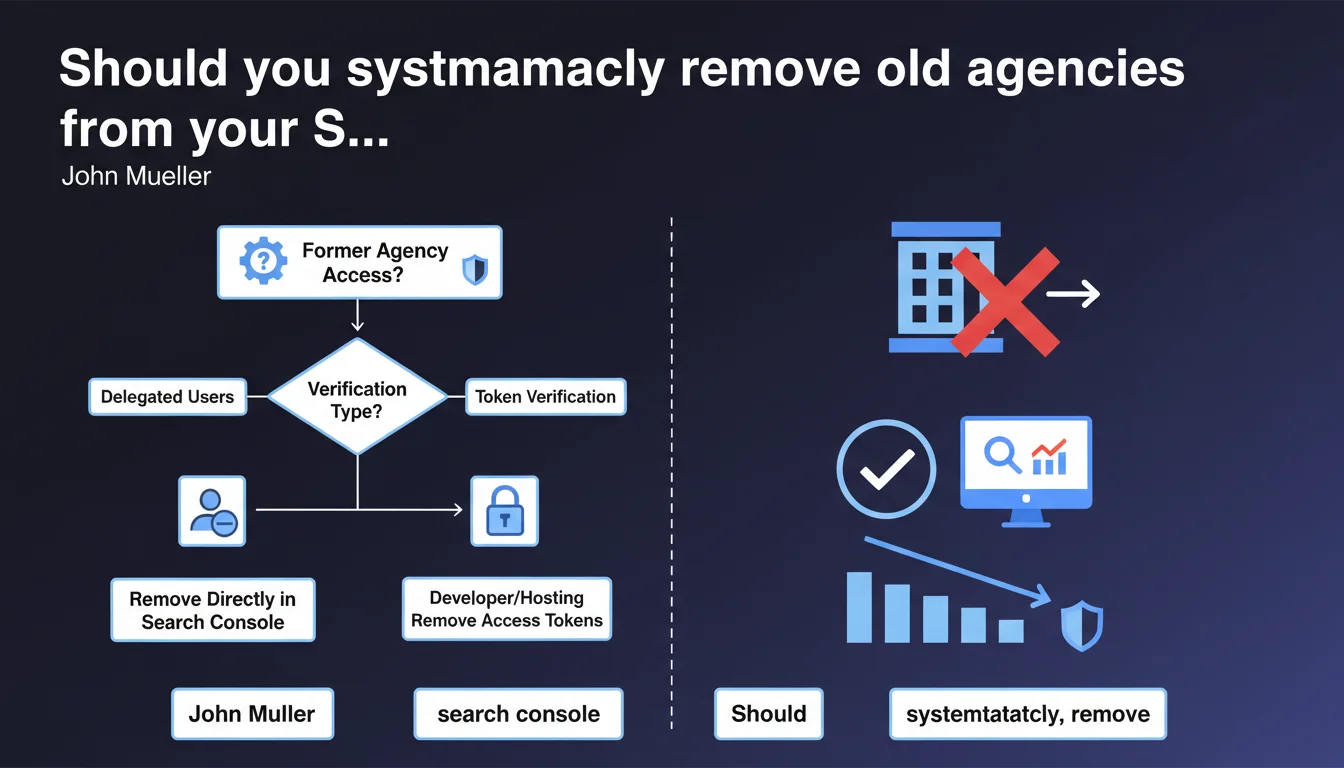
Google recommends verifying and removing Search Console access for agencies or consultants who no longer work on your site. Delegated users can be removed easily, but token-based verifications require developer or hosting provider intervention. An audit of active access is essential to prevent strategic data leaks.
What you need to understand
John Mueller addresses a frequently overlooked security and governance issue here: managing Search Console access. When an agency or consultant leaves a project, their access persists until you explicitly revoke it.
The problem? This access grants complete visibility into your organic performance, strategic search queries, manual penalties, and structured data. A former service provider keeps a window on your SEO strategy — and potentially on your competitors' if they work for them too.
What's the difference between delegated users and token verification?
Search Console offers two distinct access modes. Delegated users are added through the standard GSC interface: you remove them in a few clicks from property settings.
Token verification — whether DNS, HTML file, meta tag, or Google Tag Manager — proves that you control the domain. A former service provider who added a DNS token or verification file retains access even if you remove them from delegated users. You must physically delete the token to invalidate their verification.
Why is Google emphasizing this now?
This recommendation isn't new, but Mueller is stating it explicitly. Google likely observes that many sites accumulate obsolete access — former freelancers, interns, agencies replaced three years ago.
The real risk? Unrevoked access can be exploited to manipulate data, detect your strategic priorities, or even mask negative actions if the former service provider also has server access. It's rare, but it happens.
- Audit regularly the complete list of Search Console and Google Analytics users
- Document who has access to what, and for what specific reason
- Systematic revocation when any mission or contract ends
- Check active tokens with your developer or hosting provider — they're not visible in GSC
- Enable two-factor authentication on the owner account to limit hacking risks
SEO Expert opinion
Is this statement just a reminder or does it reveal a widespread problem?
Let's be honest: 90% of sites I audit have at least one zombie GSC account. Former CTO who left without transition, intern who "just helped with something", agency replaced in crisis mode. Nobody thinks to clean up afterward.
The fact that Mueller is restating this explicitly suggests Google observes this phenomenon at scale. Or perhaps — less charitable hypothesis — they're anticipating post-contract disputes where a former service provider claims "legitimate" access because they technically verified the domain.
What are the real risks of unrevoked access?
Risk number one is strategic data leakage. An indirect competitor who worked for you two years ago can monitor your traffic evolution, new targeted queries, structure testing. It's passive espionage, but effective.
Second risk: if this access is coupled with unrevoked server or CMS rights, a disgruntled former service provider can quietly sabotage. Add a noindex to robots.txt, modify a strategic redirect, inject spam… then monitor the impact in GSC. Unlikely, but I've seen two cases in 15 years.
Should you really systematize this audit?
Yes, but without falling into paranoia. A biannual audit of GSC + GA + GTM access is more than sufficient for 95% of sites. For very large accounts (media, leading e-commerce), a quarterly audit and documented revocation procedure are essential.
The real challenge is detecting token verifications. GSC doesn't clearly list "who added which token". You must manually cross-reference: root HTML file, meta tag in the <head>, DNS TXT records, GTM snippet. It's tedious, and many SMEs simply don't have the technical documentation to know who did what.
Practical impact and recommendations
How do you identify and remove obsolete users?
Log into Search Console, select your property, then go to Settings > Users and permissions. You'll see the complete list of delegated users with their access level (owner, full access, restricted access).
Immediately remove any accounts you don't recognize or that correspond to former service providers. For accounts you're hesitant to delete — maybe a former collaborator who might return — downgrade them to restricted access rather than leaving them as owners.
How do you detect and remove token verifications?
This is where it gets complicated. GSC displays the active verification methods in Settings > Verified owners, but doesn't always specify who added them or when. You must investigate manually.
Check successively: the verification HTML file at your site root (googleXXXXXX.html), the <meta name="google-site-verification"> tag in your homepage source code, DNS TXT records at your registrar or hosting provider, and Google Site Verification triggers in GTM.
If you identify a token that nobody on the current team recognizes, delete it. Warning: if you remove ALL tokens, you'll temporarily lose GSC access until an active owner re-verifies. Ensure at least one trusted user remains verified.
What procedure should you implement to avoid this problem going forward?
Document each user addition in an access registry: who, why, access level, start date, expected end date. It seems bureaucratic, but it prevents you from wondering six months later, "Who is this account @ defunct-agency.com?"
Impose systematic revocation in your contracts with freelancers and agencies. Explicit clause: "At the end of the mission, the service provider commits to providing a complete list of added access and to revoke it themselves, or to provide documentation for the client to do so."
- Audit the Search Console user list at least every 6 months
- Cross-reference with your internal list of active employees and service providers
- Immediately remove any unrecognized or obsolete account
- Verify active verification methods in GSC settings
- Manually inspect HTML files, meta tags, DNS TXT, and GTM
- Delete undocumented tokens after validation with your technical team
- Document each new access in a centralized registry
- Include a revocation clause in your service provider contracts
❓ Frequently Asked Questions
Que se passe-t-il si je retire tous les utilisateurs vérifiés par erreur ?
Un ancien prestataire peut-il conserver un accès même après révocation dans GSC ?
Comment savoir si quelqu'un a utilisé mon accès GSC récemment ?
Faut-il aussi auditer Google Analytics et Google Tag Manager ?
Puis-je déléguer la gestion des accès à une seule personne en interne ?
🎥 From the same video 5
Other SEO insights extracted from this same Google Search Central video · published on 26/07/2023
🎥 Watch the full video on YouTube →
💬 Comments (0)
Be the first to comment.