
Official statement
Other statements from this video 7 ▾
- □ Does Page Experience on desktop really deserve your attention as a ranking factor?
- □ Is Google really rewarding in-depth product reviews over surface-level content?
- □ Is Google finally opening up URL inspection through API automation?
- □ Should you really leverage Search Console with Data Studio to optimize your SEO tracking?
- □ Will Google's 'indexifembedded' tag revolutionize how you control content indexation?
- □ Does Search Console Insights make traditional Search Console obsolete for content creators?
- □ Is Google finally bridging the gap between SEO and development teams with a new video series?
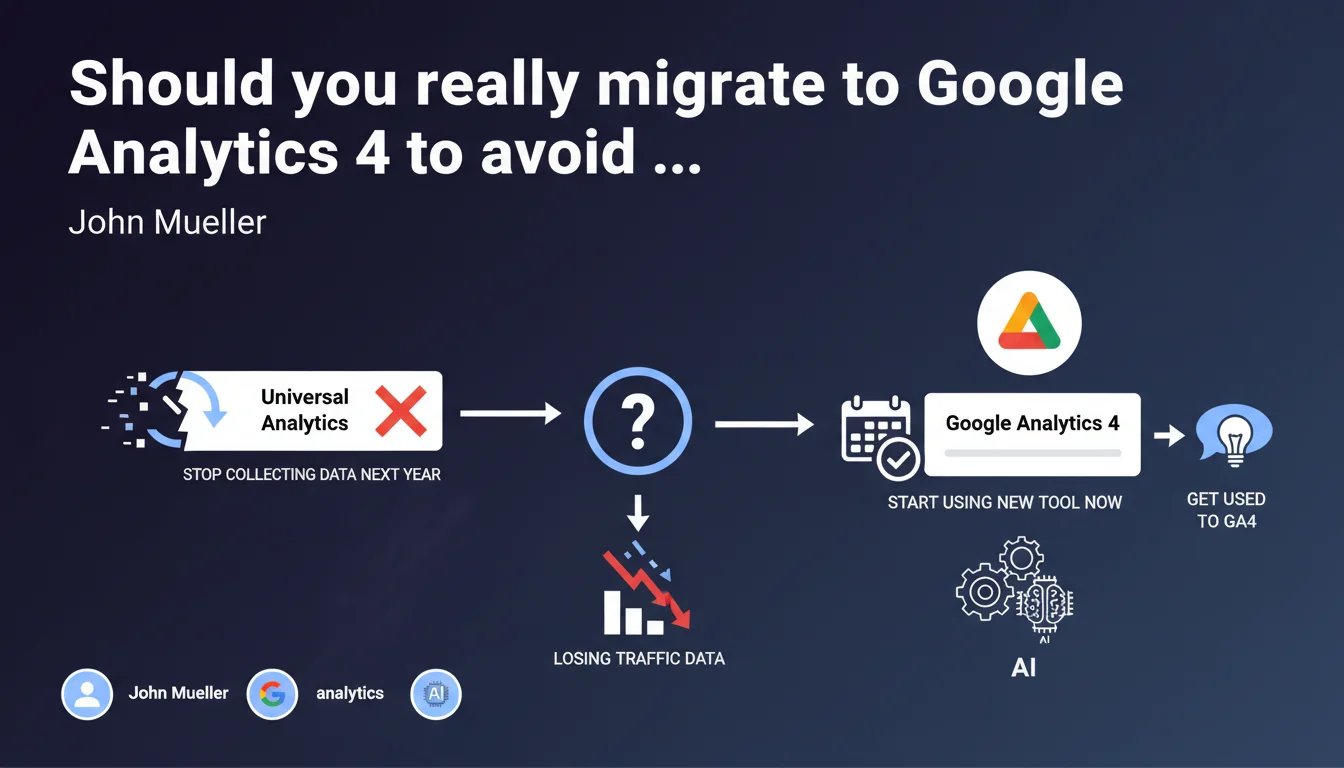
Universal Analytics is stopping data collection soon. Google recommends switching to GA4 now to avoid a sudden disruption and get familiar with the interface before the deadline. For SEOs, it's mainly a technical anticipation issue — it's better to migrate now than to find yourself without data on day one.
What you need to understand
Why is Google forcing the migration to GA4?
Universal Analytics (UA) is technologically obsolete. It relies on an architecture based on sessions and cookies, which is incompatible with new privacy regulations (GDPR, third-party cookies). GA4 adopts an event-based model that allows it to function without third-party cookies and integrates better with multi-device user journeys.
Google won't offer any choice: Universal Analytics will stop collecting data. The entire infrastructure will be switched to GA4. If you don't migrate, you will lose the continuity of your historical data on the active collection side.
What is the direct impact for an SEO practitioner?
The tracking of organic traffic depends entirely on your Analytics tool. Without migration, you won't have fresh data to measure the evolution of your rankings, organic conversions, or user behavior. SEO dashboards, client reports, performance analysis — everything stops cold.
GA4 works differently: metrics have changed (goodbye traditional bounce rate, hello engagement rate), reports are restructured, and the interface is new. If you wait until the last minute, you'll have to manage the technical migration AND relearn the tool under pressure.
What are the major differences between UA and GA4?
- Data model: UA = sessions and page views / GA4 = events and parameters
- Reports: UA = standard predefined reports / GA4 = customizable reports with explorations
- Privacy: GA4 natively integrates consent and functions without third-party cookies thanks to machine learning
- Integrations: GA4 connects better with Google Ads, BigQuery (free export), and prediction tools
- SEO metrics: organic traffic remains traceable but engagement KPIs change (engagement time vs. time on page)
SEO Expert opinion
Is this migration really urgent or can you wait and see?
Let's be honest: it's urgent. Not because Google is threatening you, but because you need comparable historical data. If you migrate today, you'll have several months of GA4 data to calibrate your benchmarks before UA shuts down. If you wait until the deadline, you're starting from scratch.
The problem is that GA4 isn't just an "update" — it's a different tool. SEO professionals who migrated early all report the same thing: you need to relearn your reports, recreate your segments, and reconfigure your goals. Doing that in a rush is shooting yourself in the foot.
Will UA data be lost after migration?
No, but here's an important nuance: Universal Analytics will keep your historical data as read-only for at least six months after collection stops. You'll be able to consult your old reports, but no new data will be added.
Concretely? You'll have a data gap if you don't run GA4 in parallel before the cutoff. And that's where many people struggle: GA4 and UA can run at the same time, but the data is not backwards compatible. It's impossible to cleanly merge your historical curves.
[To be verified]: Google claims that GA4 is "available for several years" and therefore mature. In the field, many users still report UI bugs, unexplained data discrepancies, and lackluster documentation on certain edge cases. Stability is improving, but it's not yet at UA's level in terms of pure reliability.
Why is Google pushing GA4 for business reasons?
Officially: technical modernization, privacy compliance, better prediction through machine learning. Unofficially: data control and upsell. GA4 naturally pushes toward BigQuery (paid beyond a certain volume), Google Ads, and the Google Cloud ecosystem.
For freelance SEOs or agencies, it's a classic trap: the free tool becomes a funnel to paid services. But you don't really have a choice — it's GA4 or a competitor (Matomo, Plausible, etc.), and migrating to another tool is even more cumbersome.
Practical impact and recommendations
What do you concretely need to do to migrate without breaking things?
First step: create a GA4 property in your existing Google Analytics account. You can have it coexist with UA — it's even recommended to compare data for a few weeks. Set up the GA4 tag via Google Tag Manager or directly in your CMS.
Next, recreate your conversion events (form submissions, button clicks, downloads, e-commerce goals). GA4 doesn't automatically take over UA goals — you have to set everything up manually. List your priority SEO KPIs (organic traffic by landing page, assisted organic conversions, content engagement) and verify they're trackable in GA4.
Train yourself or train your teams. The GA4 interface can be confusing at first: "Exploration" reports replace custom reports, the event-based logic changes everything. Plan for 2-3 weeks of adaptation to get your bearings back.
What mistakes should you avoid during migration?
- Don't enable GA4 thinking it will configure itself — you'll lose essential data if events aren't properly set up
- Don't delete UA too early — keep both running in parallel until you're 100% comfortable with GA4
- Don't forget to migrate your audience segments and filters: they don't transfer automatically
- Don't skip testing your client reports — if your Looker Studio dashboard breaks after migration, you'll lose credibility
- Don't ignore documentation on metric differences — comparing UA bounce rate and GA4 engagement rate as if they're the same is an analytical error
How do you verify that everything is working correctly after migration?
Launch a data consistency audit: compare overall traffic UA vs. GA4 over a typical week. Discrepancies of 5-10% are normal (different methodologies), but if you see a 30% difference, there's a tracking problem.
Verify that your organic traffic sources are properly segmented (Google, Bing, other engines). Manually test your conversions (form, purchase) to confirm that events fire. Check the "DebugView" report in GA4 in real time to track tag errors.
Migration to GA4 is unavoidable and time-consuming. Between technical reconfiguration, training on new metrics, and adjusting your reports, it's a full project in itself. If you manage multiple sites or have complex dashboards, considering support from an SEO-specialized agency could save you valuable time and prevent costly data loss errors.
❓ Frequently Asked Questions
Puis-je continuer à utiliser Universal Analytics en parallèle de GA4 après la deadline ?
Est-ce que mes données historiques Universal Analytics seront transférées automatiquement dans GA4 ?
Le taux de rebond disparaît-il complètement dans GA4 ?
Mes intégrations avec des outils SEO tiers (SEMrush, Ahrefs, Looker Studio) fonctionneront-elles encore après la migration ?
Faut-il recréer tous mes objectifs et événements manuellement dans GA4 ?
🎥 From the same video 7
Other SEO insights extracted from this same Google Search Central video · published on 31/03/2022
🎥 Watch the full video on YouTube →
💬 Comments (0)
Be the first to comment.