
Official statement
Other statements from this video 11 ▾
- □ Google transcrit-il vraiment l'audio de vos vidéos pour les ranker ?
- □ Google analyse-t-il vraiment le texte affiché dans vos vidéos pour le référencement ?
- □ Google analyse-t-il réellement le contenu visuel des vidéos pour le SEO ?
- □ Pourquoi les données structurées vidéo restent-elles indispensables malgré les progrès de l'IA de Google ?
- □ Pourquoi Google exige-t-il l'URL du fichier vidéo dans les données structurées ?
- □ Pourquoi bloquer vos fichiers vidéo pourrait nuire gravement à votre indexation ?
- □ Pourquoi le cache-busting d'URL vidéo bloque-t-il l'indexation Google ?
- □ Faut-il vraiment utiliser la vérification DNS inversée pour autoriser Googlebot ?
- □ Google analyse-t-il vraiment le contenu vidéo ou se fie-t-il uniquement au texte de la page ?
- □ Google indexe-t-il vraiment les vidéos courtes si elles ont une URL crawlable ?
- □ Pourquoi Google publie-t-il enfin ses adresses IP Googlebot publiquement ?
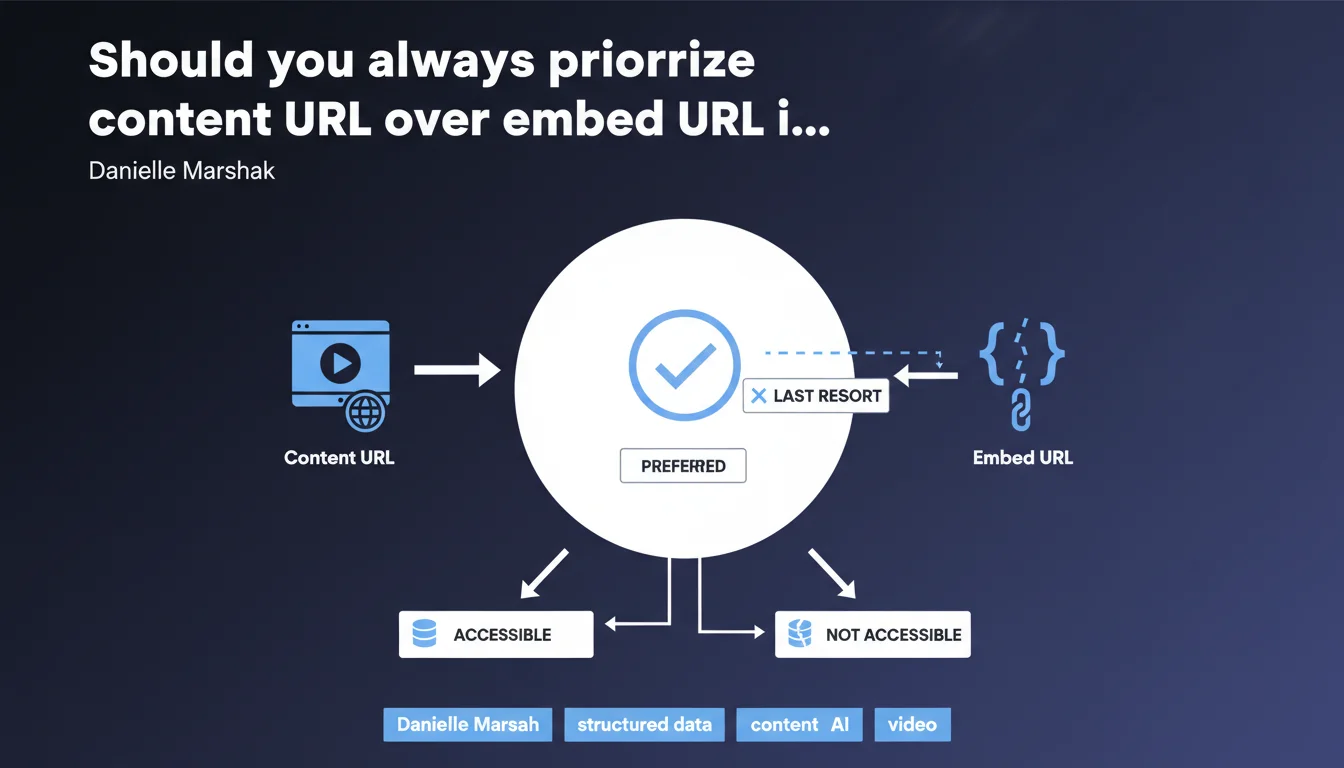
Google requires you to systematically provide the video content URL (content URL) rather than the embedding URL (embed URL) in structured data. The embed URL should only be used as a last resort when the source file is not accessible. This prioritization directly influences Google's ability to index and understand your video content.
What you need to understand
What is the difference between content URL and embed URL?
The content URL points directly to the source video file (MP4, WebM, etc.). It is the raw media URL that allows Google to access the actual content.
The embed URL, on the other hand, refers to an embedding page — often an iframe — that contains the video player. It is an additional layer between Google and the source file.
Why does Google prefer content URL?
Google wants to analyze the video file directly: duration, resolution, technical metadata. With an embed URL, it must first load a page, execute JavaScript, locate the player... all steps that complicate crawling and information extraction.
The content URL simplifies this process. It gives Google direct, frictionless access to the raw video content.
When is embed URL acceptable?
Only when the source file is not publicly accessible. For example: video hosted on a third-party platform that does not allow exposing the direct file URL.
It is a workaround. Google specifies that it is a "last resort", not an equivalent option.
- content URL: Direct URL of the video file (MP4, WebM, etc.)
- embed URL: URL of the embedding page (iframe, player)
- Google prioritizes content URL for direct media access
- Embed URL should only be used if the source file is inaccessible
- This distinction impacts Google's indexing and metadata extraction
SEO Expert opinion
Is this directive consistent with real-world observations?
Yes, and it confirms what many of us have been observing for years. Videos structured with a clear content URL appear more often in rich video results than those that only offer an embed URL.
But — and this is where it gets tricky — this recommendation clashes with reality: many sites do not host their own videos. YouTube, Vimeo, Dailymotion... few platforms expose a publicly usable content URL.
What nuances should be applied to this rule?
Google's wording is clear, but it lacks context. What happens if you provide an embed URL when the source file is technically accessible, but protected by a paywall or authentication?
[To verify]: Google does not specify whether a content URL that is accessible but not public (behind a secure CDN, for example) is preferable to a public embed URL. This is a blind spot in this statement.
Another point: the directive mentions "if available", but does not define what a "available" content URL is. Is a URL signed with 24-hour expiration "available"? What about a URL protected by User-Agent?
When is this rule difficult to apply?
News sites or media outlets that publish third-party videos — reports, interviews — often have no control over the source file URL. They embed a YouTube or Dailymotion player via iframe.
In this context, providing a content URL is impossible. The embed URL becomes the only option. Google says this is acceptable "as a last resort", but remains vague about the real impact on visibility.
Practical impact and recommendations
What should you do concretely on your video pages?
First step: audit your VideoObject structured data. Check whether you are using the contentUrl property or only embedUrl.
If your videos are self-hosted (server, CDN), you must provide contentUrl with the direct URL of the MP4 or WebM file. This is non-negotiable.
If your videos are hosted on YouTube, Vimeo or another third-party platform, you will often only have access to the embed URL. In this case, fill in embedUrl correctly — and document this limitation in your processes.
What errors should you avoid in implementation?
Never provide a content URL that points to an HTML page containing the video. The content URL must point to the media file itself, not to a landing page.
Another common pitfall: using an adaptive streaming URL (HLS, DASH) as content URL. Google expects a static file (MP4, WebM), not a playlist manifest. If you cannot provide the direct file URL, use the embed URL.
- Check all your pages with VideoObject in Search Console
- Provide
contentUrlfor any self-hosted video - Point to the direct media file (MP4, WebM), not an HTML page
- Avoid adaptive streaming URLs (HLS/DASH) in contentUrl
- Use
embedUrlonly if contentUrl is inaccessible - Test your URLs with the rich results testing tool
How do you verify that your implementation is correct?
Run your pages through Google's rich results testing tool. It will tell you if your VideoObject properties are valid and complete.
Also monitor Search Console, section "Rich Results > Videos". If Google reports errors or warnings on contentUrl or embedUrl, fix them immediately.
❓ Frequently Asked Questions
Peut-on fournir à la fois contentUrl et embedUrl dans la même structure VideoObject ?
Une URL YouTube peut-elle servir de content URL ?
Que se passe-t-il si je fournis une content URL incorrecte ou inaccessible ?
Les URL de fichiers derrière CDN sécurisé (URL signée) sont-elles acceptées comme content URL ?
Cette règle s'applique-t-elle aussi aux clips audio ou podcasts ?
🎥 From the same video 11
Other SEO insights extracted from this same Google Search Central video · published on 10/03/2022
🎥 Watch the full video on YouTube →
💬 Comments (0)
Be the first to comment.