
Official statement
Other statements from this video 11 ▾
- □ Does Google really transcribe your video audio to rank them?
- □ Does Google really analyze the text displayed in your videos for SEO rankings?
- □ Does Google really analyze video visual content for SEO purposes?
- □ Why do video structured data markups remain indispensable despite Google's AI advances?
- □ Why does Google require the video file URL in structured data to boost your rankings?
- □ Does URL cache-busting really prevent Google from indexing your videos?
- □ Should you really use reverse DNS verification to authorize Googlebot?
- □ Should you always prioritize content URL over embed URL in video structured data?
- □ Does Google really analyze video content or does it just rely on page text?
- □ Can Google really index short-form videos if they have a crawlable URL?
- □ Why is Google finally making Googlebot IP addresses publicly available?
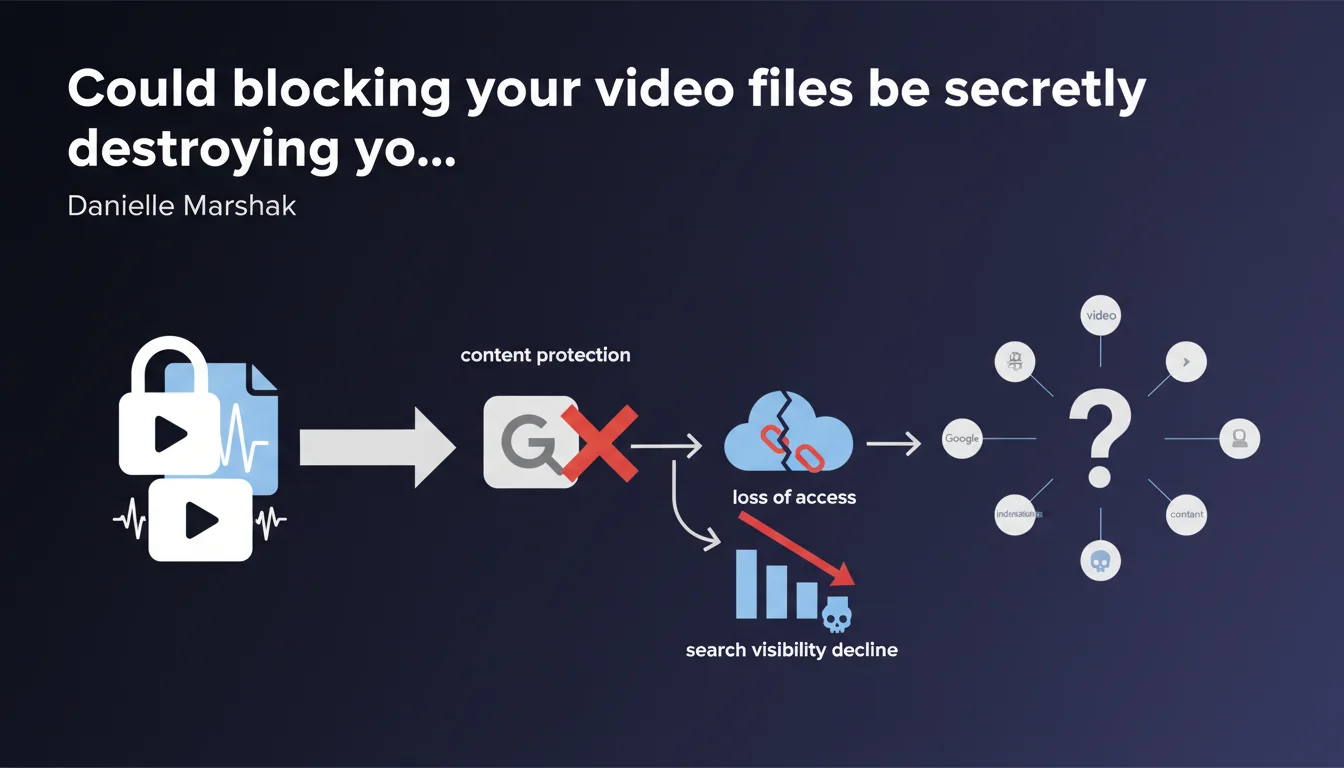
Google confirms that blocking access to video files as a content protection measure prevents the search engine from accessing a key indexation signal. Without being able to analyze the file itself, Google loses essential information to evaluate and rank your video content. In short: protecting your videos can render them invisible in search results.
What you need to understand
What's the real problem with blocking video files?
Many sites protect their video files using robots.txt rules, restrictive HTTP headers, or DRM systems to prevent content theft. It's an understandable approach, but it creates a direct conflict with Googlebot's needs.
When Google can't access the video file itself, it loses the ability to extract technical metadata: duration, resolution, codec, content structure. These data points aren't trivial — they constitute an indexation signal in their own right.
How does Google use access to the video file?
Google analyzes the file to verify consistency between what you declare in your VideoObject schema tags and what the video actually contains. If you claim a 10-minute duration but the file is only 2 minutes long, there's a trust problem.
File access also enables extraction of key moments, identification of visual and audio content, and potentially generation of previews. Without access, Google must rely solely on title, description, and structured markup — weaker signals that are easily manipulated.
Which sites are most affected?
E-learning platforms, premium content sites, and media outlets that monetize videos through subscriptions. All these players tend to lock down file access to protect their business model.
The problem: this protection often comes at the expense of organic visibility. You create quality content that remains invisible in Google Videos or rich results due to lack of exploitable signals.
- Blocking video files deprives Google of a major indexation signal
- Google uses file access to verify consistency with your declared metadata
- Without access, you miss out on video rich results and visibility in Google Videos
- Premium content sites face the greatest impact from this protection vs. SEO conflict
SEO Expert opinion
Is this statement consistent with real-world observations?
Yes, and it's quite rare to see Google be this direct about a specific indexation signal. We've observed for years that sites that block their video files rarely achieve video rich results, even with perfect schema markup.
Testing shows that allowing Googlebot to access the file significantly increases the chances of appearing in video carousels and rich results. It's not a guarantee — other factors come into play — but it's clearly a prerequisite.
What nuances should we add to this recommendation?
Google doesn't specify what level of access is necessary. Does the bot need full download access? Is streaming with user-agent authentication sufficient? [To verify] because Google remains unclear on this point.
There are intermediate solutions: allow Googlebot access via specific user-agent, serve a lower resolution version for crawling, or permit access to only the first 30 seconds. These approaches aren't officially documented, so their effectiveness remains to be validated on a case-by-case basis.
When can this rule be worked around?
If your video content has no SEO value — for example, online courses restricted to subscribers where discovery happens outside search — blocking files poses no problem. You already have your audience.
For platforms monetizing through subscriptions, the question becomes strategic: do you prefer absolute protection with zero organic visibility, or a compromise with limited Googlebot access that drives qualified traffic to convert?
Practical impact and recommendations
What concrete steps should you take to enable video file access?
Start by auditing your robots.txt and server rules. Verify that URLs of your .mp4, .webm, or HLS stream files aren't blocked for Googlebot. Test using the URL inspection tool in Search Console.
If you use a CDN with tokenization, configure an exception for Googlebot's user-agent. Most CDNs (Cloudflare, AWS CloudFront, Akamai) allow conditional access rules based on user-agent.
How do you verify that Google can access your videos?
Use Search Console to inspect a page containing a video. Google indicates whether it could access the video file and what metadata it extracted. If you see "Video detected but file inaccessible," you have your answer.
Test manually with curl while impersonating Googlebot:
curl -A "Googlebot-Video/1.0" -I https://yoursite.com/video.mp4
A 200 code is a good sign. A 403 or 401 confirms blocking.
What mistakes should you avoid during compliance?
Don't just unblock the file without optimizing your schema markup. Both must work together. An accessible file with incomplete or incorrect schema won't deliver rich results.
Avoid allowing public access without restrictions if your business model depends on content protection. Implement a selective access strategy: Googlebot can access, but with limitations (watermark, reduced resolution, excerpt only).
- Verify that your video files aren't blocked in robots.txt
- Configure access exceptions for Googlebot-Video in your CDN or server
- Test file accessibility via Search Console and curl
- Validate your VideoObject schema markup for consistency with the file
- Monitor the appearance of your videos in rich results after unblocking
- Document your access strategy to prevent regressions during updates
❓ Frequently Asked Questions
Est-ce que bloquer mes vidéos peut nuire même si mon balisage Schema est parfait ?
Dois-je rendre mes fichiers vidéo publiquement téléchargeables pour être indexé ?
Comment savoir si Google a réussi à accéder à mes fichiers vidéo ?
Quels formats de fichiers vidéo Google recommande-t-il ?
Autoriser Googlebot à accéder aux vidéos peut-il faciliter le vol de contenu ?
🎥 From the same video 11
Other SEO insights extracted from this same Google Search Central video · published on 10/03/2022
🎥 Watch the full video on YouTube →
💬 Comments (0)
Be the first to comment.