
Official statement
Other statements from this video 7 ▾
- □ Will Google's new video report in Search Console be a game-changer for video SEO?
- □ How can you survive a Google Core Update without losing all your traffic?
- □ Why does Google publicly confirm some Core Updates but not others?
- □ Should you really stop using Google's URL parameter management tool in Search Console?
- □ Are sitemap extension tags still worth your time and effort?
- □ Should you connect Search Console to Data Studio to boost your SEO performance?
- □ How is Google really evolving its anti-spam tactics to stay ahead of manipulators?
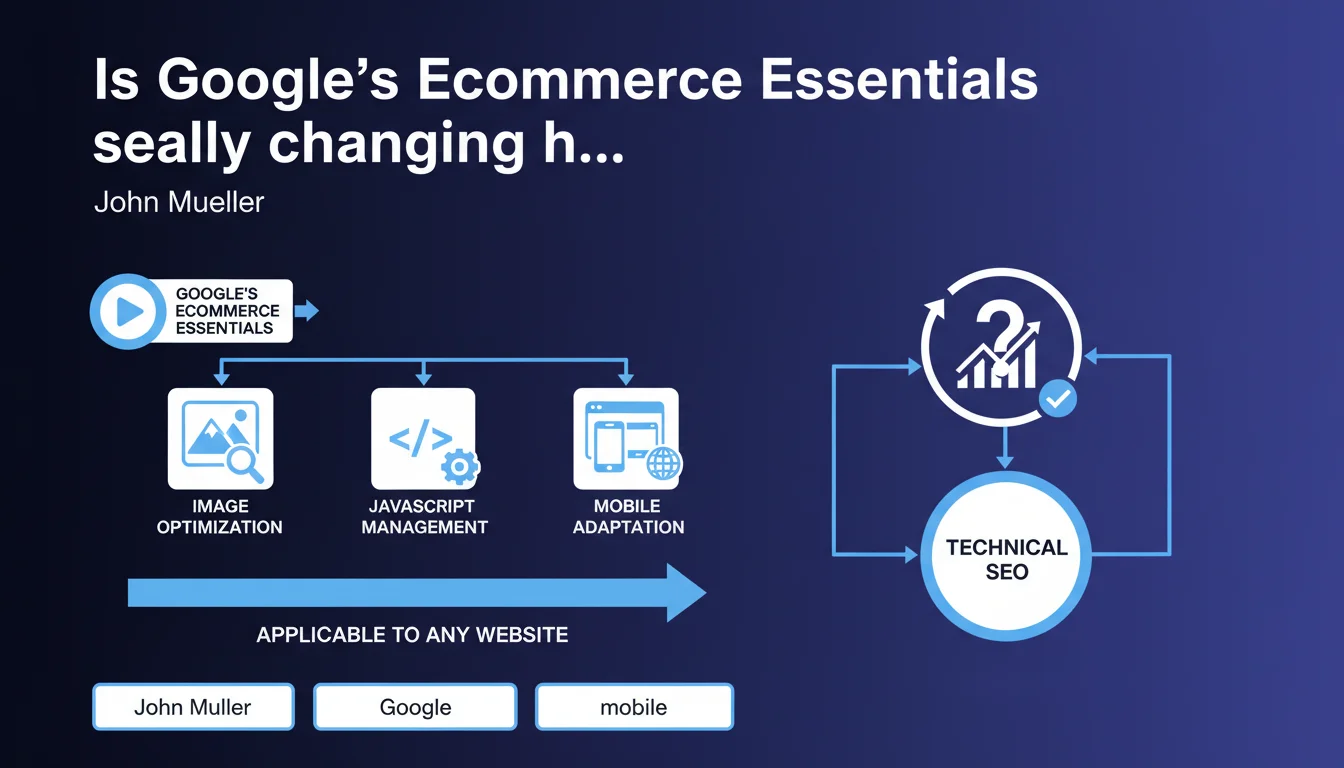
Google has launched Ecommerce Essentials, a video series focused on image optimization, JavaScript, and mobile-first indexing. Despite its title, the advice extends far beyond e-commerce and applies to all websites. Mueller confirms that technical fundamentals remain universal, regardless of industry.
What you need to understand
Why is Google targeting e-commerce with this video series?
E-commerce represents a massive volume of sites with recurring technical issues: duplicate product pages, heavy JavaScript catalogs, unoptimized images. Google centralizes its recommendations rather than dispersing them across fragmented documentation.
This video format also enables simplifying complex technical concepts for less experienced audiences — e-commerce developers, project managers, marketing teams. The goal: reduce friction between Google and sites that generate advertising revenue.
Are the topics covered really e-commerce-specific?
No. Image optimization, client-side JavaScript management, and mobile adaptation concern 90% of modern websites. Google uses e-commerce as an entry point because the financial stakes are visible, but the principles apply everywhere.
A WordPress blog running Gutenberg faces the same JS challenges as Shopify. A responsive brochure website encounters the same mobile constraints as a marketplace. The packaging changes, not the content.
What sets this series apart from existing documentation?
Google multiplies formats — written documentation, Search Central videos, Mueller tweets, conferences. This series structures technical priorities for a specific segment, making it easier to adopt.
The video approach also allows showing concrete examples, code, configurations. It's more digestible than technical docs pages that assume high expertise levels.
- Images: modern formats (WebP, AVIF), lazy loading, adaptive dimensions, relevant alt attributes
- JavaScript: SSR vs CSR, hydration, crawl and indexation impact, Core Web Vitals
- Mobile-first: responsive vs adaptive, mobile usability testing, mobile structured data annotations
- The advice transcends e-commerce and applies to every modern website
- Video format = better pedagogy for dense technical subjects
SEO Expert opinion
Does this initiative reveal a structural communication problem at Google?
Yes, and it's nothing new. Google produces tons of official content — documentation, videos, Twitter Q&A — but without strong editorial coherence. Result: the information exists, but nobody finds it or understands how to apply it.
Creating a dedicated series acknowledges that dispersed documentation doesn't work. E-commerce developers lack the time and appetite to compile 47 resources to optimize their product catalog. This series centralizes, but it arrives after years of confusion.
Are Google's technical recommendations really applicable in production?
It depends. Google often advises solutions that are theoretically ideal but expensive in dev time: complete JS refactoring to move to SSR, migration to image formats that some CMSs don't natively handle, perfect responsive across all devices.
The problem is the gap between recommendation and real-world reality. A Prestashop e-commerce with 50,000 products can't refactor everything because Mueller says it's better. You need to prioritize, and here, Google remains vague on quick wins vs heavy investments. [To verify] whether the series offers progressive trajectories or just absolute best practices.
Should you expect penalties if you don't apply these recommendations?
No, but indirectly yes. Google doesn't directly penalize a site serving JPEG instead of WebP. However, a competitor loading twice as fast thanks to optimized images will have a measurable competitive advantage on Core Web Vitals, thus potentially on ranking.
Google transforms recommendations into ranking factors progressively. Mobile-first was advice, then a separate index, now it's the primary index. Core Web Vitals follow the same trajectory. Ignoring these videos today is preparing to suffer tomorrow.
Practical impact and recommendations
What should you audit as a priority after watching this series?
Start with images: average weight, formats used, lazy loading enabled or not, alt attributes present and descriptive. Next, analyze JavaScript rendering: do a diff between source HTML and rendered DOM to identify what Google actually sees.
On mobile, test your site on multiple real devices — not just Chrome DevTools simulator. Check mobile vs desktop bounce rates in Analytics, and cross-reference with Core Web Vitals reports in Search Console.
What critical errors should you absolutely avoid?
Don't block JavaScript in robots.txt — it's still common and catastrophic. Don't serve desktop 4K images to mobiles on 4G. Don't use intrusive pop-ups that violate interstitial guidelines.
Also avoid overloading the DOM with unnecessary JS that slows hydration. Every kilobyte counts for Core Web Vitals, and every lost millisecond costs conversions.
How do you verify that optimizations actually work?
Use PageSpeed Insights for Core Web Vitals metrics, but don't stop there. Test with WebPageTest in mobile/3G mode to simulate degraded network conditions. Compare before/after with Lighthouse screenshots.
Monitor Search Console reports: inspected URLs, index coverage, mobile usability. If you deploy heavy JS optimizations, verify that Google continues crawling and indexing your dynamic content correctly.
- Audit image weight and formats (goal: WebP/AVIF + lazy loading)
- Analyze JavaScript rendering and ensure Google sees critical content
- Test mobile experience on real devices, not just simulator
- Check Core Web Vitals under degraded network conditions
- Cross-reference Search Console data with Analytics to detect indexation losses
- Prioritize quick wins (image formats, lazy loading) before heavy JS refactors
❓ Frequently Asked Questions
La série Ecommerce Essentials s'applique-t-elle uniquement aux sites e-commerce ?
Faut-il migrer toutes les images vers WebP ou AVIF immédiatement ?
Comment savoir si mon JavaScript bloque l'indexation de contenu important ?
Les Core Web Vitals sont-ils plus importants pour l'e-commerce que pour d'autres secteurs ?
Google pénalise-t-il les sites qui ne suivent pas ces recommandations ?
🎥 From the same video 7
Other SEO insights extracted from this same Google Search Central video · published on 23/06/2022
🎥 Watch the full video on YouTube →
💬 Comments (0)
Be the first to comment.