
Official statement
Other statements from this video 5 ▾
- □ Le déréférencement RGPD est-il vraiment complet ou Google cache-t-il encore vos URLs ?
- □ Pourquoi Google refuse-t-il les demandes de déréférencement via des liens de recherche ?
- □ Comment Google examine-t-il réellement les demandes de déréférencement ?
- □ Google peut-il supprimer du contenu à la source sur votre site web ?
- □ Comment Google gère-t-il le déréférencement géographique selon les législations locales ?
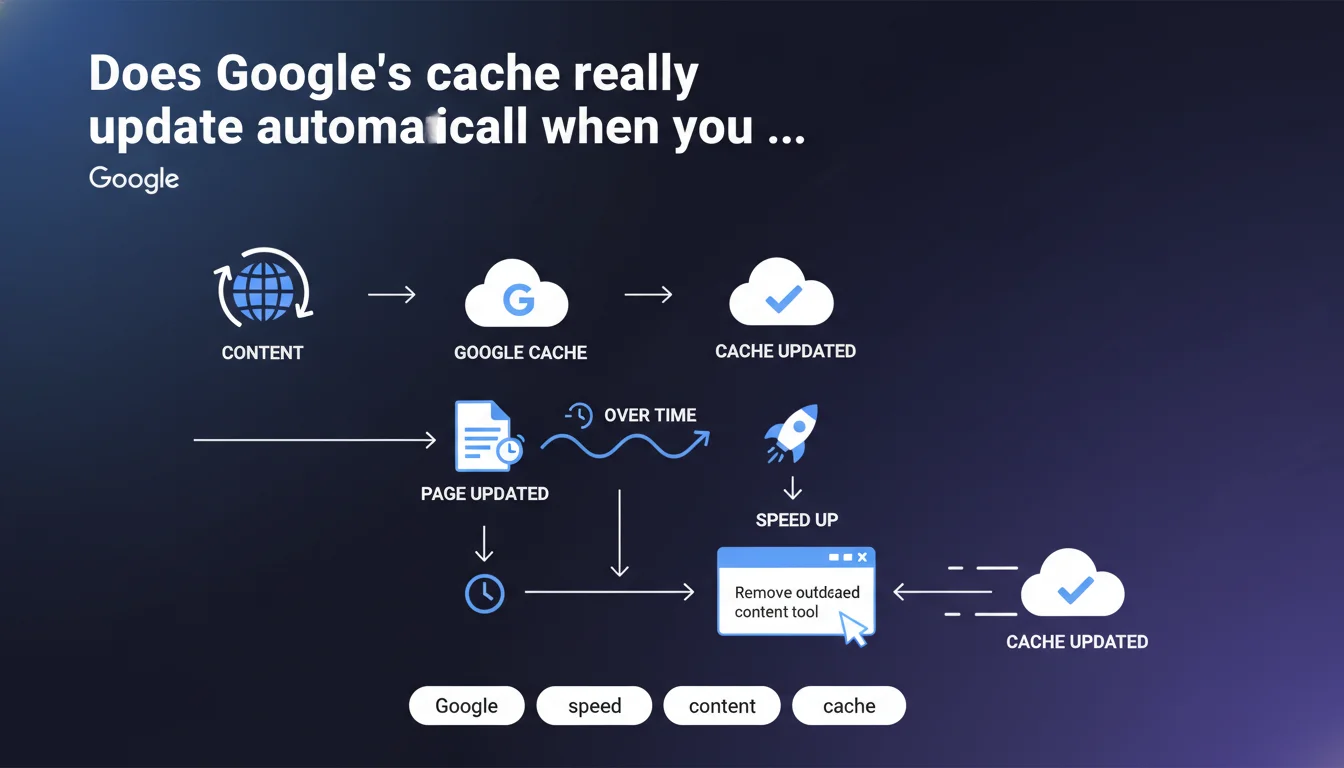
Google claims its cache refreshes automatically when a web page changes. The 'Remove outdated content' tool can speed up this process. But the question remains: does this automatic update actually work as well as Google says it does?
What you need to understand
What exactly is Google's cache?
The Google cache is a static copy of a web page captured during the last visit by the Googlebot. This archived version remains accessible through the "Cached" feature in search results, allowing users to view a page even if it's temporarily unavailable.
In concrete terms, every time Google crawls a URL, it stores an HTML snapshot of it. This snapshot doesn't necessarily reflect the current state of the page — which is why this claim about progressive updating is so relevant.
Why is this automatic update important for SEO?
When you modify content (fix errors, update prices, add information), you want Google to understand and index these changes quickly. If the cache stays frozen on an outdated version, users can stumble upon stale information through rich snippets or search results.
Even more critical: a desynchronized cache can send conflicting signals to the ranking algorithm. If your recent content isn't taken into account, you potentially lose relevance against competitors who are more responsive.
What does this 'Remove outdated content' tool really promise?
Google offers through Search Console a tool that lets you explicitly flag that a page has changed and its cached version should be refreshed as a priority. Theoretically, this speeds up the process compared to passively waiting for a new crawl.
The statement remains vague about actual timelines — "over time" doesn't mean much. A few hours? Several days? No specific commitment here.
- The cache updates during successive Googlebot crawls
- Crawl frequency depends on site authority, editorial freshness, and crawl budget
- The 'Remove outdated content' tool can prioritize an update, but with no time guarantee
- An outdated cache can harm the algorithm's perception of relevance
SEO Expert opinion
Is this statement consistent with real-world observations?
Let's be honest: the claim that the cache "updates automatically" is pretty obvious — of course it refreshes with each crawl. The real issue is the frequency of these crawls, which varies enormously from site to site.
On news sites or high-authority domains, the cache can refresh several times a day. On less frequently crawled sites, it might take weeks. Google says nothing about these disparities, which makes the statement feel somewhat hollow. [To verify]: the real-world effectiveness of the 'Remove outdated content' tool remains debated — some SEO professionals report updates within 24-48 hours, while others observe no notable change at all.
What nuances should we add to this claim?
Updating the cache doesn't necessarily mean your new content will be immediately indexed or ranked differently. Cache and indexation are two distinct processes. You can have a fresh cache without Google having re-evaluated the page's relevance.
Another point: the 'Remove outdated content' tool is designed for urgent cases (legal information, wrong prices displayed in SERPs). Using it systematically for every minor change is counterproductive — and Google might ignore abusive requests.
In what situations is this automatic update not enough?
If you massively modify a section of your site (redesign, content migration), waiting passively for Google to update its cache is not a strategy. You need to force a recrawl via URL inspection in Search Console, submit an updated XML sitemap, or increase publishing frequency to stimulate Googlebot.
And that's where it gets tricky: Google says nothing about the levers to accelerate crawl beforehand. The statement assumes everyone has the same crawl budget, which is false. Sites with limited authority or poor architecture sometimes wait weeks before a modification is taken into account.
Practical impact and recommendations
What should you concretely do after updating content?
First step: verify that Googlebot has properly recrawled the modified page. In Search Console, use the URL Inspection tool to see the last crawl date and request indexation if needed. Don't just hope Google will come by on its own.
If the modified content is critical (correcting legal information, updating prices displayed in rich snippets), use the 'Remove outdated content' tool as a priority. But watch out: this tool is meant to flag obsolete content in SERPs, not to accelerate the indexation of new versions — that's an important distinction.
What mistakes should you avoid when managing Google's cache?
Classic mistake: believing the cache instantly reflects your modifications. A delay of several days is normal on sites with limited crawl budget. If you notice persistent lag, first check your robots.txt, your HTTP cache directives (Cache-Control, Expires), and the absence of unintentional blocks.
Another trap: overusing the 'Remove outdated content' tool for every minor edit. Google can interpret this as spam and ignore your future requests. Reserve this tool for genuinely urgent situations — for everything else, natural crawling is sufficient.
How can I verify that my site benefits from regular cache refreshing?
Monitor crawl frequency in Search Console ("Crawl statistics" section). If Googlebot rarely visits, ask yourself about your crawl budget: do you have too many low-value pages, duplicates, chains of redirects?
Also test cache freshness by manually searching your strategic pages and checking the cached version. If it's several weeks old while you're publishing regularly, that's a red flag.
- Check the last crawl date via the URL Inspection tool (Search Console)
- Request manual indexation after significant modifications
- Use 'Remove outdated content' only for urgent cases (legal information, wrong prices)
- Monitor crawl frequency in Crawl statistics
- Optimize crawl budget: reduce duplicate pages, fix unnecessary redirects
- Submit an updated XML sitemap after redesign or content migration
- Check for unintentional blocks (robots.txt, Cache-Control directives)
Automatic cache updating is real, but its speed depends critically on your crawl budget and the technical optimization strategy you put in place. Forcing a recrawl via Search Console remains the most reliable method for priority content.
These optimizations — fine-tuning your crawl budget, frictionless technical architecture, proactive monitoring of crawl signals — require specialized expertise and regular oversight. If your site experiences abnormally long update delays or recurring indexation issues, specialized support can help you identify blockers and structure a custom strategy to maximize Google's responsiveness to your content.
❓ Frequently Asked Questions
Quelle est la différence entre cache et indexation ?
Combien de temps faut-il pour que le cache se mette à jour après une modification ?
L'outil « Supprimer le contenu périmé » accélère-t-il vraiment le processus ?
Dois-je utiliser cet outil après chaque modification de contenu ?
Comment améliorer la fréquence de crawl de mon site ?
🎥 From the same video 5
Other SEO insights extracted from this same Google Search Central video · published on 15/02/2022
🎥 Watch the full video on YouTube →
💬 Comments (0)
Be the first to comment.