
Official statement
Other statements from this video 5 ▾
- □ Le déréférencement RGPD est-il vraiment complet ou Google cache-t-il encore vos URLs ?
- □ Le cache Google se met-il vraiment à jour automatiquement après modification d'une page ?
- □ Comment Google examine-t-il réellement les demandes de déréférencement ?
- □ Google peut-il supprimer du contenu à la source sur votre site web ?
- □ Comment Google gère-t-il le déréférencement géographique selon les législations locales ?
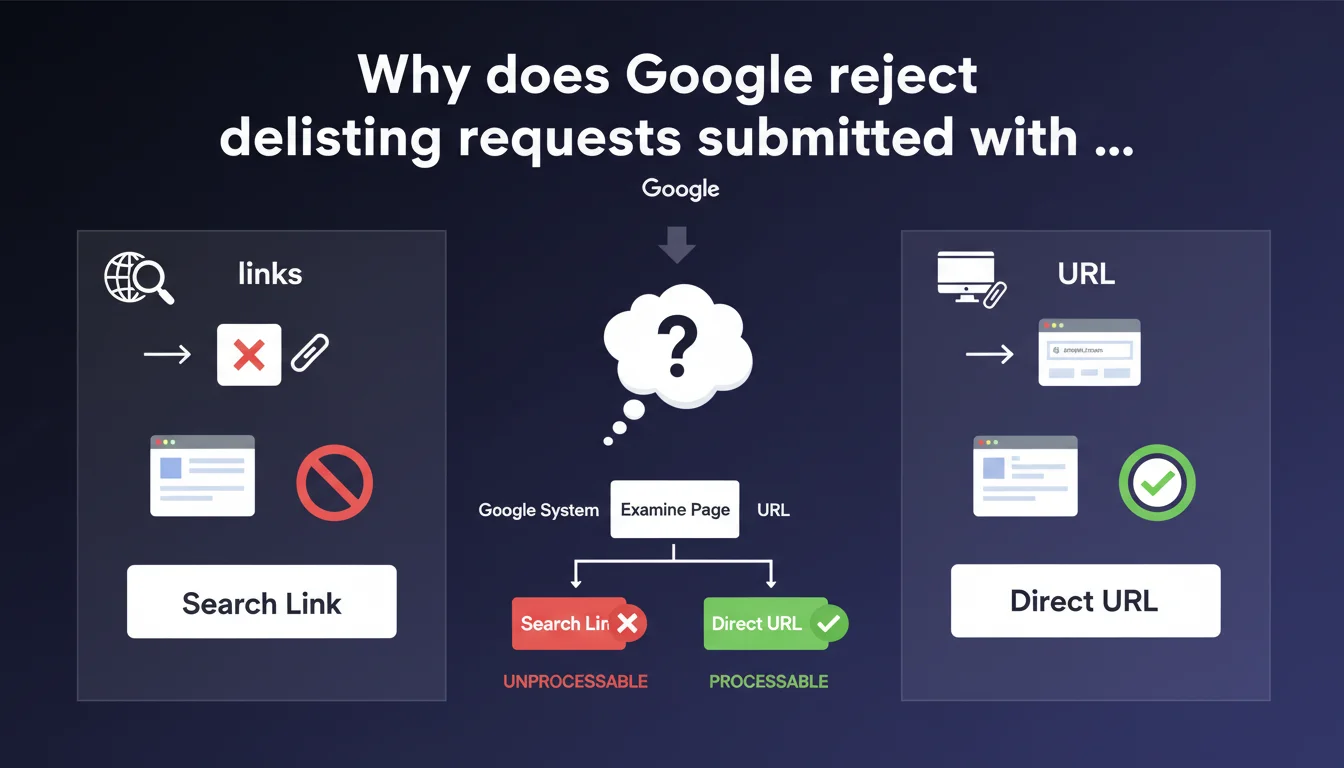
Google requires the direct URL of the page to process a delisting request, not the search link itself. Submitting a SERP URL (like "google.com/search?q=...") renders the request unusable. This technical requirement reveals the limitations of Google's automated request processing system.
What you need to understand
What's the difference between a page URL and a Google search link?
A search link — also called a SERP URL — points to a Google search results page (format "google.com/search?q=..."). This is what you see in your address bar when you run a search.
A page URL, on the other hand, designates the direct address of the content: "example.com/problematic-article/". This is the URL that Google can analyze, index, or remove from its index upon legitimate request.
Why does this distinction create practical problems?
Non-technical users — and even some busy professionals — often copy-paste the URL visible in their browser after a search. Result: Google receives thousands of unusable requests containing search parameters rather than the address of the problematic content.
The automated processing system cannot guess which specific URL is intended among 10+ results on a SERP. Hence the immediate rejection of these requests.
- Valid URL for delisting: example.com/page-to-remove
- Invalid URL: google.com/search?q=keyword (points to a results page, not the content)
- Practical consequence: Any poorly formatted request delays processing or goes unanswered
SEO Expert opinion
Does this requirement reveal technical limitations at Google?
Let's be honest: the inability to automatically extract the target URL from a SERP link shows that delisting request processing tools remain rudimentary. A basic script could parse the search link, identify the problematic result by position number, and isolate the corresponding URL.
That Google refuses this approach suggests either a desire to limit the volume of processable requests, or — more likely — a choice not to invest in automating a process that must remain semi-manual to prevent abuse. [To verify]: no official data confirms the rejection rate for poorly formatted requests, but field feedback indicates frequent silence.
In what cases does this rule create bottlenecks?
Requests from people victimized by defamation or sensitive content often fail because the requester copies the search URL out of ignorance. Google provides no educational error message — the request is simply ignored.
For SEO agencies managing reputation crises, this opacity complicates traceability. It's impossible to know whether a request was rejected due to a formatting issue or a substantive reason.
How does this directive align with Google Search Console tools?
Search Console allows temporary removal of URLs from the index — but again, only the exact URL of the page works. Submitting too broad a pattern (like "example.com/*") or a search link generates an explicit error.
Consistency exists between interfaces, but Google has never explained why the public delisting form (outside GSC) remains so user-unfriendly. Large companies' legal teams bypass the problem by going directly through internal contacts — an option unavailable to 99% of requesters.
Practical impact and recommendations
What should you do concretely when submitting a delisting request?
Before any submission, isolate the direct URL of the page in question. If the content appears in Google results, right-click on the result title then "Copy link address" — never the URL from your navigation bar.
Verify that the URL contains no Google parameters ("gws_rd", "ved=", "usg="). These markers betray a tracking or redirect link, not the canonical page address.
What mistakes must you absolutely avoid?
Never copy the URL after clicking a result and landing on the page — some CMS systems add UTM parameters or session markers that complicate identification. Use the "clean" URL visible in the link before clicking.
Also avoid shortened URLs (bit.ly, etc.) or intermediate redirects. Google needs the final indexed URL, the one that appears in its index — not a technical or marketing variant.
- Identify the exact URL of the problematic page (not the SERP)
- Verify the absence of Google parameters in the submitted URL
- Test the URL in a private browser to confirm it points directly to the content
- Keep a timestamped screenshot of the page before submission (proof in case of dispute)
- Document each request with a tracking spreadsheet (URL, submission date, stated reason)
❓ Frequently Asked Questions
Puis-je soumettre plusieurs URLs dans une même demande de déréférencement ?
Que se passe-t-il si je soumets par erreur un lien de SERP ?
Comment retrouver l'URL exacte d'une page indexée si elle a été modifiée ou supprimée ?
Les demandes de déréférencement impactent-elles le SEO des autres pages du site ?
🎥 From the same video 5
Other SEO insights extracted from this same Google Search Central video · published on 15/02/2022
🎥 Watch the full video on YouTube →
💬 Comments (0)
Be the first to comment.