
Official statement
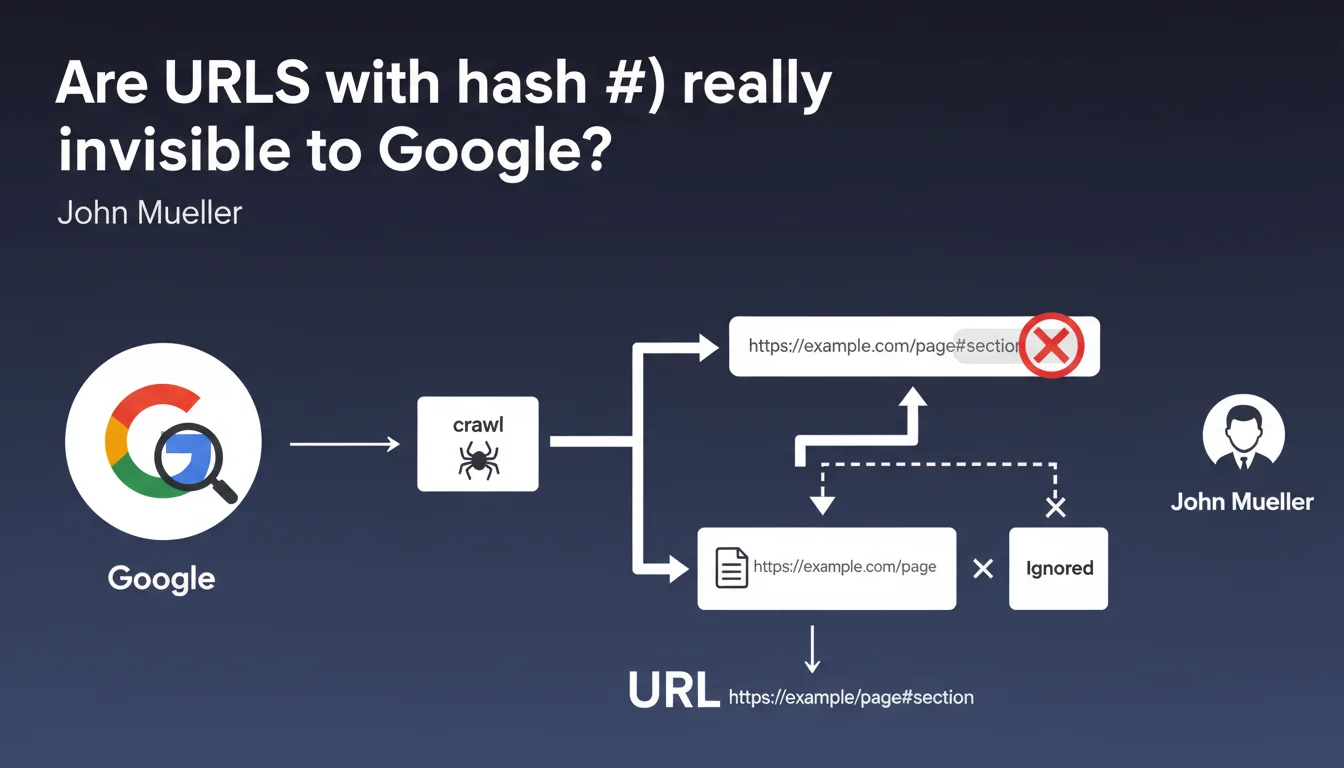
Google systematically ignores the part after the # in URLs during crawling and indexing. Only the segment before the hash counts for SEO. This rule directly impacts the architecture of JavaScript sites and SPAs.
What you need to understand
Why does Google ignore content after the hash?
The # symbol (hash or fragment identifier) was originally designed to point to a specific section of a web page, not to identify a unique resource. Historically, anything after the # is never sent to the server — it's handled client-side by the browser.
Google respects this HTTP convention. When Googlebot crawls example.com/page#section1 and example.com/page#section2, it considers them the same URL: example.com/page. The fragment is purely decorative for the search engine.
Does this rule apply without exception?
Mueller says "most of the time," which leaves room for interpretation. In practice, Google introduced temporary exceptions in the past — notably the #! (hashbang) scheme to handle JavaScript applications before client-side rendering became widespread.
But this method has been obsolete for years. Today, with dynamic rendering and improved JavaScript crawling, Google no longer needs these workarounds. The hash has become what it should be: an invisible marker for SEO.
What types of sites are affected?
Single Page Applications (SPAs) using frameworks like React, Vue, or Angular are the most impacted. Many of these architectures use hash-based URLs to simulate multi-page navigation without page reloads.
If your site displays mysite.com/#products or mysite.com/#contact, Google will only index one page: mysite.com/. All content "routed" after the # is invisible.
- Hash-based URLs don't create distinct pages in Google's eyes
- Dynamic content loaded via hash routing isn't separately indexable
- Internal anchors (#section) pose no problem — they're not meant to be crawled
- SPAs must use the History API (pushState) for clean URLs
SEO Expert opinion
Is this statement consistent with real-world observations?
Yes, this is one of the rare points where Google is perfectly clear and consistent over the years. All tests show that the hash is systematically truncated during indexing.
The nuance — and this is where Mueller remains vague — concerns JavaScript rendering. If your SPA loads different content depending on the fragment, Google sees this content technically during rendering... but it still associates it with the URL without the hash. Result: multiple distinct "pages" from a user perspective can end up merged in the index under a single URL.
What pitfalls should you anticipate with SPAs?
The real problem isn't so much that Google ignores the hash — it's that many developers do too. I've seen entire sites built with hash routing, convinced they had 50 indexable pages when they actually had one.
[To verify]: Google claims to render "most" JavaScript, but reality is more nuanced. Rendering has time limits, crawl budget constraints, and complexity boundaries. If your content depends on multiple interactions after initial load, there's no guarantee it will be indexed — hash or not.
Do internal anchors pose a problem?
No, and it's important to clarify this. Using #section-contact to create an anchor to a part of your page is perfectly legitimate and doesn't impact SEO. Google won't penalize this.
The problem only arises when you use the hash to simulate a multi-page architecture instead of properly structuring with distinct URLs. It's a question of intention and usage.
Practical impact and recommendations
What should you do if your site uses hash-based URLs?
If you have an SPA with hash routing (mysite.com/#/products), the solution is to migrate to the History API for clean URLs (mysite.com/products). This is technically feasible with all modern frameworks.
This migration requires properly configuring your server to always serve the main application, regardless of the requested URL. Without this, a refresh on /products will return a 404. This is an operation that affects both the front-end and infrastructure.
How do you verify that Google indexes your pages?
Use Google Search Console to inspect each URL you believe should be indexable. Check the "Coverage" tab to identify ignored or consolidated URLs.
Compare the number of pages in your XML sitemap with the number of pages actually indexed. If you have a significant gap and your site is an SPA, hash routing is probably the cause.
- Audit the current architecture: identify all URLs using hashes
- Migrate to the History API (pushState/replaceState) for clean URLs
- Configure the server to handle routing server-side (SSR or fallback to index.html)
- Update the XML sitemap with new URLs without hashes
- Verify rendering with the GSC URL inspection tool
- Monitor crawl logs to confirm Googlebot accesses the correct URLs
- Implement canonical tags if necessary to avoid duplication
❓ Frequently Asked Questions
Les ancres internes (#section) nuisent-elles au SEO ?
Le schéma hashbang (#!) est-il encore supporté par Google ?
Si Google rend ma SPA, voit-il le contenu chargé dynamiquement après le hash ?
Comment migrer d'un hash routing vers des URLs propres sans perdre de trafic ?
Les paramètres après le hash sont-ils transmis à Google Analytics ?
🎥 From the same video 2
Other SEO insights extracted from this same Google Search Central video · published on 26/10/2022
🎥 Watch the full video on YouTube →
💬 Comments (0)
Be the first to comment.