
Official statement
Other statements from this video 7 ▾
- □ Les ccTLDs imposent-ils vraiment un ciblage géographique automatique impossible à contourner ?
- □ Hreflang : HTML ou sitemap XML, quelle méthode choisir pour votre référencement international ?
- □ Peut-on vraiment utiliser des balises noscript dans le <head> sans pénalité SEO ?
- □ Pourquoi Google distingue-t-il le HTML source du DOM rendu ?
- □ Pourquoi croiser plusieurs sources de données est-il crucial en diagnostic SEO ?
- □ La Search Console affiche-t-elle vraiment les variations d'impressions en temps réel ?
- □ Comment tester le user-agent Googlebot directement dans Chrome sans extension tierce ?
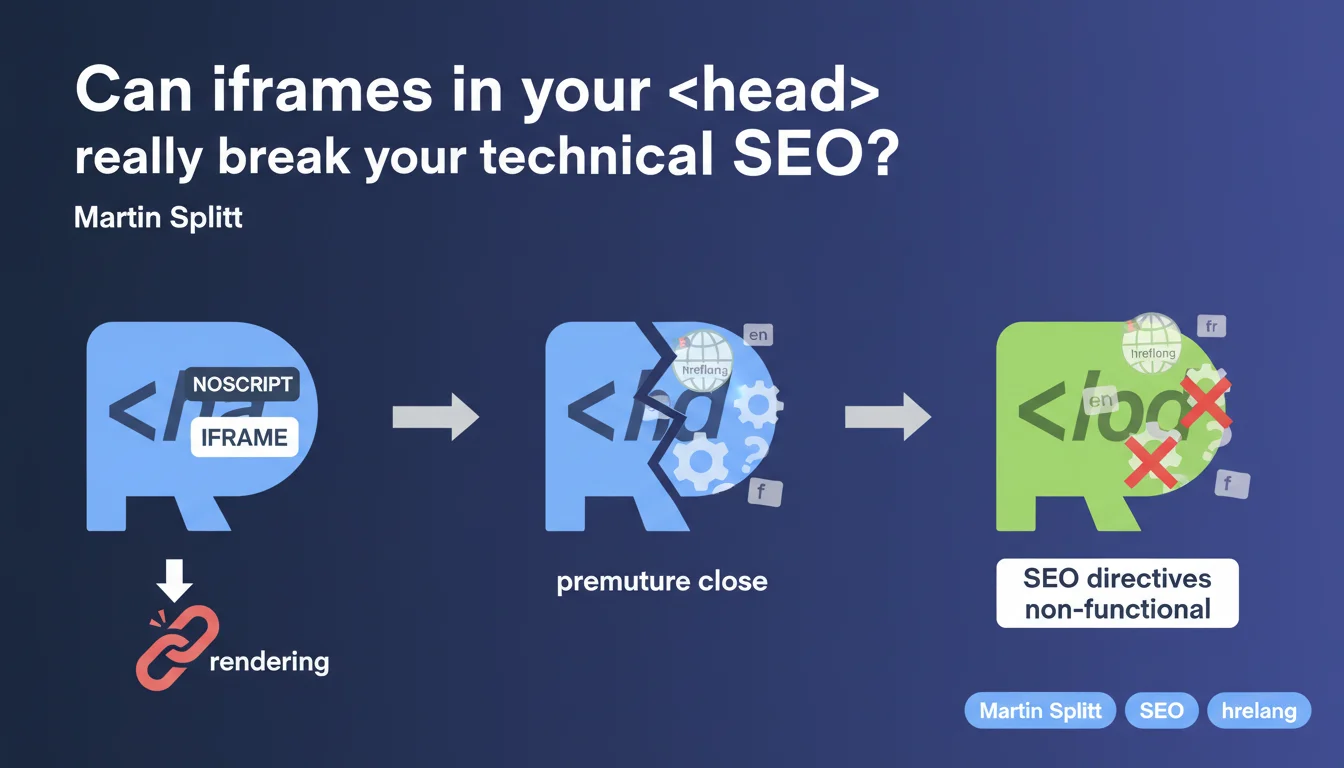
An iframe placed within a <noscript> tag located in the <head> can prematurely close that section during rendering. Result: critical SEO elements like hreflang, canonical, or structured data end up displaced into the <body>, where they lose their function. It's a parsing bug that few practitioners have on their radar.
What you need to understand
Why does an iframe in the pose a problem?
Google's rendering engine analyzes the HTML to construct the DOM. When an iframe is found within a
Concretely: everything that follows — hreflang tags, canonical, meta robots, structured scripts — shifts into the
. And in the , these directives are no longer interpreted as intended by crawlers.Which SEO elements are affected?
All elements that must necessarily reside in the
: hreflang (internationalization), canonical (duplicate management), meta robots (indexation directives), JSON-LD (structured data).If these tags end up in the
, Google may ignore them or treat them differently. For hreflang for example, it's a complete loss of the directive — no fallback in the .In which cases do you encounter this scenario?
Primarily with tracking tags like Google Tag Manager or Facebook Pixel, often placed at the top of the page in a
Multilingual e-commerce sites with GTM are particularly exposed, as they often combine hreflang and third-party tracking.
- Iframe in placed in the = risk of premature head closure
- Critical SEO elements (hreflang, canonical, meta robots) displaced into the = non-functional
- Typical case: tracking tags (GTM, Facebook Pixel) at the top of the page
- Impact: loss of internationalization directives, canonicalization, indexation
SEO Expert opinion
Is this statement consistent with field observations?
Yes, and it's even a known bug in certain HTML parsers from years back. The problem doesn't only concern Googlebot — modern browsers can also mishandle this case. But Google tends to be stricter about the positioning of SEO tags.
I've seen sites lose their hreflang associations without understanding why, until an audit revealed a GTM iframe in the
. Search Console reports nothing specific, it just indicates that hreflang tags are absent — when in fact they're there, but poorly placed.What nuances should be added?
Martin Splitt talks about "rendering," which suggests the problem appears after JavaScript execution. But in most cases, it's the raw HTML that's already broken. The HTML5 parser closes the
as soon as it encounters certain elements withinPractical impact and recommendations
What concretely should you do to fix this problem?
Move all tracking iframes out of the
. Place them just after the opening tag, or even at the end of if the timing of triggering allows it. Most tracking scripts work perfectly from this position.If you use GTM, verify the placement of the
Which errors should you avoid?
Never place an iframe — even an empty one — in the
. The is reserved for metadata, not content or tracking elements. An iframe is by nature a content element.Also avoid relying solely on the HTML source to diagnose. The problem can be invisible in the code but well present in the rendered DOM. Systematically use rendering inspection tools.
How can you verify that your site is compliant after correction?
- Inspect the rendered DOM via Search Console "URL Inspection Tool"
- Compare the HTML source with the final DOM in Chrome DevTools
- Verify that hreflang, canonical, meta robots remain in the after rendering
- Use an HTML validator to detect premature closures
- Test with and without JavaScript enabled to isolate behaviors
- Audit tracking tags (GTM, Facebook, etc.) and their positioning
❓ Frequently Asked Questions
Un iframe dans le <head> casse-t-il toujours le SEO ?
Pourquoi mes balises hreflang ne sont-elles pas détectées alors qu'elles sont dans mon code ?
Où placer le code <noscript> de Google Tag Manager ?
Les outils d'audit SEO détectent-ils ce problème ?
Ce problème affecte-t-il aussi les balises canonical et meta robots ?
🎥 From the same video 7
Other SEO insights extracted from this same Google Search Central video · published on 18/10/2022
🎥 Watch the full video on YouTube →
💬 Comments (0)
Be the first to comment.