
Official statement
Other statements from this video 7 ▾
- □ Les ccTLDs imposent-ils vraiment un ciblage géographique automatique impossible à contourner ?
- □ Hreflang : HTML ou sitemap XML, quelle méthode choisir pour votre référencement international ?
- □ Peut-on vraiment utiliser des balises noscript dans le <head> sans pénalité SEO ?
- □ Les iframes dans le <head> peuvent-ils vraiment casser votre SEO technique ?
- □ Pourquoi croiser plusieurs sources de données est-il crucial en diagnostic SEO ?
- □ La Search Console affiche-t-elle vraiment les variations d'impressions en temps réel ?
- □ Comment tester le user-agent Googlebot directement dans Chrome sans extension tierce ?
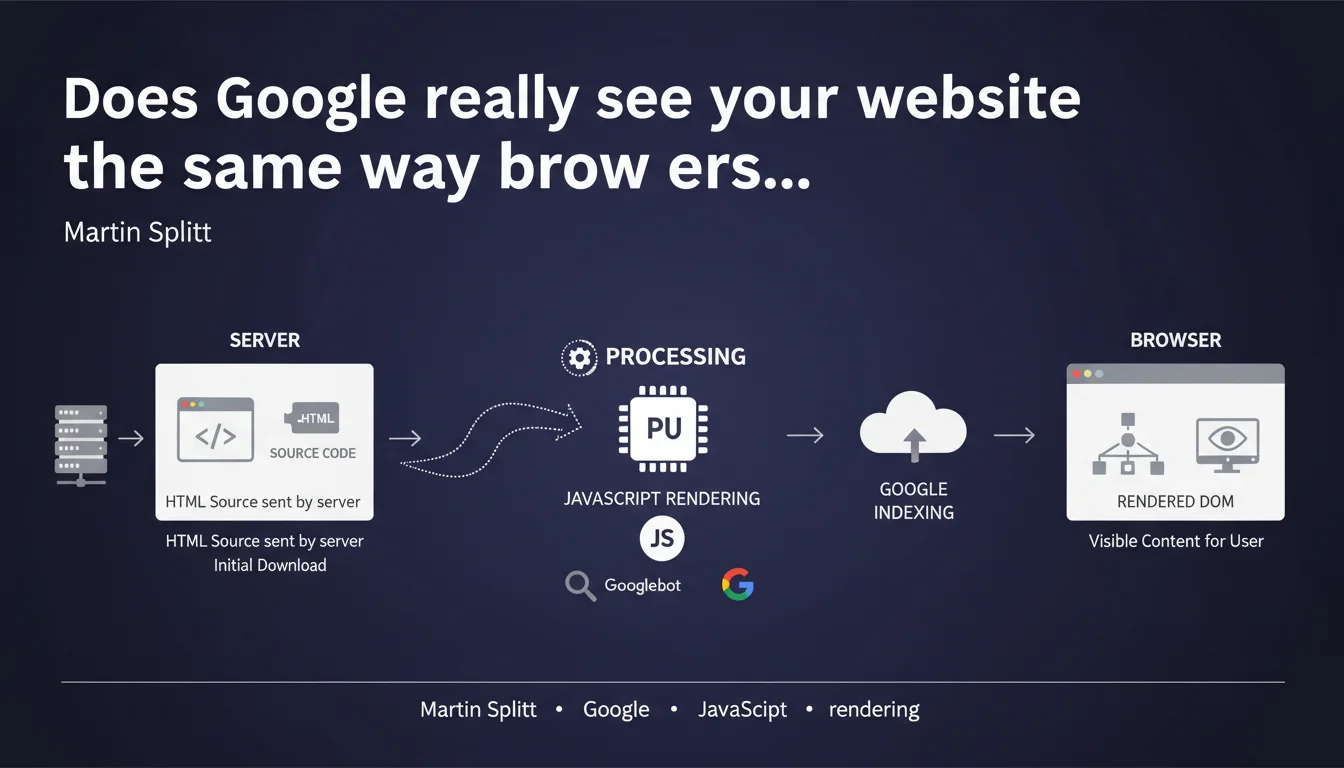
Google makes a clear distinction between the raw HTML code sent by your server and the final DOM after JavaScript execution. This difference directly impacts how Googlebot indexes your pages — especially for React, Vue, or Angular sites. If your critical content only appears after JavaScript rendering, you risk serious indexing problems.
What you need to understand
What exactly is the difference between source HTML and rendered DOM?
The source HTML is the raw code that your server sends to the browser on the initial request. It's what you see when you "View Page Source" (Ctrl+U). No JavaScript has been executed yet.
The rendered DOM is what the browser actually displays after executing all JavaScript, loading external resources, and manipulating the DOM via React/Vue/Angular. It's what you see in the Elements Inspector (F12). The difference can be massive — on some SPA sites, the source HTML amounts to nothing more than an empty
.Why does this distinction impact SEO?
Googlebot operates in two phases: first it crawls the source HTML, then it places the page in a rendering queue to execute JavaScript. This second phase can take hours or even days depending on your site's priority.
If your main content (headings, text, internal links) only exists in the rendered DOM, Google won't see it immediately. Worse: if rendering fails or is deprioritized, that content risks never being properly indexed.
How can you verify what Google actually sees?
Use the URL Inspection tool in Google Search Console and compare the raw HTML with the tested render. The gap will tell you whether you have a JavaScript rendering problem.
Another method: disable JavaScript in Chrome (DevTools > Settings > Debugger > Disable JavaScript) and reload your page. If it becomes empty or unreadable, that's a red flag.
- Source HTML is what the server initially sends — before any JavaScript execution
- Rendered DOM is the final result after browser processing and JavaScript manipulation
- Googlebot first crawls the source HTML, then queues JavaScript rendering
- This queue can create significant indexing delays
- SPA sites (React, Vue, Angular) are particularly exposed to this risk
- Search Console allows you to compare source HTML and rendered DOM via the inspection tool
SEO Expert opinion
Is this distinction new or simply better explained?
Google has been handling JavaScript for years — it's not a novelty. What's changing is the official clarification from Martin Splitt about the two-step process. Before, Google left room for doubt: "we handle JavaScript, so do whatever you want".
Except in practice, we regularly observe SPA sites with indexing problems. JavaScript rendering is not guaranteed or instantaneous. This statement finally forces us to distinguish what Google can do from what it does systematically.
What nuances are missing from this statement?
Splitt doesn't specify the criteria that determine priority in the rendering queue. Is it crawl budget? Internal PageRank? Content freshness? [To verify] — Google remains vague on this point.
Another gray area: what happens if JavaScript fails partially? If a 404 error on a .js file breaks the rendering of your meta descriptions, does Google index with degraded source HTML or wait indefinitely? No official answer on that.
Is Server-Side Rendering really mandatory?
Not mandatory, but strongly recommended for high-stakes SEO sites. SSR (or Static Site Generation) guarantees that critical content is already present in the source HTML, without relying on Google's JavaScript rendering.
Important nuance: sites with low page volumes (fewer than 500 URLs) can get away without SSR if their crawl budget is comfortable. But once you exceed several thousand pages, the risk of indexing delays becomes critical.
Practical impact and recommendations
What should you concretely do to avoid problems?
Prioritize critical content in the source HTML: h1 titles, main paragraphs, internal links, title tags and meta descriptions. Everything essential to indexing must be present before JavaScript execution.
If you're using React, Vue, or Angular, implement Server-Side Rendering (SSR) or Static Site Generation (SSG). Next.js and Nuxt.js make this transition easier. For existing sites, pre-rendering via Rendertron or Puppeteer can serve as an interim solution.
How can you verify that your site is compliant?
Test your key pages with curl or wget to fetch raw source HTML. Compare with what you see in the browser. If the gap is massive, you have a problem.
Also use Google's Mobile-Friendly Test and examine the rendered HTML code. If critical elements are missing, it means rendering didn't work properly.
What errors should you absolutely avoid?
Never block CSS and JavaScript files in robots.txt — it's a classic mistake that breaks rendering. Google needs access to these to execute your code.
Avoid pure single-page apps without SSR if you're targeting massive organic traffic. Google's JavaScript rendering is not a guaranteed service — it's a conditional opportunity.
- Check source HTML with curl or "View Page Source" (Ctrl+U)
- Compare source HTML and rendered DOM in the Inspector (F12)
- Test key pages with Google Search Console's URL Inspection tool
- Implement SSR or SSG for high-stakes SEO sites
- Disable JavaScript in Chrome to simulate a crawl without rendering
- Ensure title, h1, main text, and internal links are in the source HTML
- Never block CSS/JS in robots.txt
- Monitor JavaScript errors in production (Sentry, LogRocket)
❓ Frequently Asked Questions
Est-ce que Googlebot exécute toujours le JavaScript de mes pages ?
Le SSR est-il obligatoire pour ranker sur Google ?
Comment savoir si mon site a un problème de rendering JavaScript ?
Puis-je bloquer les fichiers JavaScript dans robots.txt ?
Quelle est la différence entre SSR et pré-rendering ?
🎥 From the same video 7
Other SEO insights extracted from this same Google Search Central video · published on 18/10/2022
🎥 Watch the full video on YouTube →
💬 Comments (0)
Be the first to comment.