
Official statement
Other statements from this video 4 ▾
- □ Google juge-t-il vos pages sur leur méthode de création ou uniquement sur leur qualité finale ?
- □ Le CMS influence-t-il vraiment les performances SEO de votre site ?
- □ Le SEO est-il vraiment aussi accessible et testable que Google le prétend ?
- □ Les CMS sont-ils vraiment prêts pour le SEO dès l'installation ?
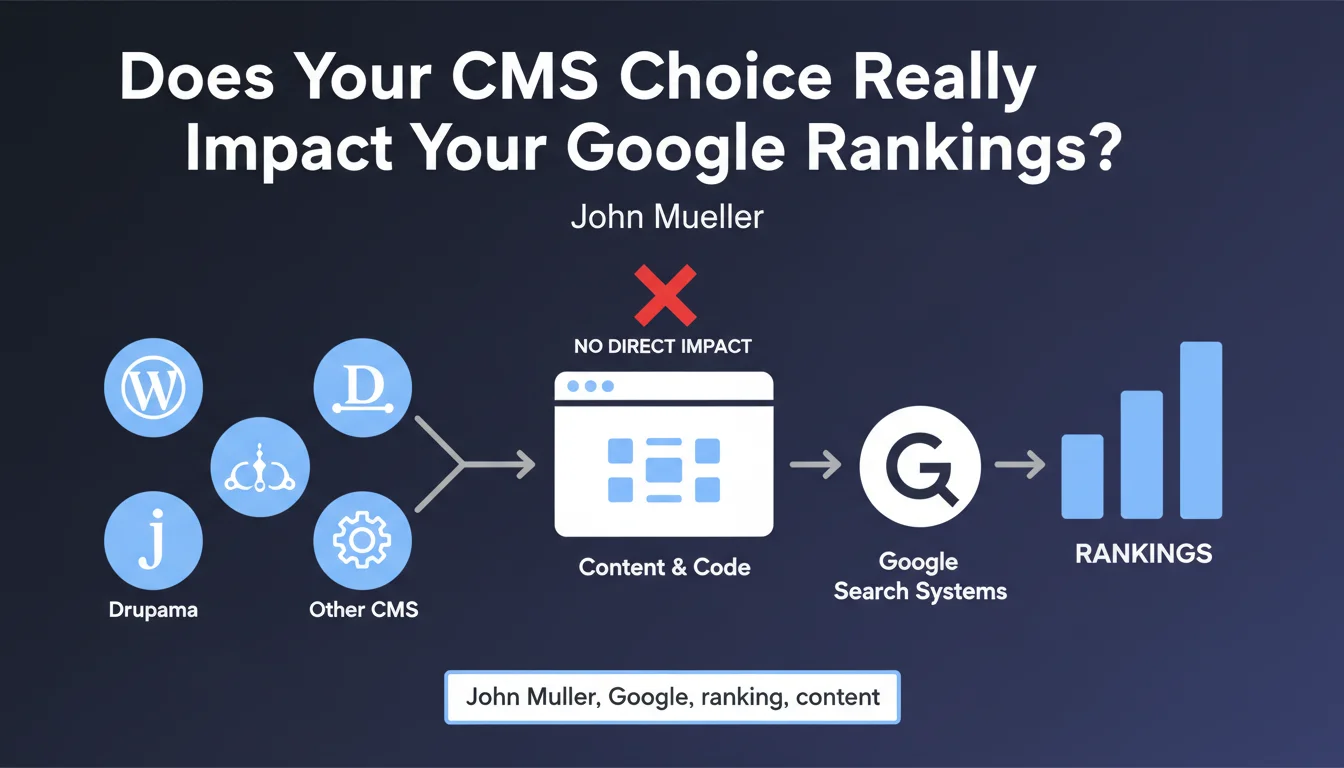
Google does not favor or penalize any specific CMS. Its algorithms evaluate the final rendered content, not the tool used to create it. CMS choice therefore does not directly influence rankings, but the quality of technical implementation remains decisive.
What you need to understand
Why Does Google Say That CMS Choice Doesn't Matter?
The algorithms of Google Search analyze the final HTML code delivered to the browser, not the backend technology that generated it. Whether your site runs on WordPress, Shopify, Drupal, or a custom CMS, the crawler makes no distinction.
This neutrality is explained by the architecture of the web itself. A CMS is just a production tool — what matters is the result: HTML structure, loading speed, content accessibility.
Are Some CMS Platforms Still More SEO-Performant Than Others?
Technically, all CMS platforms can produce optimized pages. But real-world observations show significant gaps depending on default configurations, available plugins, and flexibility offered.
A poorly configured CMS can generate duplicate content, poor URLs, or catastrophic loading times. Conversely, a CMS designed for performance can facilitate the implementation of Core Web Vitals, structured markup, or internal linking.
What Are the Real Criteria That Actually Matter?
Google evaluates the technical and editorial quality of pages, not the CMS label. The criteria that really influence rankings include speed, semantic structure, user experience, content quality, and information architecture.
- The CMS itself does not influence rankings
- The technical implementation of the CMS can create handicaps or advantages
- A poor CMS can complicate optimization, a good CMS facilitates it
- Google evaluates the final result, not the production tool
- The competence of whoever configures the CMS outweighs the choice of technology
SEO Expert opinion
Does This Statement Match What We Observe in the Field?
Yes and no. Formally, Google is right: no algorithm artificially boosts a site because it runs on one CMS or another. The ranking criteria are universal.
But in practice, some CMS platforms make optimization so easy that they create an indirect advantage. WordPress with the right plugins, Shopify for e-commerce, or headless frameworks for performance — the technology choice impacts the ability to meet Google's requirements.
What Nuances Should Be Added to This Statement?
Mueller's statement remains technically accurate but omits a key point: some CMS platforms make optimization nearly impossible without advanced technical skills. Others offer disastrous default configurations.
Let's take a concrete example. A CMS that automatically generates dynamic URLs with parameters, that doesn't manage canonicals, or that multiplies server requests will tank your ranking chances — even if Google doesn't "penalize" it directly for its identity.
[To verify]: Google has never published data on the correlation between CMS and performance in SERPs. Third-party studies show gaps nonetheless, but it's difficult to distinguish the CMS effect from the effect of average user competence.
In Which Cases Does This Rule Not Really Apply?
When the CMS imposes unavoidable structural constraints. Some SaaS platforms restrict code access, prohibit certain tags, or force non-optimal architectures.
At that point, the CMS becomes a ceiling. You can optimize within system limits, but never achieve the flexibility of an open solution. It's an indirect handicap, but a real one.
Practical impact and recommendations
What Should You Concretely Do With This Information?
Don't choose your CMS solely for SEO — none will give you an algorithm advantage. Instead, evaluate the ease of optimization: tag management, URL control, performance, extensibility.
Focus on implementation. A poorly configured WordPress will lose to a well-designed custom site. Verify that your CMS allows you to:
- Finely control title, meta, and canonical tags
- Generate clean and customizable URLs
- Implement structured markup (JSON-LD)
- Optimize loading speed and Core Web Vitals
- Manage internal linking flexibly
- Access server logs and crawl data
What Mistakes Should You Absolutely Avoid?
Don't switch to a new CMS "for SEO" without prior audit. Migrations are risky — traffic loss, broken redirects, technical regression. The expected gain is often illusory.
Also avoid underestimating the required skills. A high-performing CMS in inexperienced hands remains underutilized. Conversely, an expert can achieve remarkable results with a limited platform.
How Can You Ensure Your Current Configuration Is Optimal?
Audit your technical implementation: site crawl, loading time analysis, markup verification, architecture review. Tools like Screaming Frog, PageSpeed Insights, or Search Console reveal weaknesses.
Compare your performance against best practices for your chosen CMS. Every platform has its classic pitfalls — duplicate content on Shopify, plugin overload on WordPress, complex URLs on some e-commerce CMS.
❓ Frequently Asked Questions
WordPress est-il meilleur que Shopify pour le SEO ?
Mon CMS actuel me pénalise-t-il dans Google ?
Faut-il migrer vers un CMS headless pour améliorer mon SEO ?
Les sites custom-codés rankent-ils mieux que ceux sous CMS ?
Certains CMS facilitent-ils vraiment l'optimisation SEO ?
🎥 From the same video 4
Other SEO insights extracted from this same Google Search Central video · published on 13/07/2022
🎥 Watch the full video on YouTube →
💬 Comments (0)
Be the first to comment.