
Official statement
Other statements from this video 4 ▾
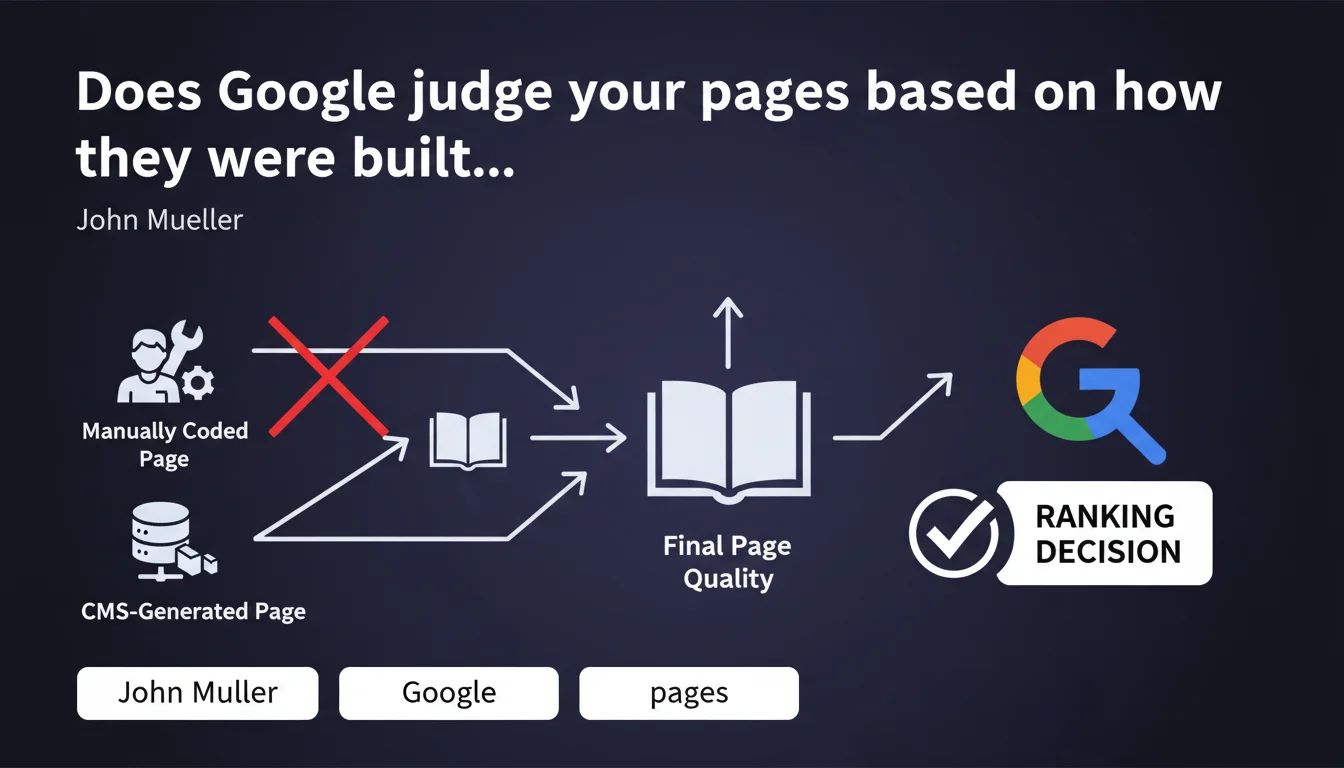
Google's algorithms evaluate the final result of a page, not the method used to create it. Whether you hand-code or use a CMS, only the quality of the output counts. This clarification aims to defuse sterile debates about the ideal tool and refocus attention on what matters: the content delivered to the user.
What you need to understand
Why does Google insist on this distinction between method and result?
Mueller's statement responds to a recurring concern among SEO professionals: would certain creation tools (page builders, heavy CMS platforms, automatic generators) generate code that is treated less well by Google? The answer is no, provided that the final render is clean.
What matters to Google's systems is the HTML page served to the crawler, not whether it was typed by hand in VSCode or assembled by Elementor. If the final code is bloated, slow, poorly structured, Google will penalize it — but it's the result that is judged, not the origin of the code.
What does this change concretely for your technical choices?
This position relieves SEO professionals of the pressure to impose a "pure" technical workflow. You can use WordPress, Webflow, Next.js, static HTML or any framework — as long as the page served respects standards (performance, accessibility, HTML semantics, indexability).
It also means that arguments like "clean code ranks better" should be nuanced: it's not the fact that it's "hand-made" that counts, but its technical compliance and user experience.
- Google evaluates the final HTML, not the production process behind it
- A poorly configured CMS can generate catastrophic code — but it's the code that's problematic, not the CMS itself
- A hand-coded site can be just as bad if the developer doesn't follow best practices
- What matters: performance, semantic structure, accessibility, relevant content
- This statement takes the guilt out of using modern creation tools, which are often criticized unfairly
Is this position really new?
No, and it's worth reiterating. Google has always judged pages on their user-facing render (and crawler perspective), not on the technical stack. But sectarian debates between code purists and page builder advocates persist.
Mueller reframes the debate: stop fighting over tools, focus on what comes out at the end of the pipeline. A welcome clarification, even if it merely reaffirms a fundamental principle of how Google works.
SEO Expert opinion
Is this statement consistent with real-world observations?
Yes, overall. Testing shows that sites built with heavy page builders (Elementor, Divi) can rank perfectly well if load time, DOM, Core Web Vitals, and HTML structure remain healthy. Conversely, "pure" code that's poorly optimized underperforms.
Where it gets problematic: some CMS platforms or builders generate bloated DOM by default, blocking CSS/JS, poorly nested structures. The problem isn't the tool, but the default configuration that often handicaps sites if it's not adjusted.
What nuances should be added to this statement?
Mueller is right, but he simplifies. The "final result" isn't limited to the visible HTML page. Google also evaluates rendering speed, visual stability, interactivity, data structure, overall site architecture. Much of this stems from the creation method.
A site generated with an SSG (Next.js, Gatsby) will statistically have better performance than a poorly configured WordPress, even though Google "doesn't look at the method." The method influences the result — it's indirect, but real.
In what cases does this rule not really apply?
When the creation tool imposes structural limitations you can't work around. Example: a builder that forces JavaScript to display main content, making the page invisible without JS. Google crawls with JS enabled, but rendering can be slow, content delayed, crawl budget wasted.
Another case: proprietary platforms that generate non-customizable URLs, incorrect canonical tags, or chained redirects. There, it's the creation method that limits the final result, and Google will penalize the site — not directly for the tool, but for the technical flaws it imposes.
[Worth verifying]: Google says it doesn't look at the method, but certain signals (server response time, distributed architecture, CDN usage) are directly tied to technical choices. Hard to believe these elements are completely neutral in the overall evaluation.
Practical impact and recommendations
What should you do concretely after this statement?
Stop wasting time debating the best creation tool. Audit your pages as they are served: inspect the rendered HTML, test Core Web Vitals, verify semantic structure. That's what Google sees.
If you use a CMS or page builder, optimize its configuration: disable unnecessary modules, clean up CSS/JS, enable lazy loading, compress images, use a CDN. The final result depends on your mastery of the tool, not the tool itself.
What mistakes should you absolutely avoid?
Don't assume that hand-coded is automatically better. If your developer generates poorly structured, inaccessible, slow-loading HTML, you'll have no advantage over a well-configured WordPress. Google doesn't care about the method, only quality.
Another mistake: neglecting optimization on the grounds that your stack is "modern." A poorly configured Next.js site (heavy hydration, client-side fetch, misused SSR) can be as catastrophic as an overloaded WordPress. Test, measure, fix.
How do you verify that your site respects this logic?
Use Google's tools: PageSpeed Insights, Lighthouse, Search Console. See what the crawler sees via the URL inspection tool. If main content is visible, quick to load, well structured, you're on the right track.
Compare source HTML and rendered HTML. If critical content only appears after JS execution or after several seconds, that's where it breaks — regardless of the tool used.
- Audit the final HTML served to the crawler, not the source code in your IDE
- Test Core Web Vitals on your main landing pages
- Verify that main content is visible without JavaScript or loads quickly with JS
- Optimize your CMS or page builder: disable unnecessary features, clean up code
- Compare your performance with competitors using different stacks — if you're lagging, dig deeper
- Don't switch tools just to switch; switch to solve a measurable technical problem
- Monitor metric evolution after each technical change
❓ Frequently Asked Questions
Google pénalise-t-il les sites construits avec des page builders comme Elementor ou Divi ?
Un site codé à la main a-t-il un avantage SEO sur un site WordPress ?
Faut-il migrer vers un framework moderne pour améliorer son SEO ?
Comment savoir si mon CMS génère un code qui handicape mon SEO ?
Le HTML sémantique est-il vraiment important si Google ne regarde que le résultat final ?
🎥 From the same video 4
Other SEO insights extracted from this same Google Search Central video · published on 13/07/2022
🎥 Watch the full video on YouTube →
💬 Comments (0)
Be the first to comment.