
Official statement
Other statements from this video 11 ▾
- □ Faut-il supprimer la balise 'priority' de vos sitemaps ?
- □ Faut-il vraiment supprimer la balise 'changefreq' de vos sitemaps ?
- □ Faut-il encore remplir la balise lastmod dans vos sitemaps XML ?
- □ Pourquoi soumettre un sitemap ne garantit-il pas le crawl de vos URLs ?
- □ Faut-il remplacer les extensions de sitemap par des données structurées ?
- □ Faut-il abandonner les balises vidéo et image dans vos sitemaps XML ?
- □ Faut-il mettre à jour lastmod quand on ajoute des données structurées ?
- □ Pourquoi créer un sitemap révèle-t-il plus de problèmes techniques qu'il n'en résout ?
- □ Pourquoi les identifiants de session en paramètres URL menacent-ils encore le crawl de votre site ?
- □ Un site crawlable garantit-il vraiment une meilleure navigation utilisateur ?
- □ Faut-il vraiment attendre le crawl même après avoir soumis ses URLs via API ?
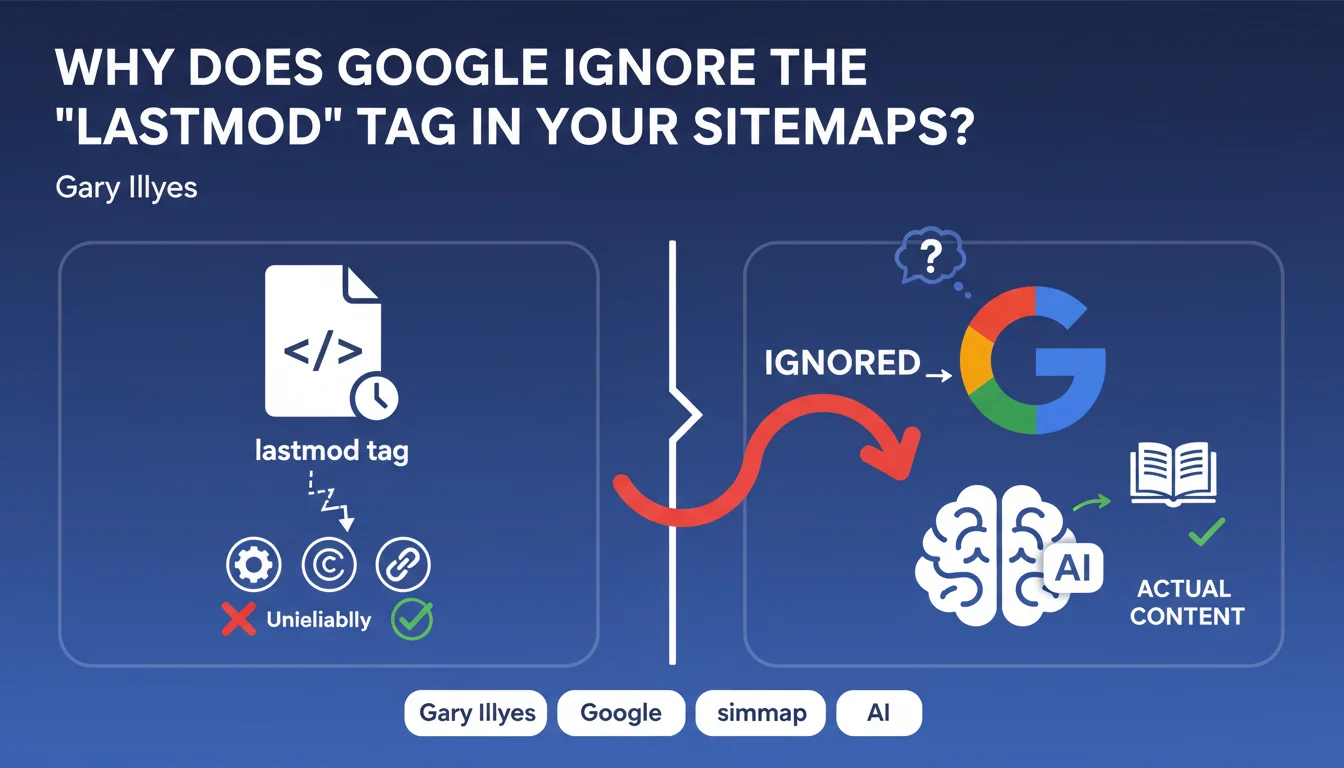
Google does not take into account the 'lastmod' tag in sitemaps because it is considered highly unreliable. Websites use it to signal minor modifications (HTML tags, copyright updates) without any real change to the main content, which makes it unusable for prioritizing crawl.
What you need to understand
What is the 'lastmod' tag and what is it supposed to do?
The 'lastmod' (last modified) tag in an XML sitemap is theoretically meant to tell Google the last modification date of a URL. The original idea? To help the search engine prioritize crawling of recently updated pages rather than wasting resources on unchanged content.
Except in practice, this tag has become a polluted signal. CMS platforms and automated systems update this date for cosmetic changes: updating a copyright in the footer, adding a meta tag, modifying a tracking element. Result: Google receives thousands of 'last modified' signals that correspond to no significant editorial change whatsoever.
Why does Google consider this tag unreliable?
Gary Illyes is clear: the tag is "highly unreliable". Concretely, if Google had to take it at face value, it would be fooled every time a site updates an HTML element without touching the main content.
The reasons for this pollution are multiple. Some CMS platforms automatically regenerate pages at regular intervals, updating the date without any editorial reason. Other sites modify navigation elements or advertising banners, which triggers an update to the tag. Google has no simple way to distinguish a real editorial update from a minor technical change.
What are the consequences for crawling your pages?
If you were counting on 'lastmod' to signal your important updates to Google, bad news: the search engine doesn't listen to it. It relies on its own internal signals to detect real changes on your pages.
This means Google will crawl your pages according to its own criteria: URL popularity, crawl budget allocated to your site, historical update frequency detected by the bot. The 'lastmod' tag gives you no leverage to accelerate or prioritize indexing of a freshly updated page.
- Google ignores 'lastmod' in sitemaps due to its unreliability
- CMS platforms often update this date for minor HTML modifications without editorial changes
- The search engine uses its own signals to detect real content updates
- Relying on 'lastmod' to speed up crawling is an ineffective strategy
SEO Expert opinion
Is this statement consistent with real-world observations?
Absolutely. Across thousands of technical audits, I've observed sitemaps with 'lastmod' updated daily on pages whose content hadn't changed in months. WordPress CMS, Shopify, or JavaScript frameworks often regenerate pages at fixed intervals, triggering an automatic update to the tag.
The problem is that many SEO professionals still consider 'lastmod' an important freshness signal. Let's be honest: this tag has never been a primary indexing lever. Google has always had change detection mechanisms far more sophisticated than believing a date declared in an XML file.
Should you continue filling in this tag in your sitemaps?
Paradoxically, yes — but not for the reasons you might think. Even though Google ignores it, 'lastmod' remains a good internal documentation practice. It helps you audit your own updates, detect pages that regenerate without reason, or track editorial activity on a complex website.
But don't waste time optimizing it for Google. If your CMS automatically generates this tag without pollution, great. If it's filled in haphazardly, it's not a blocking factor for your crawl budget.
What signals does Google actually use to detect updates?
Google crawls your pages and compares the HTML content with its cached version. If the main content has changed significantly, the search engine detects it and adjusts the crawl frequency accordingly. [To verify]: the exact granularity of this change detection is not publicly documented, but real-world observations show that Google does a fairly good job of distinguishing navigation modifications from editorial changes.
Other signals include the historical update frequency of the page, external signals (backlinks, traffic), and the overall popularity of the URL. A news site with daily updates will be crawled far more frequently than a static corporate site, regardless of what 'lastmod' says.
Practical impact and recommendations
What should you concretely do with the 'lastmod' tag?
Don't sweat optimizing it. If your CMS generates it automatically with consistent dates, leave it as is. If it's polluted by minor technical updates, it doesn't matter — Google isn't using it anyway.
However, don't rely on it to force Google to crawl your freshly updated pages. Want to speed up indexing of important content? Use the Indexing API (for eligible content), submit the URL via Search Console, or create external signals (social shares, internal links from high-crawl pages).
What mistakes should you avoid regarding sitemaps and indexing?
First mistake: believing that meticulously filling in all tags of a sitemap will boost your indexing. Google uses sitemaps as a list of URLs to discover, not as a sophisticated prioritization system.
Second mistake: confusing discovery with indexing. The sitemap helps Google find your pages, but it doesn't guarantee they'll be indexed or crawled quickly. Content quality, site architecture, and allocated crawl budget play a far more determining role.
How can you ensure your important updates are indexed quickly?
Focus on levers that actually work. For critical content freshly published or updated, submit the URL via Google Search Console. Create internal links from high-authority, frequently crawled pages. If it's a blog article, share it on your social media to generate immediate traffic.
For high-volume sites (e-commerce, news portals), optimize your crawl architecture: reduce click depth, eliminate low-value pages, and ensure your strategic pages are accessible in 2-3 clicks from the homepage.
- Don't waste time optimizing 'lastmod' — Google ignores it
- Use Search Console to submit critical URLs after updating
- Create internal links from high-crawl pages to your fresh content
- Monitor crawl frequency of your important pages via server logs
- Remove unnecessary pages that dilute your crawl budget
- For e-commerce, prioritize active and profitable product pages
❓ Frequently Asked Questions
Faut-il supprimer complètement la balise 'lastmod' de mes sitemaps ?
Quelles balises du sitemap Google utilise-t-il réellement ?
Comment savoir si mes pages importantes sont crawlées régulièrement ?
Existe-t-il un moyen fiable de forcer Google à crawler une page immédiatement ?
Mon CMS met à jour 'lastmod' pour des modifications mineures. Est-ce pénalisant ?
🎥 From the same video 11
Other SEO insights extracted from this same Google Search Central video · published on 05/05/2022
🎥 Watch the full video on YouTube →
💬 Comments (0)
Be the first to comment.