
Official statement
Other statements from this video 4 ▾
- □ Should you stop using the site: operator to verify Google indexation?
- □ Should you really stop relying on Google Cache to verify how your content is indexed?
- □ Is the URL Inspection Tool Really the Only Way to Verify Whether a Page Is Indexed?
- □ Does Google's Search Console live test really replace Google's cache for verifying your updates?
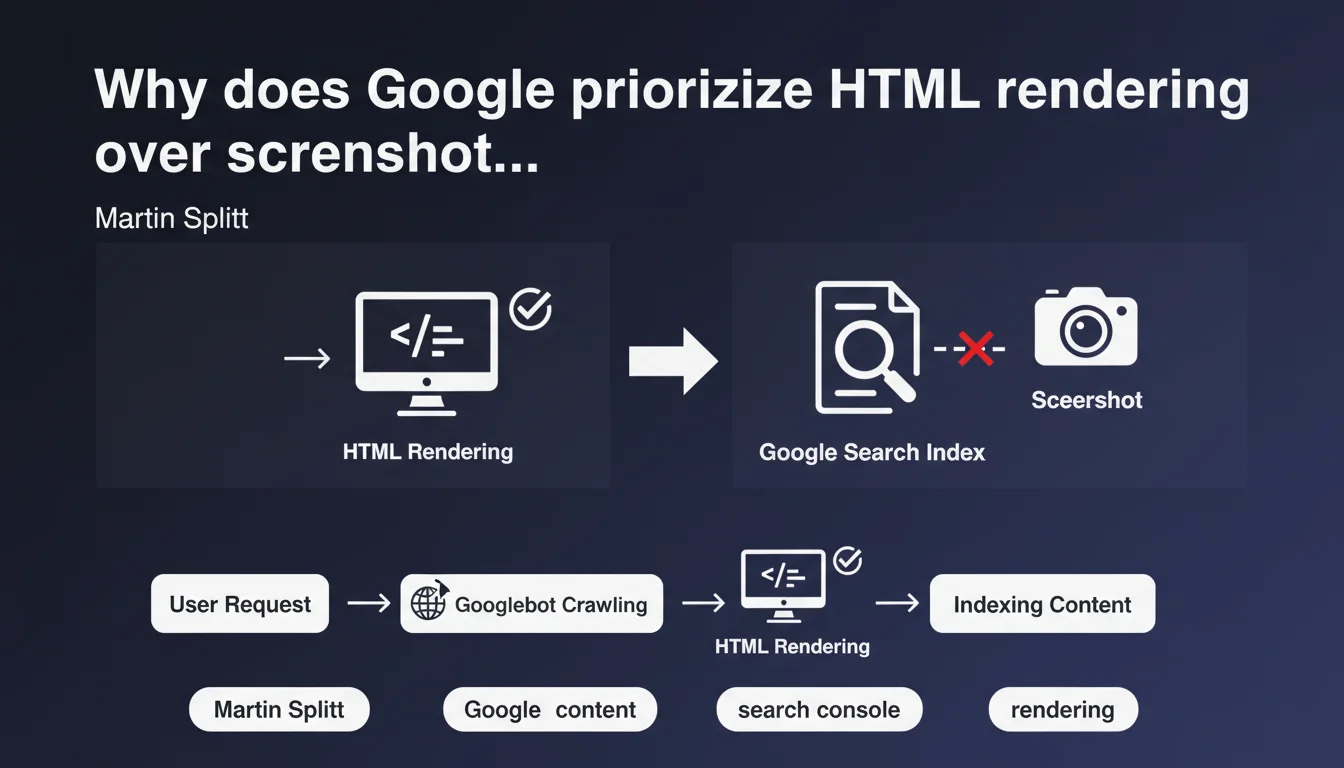
Martin Splitt clarifies that the HTML rendering displayed in Google Search Console is the critical data for indexation, while the screenshot is only a secondary visual tool. In practice: if your content doesn't appear in the HTML rendering, Google won't see it — regardless of its visual appearance.
What you need to understand
What exactly does Google mean by "HTML rendering"?
The HTML rendering corresponds to what Googlebot extracts after executing the JavaScript on your page. It's the final, complete DOM, with all dynamically loaded elements included. It's not the raw source code you see when you click "View Page Source" in your browser.
This distinction is crucial for modern websites that rely on React, Vue, or Angular. If your main content only displays after JavaScript execution, it must appear in this final HTML rendering to be indexed.
Why isn't the screenshot enough to diagnose an indexation problem?
The screenshot in Google Search Console shows the visual appearance of your page as Googlebot saw it. But it doesn't reveal the semantic structure or exploitable text content.
You can have a beautiful screenshot and a disastrous HTML rendering — for example, if your content is displayed via a canvas or images without alternative text. Google indexes text, tags, and links. Not pixels.
In which cases does this distinction create a real problem?
Typically, in JavaScript-heavy sites where content loads late. If your framework generates text after too long a delay or if an error blocks rendering, Google may capture a blank page — even if visually everything looks fine to a human visitor.
Filters, interactive maps, conditional modules: anything that depends on user interactions or specific conditions may never appear in Google's HTML rendering.
- The HTML rendering is the final DOM after JavaScript execution
- The screenshot shows visual appearance, not exploitable structure
- Content visible on screen can be missing from HTML rendering if poorly implemented
- It's the HTML rendering that determines what Google actually indexes
SEO Expert opinion
Is this statement consistent with real-world observations?
Absolutely. We regularly observe cases where the screenshot looks perfect but the HTML rendering reveals skeletal or incomplete content. This is particularly common on e-commerce sites that load product descriptions or customer reviews via late AJAX calls.
Third-party SEO tools (Screaming Frog, OnCrawl) have long integrated the distinction between raw source code and JavaScript rendering. Google is emphasizing here a point that experienced practitioners already know — but that many webmasters still neglect.
What nuances should we add to this statement?
Martin Splitt oversimplifies a bit. HTML rendering isn't absolutely the only thing Google looks at. Core Web Vitals, for example, partly rely on the screenshot and visual perception of rendering. User experience matters too.
Additionally, certain visual elements (images, videos) aren't reflected in text-based HTML rendering but remain indexable via their alt, title tags, and schema. Don't forget these parallel layers.
In which cases doesn't this rule apply strictly?
For non-text content — embedded YouTube videos, podcasts, complex infographics — text-based HTML rendering captures only a fraction of the value. Here, structured metadata (JSON-LD VideoObject, ImageObject) takes over.
And on AMP sites or completely static sites, the distinction between HTML rendering and source code becomes virtually null. No complex JavaScript, no time delay. [To verify] but we can assume Google simplifies its processing then.
Practical impact and recommendations
What should you check first in Google Search Console?
Open the URL inspection tool in Google Search Console. Run the live test. Systematically compare HTML rendering with the screenshot. If content blocks appear visually but are missing from the HTML, you have a JavaScript rendering problem.
Look specifically for: H1/H2 titles, main content paragraphs, internal links, action buttons. If these elements are missing from HTML rendering, Google won't index them.
What technical errors cause a gap between visual display and HTML rendering?
JavaScript timeouts: if your framework takes more than 5 seconds to generate content, Googlebot may give up before completion. 404 errors on critical resources (JS bundles, fonts) that block full script execution.
Conditional events: content that displays only after a click, scroll, or geolocation. Google doesn't simulate these user interactions in its standard rendering.
How do you fix incomplete HTML rendering?
Prioritize server-side rendering (SSR) or static generation (SSG) for critical content. Next.js, Nuxt.js, and their equivalents allow you to deliver pre-rendered HTML to Googlebot, eliminating any JavaScript dependency for indexation.
If you must stay with pure client-side rendering, optimize load time: code splitting, intelligent lazy loading, preloading critical resources. The goal: complete HTML rendering in less than 3 seconds.
- Systematically test the URL inspection tool for each key page template
- Compare HTML rendering and screenshot: track discrepancies
- Migrate critical content to SSR or SSG if possible
- Monitor JavaScript errors in Google Search Console (Coverage section)
- Verify that internal links appear in HTML rendering, not just on screen
- Audit JavaScript loading performance with Lighthouse
❓ Frequently Asked Questions
Le code source brut que je vois en faisant Ctrl+U est-il le même que le rendu HTML de Google ?
Si ma capture d'écran dans la Search Console est parfaite, puis-je ignorer le rendu HTML ?
Google peut-il indexer du contenu qui apparaît uniquement après un clic utilisateur ?
Le rendu côté serveur (SSR) résout-il définitivement les problèmes de rendu HTML ?
À quelle fréquence faut-il vérifier le rendu HTML dans la Search Console ?
🎥 From the same video 4
Other SEO insights extracted from this same Google Search Central video · published on 18/10/2023
🎥 Watch the full video on YouTube →
💬 Comments (0)
Be the first to comment.