
Official statement
Other statements from this video 4 ▾
- □ Faut-il arrêter d'utiliser l'opérateur site: pour vérifier l'indexation ?
- □ Faut-il vraiment arrêter d'utiliser le cache Google pour vérifier l'indexation ?
- □ L'outil d'inspection d'URL est-il vraiment le seul moyen de vérifier l'indexation d'une page ?
- □ Pourquoi Google privilégie-t-il le rendu HTML plutôt que la capture d'écran ?
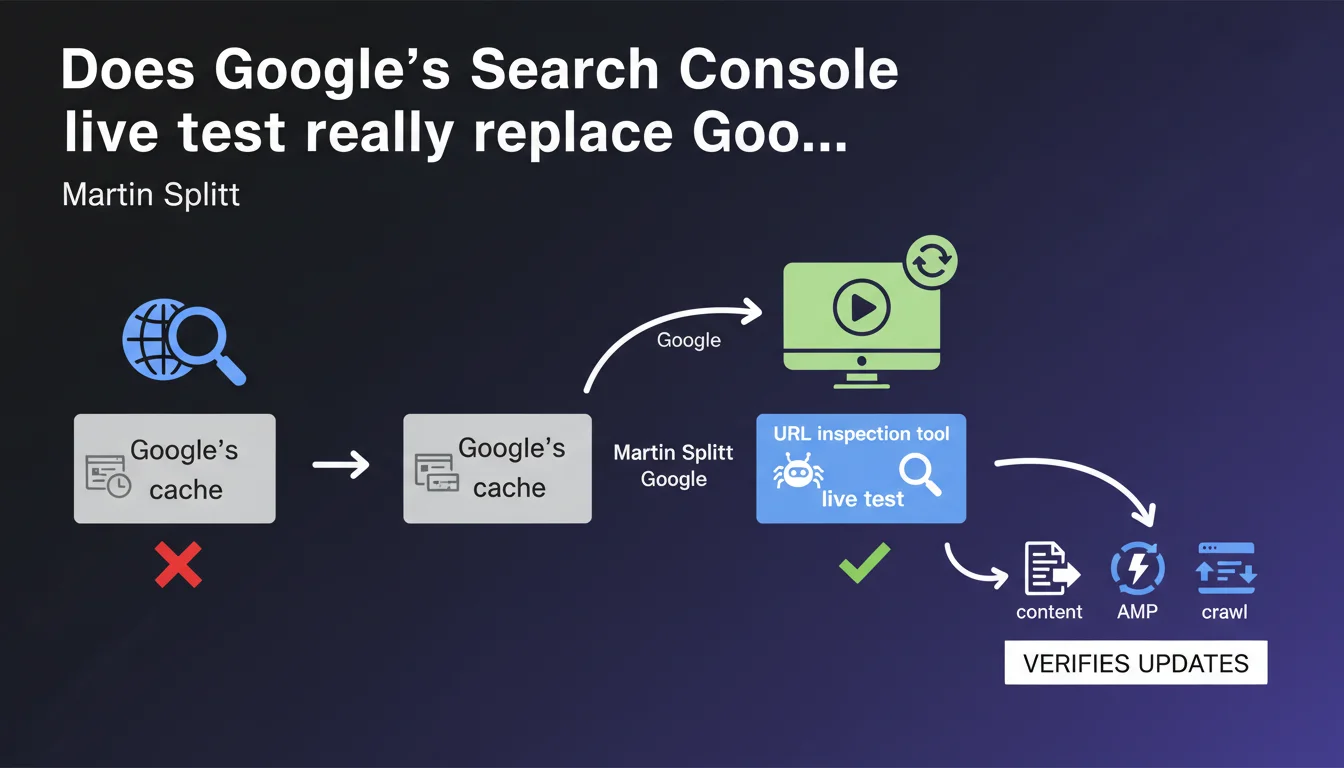
The Search Console URL inspection tool includes a live testing function that simulates a fresh Googlebot crawl of your page. This allows you to immediately see whether your recent modifications are detectable by the search engine, without waiting for the next scheduled crawl. A practical tool for validating technical fixes or content updates, but with limitations you need to understand.
What you need to understand
Why does Google offer this live testing feature?
Live testing addresses a frequent need among SEO professionals: verifying that a technical or editorial modification is properly detected by Googlebot before waiting for the next natural crawl cycle. Historically, professionals relied on Google's cache or blind indexation requests.
This function triggers a real-time fetch from Google's servers, as if the bot were visiting the page for the first time. You get a near-instantaneous response about the version of the page seen by the search engine — tags, rendered content, blocked resources, HTTP errors.
How exactly does this live test work?
You paste the URL into the inspection tool, click "Test live URL," and Google executes a new HTTP request to your server. The bot retrieves the HTML, triggers JavaScript if necessary, analyzes the tags, and displays a detailed report.
This report shows whether the page is indexable, which canonical and robots tags are present, whether critical resources are blocked or inaccessible. It's an instant diagnosis, without impacting your crawl budget or waiting for the bot's next visit.
What's the difference from standard URL inspection?
Standard inspection displays the last indexed version by Google, the one already in the index. Live testing, meanwhile, simulates a new crawl and shows what Googlebot would see right now, even if this version isn't yet indexed.
This distinction is critical after an update: you can confirm that your changes are detectable before requesting reindexing or waiting patiently. Let's be honest — it saves a lot of unnecessary stress when a fix takes time to appear.
- Live test: simulates a real-time crawl, shows the current version of your page
- Standard inspection: displays the already-indexed version, which may be outdated if you just made updates
- Useful after any technical change (tags, redirects, content) to validate before reindexing
- Doesn't replace a complete analysis of JavaScript rendering or performance, but provides a reliable initial diagnosis
SEO Expert opinion
Does this feature truly reflect the bot's behavior in production?
In most cases, yes — the live test genuinely uses Google's crawl infrastructure, with the same user-agents and rendering logic. But be careful: this fetch is triggered on demand, which means it can benefit from slightly different network or server resources compared to a standard scheduled crawl.
Some colleagues have observed minor discrepancies between the live test and actual behavior during a natural crawl, particularly on sites with fluctuating response times or aggressive caching rules. [To verify]: Google doesn't communicate about potential differences in timeout or JavaScript rendering depth between live test and standard crawl.
What limitations should you keep in mind?
First limitation: the live test remains a single point-in-time snapshot. If your server responds differently based on load, time, or request origin, the test will only capture one version. Second limitation: it doesn't simulate the entire indexation process — just the initial crawl and rendering.
And that's where things get tricky sometimes — a page can pass the live test without issue, but not be indexed for reasons of duplicate content, perceived quality, or insufficient crawl budget. The live test validates technical feasibility, not the final indexation decision.
Finally, quota limitations apply: you can't spam this test on thousands of URLs per day. Google imposes silent restrictions to prevent abuse — don't expect to use this tool to audit an entire site in an hour.
In which cases is this tool essential?
After a critical technical fix (resolved 500 error, removed robots tag, corrected canonical), it's the fastest way to confirm that Googlebot will see the change. The same logic applies after a partial redesign or sensitive content deployment.
For high-stakes sites (e-commerce, fast-rotating editorial), this test allows you to validate before requesting reindexing — and avoid wasting indexation requests on still-broken URLs. Concretely? You save time and limit back-and-forth.
Practical impact and recommendations
What should you actually do after making changes to a page?
As soon as a technical or editorial modification is deployed, run a live test to verify that Google detects the new version. Compare the result with the old indexed version: are the tags correct? Does the rendered content match your expectations?
If the test reveals errors or inconsistencies, fix them before requesting reindexing. There's no need to flood the Search Console with unnecessary requests if the page is still broken on the server side or if JavaScript isn't loading properly.
What errors should you avoid with this tool?
Don't turn the live test into a permanent crutch. Some SEO professionals fall into the trap of testing every URL systematically, which adds nothing if the site is stable and regularly crawled. Save this tool for situations where you need to validate a fix or urgent deployment.
Another common error: assuming that a successful test means the page will be indexed within an hour. The live test does not automatically trigger reindexing — you must go through an explicit request if you want to speed up the process. And even then, Google has the final say.
How do you integrate this tool into an effective SEO workflow?
Integrate the live test into your deployment processes: after each production release involving critical SEO modifications, check a sample of URLs using the tool. Document the results to track evolution and detect any potential regressions.
For complex sites with advanced JavaScript rendering, combine the live test with tools like Screaming Frog in rendering mode or Lighthouse audits. This allows you to cross-reference diagnostics and identify issues the live test doesn't always surface (performance, accessibility).
- Run a live test after every critical technical or editorial modification
- Compare the result with the indexed version to identify gaps
- Don't confuse passed test with guaranteed indexation — explicitly request reindexing if necessary
- Avoid testing large numbers of stable URLs without reason — reserve the tool for urgent cases
- Document results to track evolution and detect regressions
- Cross-reference with other tools (Screaming Frog, Lighthouse) for comprehensive diagnosis
❓ Frequently Asked Questions
Le test en direct consomme-t-il du crawl budget ?
Un test en direct réussi garantit-il l'indexation de la page ?
Peut-on automatiser le test en direct via API ?
Le test en direct exécute-t-il le JavaScript comme le bot de production ?
Faut-il lancer un test en direct avant chaque demande de réindexation ?
🎥 From the same video 4
Other SEO insights extracted from this same Google Search Central video · published on 18/10/2023
🎥 Watch the full video on YouTube →
💬 Comments (0)
Be the first to comment.