
Official statement
Other statements from this video 4 ▾
- □ Should you stop using the site: operator to verify Google indexation?
- □ Should you really stop relying on Google Cache to verify how your content is indexed?
- □ Does Google's Search Console live test really replace Google's cache for verifying your updates?
- □ Why does Google prioritize HTML rendering over screenshots for indexing?
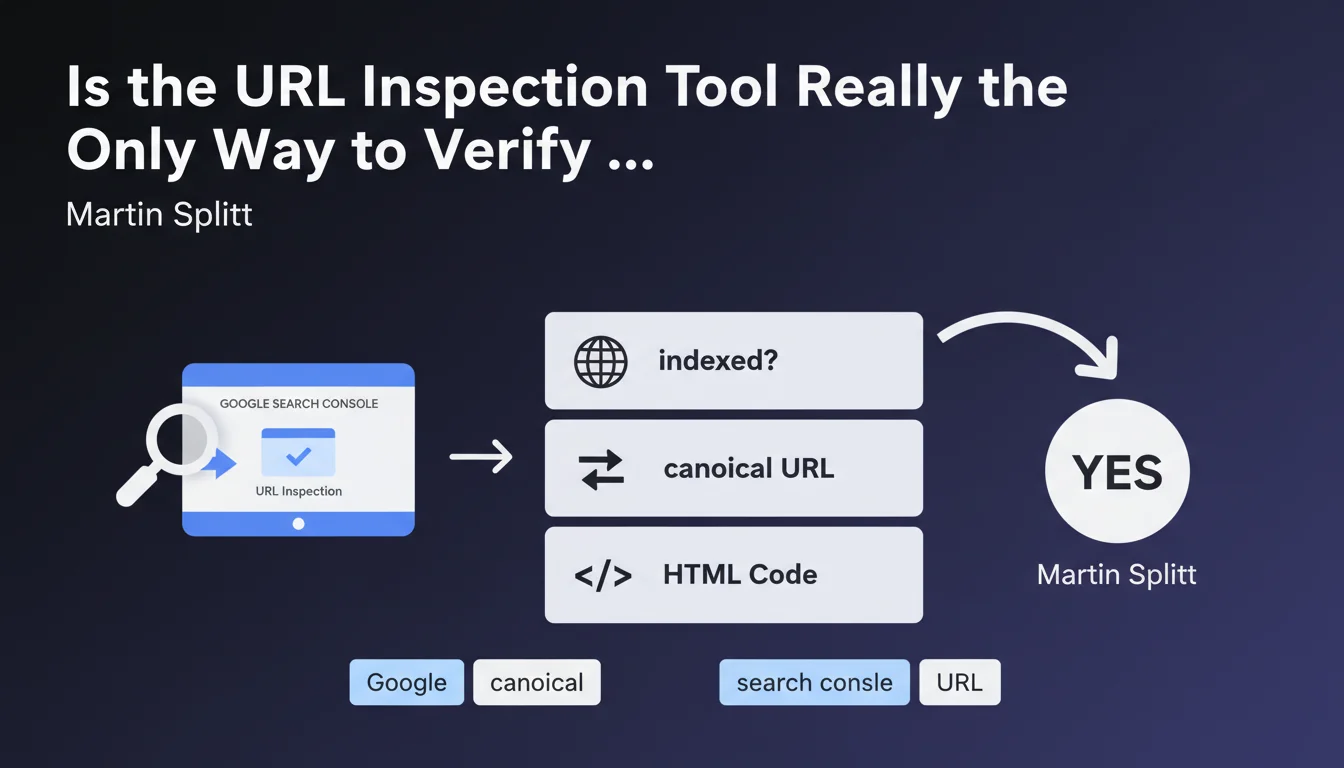
Google recommends using the URL Inspection Tool directly in Search Console to verify if a page is indexed. This tool displays the indexation status, the declared canonical URL, and the HTML code as Googlebot sees it. It's the most reliable source for diagnosing indexation issues, far more accurate than the site: operator which remains approximate.
What you need to understand
Martin Splitt reminds us of an obvious fact that many SEO professionals still neglect: the site: operator is not a reliable diagnostic tool. To know if a page is truly indexed and how Google perceives it, you must use the URL Inspection Tool in "live test" mode.
This statement may seem basic, but it highlights a crucial point. Too many practitioners still rely on site:mysite.com searches to audit indexation, when this method is notoriously incomplete and subject to variations.
Why Is the URL Inspection Tool More Reliable Than the site: Operator?
The site: operator only reflects a sample of indexed pages, not an exhaustive inventory. Google may have indexed a page without it appearing in site: results. The reverse is also true — a URL can appear in site: results when it's no longer fresh in the index.
The URL Inspection Tool, on the other hand, queries Google's systems directly. It returns the actual indexation status, the canonical URL declared by Google (which may differ from the one you specified), and the HTML as Googlebot rendered it. It's the only way to get an accurate view of what Google has recorded.
What Does This Tool Concretely Reveal?
The tool reveals three strategic pieces of information: the indexation status (indexed, discovered but not indexed, page excluded, etc.), the canonical URL retained by Google (which may differ from your rel=canonical tag), and the HTML indexed after JavaScript rendering.
This last point is essential for sites using modern JavaScript. Many SEO professionals are shocked to discover that the content they see in their browser is not what Google indexes. The tool allows you to compare raw HTML with rendered HTML and identify critical differences.
- The site: operator only provides an approximate view, not a reliable inventory of indexation
- The URL Inspection Tool queries Google's systems directly and displays the actual status
- It reveals the canonical URL retained by Google, which may differ from your tag
- It shows the HTML after JavaScript rendering, essential for modern websites
- It's the reference tool for diagnosing indexation problems page by page
SEO Expert opinion
Is This Statement Consistent With What We Observe in the Field?
Yes, without reservation. Experienced SEO professionals have long known that the site: operator is misleading. We've all experienced situations where a page was clearly indexed (incoming organic traffic, URL visible in SERP for a targeted query), yet absent from site: results.
The URL Inspection Tool is indeed the source of truth. It may sometimes lag a few hours behind actual indexation (especially after manual submission), but it remains infinitely more reliable than any other method. When a client tells you "my page isn't indexed," the first thing to do is paste the URL into the tool — not launch a site: search.
What Limitations Should You Know About to Use It Effectively?
The tool has a limited inspection quota: a few dozen requests per day depending on the property. This is sufficient for targeted diagnosis, but insufficient for auditing a 10,000-page site. For large-scale analysis, you should rely on the Index Coverage report in Search Console or the Indexing API (which has its own limitations).
Another point: the tool displays HTML after rendering, but it doesn't show you resources blocked by robots.txt or CSS/JS loading errors that may have hindered rendering. For a complete diagnosis, you must cross-reference with the Mobile Usability test and the rendering issues report.
In What Cases Is This Tool Not Sufficient?
When you need to verify indexation at scale — for example, after a migration or structure change. The Inspection Tool is too manual to process 500 URLs. In such cases, the Index Coverage report and server logs (to verify crawling) are more relevant.
And let's be frank: the tool doesn't tell you why a page isn't indexed with the precision we'd like. It mentions "Discovered, currently not indexed" or "Excluded by noindex tag," but for more subtle reasons (duplicate content, low added value, crawl budget), you must investigate elsewhere.
Practical impact and recommendations
How Do You Use the URL Inspection Tool to Diagnose an Indexation Problem?
Open Search Console, select the relevant property, paste the complete URL in the search bar at the top. Click on "Test live URL" to get the current state as seen by Googlebot, not a cached version. Wait a few seconds while Google crawls the page in real time.
If the tool indicates "URL is indexed," check the declared canonical URL. If it differs from the tested URL, Google has chosen another version as canonical — this is often a sign of a duplication problem or conflicting tags.
If the tool indicates "URL is not indexed," look at the reason: noindex, blocked by robots.txt, server error, duplicate content, etc. Check the indexed HTML to verify that key content is present after JavaScript rendering.
What Should You Do If the Canonical URL Retained by Google Differs From Your Tag?
That's a red flag. Google has decided to override your canonical tag and consider another URL as the reference version. This happens when your canonical signals are contradictory: rel=canonical points to A, but internal links point massively to B, and the URL structure suggests C.
Identify the URL Google has retained, understand why (often it's a matter of consistent internal linking or historical 301 redirects), then align all your signals: canonical tag, redirects, internal linking, XML sitemaps. A single contradictory signal is enough to confuse Google.
What Mistakes Should You Avoid When Using This Tool?
Don't test the URL in "Inspected URL" mode only — this displays the cached state, which may be several days old. Always click "Test live URL" to get the current state. This is the only way to verify that your recent corrections have been processed.
Don't blindly trust the message "URL can be indexed." This message means Google doesn't see major technical obstacles, but it doesn't guarantee that the page will actually be indexed. Google may decide not to index it for quality or crawl budget reasons.
- Always use "Test live URL," never the cached state for accurate diagnosis
- Check the canonical URL declared by Google — it may differ from your tag
- Review the indexed HTML after rendering to detect JavaScript issues
- Cross-reference with the Index Coverage report for an overview across multiple URLs
- Don't confuse "indexed" with "well-ranked" — indexation is only the first step
- If the URL is not indexed, identify the exact reason in the tool's details
- After correction, request re-indexation via the tool, but be patient — this can take several days
❓ Frequently Asked Questions
L'opérateur site: est-il totalement inutile pour vérifier l'indexation ?
Combien de temps faut-il attendre après une correction pour que l'outil reflète l'état actuel ?
Que signifie « Découverte, actuellement non indexée » dans l'outil ?
L'outil d'inspection d'URL a-t-il un quota de requêtes ?
Si l'URL canonique retenue par Google diffère de ma balise, dois-je la changer ?
🎥 From the same video 4
Other SEO insights extracted from this same Google Search Central video · published on 18/10/2023
🎥 Watch the full video on YouTube →
💬 Comments (0)
Be the first to comment.