
Official statement
Other statements from this video 13 ▾
- □ Les mauvaises traductions peuvent-elles pénaliser l'ensemble de votre site multilingue ?
- □ Le contenu dupliqué sur les fiches produits est-il vraiment sans danger pour votre référencement ?
- □ Faut-il traduire toutes vos pages ou concentrer vos efforts sur les plus stratégiques ?
- □ Faut-il vraiment désactiver le ciblage géographique dans Search Console pour un site international ?
- □ Google indexe-t-il vraiment le texte masqué dans votre code HTML ?
- □ Faut-il préférer rel=canonical aux redirections user-agent pour les pages non indexées ?
- □ Faut-il déployer ses optimisations SEO en une seule fois plutôt que progressivement ?
- □ Pas de cache Google sur ma page : est-ce un signal d'alarme pour mon indexation ?
- □ Faut-il vraiment utiliser l'API Indexing de Google pour accélérer l'indexation de vos contenus ?
- □ Le score Page Experience est-il vraiment indispensable pour apparaître dans Top Stories ?
- □ Google attribue-t-il vraiment un score EAT à votre site ?
- □ Pagination SEO : faut-il privilégier les liens séquentiels ou multiples pages ?
- □ Les Core Web Vitals mesurés uniquement sur Chrome : faut-il s'inquiéter de la représentativité ?
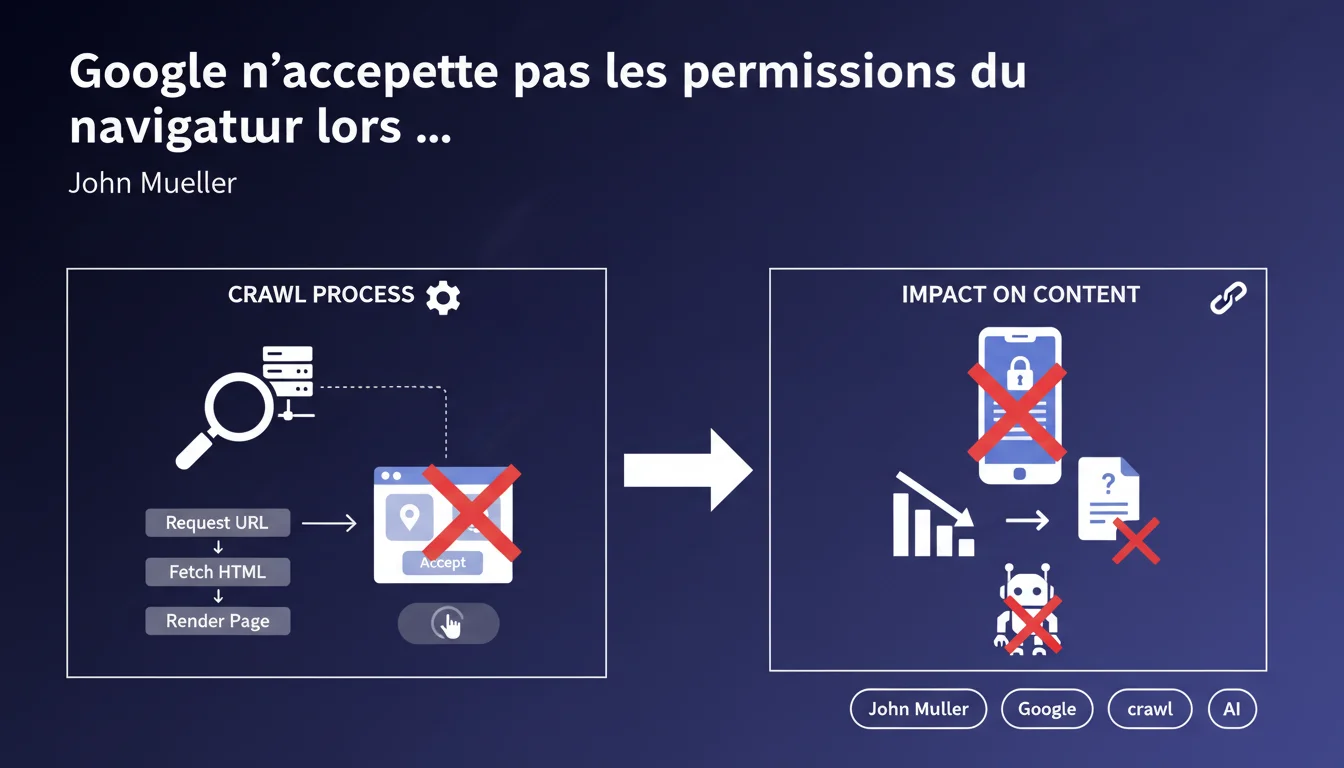
Googlebot accepts no browser permissions (geolocation, notifications, pop-ups, etc.) when rendering pages. If your content relies on these permissions or user interactions like button clicks, it remains invisible to Google. The bot cannot simulate manual acceptance.
What you need to understand
Why does Googlebot refuse browser permissions? <\/h3>
Google wants to understand what a user sees by default, without interaction. Permission dialogs — geolocation, push notifications, camera access — require voluntary human action. Googlebot cannot (and does not want to) simulate user consent.<\/p>
Specifically? Your content should never be hidden behind a browser permission. If a critical element — title, text, image — requires the user to accept a JavaScript alert, Google will not see it.<\/p>
What permissions are affected? <\/h3>
All those that generate a native browser dialog: geolocation, notifications, microphone/camera access, blocked pop-ups. Google systematically ignores them.<\/p>
But also: buttons, forms, interactions that require a click or input. Googlebot does not activate onClick events or fill fields. If content loads only after a user click, it remains invisible.<\/p>
Is JavaScript rendering enough then? <\/h3>
No. Just because Google executes JavaScript doesn't mean it interacts with the page. It renders the initial DOM but does not click, scroll, or fill out forms.<\/p>
Do you have a site that loads content lazily via infinite scroll? Google will not scroll. Are you hiding text behind a
SEO Expert opinion
Is this statement consistent with observed practices in the field? <\/h3>
Yes — and it's a brutal reminder for some developers. I've seen e-commerce sites that display their catalog after a geolocation pop-up "to customize the experience." Result: zero product indexing.<\/p>
Google is not lying here. The problem is that many confuse "JavaScript rendering" with "full interaction." Googlebot is not a user — it's a robot that reads the final HTML. It does not click on "Accept cookies" or "Allow geolocation.”<\/p>
What gray areas should be monitored? <\/h3>
Mueller states that "buttons and forms requiring user interaction are generally not activated." Generally. That word matters.<\/p>
In some cases, Google can trigger passive onLoad or onScroll events if the JavaScript initializes them automatically. But counting on that? Dangerous. [To be verified] on each implementation.<\/p>
Should all permissions be banned from the site? <\/h3>
No. Permissions have their usefulness — push notifications, geolocation for a store locator. But they should remain optional and never block access to the main content.<\/p>
If your content depends on a permission, you have an architectural problem. Period.<\/p>
Practical impact and recommendations
What concrete steps should be taken to avoid these pitfalls? <\/h3>
Audit your site using Chrome DevTools in bot mode. Disable JavaScript, reload. Then enable it, but don’t click on anything. What you see is what Google sees.<\/p>
Next, test with Google Search Console (URL Inspection > Test URL). Compare the rendering with the user version. Any discrepancies are an alert.<\/p>
- Ensure that the main content displays without user interaction.<\/li>
- Remove any dependency on browser permissions to display content.<\/li>
- Replace lazy-loading via scroll with automatic mechanisms (Intersection Observer without clicks).<\/li>
- Transform "See more" buttons into automatic loading or server-side rendering.<\/li>
- Test each critical page with Google's testing tool (URL Inspection).<\/li>
- Document blocking interactions and prioritize their technical redesign.<\/li>
What mistakes should be absolutely avoided? <\/h3>
Never hide content behind a geolocation permission. This is the worst mistake, and it's common in retail.<\/p>
Don't rely on "JavaScript hacks" to bypass this limitation. Google is constantly improving its rendering — what works today may fail tomorrow.<\/p>
How can you ensure that your site adheres to these rules in the long term? <\/h3>
Integrate this check into your deployment workflow. Every new feature requiring interaction must pass a crawlability test.<\/p>
Train your developers on SEO constraints — many do not realize that Googlebot does not click. This is not a budget issue; it’s a matter of technical understanding.<\/p>
❓ Frequently Asked Questions
Googlebot peut-il cliquer sur un bouton "Accepter les cookies" ?
Le lazy-loading via scroll infini est-il indexé par Google ?
Un contenu affiché après un clic sur "Voir plus" sera-t-il crawlé ?
Peut-on utiliser la géolocalisation pour personnaliser le contenu sans nuire au SEO ?
Comment tester si mon contenu est accessible à Googlebot ?
🎥 From the same video 13
Other SEO insights extracted from this same Google Search Central video · published on 31/12/2021
🎥 Watch the full video on YouTube →Related statements
Get real-time analysis of the latest Google SEO declarations
Be the first to know every time a new official Google statement drops — with full expert analysis.
💬 Comments (0)
Be the first to comment.