
Official statement
Other statements from this video 9 ▾
- □ JavaScript et indexation : Google est-il vraiment capable de tout indexer ?
- □ Pourquoi Google peine-t-il à indexer correctement les sites qui utilisent des Web Workers ?
- □ Pourquoi les SEO et développeurs doivent-ils absolument travailler ensemble ?
- □ Les core updates de Google sont-elles vraiment des rappels à l'ordre sur les guidelines ?
- □ Les core updates sont-elles vraiment neutres ou cachent-elles des pénalités déguisées ?
- □ Core update : pourquoi Google refuse-t-il de donner des détails spécifiques ?
- □ Les core updates de Google sont-elles vraiment conçues pour améliorer l'expérience utilisateur ou pour redistribuer les positions ?
- □ Pourquoi Google refuse-t-il de révéler ce que contiennent vraiment les core updates ?
- □ Les core updates de Google affectent-ils vraiment tous les sites ?
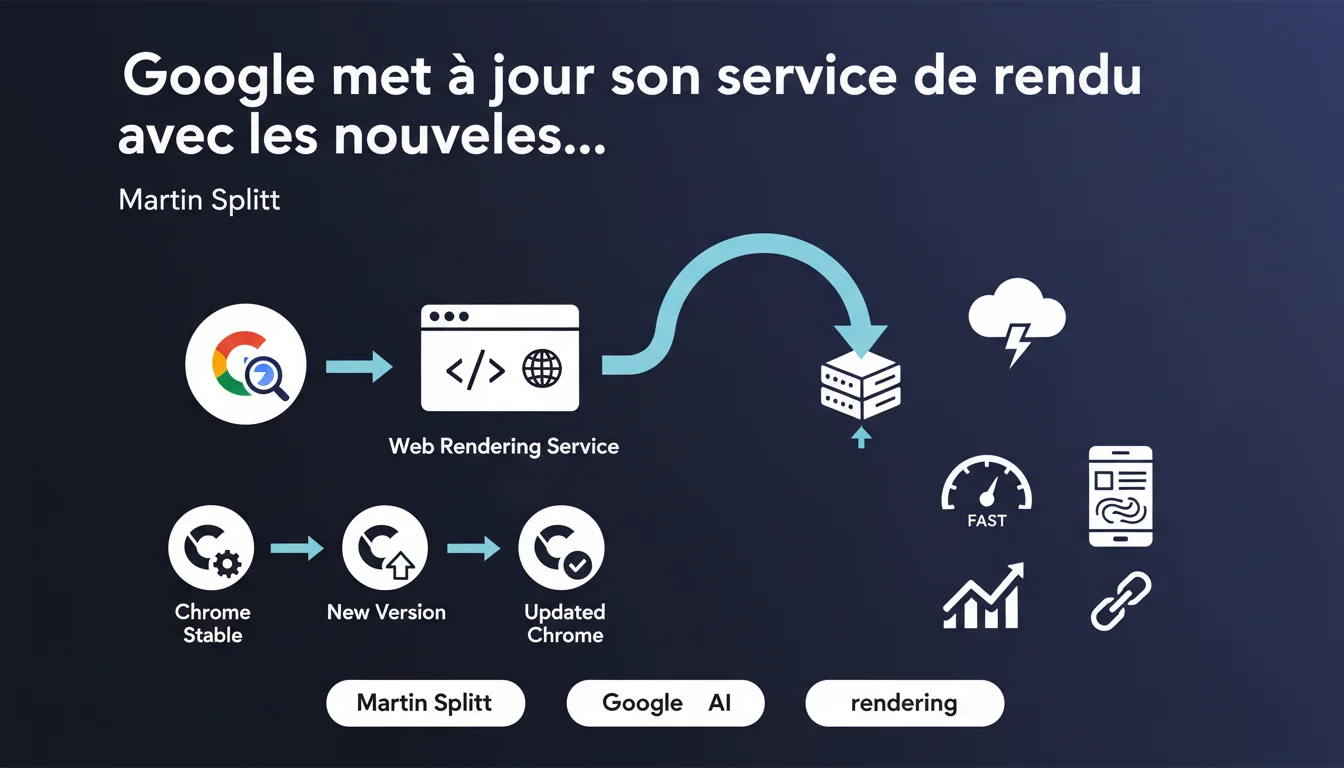
Google updates its web rendering service a few weeks after each stable Chrome release. This delay means that Googlebot may not immediately support some recent JavaScript or CSS features. Websites that adopt experimental web features early should anticipate rendering delays.
What you need to understand
Why doesn’t Google synchronize its rendering service with Chrome immediately? <\/h3>
The Web Rendering Service <\/strong> (WRS) is the infrastructure that Googlebot uses to execute JavaScript and generate the final DOM. Unlike a conventional browser, this service must operate at a massive scale — crawling billions of pages each day.<\/p>
Google waits a few weeks after each stable Chrome release before integrating changes. This latency allows for stability testing and prevents a bug in a recent version of Chrome from impacting global indexing. Specifically, if Chrome 120 is released on December 1, the WRS will likely switch to this version by late December or early January.<\/p>
If your site is using a JavaScript or CSS feature introduced in the very latest versions of Chrome, Googlebot may not support it immediately <\/strong>. For instance, a new ECMAScript API or an experimental CSS property may be overlooked for several weeks.<\/p>
Most sites are unaffected — frameworks like React, Vue, Angular, or Next.js use polyfills and transpile the code to ensure broad compatibility. However, if you are developing with cutting-edge technologies or without transpilation, this delay could pose issues.<\/p>
What does this mean for the rendering of my site? <\/h3>
What are the key points to remember? <\/h3>
SEO Expert opinion
Is this latency consistent with what’s observed in the field? <\/h3>
Yes. Regular tests show that Googlebot often lags behind the latest stable version of Chrome by 3 to 6 weeks. Some have observed even greater discrepancies during major updates. [To be verified] <\/strong> Google never discloses the exact version of the WRS in real time — it must be inferred via User-Agents and rendering tests.<\/p>
What Google doesn’t disclose here is that the WRS is not always uniform. Some data centers may run on slightly different versions during gradual deployment phases. As a result, two URLs crawled on the same day may be rendered using slightly different JavaScript engines.<\/p>
Let’s be honest: Most sites will never be affected. React 18, Vue 3, Angular — all these frameworks already transpile the code to ensure backward compatibility. Webpack, Vite, or Parcel handle this automatically.<\/p>
The issue affects sites that use modern JavaScript without transpilation or that experiment with recent CSS APIs (such as Container Queries, :has(), View Transitions). If you deploy raw ES2023 code in production and Chrome 119 has only just started supporting a syntax, expect Googlebot not to understand it for several weeks <\/strong>.<\/p>
Technically yes, but it’s not a priority. Google built its crawling infrastructure to prioritize reliability and stability <\/strong> over the speed of adopting new features. A bug in a recent version of Chrome could break the rendering of millions of pages — a risk that Google is unwilling to take.<\/p>
From an SEO perspective, this aligns with the general philosophy: never rely on overly recent or experimental technologies for critical content. If it works in Chrome Canary but not in the stable version from a month ago, it’s too early.<\/p>What use cases are truly impacted? <\/h3>
Could Google speed up this update cycle? <\/h3>
Practical impact and recommendations
How can I check if my site is correctly rendered by Googlebot? <\/h3>
Never rely solely on your browser. Googlebot may see a different version — especially if you are developing on Chrome 122 while the WRS is still running on Chrome 120.<\/p>
Use the Mobile-Friendly Test Tool <\/strong> or the URL Inspection Tool in the Search Console. These tools show you exactly what Googlebot sees after executing JavaScript. Compare the final HTML rendering to what you expect.<\/p>
Check your transpiler configuration. If you are using Babel, ensure that @babel/preset-env <\/strong> targets at least the last 2-3 versions of Chrome. For Next.js or Nuxt projects, this config is often managed by default — but still verify it.<\/p>
Incorporate automated rendering tests into your CI/CD pipeline. Tools like Puppeteer or Playwright can emulate Googlebot and detect issues before production.<\/p>
What errors should I absolutely avoid? <\/h3>
What should I do concretely right now? <\/h3>
❓ Frequently Asked Questions
Quelle version de Chrome utilise actuellement le Web Rendering Service de Google ?
Mon site React transpilé avec Webpack est-il affecté par ce décalage ?
Dois-je attendre plusieurs semaines avant d'utiliser une nouvelle API JavaScript ?
Le Web Rendering Service est-il identique sur tous les serveurs de Google ?
Comment savoir si Googlebot a des problèmes pour rendre mon JavaScript ?
🎥 From the same video 9
Other SEO insights extracted from this same Google Search Central video · published on 11/01/2022
🎥 Watch the full video on YouTube →Related statements
Get real-time analysis of the latest Google SEO declarations
Be the first to know every time a new official Google statement drops — with full expert analysis.
💬 Comments (0)
Be the first to comment.