
Official statement
Other statements from this video 9 ▾
- □ Does a simple trailing slash really trigger a complete site migration according to Google?
- □ Why does changing a URL cause you to lose a page's entire SEO history?
- □ Can a rushed URL migration destroy your search rankings before you even realize what's happening?
- □ Should you really document every single URL during an SEO migration?
- □ Should you really redirect EVERY single URL when migrating your website?
- □ Do you really need to update ALL internal elements after a URL migration?
- □ Is Google Search Console really essential for a successful site migration?
- □ How long does a URL migration really take before Google fully processes it?
- □ Should you really keep 301 redirects live for a full year or more?
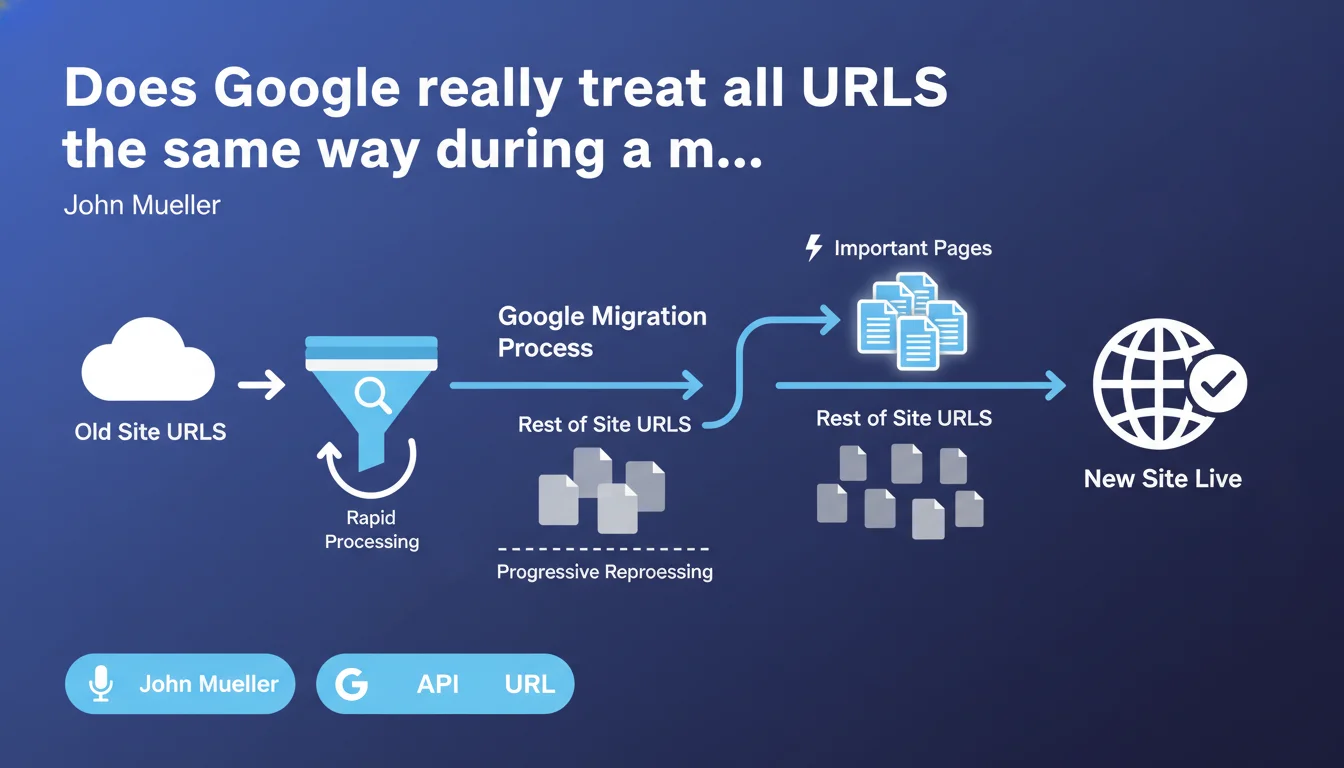
Google applies differentiated processing during URL migrations: pages deemed important are prioritized first, while the rest of the site follows progressively. This phased approach means that not all your redirects will be processed at the same pace — and Google alone decides what deserves to be treated first.
What you need to understand
What does this "differentiated" processing mean in practical terms?
During a URL migration, Google doesn't reprocess your entire site all at once. It prioritizes pages it considers important — those receiving traffic, having solid backlinks, or being frequently updated.
The rest of the site follows a slower schedule, sometimes weeks later. It's not a bug, it's a resource optimization choice by Google.
How does Google determine which pages are "important"?
Google relies on several signals: recent organic traffic, backlink quality and volume, historical crawl frequency, and probably user behavior. A page visited 1,000 times a month will take priority over an archived product page.
The problem? You have no direct control over this evaluation. Google decides — and its criteria aren't public.
Why does this progressive approach create migration challenges?
Because some pages "secondary" according to Google can be strategically critical for your business. A rarely-visited conversion page with high margins, or a seasonal landing page, risks waiting weeks before being reprocessed.
In the meantime, you're potentially losing qualified traffic and revenue. Google's vision doesn't always align with your business priorities.
- Priority processing: Google reprocesses first the pages it deems important (traffic, backlinks, freshness).
- Opaque progressivity: The rest of the site follows a diffuse schedule with no guaranteed timeline.
- Business risk: Pages strategic for you may be considered secondary by Google and dragged out.
- No direct leverage: You cannot force Google to accelerate processing of a specific URL.
SEO Expert opinion
Is this statement consistent with real-world observations?
Yes, largely. We regularly observe migrations where 70-80% of traffic stabilizes within days, then the rest drags for weeks. The pattern matches: Google prioritizes high-signal pages, the rest follows at crawl budget pace.
But here's the catch — Mueller gives no figures, no timeframes, no thresholds. How long for "secondary" pages? A week? Three months? [To verify] because this vagueness is problematic for migration planning.
What nuances should be applied to this statement?
First, this prioritization doesn't mean Google ignores other pages — it just processes them more slowly. But "slowly" can mean very different things depending on site size and crawl budget.
Second, this logic assumes Google has a reliable view of what's "important". On sites with lots of dynamic or seasonal content, this evaluation can be flawed. A page dead in December could be crucial in June — Google doesn't anticipate this.
In what cases doesn't this rule apply as expected?
On small sites (dozens of pages), the effect is often imperceptible: everything gets processed quickly. Conversely, on very large sites (millions of URLs), crawl budget can slow the process so much that even "important" pages take days to be reprocessed.
Another case: if your migration has technical errors (redirect chains, cascading 404s), Google might simply block processing — regardless of the page's theoretical importance. Prioritization doesn't compensate for faulty implementation.
Practical impact and recommendations
What must you do concretely before and during a migration?
Identify your critical pages before migration — not by intuition, but by data: organic traffic, revenue generated, backlinks. Ensure their redirects are flawless and that new URLs are technically optimized (load time, structure, content).
Submit these priority URLs via Search Console immediately after migration. It guarantees nothing, but it increases odds they'll be crawled quickly.
What errors should you avoid to prevent slowing the process?
Don't create redirect chains (A → B → C). Google hates them, they slow crawl and dilute PageRank. Always redirect directly from old URL to new one, using 301s.
Avoid migrating during high-traffic periods (sales, Black Friday) — Google then prioritizes fresh content indexing, not reprocessing your redirects. Plan during calm periods.
How do you verify the migration is progressing as expected?
Track traffic evolution by page segments: your top performers should recover quickly, secondary pages may lag. If even your best pages stagnate after 48-72 hours, dig deeper — there's likely a technical issue.
Use Search Console coverage reports to spot pending URLs, 404 errors, soft 404s. Monitor server logs to see which pages Google actually crawls — sometimes it obsesses over useless URLs instead of processing your priorities.
- List strategic pages (traffic, revenue, backlinks) and verify their redirects first
- Avoid any redirect chains: always redirect directly with 301s
- Submit priority URLs via Search Console immediately after migration
- Plan migration during low commercial activity periods
- Monitor traffic by page segments (top vs secondary) to detect anomalies
- Leverage server logs to identify what Google actually crawls
- Check Search Console coverage reports daily for the first 2-3 weeks
Google's differentiated processing requires rigorous preparation beforehand: identifying critical pages, guaranteeing flawless technical implementation, and closely monitoring post-migration signals. Leave nothing to chance.
Complex migrations — especially on sites with thousands of pages or high business stakes — demand specialized expertise and close oversight. If you lack the technical and analytical skills in-house, engaging a specialized SEO agency can help you avoid costly mistakes and accelerate traffic recovery.
❓ Frequently Asked Questions
Combien de temps faut-il pour qu'une migration d'URLs soit complètement traitée par Google ?
Peut-on accélérer le traitement des pages secondaires lors d'une migration ?
Faut-il conserver les anciennes URLs en redirection 301 indéfiniment ?
Est-ce que soumettre un sitemap avec les nouvelles URLs aide à accélérer la migration ?
Que faire si le trafic ne récupère pas même sur les pages prioritaires après une semaine ?
🎥 From the same video 9
Other SEO insights extracted from this same Google Search Central video · published on 18/01/2022
🎥 Watch the full video on YouTube →
💬 Comments (0)
Be the first to comment.