
Official statement
Other statements from this video 6 ▾
- □ Can exporting your Search Console data actually revolutionize your SEO strategy?
- □ Why does Google cap Search Console exports at just 1000 rows?
- □ How can you leverage Search Console exported data to build custom SEO dashboards that reveal hidden insights?
- □ How can you effectively analyze the SEO performance of each section on your website?
- □ Should you really be steering your SEO budget based on geographic performance data?
- □ How can you leverage Search Console metrics to pinpoint your highest-potential markets?
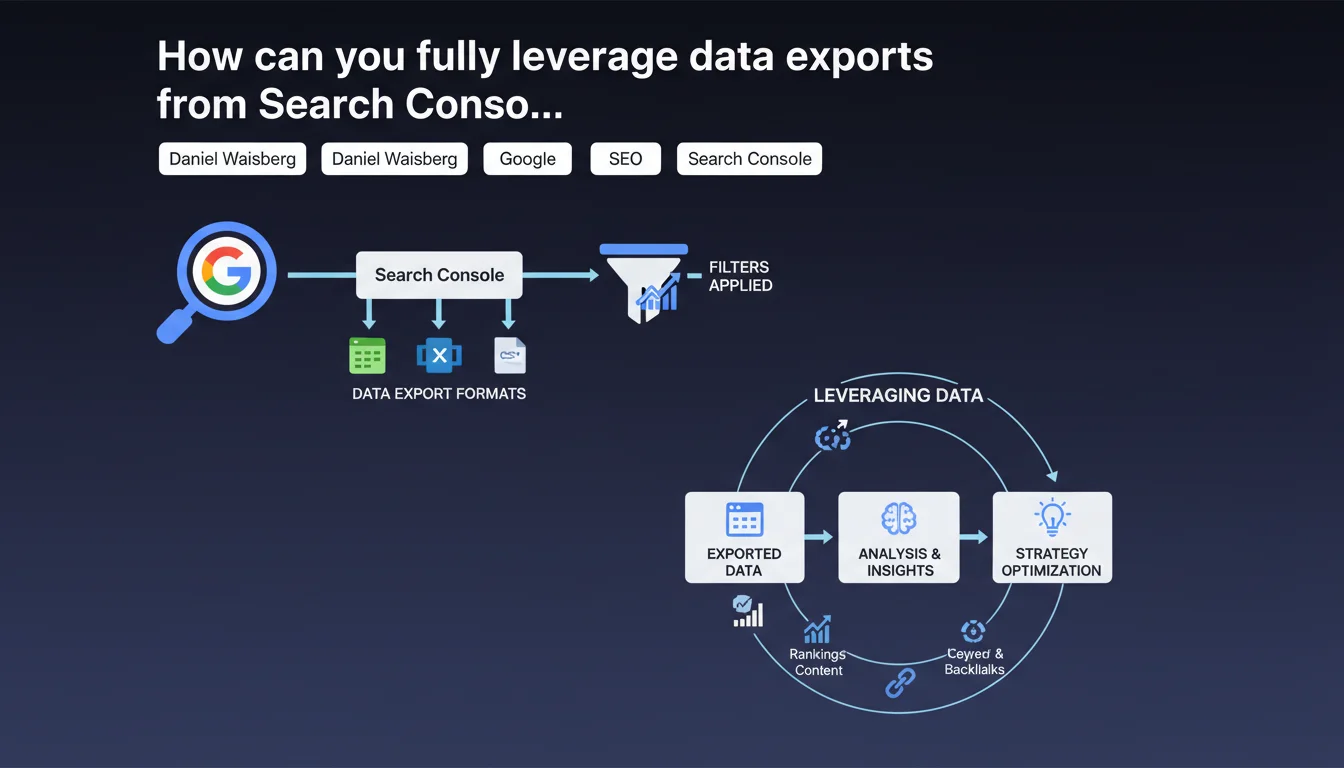
Google Search Console offers three export formats (Google Sheets, Excel, CSV) that automatically preserve the filters applied to your current report. This feature lets you extract targeted datasets without manual manipulation, but requires a solid understanding of how filters impact your exported data.
What you need to understand
What export formats are actually available in Search Console?
Google provides three export options: Google Sheets for seamless integration within the Google Workspace ecosystem, Excel for local processing with standard spreadsheet tools, and CSV for maximum compatibility with third-party tools or analysis scripts.
Each format serves a specific use case. Google Sheets enables collaborative sharing and automation via Apps Script. Excel is ideal for one-off complex analyses with pivot tables. CSV remains the standard for feeding databases or external data visualization tools.
Are the filters I apply actually preserved in the export?
Yes, and that's the central point here. When you apply a filter to a GSC report — for example, to isolate queries containing a specific keyword or pages from a particular section — the export retrieves only the matching rows.
This logic saves you from exporting 1,000 rows and then refiltering manually in Excel. But it demands precision: if you forget an active filter, your dataset will be incomplete without you necessarily noticing. Search Console doesn't always clearly display the status of applied filters in its interface.
What are the actual limitations of these exports?
Google doesn't clarify in this statement the thresholds for exportable rows, nor how anonymization aggregations impact exports. We know that Search Console caps certain reports at 1,000 rows in the interface, but exports can sometimes retrieve more data — without official guarantees.
- Filter preservation: automatic, applicable to all filter types (query, page, device, country, etc.)
- Available formats: Google Sheets, Excel (.xlsx), CSV
- Undocumented limit: the maximum number of exportable rows varies by report
- Anonymous aggregations: certain data is grouped to protect privacy, with no clarity on exact impact in exports
SEO Expert opinion
Does this feature actually solve data extraction problems?
Only partially. Filter preservation simplifies the workflow for one-off exports, but it doesn't replace API extraction for regular analyses or large volumes. The Search Console API lets you retrieve up to 25,000 rows per request with full control over dimensions and filters.
In practice, manual exports remain useful for quick analyses — spotting traffic drops in a section, pulling top queries from a category. But once you're talking automation or historical tracking, the API becomes essential. [To verify]: Google doesn't officially communicate about threshold differences between manual exports and API calls.
Can preserved filters create a silent risk of errors?
Absolutely. If you apply a filter like "contains 'purchase'" to analyze transactional intent, then export without resetting that filter, your dataset will only contain those queries. The Excel or Google Sheets file won't explicitly mention which filters were active during export.
This logic creates a silent bias that's hard to detect retroactively. When you share an export with a colleague or reuse it weeks later, nothing indicates that the data was pre-filtered. You need to systematically document extraction conditions — which almost nobody does in practice.
Why doesn't Google offer a complete, unfiltered raw export?
Fair question. Search Console limits data access for reasons of privacy and server load. Those famous anonymous aggregations — rows where Google combines infrequent queries or pages — protect user identity but complicate long-tail analysis.
This architectural choice forces SEOs to combine multiple sources: GSC for trends, server logs for crawl details, Analytics for behavior. No single platform gives an exhaustive view, and Google doesn't seem willing to change this fragmented approach.
Practical impact and recommendations
How do you ensure exports reflect the data you actually need?
Before every export, reset all filters if you want a complete dataset. Visually verify in the interface that the number of rows shown matches your expectation. If you see "1,000 rows" when you know you have more, your export will be truncated.
To work around interface limits, use cumulative filters: export pages starting with /blog/, then those starting with /products/, and merge the datasets. It's tedious, but it lets you retrieve more rows than the default 1,000 shown.
What complementary tools can automate these exports?
Google Sheets paired with the Search Console API via an Apps Script allows you to schedule weekly extractions. You define your dimensions, your filters, and the script automatically feeds a shared dashboard.
Connectors like Supermetrics or Data Studio (Looker Studio) simplify the process even more for non-technical teams. But beware: these third-party tools sometimes impose their own row or request limits, independent of Google's.
Should you prefer one export format over the others?
It depends on your processing pipeline. CSV remains the most universal for feeding SQL databases, Python/R tools, or BI platforms. Excel works if you're doing ad hoc analyses with complex formulas or charts.
Google Sheets becomes valuable if you need to share in real time with distributed teams or if you want to automate processing via Apps Script. Watch out for sync delays, though: exporting 5,000 rows to Google Sheets can take several seconds to load.
- Verify no filters are active before a comprehensive export
- Systematically document extraction conditions (date, filters, source report)
- Cross-check manual exports with API queries to validate consistency
- Automate recurring exports via Apps Script or third-party connectors
- Archive exports to track historical change beyond GSC's 16-month retention window
❓ Frequently Asked Questions
Les filtres appliqués dans Search Console sont-ils visibles dans le fichier exporté ?
Peut-on exporter plus de 1000 lignes depuis Search Console ?
Le format CSV pose-t-il des problèmes d'encodage ?
Les regroupements anonymes sont-ils inclus dans les exports ?
Peut-on automatiser les exports Search Console sans passer par l'API ?
🎥 From the same video 6
Other SEO insights extracted from this same Google Search Central video · published on 28/02/2023
🎥 Watch the full video on YouTube →
💬 Comments (0)
Be the first to comment.