
Official statement
Other statements from this video 13 ▾
- □ Le SEO technique est-il vraiment encore indispensable pour le référencement ?
- □ Faut-il arrêter d'obseder sur les détails techniques obscurs en SEO ?
- □ Search Console est-elle vraiment efficace pour diagnostiquer vos problèmes SEO ?
- □ Pourquoi Google privilégie-t-il systématiquement la page d'accueil dans son processus d'indexation ?
- □ La duplication de contenu provient-elle vraiment toujours de copié-collé exact ?
- □ Faut-il vraiment sacrifier le volume de trafic au profit de la pertinence ?
- □ Les feedbacks utilisateurs sont-ils plus révélateurs que le trafic pour juger la qualité d'une page ?
- □ La qualité SEO se résume-t-elle vraiment à aider l'utilisateur à accomplir sa tâche ?
- □ Faut-il vraiment miser sur une perspective unique pour ranker dans une niche saturée ?
- □ Faut-il vraiment supprimer les pages à faible trafic de votre site ?
- □ Faut-il vraiment fusionner et rediriger du contenu régulièrement pour améliorer son SEO ?
- □ Faut-il vraiment aligner le title et le H1 pour performer en SEO ?
- □ Faut-il utiliser l'IA générative pour rédiger ses contenus SEO ?
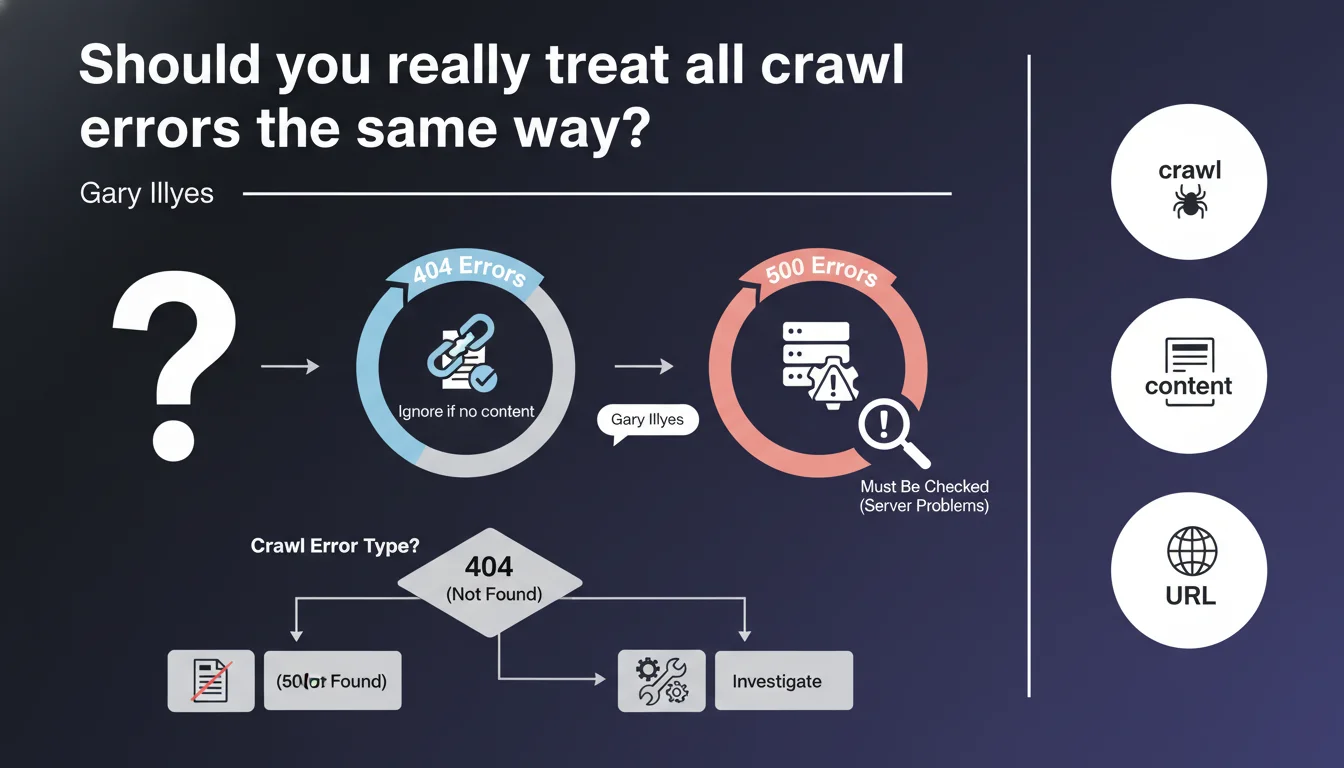
Google clearly distinguishes between 404 errors (generally benign if the URL has no reason to exist) and 500 errors (critical because they signal a server malfunction). 404s can be ignored in most cases, while 500s require immediate intervention as they block crawling and can impact indexation.
What you need to understand
Why does Google make this distinction between 404 and 500 errors?
HTTP errors are not all equal in Googlebot's eyes. A 404 error simply indicates that a resource doesn't exist — which can be perfectly normal if the page was intentionally removed or if the URL never existed in the first place. It's a legitimate signal in a site's lifecycle.
A 500 error, on the other hand, signals a technical problem on the server side: PHP crash, database timeout, failing Apache configuration. The content might exist, but the server is unable to deliver it. For Googlebot, this is an abnormal situation that deserves a retry — but it slows down crawling.
What exactly is a URL "that shouldn't serve content"?
Google is referring here to URLs that have no reason to be indexed: old versions of out-of-stock products, forgotten test pages, URL parameters generated by useless filters. If these URLs return a 404, that's the expected behavior.
The problem arises when strategic URLs — those that drive traffic or are part of your main site structure — return a 404 by mistake. Then you need to act. But creating 301 redirects for every old 404 that's been hanging around for three years generally makes no sense.
How exactly do 500 errors "affect crawling" in practice?
Googlebot allocates a crawl budget to each site — a limited amount of requests per day. When it encounters 500s, it will retry several times to verify if it's temporary. These attempts consume budget that could be used to explore useful content.
Worse: if 500s multiply, Google may interpret this as an unstable server and voluntarily reduce crawl frequency to avoid overloading your infrastructure. Result? Your new pages take longer to be indexed.
- 404s on non-strategic URLs are normal and can be ignored
- 500s indicate a server malfunction that unnecessarily consumes crawl budget
- Google automatically slows down crawling if 500 errors are frequent
- Only 404s on URLs that should be accessible require action (redirect or fix)
SEO Expert opinion
Is this distinction really respected by SEOs in the field?
Let's be honest: many clients still panic when they see hundreds of 404s in Search Console. The reflexive reaction is often to want to fix or redirect everything — when in 80% of cases, these 404s concern URLs with no value (old UTM parameters, orphaned pagination pages, external scraping).
Gary Illyes is right to remind us of this obvious fact: a 404 is not an error in itself. It's a perfectly legitimate HTTP response. The real problem is when a 404 appears where it shouldn't — on an active product page, a main category, an article that receives backlinks.
Are 500 errors always as critical as claimed?
Yes, without question. I've seen sites lose 30% of their organic traffic in a few weeks because of undetected intermittent 500s on entire sections. The tragedy is that these errors often slip under the radar: they occur under load, during crawl peaks, or on specific URLs with certain user-agents.
Google shows no mercy with 500s. If your server responds with an internal error, Googlebot considers the content temporarily unavailable — but after several failed retry attempts, it can deindex the page. This isn't theoretical, it's documented in Search Console under "Server Error (5xx)".
What gray areas doesn't Google mention here?
Gary's statement is clear but incomplete. It doesn't mention soft 404s — those pages that return a 200 code but display "product unavailable" or "page not found" content. Google detects and treats them as 404s, except you don't see them in your logs.
It also doesn't mention 503 errors (Service Unavailable), which are technically similar to 500s but are supposed to signal temporary unavailability. In theory, Googlebot should handle them differently — in practice, if they persist, the impact is identical. [To verify]: the exact duration before a series of 503s is treated as a structural problem is not publicly documented.
Practical impact and recommendations
How do you identify 500 errors that require immediate action?
First step: Search Console, "Coverage" section. Filter for "Server Error (5xx)" and sort by number of affected URLs. If you see dozens or hundreds of URLs, that's a warning signal. Check if they share a common pattern: same site section, same template type, same URL parameter.
Next, cross-reference with your server logs. Intermittent 500s — those that only occur under load or with Googlebot — are only visible there. Look for error spikes that coincide with Google's typical crawl windows (often early morning, server time).
What should you actually do facing recurring 500 errors?
If 500s are concentrated on one page type (e.g., product sheets with many variants), the problem likely stems from poorly optimized SQL queries or PHP timeouts. Enable server debug temporarily to capture stack traces — but never on a live, visible environment.
For diffuse 500s with no clear pattern: check server configuration (PHP memory limits, Nginx workers, simultaneous MySQL connections). An undersized server can handle normal user load but crash when facing a bot firing 50 requests per second.
Should you really worry about all 404s or can you ignore them?
Ignore 404s on URLs you don't control: broken external links, vulnerability scan attempts (/wp-admin.php on non-WordPress sites), old URLs migrated three years ago. This parasitic noise has no SEO impact.
Focus on 404s that have either inbound backlinks or residual organic traffic (visible in Analytics or Search Console). For those, decide: 301 redirect to equivalent content, or restore the content if it was an accidental deletion.
- Audit Search Console weekly to detect new 500 errors
- Set up automatic alerts (via Search Console API or third-party tool) if 500 volume exceeds a critical threshold
- Cross-reference 500 errors with your server logs to identify root causes (timeouts, PHP crashes, overload)
- Don't waste time fixing 404s on worthless URLs — focus on those with backlinks or traffic
- Verify that your soft 404s (pages returning 200 but with no real content) don't pollute your index
- Test your server's response under load with a tool like Screaming Frog in aggressive mode to simulate Googlebot
Managing crawl errors requires a differentiated approach: maximum responsiveness on 500s, pragmatism on 404s. If your infrastructure generates recurring 500 errors or if you're struggling to distinguish critical 404s from background noise, these optimizations may require specialized technical expertise. Support from a specialized SEO agency allows you to quickly identify root causes, prioritize fixes based on their real impact on crawling, and implement automated monitoring suited to your context — avoiding wasted resources on non-problems while protecting your organic visibility.
❓ Frequently Asked Questions
Un site avec beaucoup de 404 peut-il être pénalisé par Google ?
Combien de temps Google continue-t-il à explorer une URL qui retourne systématiquement une erreur 500 ?
Vaut-il mieux rediriger tous les anciens 404 en 301 vers la page d'accueil ?
Les erreurs 503 (Service Unavailable) sont-elles traitées comme des 500 ?
Comment savoir si mes 500 sont visibles par Googlebot mais pas par les utilisateurs ?
🎥 From the same video 13
Other SEO insights extracted from this same Google Search Central video · published on 21/11/2023
🎥 Watch the full video on YouTube →
💬 Comments (0)
Be the first to comment.