
Official statement
Other statements from this video 10 ▾
- □ Should you really mark up your paid content with paywall structured data?
- □ Should you really prevent paywall content from loading into the DOM?
- □ Does robots.txt really protect your private content from Google indexation?
- □ Is robots.txt really protecting your private content from Google?
- □ Why do your private pages never appear in Google despite being indexed?
- □ Should you really redirect your private pages to marketing content rather than straight to a login form?
- □ Why does Google refuse to index corporate intranet pages?
- □ Are your URLs leaking private data even when your content is protected?
- □ Should you really test your site in private browsing to properly assess your SEO visibility?
- □ Does Google really give preferential SEO advice to its own internal teams?
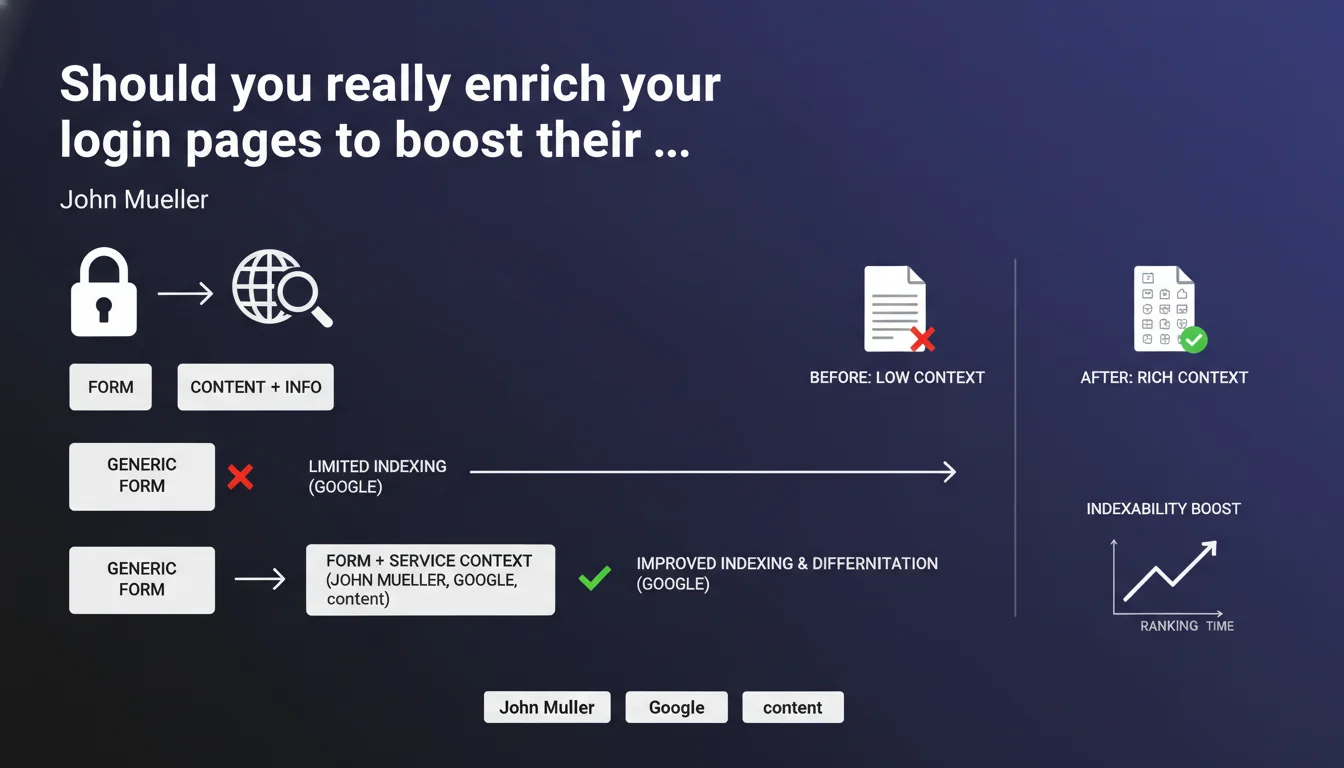
Google recommends adding contextual content to login pages rather than leaving a bare generic form. The goal: enable Google to index relevant content and differentiate between different sections of your site. In practice, an empty login page is a missed opportunity to send relevance signals to the search engine.
What you need to understand
Why does Google care about the content on login pages?
Login pages are often treated as technical entry points with no SEO value. Result: a generic form, no text, no context. Google can't extract anything from it.
Yet these pages are crawled and indexed like any other. If they offer no relevance signals — no keywords, no service description, no context — Google can't associate them properly with user queries. They become ghost pages in the index.
What does "contextualizing" a login page actually mean?
Contextualizing means giving Google (and the user) information about the service being accessed. Not a novel — just a few lines will do.
Examples: a sentence explaining what the member area is for, the benefits of logging in, or even a reminder of features accessible after sign-in. The idea is to transform a dead page into one that carries meaning.
How does this help differentiate sections of a site?
On a complex site with multiple login areas (customers, partners, administration), each login page can target different user intents. Without context, Google sees them as duplicates or interchangeable empty pages.
Adding specific content signals that "/login-customers" and "/login-partners" don't serve the same function. This helps Google segment your site architecture and better understand user journeys.
- Login pages are indexed but often empty of relevant signals
- Adding context allows Google to understand the role of each page
- This facilitates differentiation between multiple login areas on the same site
- A contextual page sends thematic signals the engine can exploit
SEO Expert opinion
Is this recommendation really a priority in an SEO strategy?
Let's be honest: optimizing login pages won't skyrocket your organic traffic. If you have crawl budget issues, massive duplicate content, or a broken internal linking structure, start there instead.
But for sites with complex member areas, SaaS platforms, or spaces where multiple login zones coexist, this recommendation makes perfect sense. These pages shouldn't be black holes in your architecture.
What are the risks if you ignore this advice?
The main risk? Google indexing your login pages as low-quality or thin content. On a site with dozens of subdomains or sections, this can pollute your index with valueless URLs.
Another pitfall: if you have multiple identical login pages (same template, no differentiating text), Google may flag them as duplicate content. And that's where trouble begins.
In what cases doesn't this rule apply?
If your site has a single generic login page with no differentiation concerns, the impact will be marginal. Same if that page is blocked by robots.txt or noindex (which may be legitimate in some cases).
For sites with a simple single member area, adding content can be good UX practice, but the SEO impact will be limited. Prioritize pages with high traffic potential first.
Practical impact and recommendations
What should you do concretely on your login pages?
Add a contextual text block above or below the form. A few sentences are enough: explain what users are accessing, remind them of the benefits of logging in, or briefly describe the service.
Vary the content between different login pages if you have multiple ones. Use vocabulary specific to each section to strengthen thematic signals.
Also think about meta tags: title and description should reflect the page context. A "Customer Portal Login" page should have a different title than "Partner Portal Login".
What mistakes should you absolutely avoid?
Don't stuff your login pages with artificial SEO content. Google isn't fooled. Text should serve the user first and foremost.
Avoid duplicates: if all your login pages display the same generic text, you've solved nothing. Worse, you're aggravating the duplicate content problem.
Don't block these pages with noindex if they have a differentiating function. However, if they add no value to your index, better to exclude them properly via robots.txt or X-Robots-Tag.
How do you verify your login pages are properly optimized?
- Crawl your site with Screaming Frog or Oncrawl to identify all indexable login pages
- Verify each page contains at least 100-150 words of unique contextual content
- Check title tags and meta descriptions: they should be differentiated and descriptive
- Analyze server logs to see if Googlebot crawls these pages and how frequently
- Use Google Search Console to check indexation and detect any duplicate content issues
- Test mobile display: contextual content should remain readable and accessible
Contextualizing your login pages is a second-level optimization, but it can make a difference on complex architectures. The effort is minimal, the potential impact is not negligible.
If your site has many login pages or you manage a multi-space SaaS, this recommendation deserves quick implementation. For simpler structures, it's a best practice to integrate gradually.
Implementation may seem straightforward at first glance, but it requires careful architectural analysis and coordination between technical, editorial, and SEO teams. For complex sites, working with a specialized SEO agency can help structure this optimization within a broader strategy and avoid common mistakes that could degrade indexation.
🎥 From the same video 10
Other SEO insights extracted from this same Google Search Central video · published on 04/09/2025
🎥 Watch the full video on YouTube →
💬 Comments (0)
Be the first to comment.