
Official statement
Other statements from this video 6 ▾
- □ Le Client-Side Rendering met-il vraiment votre indexation en danger ?
- □ Pourquoi la visibilité du contenu conditionne-t-elle réellement l'indexation par Google ?
- □ L'hydration est-elle vraiment la solution miracle aux problèmes SEO du JavaScript ?
- □ Le pré-rendering est-il la solution ultime pour l'indexation des sites JavaScript ?
- □ Le Server-Side Rendering garantit-il vraiment l'indexation de votre contenu JavaScript ?
- □ Comment choisir la bonne stratégie de rendu pour optimiser son référencement naturel ?
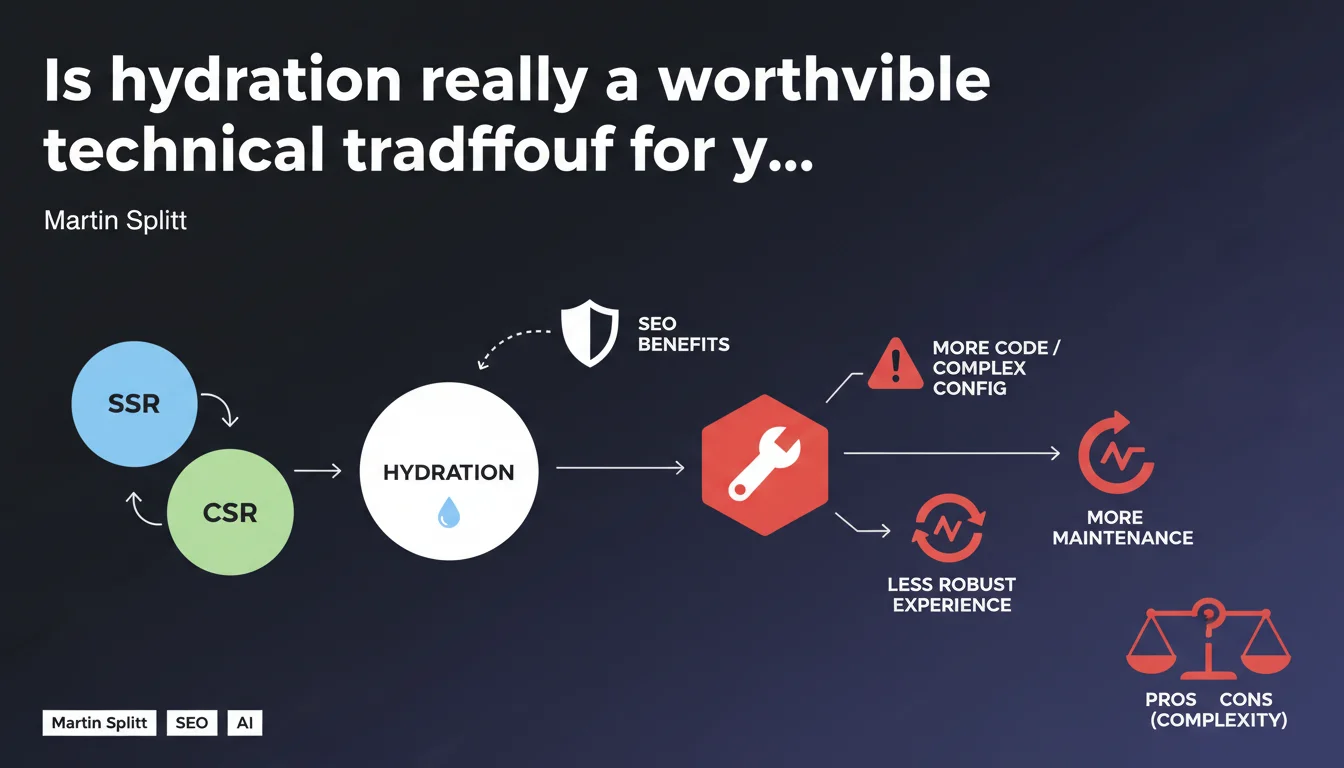
Martin Splitt warns that hydration, while combining SSR and CSR, adds technical complexity and extra code. The result: increased risk of bugs, heavier maintenance burden, and potentially less stable user experience. For SEO teams, it's a serious tradeoff to weigh carefully.
What you need to understand
What is hydration and why is Google talking about it?
Hydration is a technique that combines Server-Side Rendering (SSR) and Client-Side Rendering (CSR). The server generates the initial HTML (good for crawling and SEO), then JavaScript takes over on the client side to make the site interactive. This is the core of frameworks like Next.js, Nuxt.js, or Gatsby.
Splitt isn't saying it's a bad approach — he's just pointing out something many underestimate: this architecture involves more code, more logic, more friction points. And more complexity means more chances something breaks.
Why this statement now?
Google is probably seeing sites that implement hydration poorly: content that doesn't display correctly, differences between initial HTML and final DOM, JavaScript errors that block rendering. These issues harm both indexing and user experience.
Splitt is warning: if you opt for hydration, prepare yourself to manage a heavier technical stack. It's not a neutral choice, especially if your teams don't have the expertise or resources to maintain this kind of architecture.
What are the concrete SEO risks?
- Hydration errors: differences between SSR HTML and DOM after hydration, which can confuse Googlebot
- Blocking JavaScript: if hydration fails, the site can become non-interactive or display incomplete content
- Increased maintenance time: more code = more dependencies to manage, more updates, larger surface area for bugs
- Degraded performance: hydration requires loading and executing JS on the client side, which can impact Core Web Vitals if poorly optimized
SEO Expert opinion
Does this statement reflect real-world reality?
Yes, without question. Sites implementing hydration without mastering the subtleties often end up with hydration bugs (hydration mismatches) that break user experience and complicate Googlebot's life. I've seen Next.js sites where the SSR content was perfect, but a client-side JS error made the page unusable — and Google indexed a weird mix of both.
Splitt is also right about maintenance. An SSR + hydration stack requires constant technical vigilance: Next.js releases major versions several times a year, each update can introduce breaking changes. If your team doesn't have time or competency to keep up, you'll accumulate technical debt.
Is hydration always a bad choice?
No. Let's be honest: for complex sites with lots of interactivity (dashboards, apps, advanced e-commerce), hydration remains often the best compromise. The problem is seeing it deployed on sites that don't really need it — blogs, brochure sites, simple landing pages.
[To verify] Google has never provided hard data on the percentage of sites affected by hydration errors. Splitt remains vague on complexity thresholds where it becomes problematic. Practically speaking? If you have a small team or no dedicated frontend dev, be careful.
What alternatives if hydration scares you?
Two serious options: pure SSR (without heavy hydration, just HTML + progressive JS) or partial hydration (islands architecture: only interactive components are hydrated, the rest stays static HTML). Astro, Eleventy, or even modern PHP can handle the job for most use cases.
The other option is to accept the complexity but invest the resources: JS error monitoring, automated testing, strict code reviews. If you don't have that, you're playing Russian roulette.
Practical impact and recommendations
How do you know if your site suffers from hydration issues?
First instinct: open your browser's JavaScript console and navigate your site. Hydration errors often appear in red, with messages like "Hydration failed" or "Text content did not match". If you see this, Google probably does too.
Next, test with JavaScript disabled. The SSR content should be completely visible. If parts disappear or layout breaks, it's a red flag: your hydration isn't properly bridging SSR and CSR.
What errors to absolutely avoid?
- Don't test hydration in real conditions (slow devices, degraded networks)
- Don't ignore hydration warnings in dev — they always become bugs in production
- Don't mix server-generated and client-generated content without consistency (dates, dynamic content, user states)
- Don't forget to monitor client-side JS errors — use Sentry, LogRocket, or equivalent
- Don't underestimate hydration JavaScript weight: every KB counts for Core Web Vitals
What should you do concretely to limit risks?
If you're already on a hydration stack, audit: identify which components really need interactivity and which could stay static. Implement partial hydration (lazy hydration, islands) rather than full-page hydration.
For new projects, ask yourself upfront: do I really need this complexity? If your site is mainly informational, a static site generator with progressive JS will be more robust and easier to maintain.
❓ Frequently Asked Questions
L'hydration impacte-t-elle directement le crawl de Googlebot ?
Est-ce que tous les frameworks avec hydration sont concernés ?
Peut-on désactiver l'hydration complètement ?
Comment mesurer l'impact SEO d'un problème d'hydration ?
L'hydration affecte-t-elle les Core Web Vitals ?
🎥 From the same video 6
Other SEO insights extracted from this same Google Search Central video · published on 08/01/2025
🎥 Watch the full video on YouTube →
💬 Comments (0)
Be the first to comment.