
Official statement
Other statements from this video 5 ▾
- □ Is it safe to publish the same content in both HTML and PDF without triggering duplicate content penalties?
- □ Does Google really index HTML and PDF content independently, even when the text is identical?
- □ How can you effectively control which version of duplicate HTML and PDF content Google indexes?
- □ Does Google Really Favor HTML Over PDF When Duplicate Content Is Detected?
- □ Should you really include a link to your website in every PDF you publish?
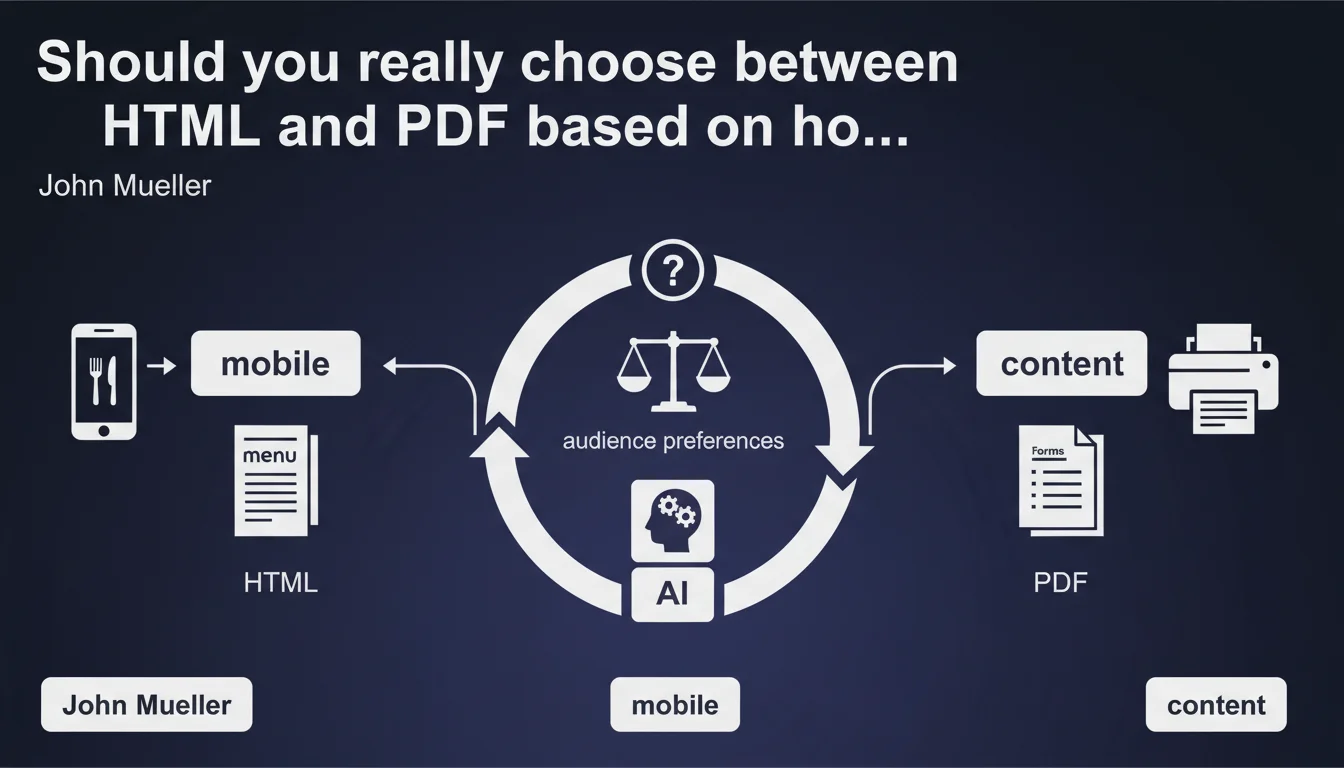
Google confirms that content format should be driven by intended usage: HTML for mobile viewing, PDF for printing. In practice, most websites offer only a single format — the one their audience naturally prefers. So the choice isn't arbitrary but functional.
What you need to understand
Why does Google insist on this HTML vs PDF distinction?
The answer is purely pragmatic. Google is simply observing what works in the real world: a restaurant menu viewed on mobile will always be more readable in responsive HTML than in PDF. Conversely, an administrative form meant to be printed, filled out by hand, and sent retains all its relevance in PDF format.
This isn't strictly a SEO directive — it's a reminder of basic UX principles. If your content is trapped in an unsuitable format, user experience collapses. And when UX collapses, behavioral signals follow suit.
Does this statement mean that PDF is penalized by Google?
No. Google indexes PDFs perfectly and can even rank them highly if the content is relevant. The nuance — and it's significant — is that indexing a PDF doesn't guarantee a proper mobile experience.
A PDF displayed on a smartphone forces users to zoom, scroll horizontally, in short: struggle. Bounce rates explode, session duration plummets. Google picks up on these signals and draws the obvious conclusions.
What's the underlying logic for an SEO practitioner?
The implicit message is simple: align format with user intent. If 80% of your visitors consume your content on mobile and never print it, PDF is a mistake. If your audience consistently downloads to archive or print, HTML alone isn't enough.
Mueller's statement merely validates what behavioral analysis has shown us for years. The problem is that many sites still ignore this data and impose a format out of technical convenience rather than usage coherence.
- Format must follow actual usage, not internal production habits
- HTML = screen consumption, fluid navigation, optimal mobile SEO
- PDF = printing, archiving, technical or administrative documentation
- Both formats can coexist if your audience has mixed needs
- A poorly optimized PDF on mobile degrades experience and behavioral metrics
SEO Expert opinion
Is this statement truly groundbreaking?
No. And that's precisely what raises questions. Mueller is simply stating the obvious — which begs the question: why does Google feel the need to remind us of such basic fundamentals?
Two hypotheses. Either Google is seeing too many sites imposing PDF where it makes no sense (mobile-first product documentation in PDF, for example). Or this statement answers a recurring question in forums — which would suggest the topic remains fuzzy for some practitioners.
Are there cases where this logic doesn't hold?
Absolutely. Take a B2B white paper: your audience consumes it first online (so HTML would be logical), but they also want to download it, annotate it, share it internally. In this case, offering HTML only frustrates the user.
Another example: product technical sheets in manufacturing. They're consulted on mobile in the field, but they must also be printable to be filed in a physical binder. Here, HTML + a "Download PDF" button is the only viable solution.
Mueller's message is therefore incomplete: it describes the polar cases (100% mobile vs 100% print) but sidesteps the mixed cases — which actually represent a significant share of real-world needs.
What about the concrete SEO impact of format choice?
Let's be honest: Google indexes PDFs, but the ranking experience isn't identical. A PDF ranked #1 on mobile generates fewer clicks than an HTML page — simply because the PDF icon in the SERP is a psychological barrier for many users.
Moreover, a PDF doesn't benefit from rich snippets, featured snippets, or mobile display enhancements. You also lose all capacity for fluid internal linking: a PDF can contain links, but the navigation experience remains crude.
Practical impact and recommendations
How do you identify the right format for each content type?
Start by analyzing your Analytics data: what percentage of your traffic is mobile? On which specific content? If 70% of your users view your product guides on smartphone, PDF is a dead end.
Next, look at download behavior. If your PDFs are downloaded heavily but session duration remains low, the user is trying to work around a poor online reading experience — not that they want to print.
What mistakes must you absolutely avoid?
Never impose a PDF as the sole access point to informational content primarily consumed online. That's unnecessary friction, and Google sees it in the metrics.
Another common error: offering a PDF "for SEO" without asking if the user experience makes sense. An indexed PDF generating 80% bounce rate serves no purpose — it actually sends negative signals.
Also avoid multiplying formats "on principle." If your audience never prints, offering a PDF is useless noise. Simplicity wins: one well-chosen format beats two poorly justified formats.
What concrete steps should you implement?
- Audit mobile vs desktop traffic for each content type
- Analyze PDF download rates and cross-reference with engagement metrics
- Identify content locked in PDF where usage is mobile-first
- Migrate that content to responsive HTML if relevant
- Keep PDF only where printing or archiving makes sense
- Add a "PDF Version" button on HTML pages for mixed-use cases
- Test the impact on bounce rate and session duration after migration
- Verify in Search Console that HTML pages properly inherit indexing from old PDFs
❓ Frequently Asked Questions
Google pénalise-t-il les PDF dans les résultats de recherche ?
Peut-on proposer les deux formats (HTML et PDF) pour le même contenu ?
Comment savoir si mon audience préfère le HTML ou le PDF ?
Un PDF bien optimisé peut-il ranker aussi bien qu'une page HTML ?
Faut-il migrer tous mes PDF existants en HTML ?
🎥 From the same video 5
Other SEO insights extracted from this same Google Search Central video · published on 12/12/2023
🎥 Watch the full video on YouTube →
💬 Comments (0)
Be the first to comment.