
Official statement
Other statements from this video 11 ▾
- □ Is JavaScript Really Hurting Your Site's SEO Performance?
- □ Is excessive JavaScript fragmentation killing your SEO performance?
- □ Does PageSpeed Insights Really Reveal Critical JavaScript Problems That Are Harming Your SEO?
- □ Is HTTP/2 making JavaScript file concatenation obsolete for SEO?
- □ Does loading JavaScript from too many domains really slow down your site's first impression?
- □ How can you eliminate the inefficient JavaScript that's killing your Core Web Vitals?
- □ Can passive listeners really boost your Core Web Vitals?
- □ Why is unused JavaScript tanking your Core Web Vitals even when it never executes?
- □ Can JavaScript tree shaking really boost your SEO performance and page speed?
- □ Should you really compress all your JavaScript files to boost your SEO performance?
- □ Does Google Really Care About Cache Headers for Your JavaScript Files?
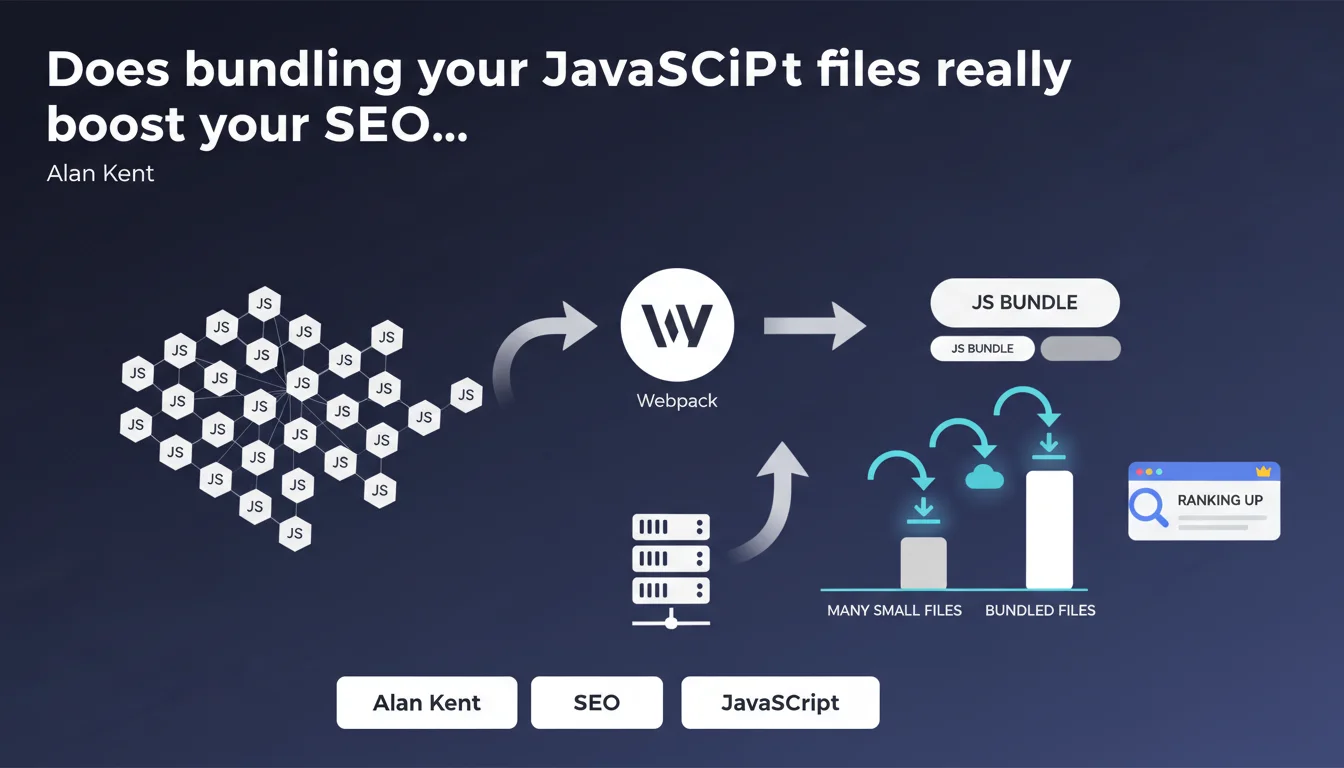
Google recommends combining multiple small JavaScript files into one larger file or a few parallelizable files. This practice, which tools like Webpack make easy to implement, reduces the number of HTTP requests and improves page load times—a factor that search algorithms take into account for ranking.
What you need to understand
Why is Google pushing developers to bundle JavaScript files?
Alan Kent's statement follows the logic of reducing HTTP requests. Each JavaScript file requires a separate network connection: TCP handshake, TLS negotiation, round-trip latency. Multiplying small files creates significant overhead.
By bundling these files together, you limit these back-and-forth exchanges. A single 100 KB file downloaded all at once will almost always be faster than ten 10 KB files, especially on mobile connections with high latency.
What exactly is bundling and how does it work in practice?
Bundling involves concatenating multiple JavaScript files into a single bundle. Tools like Webpack, Rollup, or Parcel automate this process. They analyze dependencies, eliminate dead code (tree-shaking), and produce one or several optimized files.
Google's mention of "a few files that can be downloaded in parallel" refers to code-splitting. Rather than a single monolithic file, you can generate a main bundle and secondary chunks loaded on demand (lazy loading). HTTP/2 and HTTP/3 allow multiplexing these requests without major overhead.
How does this impact SEO?
The Core Web Vitals—particularly LCP (Largest Contentful Paint) and FID (First Input Delay)—are directly influenced by JavaScript loading speed. JS fragmented across 50 files delays parsing, execution, and therefore page interactivity.
- Fewer HTTP requests = reduced overall latency
- Faster parsing if code is optimized and deduplicated
- Improved Time to Interactive (TTI), a performance metric tracked by Google
- Indirect impact on bounce rate and user signals
- Better crawl budget usage: fewer blocking resources = more efficient crawling
SEO Expert opinion
Is this recommendation still valid with HTTP/2 and HTTP/3?
The question is legitimate. HTTP/2 introduced multiplexing, allowing multiple files to load in parallel over a single TCP connection. In theory, fragmenting JavaScript should no longer be penalizing.
Except—and here's where it gets tricky. Multiplexing doesn't eliminate the initial latency of each request. On unstable mobile connections or those with high latency, the difference remains measurable. Real-world tests show that a single bundle often remains more performant than a dozen small files, even with HTTP/2. [To verify]: Google doesn't specify the threshold at which bundling becomes critically necessary.
What are the practical limits of this approach?
Bundling all JavaScript into a single file can become counterproductive. A 2 MB bundle forces the browser to download unnecessary code for the current page—and penalizes browser caching. If you modify a single line, the entire bundle is invalidated.
Code-splitting is therefore the real best practice: a minimal main bundle, and chunks loaded on demand (routes, deferred components). Google mentions this anyway: "a few files that can be downloaded in parallel." Concretely? Three to five strategic bundles beat either a monolith or excessive fragmentation.
Is this statement consistent with real-world observations?
Yes, largely. PageSpeed Insights audits consistently flag sites with too many fragmented JS requests. The measurable gains in LCP and TTI are real—provided you don't swing to the opposite extreme.
Be careful, though: bundling without minification, without tree-shaking, without deferring non-critical JS… it's pointless. Bundling is just one piece of the puzzle. And Google remains intentionally vague on precise thresholds—how many files? What's the optimal size per bundle? No specific figures provided.
Practical impact and recommendations
What should you do concretely to bundle your JavaScript effectively?
First step: audit your current setup. Open Chrome DevTools, go to the Network tab, filter for JS, and reload the page. How many requests? What's the file size for each? If you see 30+ files of a few KB each, that's a red flag.
Next, choose a bundler suited to your stack. Webpack remains the most comprehensive tool, but Vite or Rollup are faster for modern projects. Configure code-splitting: separate vendor code (third-party libraries) from application code, generate chunks by route if your site is a SPA.
- Audit the current number and size of JS files
- Install a bundler (Webpack, Rollup, Vite) and configure the build
- Enable tree-shaking to eliminate dead code
- Implement strategic code-splitting (vendor, routes, lazy)
- Minify and compress (gzip/brotli) generated bundles
- Test the real impact on Core Web Vitals via PageSpeed Insights
- Monitor browser cache: bundles should have version hashes
What mistakes should you absolutely avoid?
Classic mistake: bundling everything into a single monolithic file. Result: a 1.5 MB bundle that tanks your FCP and forces download of unused code. Caching also becomes inefficient: every change invalidates everything.
Another trap: failing to defer non-critical JS. Even when bundled, a synchronous script blocks rendering. Use defer or async, and load secondary features (analytics, chat, etc.) via lazy loading.
How do you verify that the optimization works?
Run a Lighthouse audit (built into Chrome DevTools) before and after bundling. Compare the metrics: LCP, TTI, Total Blocking Time. The improvement should be measurable—if it's not, something's wrong with your setup.
Also check the waterfall in the Network tab: JS files should load quickly, without cascading blocking dependencies. If you still see dozens of sequential requests, bundling isn't properly applied.
❓ Frequently Asked Questions
Combien de fichiers JavaScript est considéré comme « trop » par Google ?
Le bundling améliore-t-il directement le ranking Google ?
Faut-il privilégier un seul bundle ou plusieurs fichiers parallèles ?
Webpack est-il obligatoire ou existe-t-il des alternatives plus simples ?
Le bundling impacte-t-il le crawl budget de Googlebot ?
🎥 From the same video 11
Other SEO insights extracted from this same Google Search Central video · published on 17/05/2022
🎥 Watch the full video on YouTube →
💬 Comments (0)
Be the first to comment.